
Can’t find Poplar trees in Minecraft? Learn how to locate the new Dappled Forest biome, fix chunk generation issues, and get the best Bedrock 26.50 seeds.
Are you wandering aimlessly through your survival world, trying to track down the gorgeous new autumn trees from the “Wilderness Bound” update? You are definitely not alone. With the massive release of Minecraft Bedrock 26.50 and Java 26.3, players everywhere are eager to get their hands on the brand-new Poplar wood set. However, locating them can feel surprisingly tricky if you don’t understand the game’s new world generation rules.
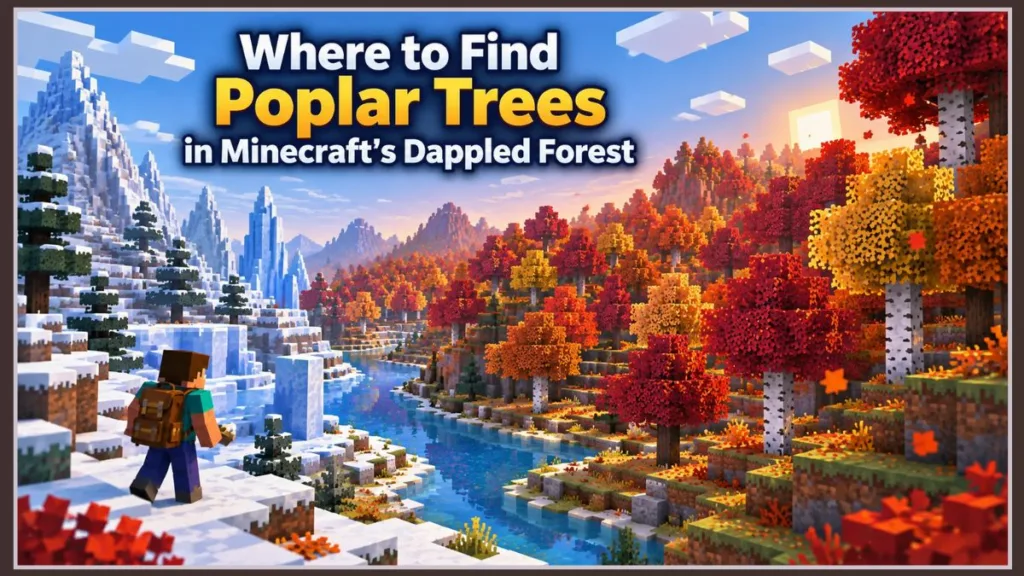
Looking for the quick answer on how to find Poplar trees in Minecraft? Poplar trees generate exclusively within the new Dappled Forest biome. To locate one naturally in your world, head toward colder terrain like Snowy Taigas, Frozen Peaks, or Ice Spikes. The Dappled Forest generates as a “transition zone” directly along the borders where freezing regions meet temperate climates.
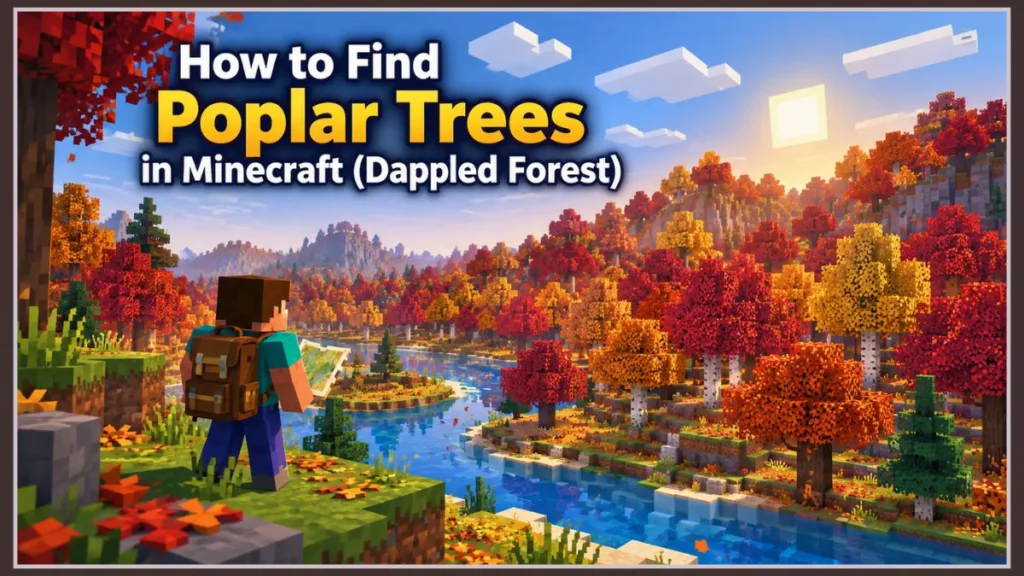
In this comprehensive guide, we are breaking down the exact biome spawn rules, explaining why your existing survival world might not be showing them yet, sharing working seed codes to find them instantly, and showing you how to harvest all three vibrant leaf colors without destroying them.
Where to Find the Dappled Forest Biome in Minecraft
Unlike Oak or Birch trees that sprout up in almost any temperate plains or forest area, Poplar trees are strictly confined to the Dappled Forest.
Mojang designed the Dappled Forest as an ecological transition biome. Instead of generating randomly in the middle of vast deserts, warm oceans, or tropical jungles, the game algorithm deliberately places them alongside colder climates to simulate an autumn freeze.
Pro-Tip for Explorers: When you are flying on your Elytra or trekking on horseback, keep an eye out for snow. If you spot a snowy mountain range, frozen river, or ice spikes, land immediately and walk the perimeter of the cold biome. You will know you have arrived when the canopy thickens heavily and the standard green foliage transitions into warm, falling particle effects.
Why Can’t I Find Poplar Trees in My Minecraft World?
If you have spent the last three hours running around an existing survival world that you started months ago and haven’t spotted a single red or orange leaf, take a deep breath. Your game isn’t glitched. You are simply running into the unexplored chunks rule.
Minecraft’s terrain generation engine is designed to protect your hard work. It will never overwrite chunks that have already been loaded, generated, or built on in older versions of the game. If you are exploring areas near your primary base, those regions were generated under older update rules where the Dappled Forest literally did not exist.
The Fix: How to Travel to Brand-New Chunks
To discover the new content in an older save file, you must force the game to generate terrain that has never been loaded before. Here is the fastest way to do it:
- Build a Nether Highway: Since one block traveled in the Nether equals eight blocks in the Overworld, this is your fastest travel method. Build a tunnel a few hundred blocks out in the Nether, build an exit portal, and step through. You will pop out thousands of blocks away in untouched Overworld territory.
- Push Past Your Cartography Maps: If you maintain an in-game map wall, grab some food and run straight past the furthest mapped borders until the landscape begins generating fresh.
- Verify Your Version: Double-check your title screen to ensure you are actually running Bedrock 26.50 or Java 26.3.
Best Dappled Forest Seeds (Bedrock 26.50 & Java 26.3)
If you prefer jumping straight into a new world to start building with the autumn aesthetic immediately, skip the exploration. These tested seeds will spawn you right next to a Dappled Forest.
| Seed Code | Platform | Starting Coordinates | Description |
100000026363067018 | Bedrock & Java | X: 12, Z: -48 (Spawn) | You spawn in a small clearing surrounded immediately by tall Poplar trees with red and orange canopies, bordered by a scenic river. |
849201948201741 | Bedrock & Java | X: 340, Y: 72, Z: 180 | A short walk east from spawn brings you to a massive Dappled Forest nestled against a dramatic frozen peak. Contains a nearby Abandoned Camp structure for early loot. |
Minecraft Poplar Wood & Autumn Leaves Guide
Once you track down your first grove, harvesting everything the forest has to offer requires the right tools and a little strategy.
How to Collect Red, Orange, and Yellow Leaves
Poplar trees naturally generate with three distinct canopy color variations: red, orange, and golden-yellow. They also feature subtle, continuous falling leaf particle effects that match their canopy color, making them phenomenal decorative blocks for custom landscaping and pathways.
How to harvest them:
To collect these leaves without destroying them, you must use Shears or any tool enchanted with Silk Touch. Breaking the leaf blocks with bare hands, swords, or standard axes will merely destroy them (or occasionally drop a sapling). Shears allow you to keep the exact block and leaf hue in your inventory to place back at your base.
Crafting with the Poplar Wood Set
Felling a Poplar log gives you access to a full new wood family. The logs themselves have a distinct, slightly weathered bark texture with a clean, muted gray-brown interior grain that bridges the gap perfectly between Spruce and Jungle wood.
Placing Poplar logs on a crafting table yields Poplar Planks, which can be crafted into the entire standard suite of wooden building materials:
- Poplar Planks, Slabs, and Stairs
- Poplar Doors and Trapdoors (featuring a fantastic rustic, vertical-slat cabin design)
- Poplar Fences and Fence Gates
- Poplar Signs and Hanging Signs
- Poplar Boats and Boats with Chests
Don’t Forget the Shelf Mushrooms!
While you are busy chopping down wood, make sure to look closely at the forest floor and tree trunks. The Dappled Forest introduces Shelf Mushrooms, a unique new fungus that naturally grows along the sides of fallen Poplar logs and vertical tree trunks.
These mushrooms generate in both small and large variants, and both are highly useful:
- Culinary Utility: Small shelf mushrooms can be gathered and used in culinary recipes, expanding your early-game food options alongside classic brown/red mushroom stews.
- Bouncy Platforms: The larger shelf mushrooms can actually be jumped on, behaving like miniature natural bounce pads (similar to Slime Blocks but softer). They are incredible for parkour maps, treehouse ladders, or quick descents without taking heavy fall damage.
Frequently Asked Questions (FAQs)
Can you grow Poplar trees from saplings?
Yes! When you break Poplar leaves (or allow them to decay naturally after cutting down the trunk), they have a small chance to drop Poplar saplings. You can plant these saplings on dirt, coarse dirt, rooted dirt, or grass blocks back at your home base. Using Bone Meal will accelerate their growth just like standard trees.
How do you get different colored Poplar saplings?
There is actually only one universal Poplar sapling item in your inventory. When you plant and grow the sapling, the resulting leaf color (red, orange, or yellow) is generated automatically. The color outcome is determined by random growth conditions and influenced slightly by the local biome temperature where it is planted.
Do Poplar leaves drop apples?
No. Unlike Oak and Dark Oak leaves, Poplar canopies do not drop apples when they break or decay. Make sure to pack enough food on your expedition so you don’t run out of hunger bars while searching for the new biome!
Grab Your Gear and Start Exploring
The Dappled Forest is easily one of the coziest, most atmospheric biomes Mojang has introduced to the Overworld in years. Whether you are stocking up on logs for a rustic mountain cabin or collecting heaps of red and gold leaves to landscape your base’s pathways, heading to the border of the nearest snow biome is your ticket inside.
Having trouble seeing the new biomes even after traveling thousands of blocks? Make sure your installation actually updated properly by checking our step-by-step walkthrough on How to Download the Minecraft Bedrock 26.50 Update!
Visit Our Post Page: Blog Page
Discover more from Izoate
Subscribe to get the latest posts sent to your email.