
Wondering what happens when you dismiss a poke on Facebook? Find out if the sender is notified, where dismissed pokes go, and how to undo an accidental poke.
You’re cleaning up your notifications, you tap a button by mistake, and a friend’s poke suddenly disappears. Now you’re frantically searching, “what happens when you dismiss a poke on Facebook?”
What Actually Happens When You Dismiss a Poke on Facebook?
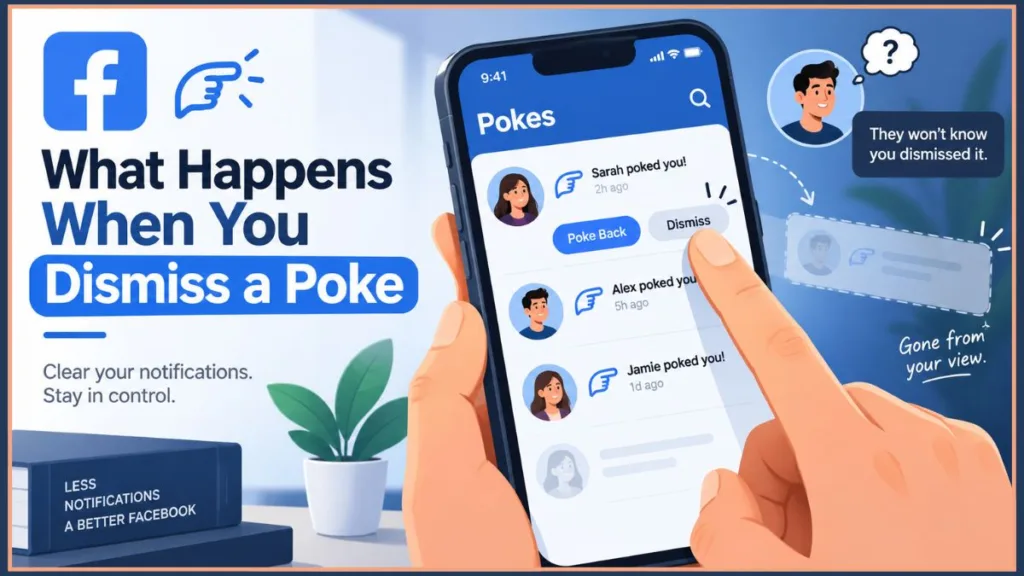
Let’s answer that question immediately: when you dismiss a poke on Facebook, it simply removes the notification from your view, and the sender is absolutely not notified. The “dismiss” feature everyone is curious about is actually just the process of clearing your Facebook poke dashboard without having to return the gesture.
Dismissing a Poke On Facebook
This guide will show you exactly how that works, explain what happens when you choose to ignore a poke on Facebook, and provide strategies to manage your Meta privacy settings. It covers both mobile and desktop, clearly separates hiding a poke notification from deleting a sent poke, and includes tips for stopping unwanted pokes entirely.
The 2026 Resurgence: What’s the Point of Poking Someone?
With a massive spike in usage recently, you might be asking yourself what’s the point of poking someone on Facebook today. Poking is simply a low-pressure, non-verbal way to say hello. It cuts through the complexities of modern social media etiquette, offering a simple, nostalgic way to spark interaction without having to type out a full message.
Does Facebook Notify When You Dismiss a Poke?
The biggest worry users have is whether the other person gets an alert or a “rejected” message. Rest assured, does Facebook notify when you dismiss a poke? No. When you dismiss it, the notification quietly vanishes from your end.
Where Do Dismissed Pokes Go on Facebook?
They are permanently deleted from your active dashboard. The main difference between ignoring and dismissing a poke is semantics—dismissing is ignoring it permanently. Keep in mind that once dismissed, you can no longer easily “poke back” from that specific alert.
What to Do If You Accidentally Poke Someone (And Can You Undo It?)
It happens to the best of us. You meant to hit dismiss but accidentally poked someone on Facebook, and now you want to know how to undo this. If you are wondering, “can I take back a poke?“, you technically cannot “unsend” the notification once it’s on its way. However, you can remove it from your activity history.
How to Remove a Sent Poke via Your Activity Log
If you need to know how to remove your poke on Facebook, the only reliable way to “retract” it is by deleting it from your Activity Log.
Step-by-Step on Mobile (iPhone & Android)
- Go to your profile and tap the three dots (…) next to your profile name.
- Select Activity Log.
- Tap Manage Interactions and select Pokes.
- Find the poke you sent and tap the checkmark box next to it.
- Tap Remove at the bottom to delete the poke from your Activity Log.
Tip: Acting quickly increases the chance that the recipient won’t see the poke before it’s deleted.
Step-by-Step on Desktop
- Click your profile picture in the top right.
- Navigate to Settings & Privacy > Activity Log or access it directly through the Activity Log page.
- On the left side, click Your Facebook Activity > Pokes.
- Locate the poke you sent, click the three dots (…), and select Delete.
Tip: This desktop method allows for bulk deletion, making it easier to manage multiple accidental pokes at once.
What to Do After You Accidentally Poke Someone
Even after deleting a poke, the other person may have already received the notification. Here’s how to handle the situation with confidence:
- Do Nothing: Many people ignore accidental pokes. It’s often not noticed or taken seriously.
- Send a Message: A quick “Oops, accidental poke!” can clear up any confusion and turn the situation into a lighthearted interaction.
- Poke Them Back: If it’s a friend, leave it be and make it a joke to diffuse any awkwardness.
Tip: Humor and honesty are usually the best tools when dealing with accidental social media interactions.
How to Manage Pokes You Have Received
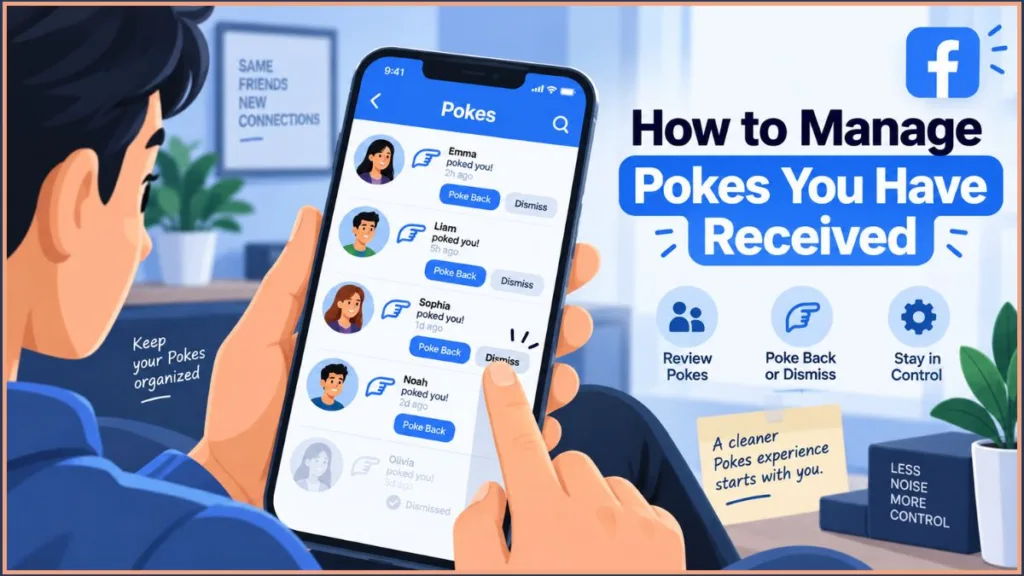
Receiving pokes is different from sending them. Facebook allows you to poke back or dismiss pokes, giving you control over your interactions.
Where to Find Your Pokes Dashboard
- Mobile: Tap the Search icon, type “Pokes”, and select the Pokes page.
- Desktop: Type “Pokes” in the search bar or go directly to the Pokes page.
The dashboard shows all recent pokes and allows you to manage them efficiently.
Poke Back vs. Dismiss Poke
- Poke Back: Sends a poke notification to the friend who poked you.
- Dismiss: Removes the poke notification from your view without alerting the other person.
Tip: Use dismiss for pokes you don’t want to respond to. It’s a discreet way to manage unwanted interactions while keeping your dashboard organized.
How to Stop Someone From Poking You Entirely
Facebook occasionally suggests friends to poke, and sometimes people get a little too poke-happy. Controlling these interactions prevents notification overload:
- Dismiss individual suggestions: Tap and hold a suggested friend on your dashboard, then select Dismiss suggestion.
- Reduce notifications: Go to Settings > Notifications > Pokes to manage your Meta privacy settings and alerts.
- Block pokes on Facebook: To stop someone from poking you entirely, the only official method is to block the user. This prevents repeated unwanted pokes from specific friends — or, if you prefer not to unfriend them, learn how to restrict someone on Facebook to hide posts without blocking.
Tip: Regularly clearing suggestions and controlling notifications keeps your Pokes dashboard clean and stress-free.
FAQs About Dismissing Pokes on Facebook
1. Can the other person see if I dismiss their poke? No, Facebook does not notify the sender when you dismiss a poke. It simply vanishes from your dashboard.
2. Can you unpoke someone on Facebook if you hit “poke back” by mistake? You cannot unsend the notification, but you can delete the record of the poke from your Activity Log.
3. Where is the Pokes page on Facebook and how do I dismiss pokes? You can access it directly by searching “Pokes” in the app, then simply click “Dismiss” next to a user’s name to remove the notification.
4. How do I remove or delete all pokes on Facebook? Use the Activity Log for bulk management to delete sent pokes, and use your Pokes dashboard to dismiss received ones.
5. How to undo a dismissed poke on Facebook? There is no “undo” button for a dismissed poke. If you dismissed one by accident, you will have to go to that person’s profile and manually poke them yourself.
6. Did Facebook bring back pokes and how do poke counts work? Yes, pokes have seen a massive resurgence recently. Repeated interactions may create streaks or milestones with visible poke counts and emojis.
7. How do I remove a poke without poking back? Simply use the Dismiss option on the Pokes page. It clears the alert without sending a notification back to the sender.
Conclusion: Efficiently Managing Facebook Pokes
Facebook pokes are a playful and nostalgic feature, but managing them effectively is key to a smooth social experience. Understanding what happens when you dismiss a poke on Facebook is the best way to keep your notifications tidy, while the Activity Log is the most reliable method for deleting sent pokes.
By following this guide, you can stay in control of your poke notifications, handle accidental interactions gracefully, hide unwanted suggestions, and block persistent pokers. Regularly reviewing your Activity Log and Pokes page ensures your Facebook interactions remain fun, organized, and stress-free.
Tip: Check your Activity Log and Pokes page frequently to maintain a clean dashboard, minimize awkward notifications, and manage accidental pokes like a pro.
Visit Our Post Page: Blog Page
Discover more from Izoate
Subscribe to get the latest posts sent to your email.