
Zelle payment not going through? Learn how to fix Zelle payment failed issues, including transfer limits, security reviews, recipient errors, and missing payments.
There is nothing quite as frustrating as hitting “send” to pay a time-sensitive bill, settle up with a vendor, or split a dinner tab, only to be stopped in your tracks by a glaring error screen. If you are frantically searching, “Why is Zelle not allowing me to send money?” or wondering, “Why is my Zelle not working?” take a deep breath. You are definitely not alone, and your money has not vanished into thin air.
Because Zelle moves funds directly between bank accounts in near-real time, it is entirely normal to panic when a transaction stalls out. You might be asking yourself, why would a Zelle payment fail? or what happens when Zelle cannot process a transaction?
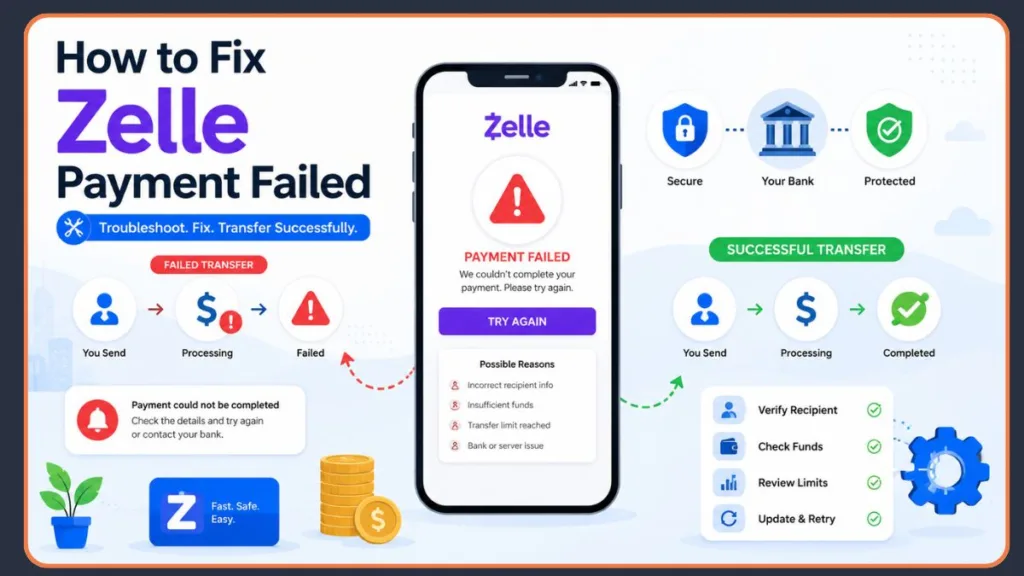
The reassuring truth is that failed Zelle payments are incredibly common and usually stem from highly predictable issues—such as minor recipient typos, bank-imposed transfer limits, insufficient funds, automated security reviews, or temporary technical glitches. In this comprehensive guide, we will walk you through exactly why your Zelle payment is not going through, how to quickly identify the root cause, and the practical troubleshooting steps you can take to get your money moving again safely.
Understanding Why Your Zelle Payment Failed
When a digital transaction hits a wall, knowing the underlying cause helps you fix the problem faster and avoid repeating the mistake. Because Zelle acts as an intermediary bridge, both your bank and the recipient’s bank must seamlessly authorize the transfer. If there is a disconnect anywhere in that chain, you will likely see a Zelle payment error message.
If you are trying to figure out, why did my Zelle payment fail, the issue almost always falls into one of these key categories:
- Incorrect recipient information: A single mistyped digit or letter in a phone number or email address will cause the directory lookup to fail instantly.
- Recipient not enrolled in Zelle: You cannot instantly send money to someone who hasn’t linked a bank account to the platform.
- Insufficient account balance: Because Zelle does not have a “holding wallet,” your bank account must have the exact funds available to cover the transfer.
- Daily or monthly transfer limits: Every bank caps exactly how much you can send over a 24-hour or 30-day rolling period.
- Security or fraud reviews: Automated bank filters block transactions that look suspicious or out of character for your spending habits.
- Bank account restrictions: Expired debit cards, frozen accounts, or business compliance issues will completely halt your ability to transact.
- Zelle app or server issues: Temporary server outages at Zelle or your specific bank can disrupt communication between networks.
Why Zelle May Be Blocking You From Sending Money
Sometimes, the roadblock originates directly from your own financial institution’s internal rules. If you are frustrated and wondering, “Why is Zelle not allowing me to send money?” your bank is likely throwing up a red flag for one of the following reasons.
Your Bank Account Has Insufficient Funds
Unlike standalone digital wallets like PayPal or Venmo that can pull from a secondary credit card or hold a digital balance, Zelle pulls money directly and immediately from your linked checking or savings account. If your current available balance is even a few cents short of the transfer amount, the system will instantly reject the payment. You will receive an automated notification stating the transaction is unable to process, meaning you cannot send money with Zelle until you deposit more funds.
You’ve Reached Your Zelle Transfer Limit
Every single bank in the Zelle network sets its own strict caps on the maximum amount of money you can transfer. These limits vary wildly by bank and account type, applying to daily, weekly, and monthly transactions. For example, consumer accounts at Wells Fargo can typically send up to $3,500 per day and $20,000 per month, while business accounts may have higher thresholds like $15,000 per day.
If you attempt a payment that pushes you over your bank’s specific cap, you will find yourself unable to send Zelle payment requests. The system rejects it automatically, and you will simply have to wait until the next rolling limit period begins (usually the next calendar day) to initiate further transfers.
Your Bank Account Is Restricted or Frozen
Your bank account must be active, open, and in good standing to use the platform. If you have a negative balance, an expired linked debit card, or a legal hold on your funds, your Zelle unable to send money status won’t change until the bank lifts the restriction.
Furthermore, if you are using Zelle for business purposes, you must ensure you aren’t violating their acceptable use policy. Zelle heavily restricts transactions tied to “high-risk” industries, such as firearms, pharmaceuticals, cryptocurrency, and gambling. If your business falls into these categories, Zelle may freeze or terminate your account without warning. (If this happens, you will need to seek out a specialized high-risk merchant services provider instead of relying on P2P apps).
Zelle Flagged the Payment for Security Review
Banks run highly sensitive, automated fraud detection filters in the background of every transaction. If you suddenly initiate an unusually large transfer, send money at an odd hour, or try to pay a brand-new recipient you have never interacted with, the bank’s system may flag the transaction. These fraud-prevention holds are designed to protect you from scams and unauthorized account takeovers. The payment will be blocked until the bank’s fraud department can verify that you legitimately authorized the activity.
Common Reasons Your Zelle Payment Isn’t Going Through
If your account is fully funded and unrestricted, but you still see that your Zelle transfer not going through, the problem is likely a technical hiccup or a direct issue on the recipient’s end.
Incorrect Email Address or Phone Number
Entering incorrect contact information is the single most common reason for digital payment failures. Zelle identifies users exclusively through their registered U.S. mobile number or email address. A single mistyped character sends the payment into a void, prompting a Zelle payment error message. Always double-check these details with the person you are paying before hitting send.
Recipient Is Not Enrolled With Zelle
If the person you are paying has never set up a Zelle profile or linked their bank account to their mobile number, the transaction cannot complete instantly. The funds will leave your account but remain in a pending state until they complete the enrollment process.
Recipient Account Is Closed or Suspended
The transaction involves two parties. If your recipient’s bank account is currently suspended, closed, or restricted by their financial institution, the Zelle network will reject your incoming transfer. You will likely see a message stating you are unable to process transaction Zelle, and the recipient will need to call their bank to unblock their account before you can try again.
Bank Server or Zelle Service Outage
Zelle relies on internal servers to facilitate communication between thousands of networked banks. If Zelle’s servers are experiencing downtime, or if your specific bank’s online portal is undergoing routine maintenance, your app simply cannot connect. If you find my Zelle is not working across the board, check a site like Downdetector to see if a widespread outage is currently affecting the service.
Poor Internet Connection or App Issues
Sometimes, the issue is entirely local to your device. If your smartphone has a weak cellular signal, is connected to an unstable public Wi-Fi network, or is running through a restrictive VPN or proxy server, it can block the app’s ability to communicate with your bank. A buggy, outdated version of your mobile banking app can also result in a Zelle payment not going through.
What to Do When You Can’t Send Money With Zelle
If you are stuck wondering, What if I can’t make a payment with Zelle? follow this straightforward, step-by-step troubleshooting checklist to get your money moving again.
- Step 1: Check Your Account Balance: Log directly into your online banking portal or mobile app. Ensure your available checking balance—not just your total balance—is sufficient to cover the exact transfer amount. Keep an eye out for pending debits that might be tying up your cash.
- Step 2: Verify Recipient Details: Contact the recipient directly and ask them to confirm the exact email or U.S. mobile number they used to register for Zelle. To completely eliminate typos, ask them to send you a “Payment Request” through the app so you only have to tap “Approve.”
- Step 3: Confirm Recipient Enrollment: Check to see if your banking app displays a small purple “Z” logo next to the recipient’s name in your contact list. If they aren’t enrolled, gently remind them they need to register their details before the money can officially transfer.
- Step 4: Review Your Transfer Limits: Navigate to the Zelle section of your banking app and check your profile settings or FAQs to confirm your specific daily and rolling 30-day transfer limits. If you have hit your cap, you must wait for the limit period to reset.
- Step 5: Update the Zelle App: Close your banking app entirely. Open the Apple App Store or Google Play Store, search for your bank’s app (or the standalone Zelle app, if you use it), and install any pending software updates. Afterward, restart your phone and try switching from Wi-Fi to cellular data to ensure a stable connection.
- Step 6: Contact Your Bank: If you have tried everything and you are still unable to send Zelle payment transfers, call the customer service number on the back of your debit card. The bank’s representatives can see the exact backend error codes blocking the transfer and can manually lift any hidden security holds.
What Happens When the Recipient Hasn’t Enrolled in Zelle Yet?
A very common scenario occurs when you send funds to a friend, contractor, or vendor who hasn’t actually set up the service yet. If you are wondering, what happens if a person fails to enroll in Zelle? the process is highly structured to protect your money.
- Payment remains pending: The money is debited from your available balance but is placed in a safe holding state rather than being delivered.
- Recipient receives enrollment instructions: Zelle automatically fires off a text message or email to the contact information you provided, alerting them that money is waiting and giving them step-by-step instructions on how to securely link their bank account.
- 14-day enrollment period: The recipient has exactly 14 calendar days to complete their registration and claim the funds. If they do, the money is deposited automatically.
- Payment expiration process: If the 14-day window passes without the recipient enrolling, you will see a Zelle payment expired status in your transaction history.
- Automatic refund: Once the payment officially expires, the transaction is canceled, and the funds are automatically routed back into your checking account without you needing to take any action.
Zelle Payment Failed but Money Was Deducted? Here’s What to Do
Seeing a Zelle unable to deposit payment alert right after watching your bank balance drop is enough to make anyone’s stomach drop. However, if your payment deducted but failed, you do not need to panic.
When you initiate a transfer, your bank often places a temporary authorization hold on the funds before attempting to route them through the Zelle network. If the transaction hits a wall—due to a typo, network timeout, or recipient issue—the payment officially fails. Because Zelle does not hold user funds, your bank must process an internal reversal to remove that temporary debit.
This bank reversal process is an automated standard banking practice. You can typically expect your refund to appear back in your available balance within 1 to 3 business days, depending on your specific financial institution’s processing speed. If it has been more than five business days and you still have money taken but payment not received, contact your bank’s customer support with your exact transaction ID to trace the reversal.
Why Isn’t My Zelle Payment Showing Up?
If you are on the receiving end of a transaction and the sender insists the money left their account, but your balance hasn’t moved, you are dealing with a Zelle payment not showing up scenario. Here is what to check:
Payment Is Still Pending
The sender’s bank may have flagged the transaction for a routine fraud review, especially if it’s a large amount or the first time they’ve paid you. These reviews can delay processing by a few hours.
Recipient Hasn’t Enrolled
Ensure you have actually fully registered the mobile number or email address the sender used. If they sent it to your phone number, but your Zelle profile is only linked to your email, you will face a Zelle not receiving payment error until you update your contact preferences.
Bank Processing Delays
While Zelle transfers are typically instantaneous for enrolled users, certain smaller banks and credit unions may experience slower overnight or weekend processing speeds, delaying your deposit.
Incorrect Recipient Information
Confirm with the sender exactly what phone number or email they typed in. If they were one digit off, they sent the money to the wrong person or into a void.
Technical Processing Issues
Occasionally, an app glitch will falsely display a “completed” status on the sender’s end while the backend servers are still struggling to finalize the Zelle unable to deposit payment request.
What It Means When Zelle Declines Your Transaction
If you receive a direct notification stating the payment processor declined your transfer, it means the system hit a hard, unpassable barrier. If you are wondering, What if the Zelle payment processor declined my transaction? here are the most common decline reasons:
- Insufficient funds: You did not have the required cash in your checking account to cover the transaction amount.
- Transfer limits: You attempted to exceed your bank’s strict daily, weekly, or monthly send limits.
- Fraud detection systems: Your bank’s automated security algorithms recognized unusual behavior and halted the transaction to protect your account from potential hackers.
- Unsupported account status: You are attempting to send money from an ineligible account type, such as a basic savings account, a frozen profile, or a restricted business account.
- Technical errors: The bank’s server simply timed out while trying to communicate with the Zelle network.
To resolve these declines, verify your balance, ensure you are under your transfer limit, and call your bank’s fraud department to clear any security holds.
Decoding Zelle Payment Statuses: Pending, Failed, Expired, and More
Checking your banking app’s transaction history is the fastest way to understand exactly where your money is. Here is a quick breakdown of what each status means and what action you should take.
| Status | Meaning | What To Do |
| Pending | The payment is currently processing, under a security review, or waiting for an unenrolled recipient to register. | Wait for the bank review to clear, or contact the recipient and ask them to verify their Zelle enrollment. |
| Failed | The transaction was firmly rejected by the bank or the Zelle network due to errors, limits, or insufficient funds. | Troubleshoot the issue by checking your balance, verifying your limits, and correcting recipient details. |
| Expired | You sent money to an unenrolled recipient, and they failed to register within the 14-day grace period. | Do nothing; the funds are automatically returned to your bank account. |
| Canceled | The sender manually canceled a pending payment before an unenrolled recipient could claim it. | If you are the sender, resend the payment when ready. If you are the recipient, ask the sender why they canceled. |
| Completed | The funds were successfully delivered and deposited into the recipient’s linked bank account. | If the recipient claims the money is missing, they must contact their own bank’s support team immediately. |
Simple Ways to Avoid Zelle Payment Failures in the Future
Dealing with transaction errors is highly frustrating, but you can easily prevent future Zelle payment failures by adopting a few proactive banking habits.
- Double-check recipient details: Always read the phone number or email address back to the person before hitting the final “send” button.
- Save verified recipients: Once a payment successfully goes through, save that person or business as a verified contact in your banking app so you never have to type their details manually again.
- Stay within transfer limits: Familiarize yourself with your bank’s specific Zelle caps. If you need to pay a large contractor invoice, plan to split the payments across multiple days or use a traditional wire transfer instead.
- Keep your app updated: Turn on automatic updates for your mobile banking app to ensure you always have the latest bug fixes and security patches.
- Monitor account status: Ensure your linked checking account always has a healthy balance and your associated debit cards are not expired.
- Send small test payments first: If you are paying a new vendor, landlord, or friend for the first time, send a $1 test payment and wait for them to confirm receipt before sending the remaining hundreds or thousands of dollars.
Frequently Asked Questions About Failed Zelle Payments
Why is Zelle not allowing me to send money?
You may be attempting to send an amount that exceeds your bank’s daily transfer limit, your checking account may have insufficient funds, or your bank’s automated fraud detection system may have placed a temporary security hold on your profile due to unusual activity.
Why is my Zelle payment not going through?
This commonly happens due to an incorrect email address or phone number, temporary server downtime, a poor internet connection, or attempting to send money to a closed or restricted recipient bank account.
What does “Unable to Process Transaction” mean on Zelle?
This generic error message usually indicates a communication breakdown between your bank’s servers and the Zelle network. Verify your internet connection, update your app, and try again in a few minutes.
Why is my Zelle payment showing as failed?
A “failed” status means the transaction was formally rejected. This occurs when you hit a transfer limit, lack the funds to cover the transaction, or trip a bank security filter that blocks the payment from completing.
What happens if a Zelle payment expires?
If you send money to someone who is not enrolled in Zelle, they have exactly 14 days to register and claim the funds. If they do not, the payment expires and the money is automatically reversed and deposited back into your checking account.
Why is my Zelle payment not showing up?
If you are the recipient, double-check that you have registered the exact email or phone number the sender used. If the details are correct, the sender’s bank may be holding the funds for a routine security review, or your bank may be experiencing processing delays.
Why is the recipient not receiving my Zelle payment?
They likely have not linked their bank account to their Zelle profile yet. Alternatively, you may have accidentally sent the funds to a mistyped email address or an old phone number that belongs to someone else.
Can I cancel a pending Zelle payment?
You can only cancel a pending Zelle payment if the recipient has not yet enrolled in the service. Once an enrolled recipient’s bank receives the funds, the payment is considered final, acts like physical cash, and cannot be canceled or reversed through the app.
How long does it take to get money back after a failed Zelle payment?
If your account balance was temporarily deducted for a payment that ultimately failed, your bank will automatically process an internal reversal. You can expect the money to return to your available balance within 1 to 3 business days.
Why is Zelle unable to deposit payment into my account?
Your bank account may be frozen or suspended, you might have an expired debit card linked to your profile, or the sender’s financial institution may have pulled the funds back due to a fraud alert before the deposit could clear.
Official Zelle Support & Troubleshooting Guides
These links are perfect for the troubleshooting sections of your post where you explain how to handle unenrolled recipients, pending transfers, and missing funds.
- What if the person I am sending money to hasn’t enrolled with Zelle?: This is Zelle’s primary guide covering the 14-day pending window and the automatic refund process. You can link to this when explaining the “What Happens When the Recipient Hasn’t Enrolled in Zelle Yet?” steps.
- I sent money to someone and they never received it, what should I do?: A great general resource that covers everything a user needs to check when funds disappear, including verifying contact details and checking payment statuses. Link to this in your “Why Isn’t My Zelle Payment Showing Up?” section.
Official Bank Transfer Limit Resources
These links are highly relevant for your section on daily or monthly transfer limits, providing a concrete, real-world example of how financial institutions cap transactions.
- Wells Fargo Digital Wires and Zelle FAQs: This resource explicitly outlines the $3,500 daily consumer limit and the $15,000 daily business limit. You can link to this when explaining the “You’ve Reached Your Zelle Transfer Limit” section to demonstrate how specific banks enforce their own rules.
Official Consumer Protection & Dispute Guides
These resources are perfect for the later sections of your post where you discuss legal protections, unauthorized transfers, and how users can escalate their issues if their bank is being unhelpful.
- Electronic Fund Transfers (Regulation E) FAQs: This is the Consumer Financial Protection Bureau’s official compliance guide outlining error resolution timelines and liability caps. You can use this as a reference when explaining the bank reversal process or protections against unauthorized access.
- Submit a CFPB Complaint: This direct portal is highly relevant for your readers who are stuck fighting with their bank over a failed transfer. You can link to this when explaining exactly where users can escalate a dispute if their financial institution refuses to help.
Visit Our Post Page: Blog Page
Discover more from Izoate
Subscribe to get the latest posts sent to your email.