
Stuck on Amazon Prime Student verification in 2026? Learn why the “Verification is in progress, please wait” message appears, how long approval takes, and the best solutions to complete your student verification quickly.
You just signed up for Amazon Prime Student, excited to start saving money and enjoying all those Prime perks — and then you see it: “Verification is in progress, please wait.”
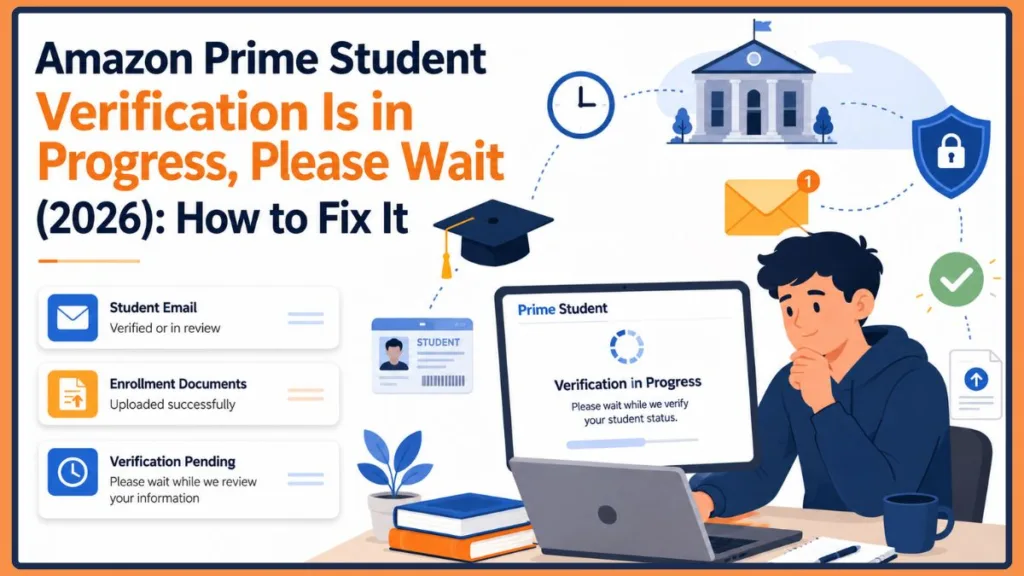
It’s a frustrating message, especially when you’re not sure whether something went wrong or whether Amazon is just taking its time. If your verification has been stuck for hours — or even days — you’re definitely not alone.
The good news? This message doesn’t always mean there’s a problem. In many cases, Amazon is simply reviewing your student information or completing a manual check behind the scenes. But if the status hasn’t changed in a while, there are concrete steps you can take to get things moving.
What Does “Amazon Prime Student Verification Is in Progress, Please Wait” Mean?
When you sign up for Amazon Prime Student (now part of the broader Prime for Young Adults program), Amazon needs to confirm that you’re actually a student before granting you the discounted membership rate. This is the student verification process.
Here’s a quick look at what happens behind the scenes after you submit your application:
Sign Up > Verify Email or Upload Documents > Amazon Reviews Your Information > Approved or Additional Verification Required
Amazon verifies student status in two main ways:
- Automatic verification — If you have a .edu email address (or your country’s equivalent, like .ac.uk in the UK), Amazon can often verify you instantly by sending a confirmation link to that address. Once you click it, you’re usually approved within minutes.
- Manual verification — If you don’t have a .edu email, or if Amazon’s system can’t automatically confirm your enrollment, your application is passed on to Amazon’s verification team for a manual review. This is slower and is usually why you see the “please wait” message.
The “verification in progress” message is Amazon’s way of telling you that your application is in the queue. Your information has been received; it just hasn’t been fully processed yet.
Tip: Add amazon-student@amazon.com to your email contacts or safe sender list. This helps ensure Amazon’s verification email doesn’t land in your spam or junk folder.
How Amazon Verifies Student Eligibility
Understanding exactly how Amazon checks your student status can help you figure out where a delay is coming from — and what you can do about it.
- School email verification (.edu or regional equivalent) This is the fastest and most common method. When you enter a recognized .edu email address during sign-up, Amazon sends a confirmation link to that address. Once you click it, your enrollment is automatically confirmed and you’re usually approved within minutes. Students in the UK can use a .ac.uk address; those in Canada typically use a university-issued email. The key is that Amazon’s system must recognize your institution’s email domain. If it does, the process is nearly instant.
- Verification using enrollment documents If you don’t have a recognized student email — or if your school isn’t in Amazon’s auto-recognition database — you’ll need to submit enrollment documents instead. These include items like a current student ID, transcript, or tuition bill. Amazon’s team reviews these manually, which is why document-based verification takes longer than email confirmation. The clearer and more complete your documents, the faster this review tends to go.
- Third-party verification services In some cases, Amazon works with third-party identity and enrollment verification services (such as SheerID) to confirm student status. These services cross-reference your information against institutional databases. If your school is in their network, verification can be faster even without a .edu email. If it isn’t, your application typically falls back into Amazon’s manual review queue.
- Manual review by Amazon’s verification team When neither automatic email verification nor third-party confirmation can verify your enrollment, Amazon’s internal team steps in to review your application and documents directly. This is the slowest path — it can take anywhere from a few business days to a week — but it’s still a normal part of the process, not a rejection. Manual reviews are more common for students at smaller or newer institutions, or those submitting documents during high-volume periods like back-to-school season.
Knowing which method applies to your situation helps set realistic expectations. If you’re in the manual review stage, patience (and a follow-up email) is usually the right approach.
Why You Might See This Verification Message
There are several reasons why your Amazon Prime Student verification status might stay pending longer than expected. Most of them are routine situations — not errors.
Common Verification Symptoms and Their Possible Causes
If you’re not sure what’s going on with your Prime Student pending verification, this quick-reference table can help you identify the likely cause based on what you’re seeing:
| Symptom | Possible Cause |
|---|---|
| Verification stuck for hours | Manual review in progress |
| No verification email received | Spam folder or incorrect email address entered |
| Documents rejected | Blurry, cropped, or outdated documents submitted |
| Cannot continue sign-up | Browser cache or session issue |
| Verification page keeps loading | Temporary Amazon server delay |
| Amazon Student verification delay beyond 5 days | Missing documentation or unsupported institution |
| Verification approved but discount not applied | Session needs refresh or account sync delay |
These symptoms are common and don’t necessarily mean your student verification review has failed. In most cases, the underlying cause is something straightforward — a missing email, a document quality issue, or simply being in the manual review queue. The troubleshooting steps further down in this guide address each of these scenarios directly.
Common causes of a pending or stuck Amazon Prime Student verification include:
- Your school email hasn’t been confirmed yet. You may have submitted your .edu address but not clicked the confirmation link Amazon sent.
- Amazon requires a manual document review. Not every university or college is automatically recognized by Amazon’s system.
- Your graduation date doesn’t match school records. Even a small mismatch can trigger additional review.
- Your university isn’t in Amazon’s auto-verification database. Smaller or newer institutions sometimes fall into manual review territory.
- Amazon’s verification system is experiencing delays. Like any service, Amazon can get backed up — especially during high-demand periods.
- High application volume. Back-to-school season (August–September) is notoriously busy, and processing times can be longer than usual.
The important thing to understand is that most of these situations are temporary and fixable. They don’t usually mean your application has been rejected.
How Long Does Amazon Prime Student Verification Take?
This is one of the most common questions students have — and the honest answer is that it depends on which verification method Amazon is using for your account.
Here’s a general overview of what to expect:
| Verification Type | Typical Processing Time |
|---|---|
| School (.edu) email confirmation | A few minutes |
| Document review (student ID, transcript, tuition receipt) | 24–72 hours |
| Manual review (Amazon’s verification team) | Several business days |
| Amazon follow-up email for non-.edu enrollment | 3–5 business days |
In most cases, if you verified using your .edu email, you should be approved in minutes after clicking the confirmation link.
If you submitted documents, expect the process to take anywhere from one to three business days. According to community reports and Amazon’s own guidance, manual verification by Amazon’s team can sometimes stretch to several business days, particularly if your application was flagged for additional review.
Note: If you’ve been waiting longer than five business days and haven’t received any update, it’s time to reach out to Amazon Support directly. Details on how to do that are in the section below.
How long does pending verification take in general?
“Pending” simply means Amazon has received your information but hasn’t finished processing it yet. For most applicants, this status resolves on its own within 24–72 hours. If it doesn’t move after a few days, one of the troubleshooting steps below should help.
Breaking Down the Verification Timeline
It helps to understand what’s happening at each stage of the process, so you know whether your wait time is normal or whether something needs your attention.
- Instant verification (minutes): If you sign up using a .edu email address that Amazon’s system recognizes, verification often happens almost immediately after you click the confirmation link in your inbox. This is the smoothest path — no documents, no waiting, no Amazon Student verification delay.
- Typical 24-hour verification cases: Some applications that involve recognized schools but slightly unusual email domains, or students who submit documents with minor formatting issues, tend to be resolved within about 24 hours. Amazon’s automated systems can often handle these cases without needing full manual review.
- 24–72 hour document verification: When you submit enrollment documents — a student ID, transcript, or tuition bill — expect the review to take between one and three days. This is the standard window for Amazon enrollment verification via documents. Make sure your files are clear and current; poor-quality submissions are the most common reason this window extends beyond 72 hours.
- Several business days (manual review): If your school isn’t in Amazon’s auto-recognition database, or if there’s a mismatch between your submitted information and what their systems can verify, your application goes into a full manual student verification review. This can take three to five business days and occasionally longer during back-to-school season.
- Factors that commonly delay verification: Several things can push your Amazon verification stuck status further:
- Your school requires manual recognition
- Your documents are blurry, expired, or incomplete
- High application volume during August and September
- A mismatch between the name on your documents and your Amazon account
- Technical issues on Amazon’s end
- When it’s appropriate to contact Amazon Support: If your Prime Student verification status hasn’t changed after five business days, it’s the right time to reach out. At that point, waiting is unlikely to resolve the issue on its own. The steps in the troubleshooting section below — especially Fix 6 — will walk you through how to contact Amazon’s student team directly.
Amazon Prime Student Verification Not Working? Try These Fix
If your verification appears stuck, work through these solutions one by one. Start with the simpler fixes first — they resolve the issue more often than you’d think.
Fix 1: Wait At Least 24 Hours
Before doing anything else, give Amazon at least 24 hours from the time you submitted your application. Many applications that appear stuck are simply in a queue and get approved automatically without any action on your part.
If you submitted your application recently and just saw the “verification in progress” message, this is the most likely scenario. Resist the urge to re-submit or make changes right away — doing so can actually reset your place in the queue.
Fix 2: Check Your Amazon Student Verification Email
One of the most overlooked causes of a stuck verification is a missing confirmation email. Amazon needs you to click a link to confirm your school email address — if you didn’t see that email, the process can’t move forward.
Check the following places in your inbox:
- Primary inbox — Look for an email from Amazon or amazon-student@amazon.com
- Spam or junk folder — Verification emails can get filtered out
- Promotions tab (Gmail users) — Gmail often sorts Amazon emails here
- Updates or Social tabs — Worth a quick check too
If you can’t find the email, go to Amazon’s Verify Your Email page and request a new confirmation link. You can also add amazon-student@amazon.com to your contacts to prevent future emails from being filtered.
Tip: If you submitted your .edu email but still can’t find the verification email after rechecking all folders, try requesting a resend before moving on to the next steps.
Fix 3: Verify Your Student Email Address Again
Sometimes the issue is as simple as a typo in your email address, or an email domain that Amazon doesn’t recognize.
A few things to double-check:
- Typos in your email address — Even a single wrong character means the verification email went nowhere
- Expired school email — Many universities deactivate student emails after a grace period post-graduation or between semesters
- Unsupported email domain — Not all school email addresses end in .edu. If yours uses a different domain, you may need to submit enrollment documents instead
If you realize your email was entered incorrectly or has expired, go back to your Prime Student enrollment page and update it with a valid, active student email address.
Fix 4: Upload Student Documents Again
If you don’t have a .edu email, or if your previous document submission didn’t go through correctly, re-submitting your enrollment documents can unblock your verification.
Amazon accepts the following documents as proof of enrollment:
- Student ID — Must display the current term or an expiration date (a student ID number alone is not sufficient)
- Transcript or class list for the current term (must include your name and your school’s name)
- Tuition bill for the current term (with your name and school’s name clearly visible)
- Official enrollment letter or acceptance letter for the upcoming term
When re-uploading, make sure your documents are:
- Clear and fully readable — Blurry photos or cropped documents are common rejection reasons
- Current — Documents from a previous term may not be accepted
- Matching — Your name on the document should match the name on your Amazon account
Warning: If you’re submitting documents via email, send them from the email address associated with your Amazon account to amazon-student-verification@amazon.com. Using a different email address can cause delays.
Fix 5: Sign Out and Sign Back Into Amazon
Sometimes a simple session refresh is all it takes. This is especially useful if the verification page seems frozen or isn’t updating.
Try these quick steps:
- Sign out of your Amazon account completely
- Clear your browser cache and cookies
- Sign back in and navigate back to your Prime Student enrollment page
- If you’re on mobile, try switching to a desktop browser instead
- If you’re using one browser, try switching to a different one (e.g., switch from Chrome to Firefox or Edge)
These steps don’t change your verification status directly, but they can fix display issues that make a verification appear stuck when it has actually been processed.
Fix 6: Contact Amazon Student Verification Support
If you’ve tried the steps above and your verification is still showing “in progress” after several business days, it’s time to contact Amazon directly.
You have a few options:
- Email: Send an email from your Amazon-registered address to amazon-student-verification@amazon.com. Include a clear photo or scan of your enrollment document and explain that your verification has been pending. This is especially useful if you don’t have a .edu email and need manual review.
- Live Chat: Go to Amazon’s Help Center, select your Prime membership issue, and start a live chat session. Wait times vary, but this is often the fastest way to get a human response.
- Amazon Customer Service: You can also call or chat through Amazon’s main Customer Service page under “Prime & Something Went Wrong.”
Tip: When contacting support, have your Amazon account email, the date you submitted your verification, and your enrollment document ready. The more information you provide upfront, the faster they can help.
When Should You Contact Amazon Support?
Not sure whether to keep waiting or reach out? Use this decision table to guide your next step based on how long your Amazon Student verification status has been pending:
| Situation | Recommended Action |
|---|---|
| Waiting less than 24 hours | Wait — Amazon is still processing your application |
| Waiting 2–3 days | Check your email and review your uploaded documents |
| Waiting more than 5 business days | Contact Amazon Support via chat or email |
| Verification documents rejected | Upload updated, clear documents and request another review |
| Amazon Student verification taking too long (1+ week) | Email amazon-student-verification@amazon.com with fresh documents |
| Received rejection notice | Review eligibility requirements and re-submit with correct information |
This table gives you a clear framework so you’re not left guessing whether your pending Prime Student approval is still processing or whether something needs your direct attention. When in doubt, five business days without movement is a reliable signal that it’s time to escalate.
Expected Timeline After Each Fix
Once you’ve applied a fix, here’s a realistic look at when you can expect to see a change in your Amazon Prime Student verification status:
| Fix Applied | Expected Result |
|---|---|
| Verify your student email (click confirmation link) | Usually within minutes |
| Upload enrollment documents | 24–72 hours |
| Contact Amazon Support | Usually 1–3 business days |
| Re-submit verification documents | 24–72 hours |
| Sign out, clear cache, sign back in | Immediate (display fix only) |
| Switch to desktop browser | Immediate (display fix only) |
Keep in mind that these timelines may vary depending on the verification method Amazon uses for your account and overall application volume at the time you apply. During peak periods like back-to-school season, even document reviews can push toward the longer end of the 24–72 hour window. If you’ve applied a fix and haven’t seen any change after the expected timeframe, move on to the next step or contact Amazon directly.
Real User Experience: How Contacting Support Solved a Pending Verification
Across Amazon forums and deal communities, a recurring pattern shows up among students who experienced the “verification in progress, please wait” message for extended periods.
One such experience, shared in an Amazon community forum, went like this: A student successfully confirmed their .edu email address during sign-up and completed the initial steps without any apparent issues. Despite this, their Amazon Prime Student verification remained stuck on “Verification is in progress, please wait” for over a day with no movement or update. Rather than continuing to wait, the student emailed Amazon’s Student Verification team at amazon-student-verification@amazon.com directly, including their enrollment information and a brief explanation of the delay. Their account was reviewed and approved approximately one business day later, after which they received confirmation that their student membership was active.
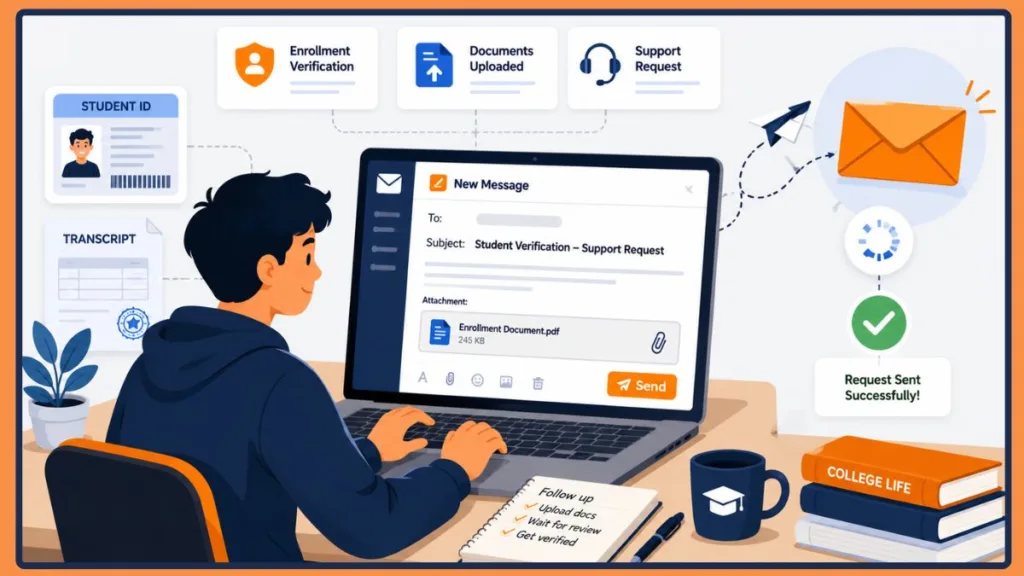
This is one user’s experience, and it’s worth being clear that processing times vary considerably. Some students sail through verification in minutes; others, particularly those at institutions that require manual review, may wait longer. But this example does illustrate something important: when automatic verification stalls, contacting Amazon’s support team proactively is often the most effective way to get things moving again.
This type of experience is consistent with what Amazon’s own official guidance suggests — that emailing the student verification team directly with your documents is often the most reliable route when automatic verification stalls.
Keep in mind: Individual experiences vary. Some students are approved within hours; others may take longer, especially during high-application-volume periods. The key takeaway is that reaching out to Amazon’s support team proactively is often the fastest resolution when the verification sits pending without movement.
Avoid These Common Verification Mistakes
Even small mistakes during the sign-up process can cause significant delays in your student verification review. Here are the most common ones — and why each one matters:
- Using an expired student email address Many universities disable or expire student email addresses between semesters, after graduation, or after a certain grace period. If you enter an expired address, the confirmation link Amazon sends will never be received — and your verification will stall immediately. Always confirm your student email is still active before starting the sign-up process.
- Uploading blurry or cropped documents Amazon’s review team needs to clearly read your name, school name, and enrollment term from your documents. Photos taken in poor lighting, at odd angles, or with parts of the document cut off are frequently flagged for rejection. Take your document photo in good lighting on a flat surface, and make sure all four edges are visible in the frame.
- Entering the wrong graduation date Your graduation date needs to match what Amazon (or their third-party verification partner) can confirm. Entering a date that’s too far in the future, already passed, or doesn’t align with your enrollment documentation is a common trigger for Amazon Student verification delay. Double-check your date before submitting.
- Submitting multiple verification requests If you’re anxious about a Prime Student pending verification and keep re-submitting your application, you may actually be making things worse. Multiple submissions can create duplicate entries in Amazon’s system, reset your position in the review queue, or flag your account for additional scrutiny. Submit once, then wait.
- Ignoring Amazon’s verification emails Amazon’s confirmation links have an expiration window. If you don’t click the link promptly after it arrives — or if you miss the email entirely — the verification process stalls and you’ll need to start a new one. Keep an eye on your inbox (and your spam folder) in the 24–48 hours after you submit your application.
- Using a different email address when contacting support When you email amazon-student-verification@amazon.com for help, you must send the message from the same email address linked to your Amazon account. Using a different address — even your school email — means Amazon’s team won’t be able to easily locate your account or match your documents to your application. This is a simple mistake that can add an unnecessary extra day to your resolution time.
Avoiding these mistakes won’t guarantee instant approval, but it removes the most common friction points that cause the Amazon verification stuck message to persist longer than it needs to.
Amazon Prime Student Sign Up Requirements
Before verification can complete, you need to meet Amazon’s eligibility requirements. If any of these are missing, your verification can be delayed or rejected.
Here’s the full eligibility checklist for Prime Student in 2026. You can also check out our detailed breakdown of Prime Student eligibility requirements for a closer look at how each condition is evaluated:
- Active student — You must be currently enrolled (at least one course)
- Accredited college or university — Must be a recognized higher-education institution
- Valid student email or enrollment document — .edu email address, or accepted documents like a student ID, transcript, or tuition bill
- Graduation date — You’ll need to provide this during sign-up
- Amazon account — Must be an active Amazon.com account with a valid payment method on file
- Age — Must be between 18 and 24, or verified as a student (both paths now fall under Prime for Young Adults)
Note: If you’re between 18 and 24 but not currently enrolled in school, you can still qualify for the same discounted rate by verifying your age with a government-issued ID — no student documents required.
Missing any one of these can cause your verification to stall or fail entirely.
How to Re-Verify Student Status on Amazon Prime
If your verification previously went through but is now asking you to re-verify — or if you want to start the process fresh — here’s how to do it step by step.
Re-verification is typically required once per year to confirm you’re still enrolled. If you’re wondering what happens when your membership approaches its limit, our guide on Amazon’s 4-year Prime Student rule and what to do if your Prime Student expires before graduation covers those scenarios in detail.
- Sign in to your Amazon account at amazon.com
- Go to Your Account and click on Prime Membership
- If you have an annual plan, select “Manage Your Student Membership.” If you’re on a monthly plan, select “Manage Your Prime Membership“
- Look for the option to re-verify or update your student status
- Update your graduation date if it has changed
- Upload new documents if requested (student ID, transcript, or tuition bill for the current term)
- Submit and wait for Amazon to review your updated information
Important: If your re-verification fails and you don’t submit updated documents within the required window, Amazon will automatically upgrade your membership to the standard Amazon Prime rate ($14.99/month or $139/year). However, if you submit valid documentation within 60 days of being charged the full rate, Amazon will issue a refund and apply the student pricing retroactively.
Prime for Young Adults Verification vs Prime Student Verification
You may have noticed Amazon using the terms “Prime Student” and “Prime for Young Adults” somewhat interchangeably. In 2026, they’re essentially the same discounted membership tier — but the verification pathway differs depending on how you qualify. For a deeper look at everything this program offers, check out our complete Prime for Young Adults guide.
Here’s a quick comparison:
| Feature | Prime Student (Student Verification) | Prime for Young Adults (Age Verification) |
|---|---|---|
| How you qualify | Prove active student enrollment | Prove you’re between 18–24 years old |
| Verification document | .edu email, student ID, transcript, tuition bill | Government-issued ID (passport, driver’s license) |
| Age requirement | No strict age cap (must be enrolled) | Must be 18–24 years old |
| Membership ends when | After 4 years, or end of studies | When you turn 25 |
| Processing time | Minutes (email) or up to 3–5 business days (documents) | Typically within 24 hours |
| Enrollment required | Yes | No |
Which path is right for you?
- If you’re a currently enrolled student, verifying via student status is the most straightforward option.
- If you’re 18–24 and not enrolled (or between semesters and struggling with verification), age verification with a government ID is often faster and simpler.
- If you recently graduated, you’ll eventually be moved to a standard Prime membership when your four-year eligibility or your graduation date is reached. Amazon sends email notices before this happens so you’re not caught off guard.
Amazon Prime Student Cost After Verification
Once your student verification goes through, here’s what you can expect to pay. This Amazon Prime 50% discount is one of the most valuable student deals available — and understanding the pricing options helps you choose the right plan from day one. If you’d prefer flexibility, our guide on how to switch Amazon Prime from annual to monthly can walk you through that process after you’re verified.
| Plan | Price (US) |
|---|---|
| 6-month free trial | $0 (new members only) |
| Monthly (after trial) | $7.49/month |
| Annual (after trial) | $69/year (~$5.75/month) |
| Standard Prime (for comparison) | $14.99/month or $139/year |
The annual plan offers the best value if you plan to keep your membership — it works out to roughly $5.75/month versus $7.49/month on a rolling subscription.
What you get with Prime Student in 2026:
- Free two-day (often one-day or same-day) shipping on eligible items
- Access to Prime Video (ad-supported; ad-free upgrade costs extra)
- Amazon Music (Prime tier)
- Prime Gaming — free in-game loot and rotating free games
- Prime Reading — access to a rotating selection of books and magazines
- Grubhub+ membership — free delivery on eligible orders over the minimum order amount
- 5% cash back on eligible purchases for Prime Visa cardholders
- Early access to Prime Day, Black Friday, and other exclusive deals
What happens after graduation or when you turn 25? Amazon will send you an advance notice email before your membership auto-converts to the standard Prime rate. You can either continue at the regular price or cancel if you prefer.
Note: Prices and benefits are subject to change. Always verify the current offer directly on Amazon’s Prime Student page before signing up or renewing.
Why Can’t Prime Verify My Student Status?
If Amazon is having trouble verifying you, one of these situations is likely the cause:
- Incorrect graduation date — If the date you entered doesn’t align with what Amazon or SheerID expects, it can block approval
- Invalid or outdated documents — Documents that don’t show the current term, or that are blurry and unreadable, are common rejection triggers
- Unsupported institution — Some schools aren’t in Amazon’s auto-recognition database, which means manual review is required
- Email mismatch — The email you used for verification doesn’t match the one on your Amazon account
- Existing Prime Student account — Amazon only allows one Prime Student trial per person; if you’ve previously had one, you may not qualify for a new trial
- Verification service issues — Amazon or SheerID (Amazon’s third-party verification partner) may occasionally experience technical problems
If none of the above apply and you still can’t get verified, contacting Amazon Customer Service directly is your best next step. They can look into your specific account situation and resolve it faster than any self-service workaround.
Why Is Amazon Taking So Long to Verify My Account?
A few factors can push processing times beyond what’s typical:
- Manual verification queue — When your school isn’t auto-recognized, your application goes into a manual review pile that can take a few business days to process
- High application volume — August and September (back-to-school season) see a significant spike in sign-ups, which slows everything down
- Missing or unclear documentation — If your documents are difficult to read or are missing required details like your name or school’s name, Amazon may need additional information before approving
- Technical issues on Amazon’s end — System glitches happen occasionally, especially during high-traffic periods
- Identity or enrollment mismatches — If the information you submitted doesn’t match what Amazon or their verification partner can confirm, the review takes longer
In most cases, giving it two to three business days before taking action is reasonable. After that, reaching out to Amazon is the right move.
Tips to Avoid Verification Delays
If you haven’t applied yet — or if you’re re-verifying — here’s how to get through the process as smoothly as possible:
- Use your official student email. A .edu address (or your country’s equivalent) makes automatic verification possible and is the fastest path to approval.
- Enter your graduation date accurately. Even a small error here can flag your application for additional review.
- Upload documents that are clear, current, and complete. Make sure your name and school name are legible, and that the document is from the current term.
- Check your verification email regularly. The confirmation link Amazon sends expires, so don’t let it sit unclicked.
- Don’t submit multiple applications. Resubmitting frequently can reset your queue position and extend the wait.
- Contact Amazon if verification hasn’t moved in several business days. Don’t just wait indefinitely — a quick email or chat session usually resolves it.
Limitations of Amazon Prime Student Verification
A few things worth knowing before you get started:
- Manual reviews are slower. If Amazon can’t verify you automatically, the process can take three to five business days — or longer during busy periods.
- Some schools require document verification. Not every institution is in Amazon’s recognition database, which means you’ll need to submit physical proof of enrollment.
- Verification timelines vary by country. In the US, processing is generally faster. In the UK, Canada, and other supported regions, document review can take up to 3–5 business days as well.
- Amazon may request additional documents. If your initial submission isn’t sufficient, Amazon will email you asking for more information. Keep an eye on your inbox.
- The four-year limit applies from your first verification date. You can keep your student pricing for a maximum of four years, regardless of when you graduate.
Final Thoughts
Seeing “Amazon Prime Student verification is in progress, please wait” can feel alarming — but in most cases, it just means Amazon is still reviewing your information. The majority of applications are approved automatically, and manual reviews are usually resolved within a few business days.
Here’s a quick recap of what to do if your verification is stuck:
- Wait at least 24 hours before taking any action
- Check all email folders for Amazon’s confirmation email
- Make sure your student email address or uploaded documents are accurate and current
- Try signing out, clearing your cache, and signing back in
- Email amazon-student-verification@amazon.com with your enrollment documents if the issue persists
- Contact Amazon Customer Service via live chat if you need faster help
As shared by students across forums and deal communities, simply emailing Amazon’s student verification team with your enrollment documents often resolves the issue within about a day. Your experience may vary, but being proactive is always the right call when things stall.
If you’ve been stuck in the “please wait” loop for more than five days, don’t keep waiting — reach out to Amazon and get it sorted. You’ve earned that student discount.
Your action plan if you’re stuck right now:
- Wait 24–72 hours after submitting your verification before taking further action.
- Check your Amazon Student verification email in your inbox, spam, and promotions folders.
- Confirm your student email address, graduation date, and uploaded documents are accurate and current.
- Re-upload your enrollment documents if Amazon requests additional verification or if your original submission was unclear.
- Contact Amazon Support via chat or email if your Prime Student verification status remains unchanged after several business days.
The good news is that the vast majority of pending Prime Student approval cases are resolved successfully once the correct information is in Amazon’s hands. Whether you’re waiting on a manual review, dealing with an Amazon Student verification delay, or just not sure what step to take next, the process is almost always fixable. Stay patient, follow the steps above, and don’t hesitate to reach out to Amazon directly — their student verification team is there to help you get this sorted.
Frequently Asked Questions (FAQ)
How long does Amazon Prime Student verification take?
For students using a .edu email address, verification usually completes within a few minutes after clicking the confirmation link. If you’re submitting documents for manual review, expect one to three business days. In some cases, manual review can take up to five business days, particularly during busy periods like back-to-school season.
How long does Amazon pending verification take?
“Pending” verification typically resolves within 24–72 hours for most applicants. If yours hasn’t moved after three to five business days, it’s worth reaching out to Amazon’s student verification team.
Why can’t Prime verify my student status?
Common reasons include an incorrect graduation date, invalid or outdated enrollment documents, an unsupported institution, an email mismatch, or having previously used a Prime Student trial. Contact Amazon Customer Service if you’re unsure which factor applies to your account.
Why is Amazon taking so long to verify my account?
Your application may have been routed for manual review, which takes longer than automatic verification. Other factors include high application volumes, incomplete documents, or temporary technical issues on Amazon’s end. If your Amazon Student verification is taking too long — more than five business days — it’s time to contact Amazon directly.
How long does it take Prime to verify student status?
Email-based verification can happen in minutes. Document-based verification generally takes one to five business days.
How do I re-verify my student status on Amazon Prime?
Go to Your Account → Prime Membership → Manage Your Student Membership (annual plan) or Manage Your Prime Membership (monthly plan). From there, you can submit updated enrollment documents or confirm your graduation date.
What is the Amazon Student verification email?
If you’re enrolling without a .edu email address and need to submit enrollment documents manually, you can send them to amazon-student-verification@amazon.com from the email address linked to your Amazon account.
What documents are accepted for Prime Student verification?
Amazon accepts a student ID (showing the current term or expiration date), a transcript or class list for the current term, or a tuition bill for the current term — all with your name and school name clearly visible. For a full breakdown, see our guide on Amazon Student verification documents.
Can I use Prime Student while verification is pending?
During the free trial period, you’ll have access to some Prime benefits (like free two-day shipping) while your verification is still being processed. However, access to certain benefits may be limited until your student status is fully confirmed.
What happens if Amazon rejects my verification?
If your documents don’t meet Amazon’s eligibility requirements, your application won’t be approved. You’ll stay on your current Prime plan (or not be enrolled if you’re new). You can re-submit with corrected or updated documents, or contact Amazon Customer Service to understand what additional information is needed.
How much does Amazon Prime Student cost?
After your 6-month free trial, Prime Student costs $7.49/month or $69/year in the US. That’s roughly 50% less than the standard Prime membership at $14.99/month or $139/year. Prices may vary by country and are subject to change — always check the current rate on Amazon’s Prime Student page before signing up.
What is Prime for Young Adults verification?
Prime for Young Adults is the umbrella program that includes both student verification and age verification. If you’re between 18 and 24, you can qualify by submitting a government-issued ID to prove your age — no school enrollment required. If you’re a student, you verify through your .edu email or enrollment documents. Both paths give you the same discounted membership rate.
Visit Our Post Page: Blog Page
Discover more from Izoate
Subscribe to get the latest posts sent to your email.