
Looking for the best SSD for gaming in 2026? Compare top NVMe SSDs, Gen4 vs Gen5 performance, storage options, and expert buying advice.
If you’ve been comparing gaming SSDs lately, you’ve probably noticed something frustrating: every product page throws around numbers like “14,900 MB/s” and “2.3 million IOPS” without ever telling you what any of that means for actually playing your games.
Here’s the honest truth that most SSD buying guides skip: the fastest SSD on paper is not always the best SSD for gaming. What you actually need is a drive that delivers fast game loading times, smooth open-world streaming, enough storage for your library, and stays cool under sustained load — all at a price that makes sense for your build.
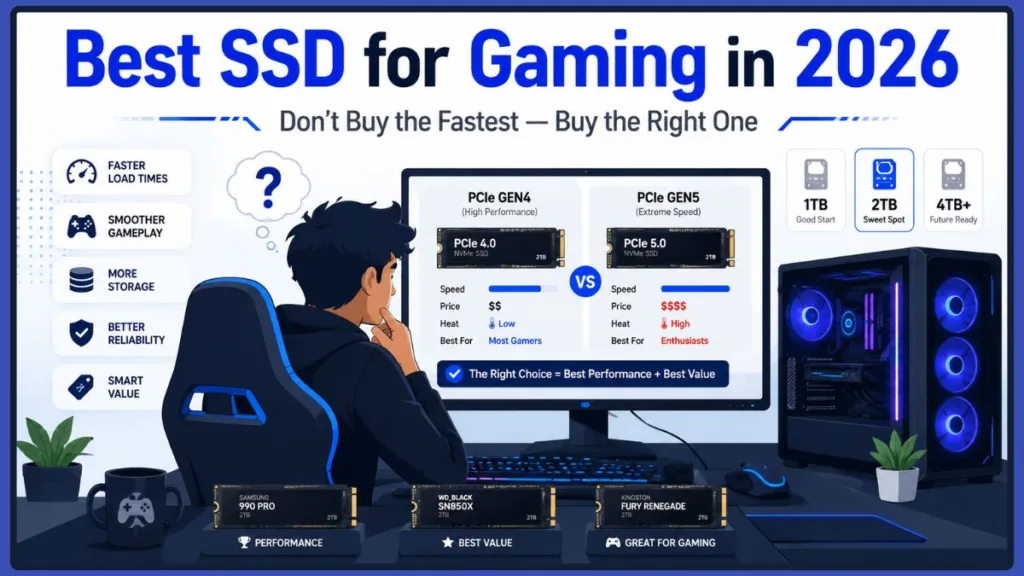
In 2026, the gaming SSD market is more confusing than ever, with PCIe Gen5 drives hitting jaw-dropping speeds that current games can barely touch, and NAND prices climbing due to AI-driven chip demand. Picking the wrong drive means either overspending on raw speed your games can’t use, or under-buying and watching your storage fill up after four or five installs.
This guide cuts through all of that. Whether you’re building a fresh gaming PC, upgrading your PS5 storage, or squeezing better performance out of a gaming laptop, you’ll find a clear recommendation here for your exact situation.
Best SSDs for Gaming at a Glance
Not sure where to start? Here’s a quick look at every drive in this guide and exactly who it’s for. We’ll cover all of them in detail below.
| SSD | Best For | Capacity Options | Interface | Key Strength |
|---|---|---|---|---|
| Samsung 990 Pro | Best Overall | 1TB / 2TB / 4TB | PCIe Gen4 | Top random IOPS, excellent thermals |
| WD Black SN850X | Best Value | 1TB / 2TB / 4TB / 8TB | PCIe Gen4 | Game Mode 2.0, PS5 compatible |
| WD Blue SN5100 | Budget Gaming Builds | 1TB / 2TB | PCIe Gen4 | Lowest cost, cool operation |
| TeamGroup MP44 | Large Game Libraries | 512GB – 8TB | PCIe Gen4 | Best cost-per-GB at 4TB |
| WD Black SN8100 | Enthusiasts / Creators | 1TB / 2TB / 4TB / 8TB | PCIe Gen5 | 14,900 MB/s, passive cooling |
| Samsung 9100 Pro | Workstations / AI / 8K | 1TB / 2TB / 4TB / 8TB | PCIe Gen5 | 2.7M IOPS, available up to 8TB |
| WD Black SN7100 | Gaming Laptops | 1TB / 2TB / 4TB | PCIe Gen4 | 3.0W active, single-sided PCB |
Every recommendation on this list was evaluated using the same criteria: real-world gaming load times, random read performance at low queue depths, thermal behavior under sustained load, storage capacity options, DirectStorage readiness, endurance ratings, and genuine value for money. You’ll find the full methodology in the next section.
How We Chose the Best SSDs for Gaming
There’s no shortage of SSD roundups online, but most of them rank drives by sequential speed — the single metric that matters least for actual gaming. Here’s how this guide evaluated each drive instead.
Real-World Game Load Times
Synthetic benchmarks running sequential reads on large files don’t reflect what your SSD does when you launch Cyberpunk 2077 or jump between areas in Elden Ring. We prioritized drives that deliver consistently short load times in actual game testing rather than those that peak in CrystalDiskMark and throttle under sustained use.
Random Read Performance (4K IOPS)
Gaming pulls thousands of small, fragmented files from scattered locations on your drive simultaneously. 4K random read IOPS at low queue depth (QD1–QD4) is the single most relevant metric for how fast a drive loads game assets, streams textures in open-world games, and responds to rapid in-game state changes. Every drive in this guide was assessed on this basis.
DirectStorage Readiness
Microsoft’s DirectStorage API is actively changing how games interact with storage. Drives that perform well on random I/O at the interface level will benefit more from DirectStorage optimization in upcoming titles. All recommended drives fully support DirectStorage natively over PCIe Gen4 or Gen5.
Thermal Efficiency and Sustained Performance
A drive that advertises 14,000 MB/s but throttles to 3,000 MB/s after 30 seconds of sustained load is not actually a 14,000 MB/s drive for your use case. Thermal management, heatsink compatibility, and real-world sustained throughput were evaluated for every pick — particularly important for gaming laptops, small form factor builds, and PS5 expansion.
Storage Capacity and Value
Modern AAA games routinely exceed 100–200GB per install. A drive’s capacity and price-per-gigabyte at the capacity tiers that matter (1TB, 2TB, 4TB) were key factors in each recommendation. A fast but small drive that runs out of space in a week isn’t a good gaming SSD — it’s an inconvenience.
Reliability and Endurance Ratings
TBW (Terabytes Written) endurance ratings, NAND type (TLC vs QLC), the presence of a hardware DRAM cache or HMB implementation, and the manufacturer’s warranty coverage all factor into long-term reliability. Drives recommended here use either TLC NAND or well-implemented QLC with large SLC caches, and all carry at least a 5-year warranty from major brands.
Gaming Laptop Compatibility
For portable gaming, single-sided PCB design, low idle and active power draw, and thermal output under sustained load all matter as much as speed. Drives recommended for laptop use were specifically assessed on these criteria.
PS5 Compatibility
Sony’s PS5 has strict requirements for internal M.2 expansion: PCIe Gen4 x4, minimum 5,500 MB/s sequential read, and a heatsink within 11.25mm of height. Every PS5-compatible drive on this list was confirmed against these specifications.
Long-Term Upgrade Value
A great gaming SSD should be relevant for the life of your current build — typically three to five years. Picks factor in future-proofing through DirectStorage support, high endurance ratings, and firmware update commitments from manufacturers.
What Makes an SSD Good for Gaming?
Before jumping into recommendations, it helps to understand what gaming actually demands from your storage — because it’s probably not what the spec sheet is selling you.
Sequential Speed vs. Random Performance
When you see a drive advertised at “7,450 MB/s,” that’s its sequential read speed — how fast it can read one massive, uninterrupted block of data, like copying a large video file. Games don’t work that way.
Modern games are built from tens of thousands of tiny, scattered files: compressed audio streams, geometry data, shaders, individual textures. Loading a game means pulling thousands of small chunks from random locations across your drive almost simultaneously. That’s why 4K random read performance — measured in IOPS (Input/Output Operations Per Second) — is the metric that actually matters for gaming.
A drive with excellent random read performance eliminates micro-stuttering and texture pop-in far more effectively than one that wins sequential benchmarks but stumbles on small, fragmented reads.
Game Loading Times and DirectStorage
For years, the CPU was the bottleneck in game loading. Assets would travel from your SSD into system RAM, get decompressed by the CPU, and then move to the GPU — leaving your storage drive sitting idle while the processor caught up.
Microsoft’s DirectStorage API changes this by routing compressed assets directly from your NVMe SSD to the GPU, which decompresses them using its own powerful parallel processing. In DirectStorage-enabled titles, a high-quality NVMe SSD can load massive asset blocks in under a second. DirectStorage 1.4, released in 2026, now integrates Zstandard compression natively — compressing game files up to 50% more effectively and cutting decompression overhead significantly.
That said, not every game supports DirectStorage yet. Until adoption becomes widespread, raw sequential speed remains secondary to random I/O performance for most titles.
Thermal Management is critical: High-performance Gen5 SSDs can draw 12–15W under load. Without adequate cooling, they hit their thermal limits fast and throttle — sometimes dropping from 14,000 MB/s all the way down to sub-SATA speeds.
Thermal Management
This is the factor most gaming guides gloss over, but it matters more than ever in 2026. High-performance Gen5 SSDs can draw 12–15W under load. Without adequate cooling, they hit their thermal limits fast and throttle — sometimes dropping from 14,000 MB/s all the way down to sub-SATA speeds.
Even Gen4 drives benefit from passive heatsinks, especially in compact builds or cramped laptop chassis. If you’re building in a small form factor case, or expanding your PS5‘s storage, thermal management should be a key part of your SSD buying decision.
Storage Capacity
Modern AAA games are enormous. Call of Duty suites have crossed the 200GB mark. God of War Ragnarök needs around 190GB. Star Wars Jedi: Survivor is around 155GB. A 1TB drive fills up after three or four major installs — before you’ve even added Windows and your applications.
2TB is the sweet spot in 2026. It gives you room for Windows, 15–20 large titles, and space for updates and DLC without constantly juggling installs. We’ll cover capacity in detail below.
Does an SSD Actually Improve Gaming Performance?
This is one of the most common questions gamers ask before upgrading, and the answer is nuanced.
Does an SSD Increase FPS?
No — not directly. Your GPU and CPU determine your average frame rate once everything is loaded into memory. Upgrading from a hard drive to an SSD, or from a slower SSD to a faster one, will not push your FPS counter higher in the traditional sense.
What a fast NVMe SSD does do is improve the consistency of your framerate and the visual quality of your experience:
- In open-world games, your drive streams assets continuously as you explore. If it can’t keep up, you get traversal stutter — those jarring frame drops as you sprint across a large map — and texture pop-in where low-resolution geometry slowly snaps into its high-res version. A fast NVMe eliminates both.
- In multiplayer games, faster loading means you’re in the match before opponents on slower drives, and your 1% low frametimes stay tighter because asset load stalls don’t spike your frame times.
- For games using DirectStorage, there’s a more direct impact: assets stream straight to the GPU, and a fast NVMe drive can dramatically reduce level load times in supported titles.
The biggest improvement always comes from jumping off a mechanical HDD onto any SSD. Switching from a SATA SSD to a fast NVMe provides meaningful gains in load times and streaming smoothness. And going from Gen4 to Gen5 shows only marginal gains that most players won’t notice in real gameplay.
NVMe vs SATA SSD for Gaming: Which Do You Need?
If you’re on an older system still running a SATA SSD as your primary drive, this comparison matters a lot.
SATA III was designed for mechanical hard drives decades ago and is physically capped at around 550 MB/s. It supports a single command queue with only 32 simultaneous commands.
NVMe interfaces directly with the motherboard’s PCIe lanes and supports up to 64,000 independent command queues, each holding up to 64,000 commands. This is what lets a modern NVMe drive pull thousands of small game files simultaneously — which is exactly what demanding titles need.
| Feature | SATA SSD | NVMe Gen4 | NVMe Gen5 |
|---|---|---|---|
| Max Sequential Speed | ~560 MB/s | 7,000–7,400 MB/s | 12,000–14,800 MB/s |
| Random Read IOPS | ~100,000 | 1,000,000–1,400,000 | 1,500,000–2,600,000 |
| AAA Game Load Time | 12–20 sec | 4–8 sec | 3–5 sec |
| DirectStorage Support | No | Full native | Full native |
| Price per GB (2TB) | $0.06–$0.08 | $0.08–$0.10 | $0.12–$0.14 |
| Heatsink Needed | No | Recommended | Mandatory |
Bottom line: If you’re building a new gaming PC in 2026, NVMe is the only sensible choice for your primary drive. SATA SSDs still have a role as secondary storage for older games or media files you don’t play actively, but they’re no longer recommended as the drive where your OS and active game library live.
PCIe Gen4 vs Gen5 SSD for Gaming: The Real Verdict
This is the debate that’s dominating gaming storage discussions in 2026, and the answer is clearer than the marketing would have you believe.
PCIe Gen5 doubles the theoretical bandwidth of Gen4 — jumping from roughly 7,500 MB/s to nearly 15,000 MB/s. On paper, that sounds like a massive leap. In practice for gaming, it’s almost invisible.
Game engines in 2026 are still optimized around the storage baseline set by the PlayStation 5 and Xbox Series X, which run at speeds roughly equivalent to mid-tier PCIe Gen4 (around 5,500 MB/s). Developers aren’t building games that demand 14,000 MB/s of constant throughput because the overwhelming majority of players don’t have hardware that can deliver it.
When testing heavy 2025–2026 titles, a Gen5 drive typically loads game environments only 0.5 to 1.5 seconds faster than a flagship Gen4 drive. That’s a difference you’ll notice once when you clock it with a stopwatch — and then never think about again.
| Feature | Gen4 SSD | Gen5 SSD |
|---|---|---|
| Sequential Read | 7,000–7,400 MB/s | 12,000–14,800 MB/s |
| Random Read IOPS | 1,000,000–1,400,000 | 1,500,000–2,600,000 |
| Real-World Game Load | Baseline | ~1 second faster |
| FPS Impact | None | None |
| Price per GB (2TB) | $0.08–$0.10 | $0.12–$0.14 |
| Cooling Requirement | Passive/MB heatsink | Large/active heatsink |
| Motherboard Needed | PCIe 4.0 slot | PCIe 5.0 slot (Intel Z790/AMD X670E or newer) |
The honest recommendation: For 95% of gamers, a high-quality PCIe Gen4 NVMe SSD is the right call. Gen5 makes sense for content creators, AI workloads, or builders who genuinely want the absolute fastest hardware regardless of the premium. For pure gaming, that money is almost always better spent on a higher-tier GPU.
Best SSD for Gaming in 2026: Our Top Picks
Here’s where the research translates into actionable recommendations. Rather than ranking drives 1 through 10, these picks are organized by what you’re actually trying to accomplish.
Best Overall SSD for Gaming: Samsung 990 Pro
The drive most gamers should buy.
Quick Verdict
The Samsung 990 Pro earns its top spot not by winning a single benchmark category but by winning every category that matters for gaming simultaneously. It delivers best-in-class random I/O performance for Gen4, runs cooler than most competitors without requiring a large aftermarket heatsink, comes backed by Samsung’s excellent Magician software suite, and works flawlessly across gaming PCs, gaming laptops, and PS5 expansion bays. If you only research one drive before buying, this is the one to research. The one real downside is price — it typically costs slightly more than the WD Black SN850X at the same capacity, though the gap has narrowed considerably. For gamers who want zero compromises and a drive they won’t think about for the next five years, the 990 Pro is the answer.
Key Specs (2TB)
| Specification | Detail |
|---|---|
| Interface | PCIe Gen4 x4, NVMe 2.0 |
| Sequential Read | 7,450 MB/s |
| Sequential Write | 6,900 MB/s |
| Random Read IOPS | 1,400,000 |
| Random Write IOPS | 1,550,000 |
| NAND Type | 176-layer V7 TLC V-NAND |
| Cache | LPDDR4 DRAM |
| Endurance (TBW) | 1,200 TBW |
| Warranty | 5 years |
| Available Capacities | 1TB, 2TB, 4TB |
Pros
- Best-in-class random read performance for Gen4
- Excellent thermal efficiency — runs cool without a large heatsink
- Outstanding Samsung Magician software suite
- Works in gaming PCs, laptops, and PS5 (heatsink version)
- Available in 1TB, 2TB, and 4TB
Cons
- Slightly more expensive than WD Black SN850X at comparable capacities
- Early models had a firmware bug affecting health reporting (long since patched)
Why We Recommend It: The 990 Pro’s 1.4 million random read IOPS keeps your open-world games streaming smoothly and load times consistently short — even when a game engine is simultaneously pulling thousands of fragmented asset files. The 50% power efficiency improvement over the 980 Pro means cooler sustained operation in any chassis. And with Samsung Magician’s Full Power Mode, you can push the drive to its absolute performance ceiling during gaming sessions. It’s the complete package.
Who Should Buy It: PC gamers building a new rig, anyone upgrading from a SATA SSD or HDD, PS5 owners who want a dual-purpose drive, and laptop gamers who need efficient performance in a thermally constrained chassis.
Who Should Skip It: Gamers on the tightest possible budget (the SN850X or SN5100 saves meaningful money at comparable performance). Enthusiasts who specifically want Gen5 for content creation workloads.
Best for: Gamers who want the best all-around Gen4 drive without compromise — from desktop builds to PS5 upgrades.
Best Value SSD for Gaming: WD Black SN850X
Nearly identical performance at a lower price — with gaming-specific features built in.
Quick Verdict
If the Samsung 990 Pro is the drive you buy when money is no object, the WD Black SN850X is the drive you buy when you want 95% of that performance at a noticeably lower price. In actual game load testing, these two drives trade positions constantly — sometimes the 990 Pro wins by a fraction of a second, sometimes the SN850X does. No one in the middle of a gaming session will ever feel the difference. What the SN850X adds that the 990 Pro doesn’t have is Game Mode 2.0, a firmware feature that actively pre-stages anticipated game assets in cache — genuinely useful for games with complex open-world streaming. It also has an official PS5 heatsink SKU, making it the natural pick for anyone who uses both a PC and Sony’s console. Slightly warmer under heavy sustained loads than the 990 Pro, but still within safe operating ranges for any standard build.
Key Specs (2TB)
| Specification | Detail |
|---|---|
| Interface | PCIe Gen4 x4, NVMe 2.0 |
| Sequential Read | 7,300 MB/s |
| Sequential Write | 6,600 MB/s |
| Random Read IOPS | 1,200,000 |
| NAND Type | 112-layer BiCS5 TLC |
| Cache | Hardware DRAM |
| Game Mode 2.0 | Yes |
| Endurance (TBW) | 1,200 TBW |
| Warranty | 5 years |
| Available Capacities | 1TB, 2TB, 4TB, 8TB |
Pros
- Highly competitive pricing vs. Samsung 990 Pro
- Game Mode 2.0 provides real gaming-specific benefits
- Available with heatsink (PS5-compatible) or RGB heatsink for desktop builds
- Comes in 1TB, 2TB, 4TB, and 8TB
- Excellent WD Black Dashboard software
Cons
- Runs slightly warmer than the Samsung 990 Pro under heavy sustained loads
- Game Mode 2.0 benefits are subtle rather than dramatic
Why We Recommend It: The SN850X closes the gap between value and premium without sacrificing any meaningful gaming performance. Game Mode 2.0’s predictive loading algorithms give it a genuine edge in games with aggressive asset streaming — the drive anticipates what the engine needs next and stages those assets in cache ahead of time, reducing hitches during fast-paced open-world traversal. For PS5 owners, the officially licensed heatsink SKU is plug-and-play: no additional accessories needed.
Who Should Buy It: Budget-conscious gamers who want flagship performance, dual PS5/PC users, and anyone who values gaming-specific firmware features.
Who Should Skip It: Gamers who prioritize the absolute best sustained write performance (the 990 Pro edges ahead here), or those who specifically need Samsung Magician’s advanced health monitoring tools.
Best Alternative: Samsung 990 Pro (slightly better random performance, cooler operation, superior software suite).
Best Budget SSD for Gaming: WD Blue SN5100
Entry-level price, surprisingly impressive performance.
Quick Verdict
The WD Blue SN5100 is proof that you don’t need to spend flagship money to get a genuinely capable gaming SSD in 2026. It uses QLC NAND — cheaper to manufacture than TLC — but WD’s nCache 4.0 system keeps it performing impressively for gaming workloads, which are far more read-heavy than write-heavy. The burst read speeds of 7,100 MB/s are legitimately impressive for the price, and the 3.9W peak power draw means you can slot it into any build without worrying about thermals. The honest limitation is sustained write performance: if you frequently copy large game files between drives, record gameplay footage directly to this drive, or regularly install multiple 100GB+ games back-to-back, you’ll eventually hit the QLC wall where speed drops noticeably. For gaming itself — launching games, loading levels, streaming textures — it handles everything smoothly.
Key Specs (2TB)
| Specification | Detail |
|---|---|
| Interface | PCIe Gen4 x4 |
| Sequential Read | 7,100 MB/s (burst) |
| Sequential Write | 6,700 MB/s (burst) |
| NAND Type | 218-layer BiCS8 QLC |
| Cache System | nCache 4.0 (dynamic SLC) |
| Peak Power Draw | 3.9W |
| Heatsink Required | No |
| Available Capacities | 1TB, 2TB |
Pros
- Exceptional price-to-performance ratio
- Very low thermal output — no heatsink needed
- Handles gaming workloads effectively despite QLC NAND
- Good for budget builds or secondary game storage
Cons
- QLC NAND means slower sustained write speeds once cache is exhausted
- Lower endurance rating than TLC drives (fewer TBW)
- Not ideal for users who frequently move large game files or record gameplay
Why We Recommend It: For a budget gaming build or as a dedicated secondary game storage drive, the SN5100 offers a performance ceiling that’s high enough to load any 2026 game quickly, stream open-world assets without stutter, and boot your OS in seconds — all without requiring a heatsink or a large budget. The price gap between this and a flagship TLC drive is better spent elsewhere in your build, like a slightly better GPU or more RAM.
Who Should Buy It: First-time PC builders on tight budgets, gamers adding a second drive for overflow storage, and anyone coming from a hard drive or old SATA SSD who wants a meaningful speed upgrade without premium spend.
Who Should Skip It: Heavy content creators, gamers who regularly copy large files between drives, or users who plan to record high-bitrate gameplay footage directly to this drive.
Best Upgrade Path: Once your budget allows, the WD Black SN850X or Samsung 990 Pro offer significantly better sustained write performance and long-term endurance.
Best 2TB SSD for Gaming: Samsung 990 Pro 2TB or WD Black SN850X 2TB
If 2TB is your target capacity — and it should be for most gamers — both the Samsung 990 Pro and WD Black SN850X deserve serious consideration at that size point.
The 990 Pro 2TB edges ahead on raw random performance and runs cooler. The SN850X 2TB costs a bit less and offers Game Mode 2.0. In real-world gaming, the difference between them is measured in fractions of a second — pick whichever is better priced on the day you’re shopping, or the one whose heatsink/software ecosystem you prefer.
At 2TB, you’ll comfortably fit Windows 11, 15–20 major AAA titles, and leave the 10–15% headroom your drive needs for optimal performance and wear-leveling. This is the configuration the overwhelming majority of PC gamers should be targeting in 2026.
Samsung 990 Pro 2TB vs WD Black SN850X 2TB — Head to Head:
| Feature | Samsung 990 Pro 2TB | WD Black SN850X 2TB |
|---|---|---|
| Sequential Read | 7,450 MB/s | 7,300 MB/s |
| Sequential Write | 6,900 MB/s | 6,600 MB/s |
| Random Read IOPS | 1,400,000 | 1,200,000 |
| Thermal Efficiency | Slightly cooler | Slightly warmer |
| Game Mode 2.0 | No | Yes |
| PS5 Heatsink SKU | Yes | Yes |
| Endurance | 1,200 TBW | 1,200 TBW |
| Software | Samsung Magician | WD Black Dashboard |
| Typical Price | Slightly higher | Slightly lower |
Our recommendation: If the 990 Pro is similarly priced on the day you buy, go with it — the better random IOPS will serve you well. If the SN850X is meaningfully cheaper, that price difference is better spent elsewhere in your build. Either drive will deliver an exceptional gaming experience for years.
Best 4TB SSD for Large Game Libraries: TeamGroup MP44
For gamers who are tired of juggling installs.
Quick Verdict
The TeamGroup MP44 at 4TB is one of the most impressive value propositions in the 2026 gaming SSD market. It uses YMTC’s 232-layer TLC NAND — the same flash technology found in drives costing significantly more — and delivers full Gen4 performance despite being DRAM-less, thanks to an excellent HMB implementation. The single-sided PCB design is a genuinely useful differentiator at 4TB, since many competing drives at this capacity use double-sided layouts that can cause fitment issues in laptops or PS5 bays. The software ecosystem isn’t as polished as Samsung Magician or WD Black Dashboard, and buyers unfamiliar with TeamGroup may be hesitant, but the hardware itself is excellent and the 5-year warranty provides the safety net that matters most. If you’re always uninstalling games to make room for new ones, this drive fixes that problem decisively.
Key Specs (4TB)
| Specification | Detail |
|---|---|
| Interface | PCIe Gen4 x4, NVMe 1.4 |
| Sequential Read | 7,400 MB/s |
| Sequential Write | 7,000 MB/s |
| NAND Type | YMTC 232-layer TLC |
| Cache System | HMB (Host Memory Buffer) |
| Single-Sided PCB | Yes |
| Endurance (TBW) | 2,500 TBW (2TB model) |
| Warranty | 5 years |
| Available Capacities | 512GB – 8TB |
Pros
- Outstanding cost-per-gigabyte at 4TB capacity
- Single-sided PCB for laptop and PS5 compatibility
- Exceptional endurance for a non-premium brand
- Performance rivals much more expensive flagship drives
Cons
- DRAM-less design (HMB), which may show limitations under extreme sustained workloads
- Less established brand than Samsung or WD for some buyers
- Software suite is minimal compared to Samsung Magician or WD Black Dashboard
Why We Recommend It: At 4TB, game library management stops being a chore. You keep everything installed, skip the download queue when you want to replay something, and stop making space-vs-interest tradeoffs every time a new release drops. The MP44 delivers this at a price well below what Samsung or WD charge for equivalent 4TB capacity — without meaningful performance compromises for gaming workloads.
Who Should Buy It: Digital collectors, modders, gamers with large always-installed libraries, simulator enthusiasts (DCS World, MSFS), and anyone with a slow internet connection who wants to avoid constant redownloads.
Who Should Skip It: Users who need maximum sustained write performance for content creation (get the WD Black SN850X 4TB instead), or those who find the HMB design a concern for workstation-style workloads.
When your game library includes something like ARK: Survival Evolved (400GB+ with mods), the full Call of Duty suite, and a rotation of large single-player RPGs, 2TB simply isn’t enough. The 4TB TeamGroup MP44 solves that problem at a price that’s significantly lower than premium-brand equivalents.
The MP44 uses MaxioTech’s MAP1602A controller and YMTC’s advanced 232-layer TLC NAND in a DRAM-less design that relies on Host Memory Buffer (HMB) technology. In most budget DRAM-less drives, this causes a significant performance penalty under sustained loads — but the MP44 defies that convention entirely, delivering 7,400 MB/s reads and 7,000 MB/s writes even without dedicated onboard DRAM.
The 4TB version also has a critical physical advantage: it uses a single-sided PCB design, meaning all NAND packages are mounted on one side of the board. Many competing 4TB drives use double-sided layouts, which can cause fitment issues in thin laptops, handhelds, or cramped PS5 expansion bays. The MP44’s single-sided design avoids that headache entirely.
The endurance rating is also exceptional — 2,500 TBW on the 2TB model, effectively double the industry average for consumer TLC drives.
Best for: Digital collectors, modders, gamers with large always-installed libraries, and anyone with a slow internet connection who wants to avoid constant redownloads.
Premium Alternative: If you want 4TB storage with dedicated DRAM cache for maximum sustained performance, the WD Black SN850X 4TB is the premium option — higher cost, but class-leading performance across the entire capacity.
⚡ Best PCIe Gen5 SSD for Gaming: WD Black SN8100 or Samsung 9100 Pro
For enthusiasts who want the absolute fastest available — and don’t mind paying for it.
Quick Verdict
Gen5 SSDs finally make sense in 2026 — not because games need them, but because the engineering has matured enough that the thermal and cost penalties of early-generation drives have been largely resolved. The WD Black SN8100 and Samsung 9100 Pro both run on advanced 5nm and 6nm controller processes respectively, dropping active power to the 6–9W range without sacrificing the headline speeds that make Gen5 impressive. In actual gaming, neither of these drives will load your games noticeably faster than a Samsung 990 Pro. Where they genuinely shine is in workloads that saturate the PCIe 5.0 bus: 8K video editing, large AI model inference, rapid transfer of massive game archives, and future DirectStorage titles that may finally leverage this bandwidth. If gaming is your only use case, skip Gen5 and spend the savings on a better GPU. If you’re a hybrid creator/gamer who wants the fastest hardware available today, these two drives are the answer.
WD Black SN8100 Key Specs (2TB)
| Specification | Detail |
|---|---|
| Interface | PCIe Gen5 x4, NVMe 2.0 |
| Sequential Read | 14,900 MB/s |
| Sequential Write | 14,000 MB/s |
| Random Read IOPS | 2,300,000 |
| Controller | Silicon Motion SM2508 (6nm) |
| NAND Type | Kioxia 218-layer BiCS8 TLC |
| Active Power Draw | ~6.2W (avg) |
| Heatsink | Passive (no active fan required) |
| Endurance (TBW) | 4,800 TBW (8TB model) |
| Warranty | 5 years |
Samsung 9100 Pro Key Specs (2TB)
| Specification | Detail |
|---|---|
| Interface | PCIe Gen5 x4, NVMe 2.0 |
| Sequential Read | 14,800 MB/s |
| Sequential Write | 13,400 MB/s |
| Random Read IOPS | Up to 2,700,000 |
| Controller | Samsung Presto (5nm) |
| NAND Type | 8th Gen V-NAND TLC |
| Power Efficiency | 49% better than 990 Pro |
| Max Capacity | 8TB |
| Endurance (TBW) | 4,800 TBW (8TB model) |
| Warranty | 5 years |
Pros (both drives)
- Cutting-edge sequential performance (14,800–14,900 MB/s)
- Dramatically improved thermal efficiency vs. first-gen Gen5
- Passive cooling sufficient — no active fans needed
- Outstanding endurance ratings
- Future-proofed for DirectStorage 1.4 and beyond
- Massive 8TB capacity option (9100 Pro)
Cons (both drives)
- Marginal gaming advantage over Gen4 (1–2 seconds faster load times)
- Significant price premium over Gen4 alternatives
- Requires PCIe 5.0 M.2 slot (Intel Z790/AMD X670E or AMD X870E motherboard)
- No FPS improvement over Gen4
Why We Recommend Them (for the right buyer): If you’re on a high-end platform and also use your PC for content creation, AI experimentation, or large file handling, the Gen5 investment pays genuine dividends in those workloads. And for gaming specifically, you’re getting a drive that will remain at the top of the performance hierarchy for years — well past the point where DirectStorage adoption catches up to Gen5 bandwidth.
Who Should Buy Gen5: Enthusiast builders on Z790/X670E platforms, content creators, 8K video editors, AI hobbyists, and anyone who wants the absolute fastest hardware regardless of cost.
Who Should Skip Gen5: Pure gamers on any platform, anyone without a PCIe 5.0 M.2 slot, builds where GPU or RAM budget would need to be cut to afford it, and PS5 owners (the console bottlenecks Gen5 to Gen4 speeds).
If you’re on a high-end Intel Z790/W790 or AMD X670E/X870E platform and you want the most capable storage hardware available today, Gen5 finally makes sense in 2026. The early-generation problems — excessive heat, loud active cooling fans, and steep price premiums — have been largely resolved by the latest controller silicon.
WD Black SN8100 uses Silicon Motion’s SM2508 controller, built on a 6nm process, and Kioxia’s 218-layer BiCS8 TLC NAND. Peak sequential reads hit 14,900 MB/s, and the SM2508’s efficiency drops average active power draw to just 6.2W — far below the 12–15W of first-generation Gen5 drives. It achieves 2.3 million random read IOPS, making it the most agile drive currently available for rapid-fire small file retrieval. Passive cooling is sufficient, eliminating the need for noisy active heatsinks.
Samsung 9100 Pro takes a different path with Samsung’s in-house 5nm “Presto” controller paired with 8th-generation V-NAND TLC. It hits 14,800 MB/s sequential reads and up to 2.7 million IOPS, while drawing 49% less power than the 990 Pro. Samsung also offers it in an 8TB capacity — unprecedented for consumer Gen5 storage — making it the go-to for extreme workstation and hybrid gaming/creation setups.
Both drives are overkill for pure gaming. In actual game load tests, neither outperforms a flagship Gen4 drive by more than one or two seconds. Where they shine is content creation: 8K video editing, large file transfers, AI model loading, and workloads that actually saturate the PCIe 5.0 bus.
Best for: Enthusiast builders on compatible platforms, content creators, AI hobbyists, and anyone who wants hardware that will remain relevant for a long time.
Best SSD for Gaming Laptops: WD Black SN7100
Purpose-built for portable gaming.
Quick Verdict
The WD Black SN7100 solves the core problem with gaming laptop SSDs: most drives that are fast enough for gaming run too hot and draw too much power to work well in a thermally constrained laptop chassis. The SN7100 was specifically engineered to flip that equation — 3.0W under sustained load, 0.969W at idle, single-sided PCB that fits any M.2 slot, and PCIe Gen4 speeds that are genuinely competitive with desktop-class drives. The DRAM-less (HMB) design keeps the power envelope tight without meaningfully impacting gaming performance, since gaming workloads are reads-dominated and HMB handles those efficiently. If you’re upgrading a gaming laptop or portable Windows handheld and you want the most performance-per-watt available without sacrificing compatibility, the SN7100 is the pick.
Key Specs (2TB)
| Specification | Detail |
|---|---|
| Interface | PCIe Gen4 x4, NVMe 2.0 |
| Sequential Read | 7,250 MB/s |
| Sequential Write | 6,900 MB/s |
| Cache System | HMB (DRAM-less) |
| Idle Power Draw | 0.969W |
| Active Power Draw | ~3.0W sustained |
| Single-Sided PCB | Yes |
| Endurance (TBW) | 1,200 TBW (2TB) |
| Warranty | 5 years |
| Available Capacities | 1TB, 2TB, 4TB |
Pros
- Extremely low power draw extends battery life measurably
- Single-sided PCB fits any laptop M.2 slot without clearance issues
- Full PCIe Gen4 speeds despite HMB design
- Quiet and cool in thermally limited laptop chassis
- 5-year warranty from a major manufacturer
Cons
- HMB design has minor limitations vs. DRAM drives in sustained write-heavy workloads
- Not ideal for desktop use where power efficiency is less critical
Why We Recommend It: In a gaming laptop, wasted watts mean shorter battery life and higher chassis temperatures. The SN7100’s 3.0W active power profile is exceptional — for context, most desktop-class gaming SSDs draw 6–10W under load. That difference adds up over hours of gaming away from an outlet, and it keeps the M.2 slot temperature low in chassis that don’t have dedicated SSD airflow.
Who Should Buy It: Gaming laptop owners, Steam Deck or ASUS ROG Ally users upgrading internal storage, and anyone in a thin-and-light chassis where thermal headroom is limited.
Who Should Skip It: Desktop PC builders (the Samsung 990 Pro or WD Black SN850X offer better overall value for non-portable builds).
Best Alternative for Laptops: Samsung 990 Pro (single-sided configuration) — similar thermal efficiency, slightly better random performance, with the added benefit of Samsung Magician software support.
Gaming laptop SSDs have a completely different set of constraints than desktop drives. Battery life, thermal headroom, and physical space are all severely limited — meaning a high-wattage drive that runs hot is actively harmful to your laptop experience, regardless of how fast its sequential speed is.
The WD Black SN7100 was designed from the ground up for this exact challenge. It uses WD’s Polaris 3 controller and 218-layer BiCS8 TLC NAND in a DRAM-less (HMB) design — and by removing the physical DRAM chip, WD dramatically reduced both the drive’s footprint and its power draw.
At idle, the SN7100 draws just 0.969W. Under sustained load, it averages only 3.0W — exponentially lower than most standard gaming drives. Despite this frugal power profile, it still hits 7,250 MB/s sequential reads and 6,900 MB/s sequential writes, maxing out the PCIe Gen4 interface.
All components are mounted on a single side of the PCB, making it compatible with even the thinnest gaming laptops and Windows handhelds. You get top-tier Gen4 performance without sacrificing battery life or triggering thermal throttling in a chassis that has nowhere for heat to go.
Best for: Thin-and-light gaming laptops, Windows handhelds, and any portable gaming system where battery life and heat management matter as much as raw speed.
Also consider: The Samsung 990 Pro in a single-sided configuration is another excellent choice for laptops, offering similar power efficiency and top-tier thermal performance.
Best SSD for PS5 and PC: WD Black SN850X
The perfect cross-platform drive.
Quick Verdict
If you own a PS5 and a gaming PC, or plan to own both, the WD Black SN850X in its heatsink configuration is the single drive that handles both without compromise. It clears every one of Sony’s PS5 requirements with room to spare (7,300 MB/s vs. the 5,500 MB/s minimum), ships with a heatsink that fits within Sony’s 11.25mm height restriction, and delivers the same performance when repurposed for a PC down the line. Critically, Gen5 drives do not help in a PS5 — the console’s internal PCIe interface bottlenecks them to Gen4 speeds anyway, so you’d be paying a Gen5 premium for Gen4 results. The SN850X gives you everything the PS5 can actually use, at the right price point. The PC heatsink version is often cheaper than the official PS5 SKU and works identically — worth checking both listings before you buy.
Key Specs (PS5 / PC, 2TB)
| Specification | Detail |
|---|---|
| Interface | PCIe Gen4 x4, NVMe 2.0 |
| Sequential Read | 7,300 MB/s |
| PS5 Minimum Requirement | 5,500 MB/s (SN850X exceeds by 32%) |
| Heatsink Height | Within Sony’s 11.25mm limit |
| Game Mode 2.0 | Yes |
| Endurance (TBW) | 1,200 TBW |
| Warranty | 5 years |
| Available Capacities | 1TB, 2TB, 4TB, 8TB |
Pros
- Officially PS5-compatible in heatsink SKU
- 7,300 MB/s easily clears Sony’s 5,500 MB/s minimum
- Fully repurposable for PC use later
- Game Mode 2.0 benefits PC gaming regardless
- Available in 8TB for maximum PS5 storage
Cons
- PS5 heatsink SKU sometimes carries a small premium over standard PC version
- Runs slightly warmer than 990 Pro under sustained load (fine for PS5 use)
Why We Recommend It: The PS5’s Kraken hardware decompression block is designed around fast NVMe read speeds, and the SN850X delivers exactly what the console needs without overpaying. You also avoid the frustrating situation of buying a Gen5 drive for PS5 expansion and paying a 50–100% price premium for speeds the console physically cannot use.
Who Should Buy It: PS5 owners expanding internal storage, gamers who own both a PS5 and a PC, and anyone who wants the best bang-for-buck PS5 expansion drive available.
Who Should Skip It: PC-only gamers who don’t own a PS5 (the Samsung 990 Pro may offer slightly better value as a pure PC drive). Buyers who only want maximum PC gaming performance regardless of PS5 compatibility.
PS5-Compatible Alternatives:
- Samsung 990 Pro with heatsink — slightly better random performance, excellent PS5 option
- Corsair MP600 Pro LPX — low-profile heatsink designed specifically for PS5
Sony’s PS5 has strict requirements for internal storage expansion: PCIe Gen4 x4, minimum 5,500 MB/s sequential read speed, M.2 2280 form factor, and a heatsink that fits within 11.25mm of height. Gen5 drives are physically compatible but get bottlenecked to Gen4 speeds inside the console — meaning there’s no benefit to paying a Gen5 premium for PS5 expansion.
The WD Black SN850X hits all of Sony’s requirements with headroom to spare. Its 7,300 MB/s read speed ensures native PS5 titles stream assets fast enough to fully utilize the console’s Kraken hardware decompression block without visual artifacting. The official PS5 heatsink SKU is purpose-designed for the console’s expansion bay, but the standard PC heatsink version is functionally identical and often cheaper.
If you own both a PS5 and a gaming PC, the SN850X is the drive you can move between them freely — or install in your PC today and repurpose for a console upgrade later.
Best for: PS5 owners expanding console storage, dual PS5/PC builders, and anyone who wants one drive recommendation they can trust across both platforms.
How Much SSD Storage Do You Need for Gaming in 2026?
Is 1TB Enough for Gaming?
A 1TB drive gives you roughly 930GB of actual usable space after formatting and a Windows installation. With major titles routinely exceeding 100–200GB each, you’re looking at three to four large AAA games before you’re juggling storage.
1TB works for you if:
- You play a small rotation of multiplayer titles (CS2, Valorant, League of Legends) that are smaller in size
- You have fast enough internet to download/reinstall frequently
- You’re on a tight budget and plan to upgrade later
For everyone else, 1TB creates friction — you’re constantly deciding which games to uninstall when a new release drops.
Is 2TB Worth It for Gaming?
In 2026, 2TB is the practical standard for a gaming PC primary drive. Here’s what you get:
- Windows 11 and essential apps: ~50–60GB
- 15–20 modern AAA games at 80–150GB each
- Room for DLC, updates, and mods
- The 10–15% of free space your drive needs for wear-leveling and cache performance
The price gap between 1TB and 2TB drives has also narrowed significantly, making the jump to 2TB one of the best-value upgrades in any gaming build.
Do You Need 4TB?
If you have a large always-installed library, play heavily modded games (where mods alone can add 50–100GB), record gameplay footage, or just hate the stress of managing storage, 4TB eliminates that problem entirely. Games like ARK: Survival Evolved with full mod packages can top 400GB alone.
Capacity Quick Reference:
| Capacity | Usable Space | AAA Games (80–120GB) | Best For |
|---|---|---|---|
| 1TB | ~930GB | 8–10 games | Budget builds, esports titles |
| 2TB | ~1.8TB | 15–20 games | Most gamers — sweet spot |
| 4TB | ~3.7TB | 30–40+ games | Heavy libraries, content creators |
One important note: Never fill your SSD to capacity. Keeping 10–15% of the drive empty is a technical requirement for wear-leveling algorithms and SLC cache maintenance. A completely full SSD will degrade in performance and shorten its lifespan.
Are Gen5 SSDs Worth It for Gaming in 2026?
Let’s settle this definitively.
Gen5 SSDs are genuinely impressive engineering achievements. Hitting 14,900 MB/s in consumer hardware is extraordinary. But in terms of what that translates to while playing games in 2026:
- Real-world game load time advantage over a flagship Gen4: 0.5 to 1.5 seconds
- FPS improvement: Zero
- Stutter/streaming improvement: Marginal
- Price premium over Gen4: 50–100% more per gigabyte
- Additional cooling requirement: Significant
The fundamental issue is that game engines are still built around hardware that the vast majority of players own — which means optimizing for Gen4 speeds and the PS5/Xbox Series X baseline. Developers aren’t writing code that demands 14,000 MB/s because they can’t expect players to have that hardware.
DirectStorage 1.4 is gradually changing this equation, and in two to three years Gen5 may become genuinely relevant for gaming. For now, allocating enthusiast-tier budget toward a higher GPU tier or more RAM will transform your actual gaming experience in ways no SSD upgrade can.
Gen5 makes sense if:
- You also use your PC for 8K video editing, 3D rendering, or large AI model loading
- You’re building on a compatible Intel Z790/AMD X670E platform and want hardware that stays relevant for years
- Budget genuinely isn’t a constraint
Gen5 doesn’t make sense if:
- Gaming is your primary use case
- Your platform doesn’t support PCIe 5.0 M.2 slots
- You’d need to cut GPU or RAM budget to afford it
How Long Will Your Gaming SSD Last?
This is a concern that comes up a lot, especially from builders who grew up with mechanical hard drives failing after a few years. The reality for modern SSDs is much more reassuring.
SSD lifespan is measured in TBW (Terabytes Written) — the total amount of data that can be written before NAND cells begin degrading. A typical 2TB TLC drive like the Samsung 990 Pro carries a 1,200 TBW endurance rating.
Here’s what that looks like in practical terms:
| Daily Write Activity | Estimated Lifespan |
|---|---|
| 50GB/day (heavy gamer + installs) | ~65 years |
| 100GB/day (daily recordings + updates) | ~32 years |
| 200GB/day (extreme content creation) | ~16 years |
In reality, you’ll upgrade your gaming PC for performance reasons long before you exhaust a modern SSD’s write endurance.
To maximize the life of your drive:
- Leave 10–15% of capacity free at all times for overprovisioning
- Keep operating temperatures reasonable — use your motherboard’s M.2 heatsink slot if available
- Update firmware via Samsung Magician or WD Black Dashboard when updates release
Thermal Management: Why Your SSD Needs to Stay Cool
Overheating SSDs throttle — hard. A Gen5 drive that advertises 14,000 MB/s can drop to below SATA speeds if it reaches its thermal junction maximum without adequate cooling.
For desktop PC builds:
- Most modern motherboards include M.2 heatsink covers for at least the primary slot — use them. For secondary slots that lack heatsinks, inexpensive aftermarket solutions are available and worthwhile.
For gaming laptops:
- Choose single-sided, low-power drives (like the WD Black SN7100 or Samsung 990 Pro) that generate less heat under sustained load. Gen5 is generally not recommended for laptops due to high thermal output in chassis with limited airflow.
For PS5 expansion:
- A heatsink is mandatory. Sony requires one that keeps the overall height within 11.25mm. Most PS5-focused drives (Samsung 990 Pro Heatsink SKU, WD Black SN850X Heatsink, Corsair MP600 Pro LPX) ship with compatible heatsinks pre-installed.
Quick Comparison: Best SSDs for Gaming in 2026
| Drive | Category | Interface | Seq. Read | Endurance | Best For |
|---|---|---|---|---|---|
| Samsung 990 Pro 2TB | Best Overall | PCIe Gen4 | 7,450 MB/s | 1,200 TBW | All-around gaming, PS5, laptops |
| WD Black SN850X 2TB | Best Value | PCIe Gen4 | 7,300 MB/s | 1,200 TBW | Dual PS5/PC, value builds |
| WD Blue SN5100 | Best Budget | PCIe Gen4 | 7,100 MB/s | Lower | Budget builds, secondary storage |
| TeamGroup MP44 4TB | Best 4TB | PCIe Gen4 | 7,400 MB/s | 2,500 TBW | Large libraries, modders |
| WD Black SN8100 | Best Gen5 | PCIe Gen5 | 14,900 MB/s | 4,800 TBW | Enthusiasts, creators |
| Samsung 9100 Pro | Best Gen5 Alt | PCIe Gen5 | 14,800 MB/s | 4,800 TBW | Workstations, AI, 8K video |
| WD Black SN7100 | Best Laptop | PCIe Gen4 | 7,250 MB/s | 1,200 TBW | Gaming laptops, handhelds |
Which Gaming SSD Should You Buy? A Simple Decision Guide
Here’s the fastest path to the right answer for your situation:
- Building a new gaming PC → Samsung 990 Pro 2TB or WD Black SN850X 2TB Best balance of performance, reliability, software, and price. Either drive handles everything you’ll throw at it in 2026.
- On a strict budget → WD Blue SN5100 (1TB or 2TB) Genuine NVMe performance at entry-level pricing. A massive upgrade from a hard drive or SATA SSD.
- Large game library → TeamGroup MP44 4TB Single-sided, high-endurance, excellent cost-per-GB. Eliminates install juggling.
- 🎮+📺 Gaming on both PS5 and PC → WD Black SN850X Heatsink Officially PS5-compatible, excellent for PC, available at the right price point for both use cases.
- Gaming laptop → WD Black SN7100 (2TB) Purpose-built for portable gaming: runs cool, extends battery life, single-sided for maximum compatibility.
- Enthusiast builder on Z790/X670E → WD Black SN8100 or Samsung 9100 Pro If you’re also doing content creation or AI work and want the fastest hardware available, Gen5 finally makes sense.
Frequently Asked Questions About Gaming SSDs
What is the best SSD for gaming in 2026?
For most gamers, the Samsung 990 Pro 2TB is the best SSD for gaming in 2026. It delivers top-tier PCIe Gen4 random read performance (1.4 million IOPS), excellent thermal efficiency, and the most comprehensive software support of any gaming SSD on the market. If you want a slightly lower price with similar real-world gaming performance, the WD Black SN850X 2TB with Game Mode 2.0 is the best value alternative. Both are PCIe Gen4 NVMe drives — which is exactly what current games need, and more than enough for any title releasing in the near future.
Does an SSD improve FPS in games?
Not directly. Your GPU and CPU are entirely responsible for your average frames per second once game assets are loaded into memory. What a fast NVMe SSD does improve is framerate consistency — it eliminates traversal stutter in open-world games, reduces texture pop-in, and tightens your 1% low frametimes by ensuring asset loading never causes frame time spikes. If you’re experiencing choppy gameplay in open-world games on a hard drive, upgrading to an NVMe SSD will make the experience dramatically smoother — but the FPS counter itself won’t rise meaningfully.
Is a 1TB SSD enough for gaming in 2026?
A 1TB SSD is a workable minimum, but it creates friction quickly. After Windows (50–60GB), a handful of modern AAA titles (80–200GB each), and room for updates, you’ll find yourself managing installs regularly. If you primarily play esports titles like CS2, Valorant, or Apex Legends — which are far smaller than typical AAA games — 1TB works fine. For players with a diverse library of large games, 2TB is strongly recommended as the starting point.
Is 2TB worth it for gaming?
Yes — 2TB is the sweet spot for gaming in 2026. It comfortably holds Windows, 15–20 large AAA titles, DLC, and mods while leaving the 10–15% free space your drive needs for optimal performance. The price gap between 1TB and 2TB models has narrowed considerably, making the upgrade to 2TB one of the best-value decisions in any gaming build.
Are PCIe Gen5 SSDs worth it for gaming?
For the vast majority of gamers, no. PCIe Gen5 drives load games 0.5 to 1.5 seconds faster than Gen4 in real-world testing — a difference imperceptible in actual gameplay. They cost 50–100% more per gigabyte, require specific PCIe 5.0 motherboard slots, and need more robust cooling. For pure gaming, allocating that budget toward a better GPU will have a far more meaningful impact. Gen5 makes sense if you also do 8K video editing, AI workloads, or large file transfers that actually saturate the PCIe 5.0 bus.
What is the best SSD for PS5 gaming?
The WD Black SN850X in the heatsink SKU is the best SSD for PS5 expansion. It clears Sony’s 5,500 MB/s minimum read speed requirement with 7,300 MB/s, ships with a heatsink that fits within Sony’s 11.25mm height restriction, and is available in capacities up to 8TB. The Samsung 990 Pro Heatsink is an equally excellent option with slightly better random performance. Avoid Gen5 drives for PS5 — the console’s PCIe interface bottlenecks them to Gen4 speeds, so you’d pay a premium for nothing.
How much SSD storage do gamers need?
The practical recommendation for 2026 is 2TB as a primary gaming drive. Modern AAA games regularly exceed 100–150GB each, and Windows requires around 50–60GB on top of that. If you have a large always-installed library, play heavily modded games, or record gameplay footage, 4TB eliminates storage management entirely. 1TB is the bare minimum and works only for focused gamers with small active libraries.
How long do gaming SSDs last?
Much longer than most people expect. A 2TB TLC SSD like the Samsung 990 Pro is rated for 1,200 TBW (Terabytes Written). If you write 50GB per day — which would make you an extremely heavy user — that endurance would last roughly 65 years mathematically. Even at 100GB per day, you’re looking at 32+ years. In practice, you’ll upgrade for performance or capacity reasons long before your SSD wears out from use. The more common failure mode is temperature-related, so keeping your drive cool extends its real-world life far more than worrying about TBW.
Which SSD brand is most reliable for gaming?
Samsung and WD (Western Digital) are consistently the most reliable brands in the gaming SSD market, based on long-term field data, firmware update commitment, and warranty support. Samsung’s vertical integration — designing its own controllers, NAND, and firmware in-house — gives it unusual consistency across product lines. WD’s Black series drives back up their performance with 5-year warranties and WD Black Dashboard software for health monitoring. Kingston and Corsair are also reliable choices, particularly for PS5-specific drives (Corsair MP600 Pro LPX) and enthusiast Gen5 builds.
Should I choose the Samsung 990 Pro or WD Black SN850X?
Both are excellent drives and the performance gap between them in actual gaming is negligible. Here’s the short version:
- Choose the Samsung 990 Pro if: you want the best raw random I/O performance, prefer Samsung Magician‘s software suite, run your build cool, or want the highest random IOPS available in Gen4.
- Choose the WD Black SN850X if: you want to save a bit of money, value Game Mode 2.0‘s predictive asset loading, own a PS5 and want a single drive for both platforms, or want the option to scale up to 8TB capacity.
Either drive will deliver an outstanding gaming experience for the full life of your current build. On the day you’re shopping, buy whichever is better priced — you won’t regret either choice.
Final Thoughts
The best SSD for gaming in 2026 isn’t the one with the biggest number on the box. It’s the one that matches your actual gaming setup, keeps your load times short, holds your game library without constant juggling, stays cool under sustained load, and leaves budget room for the GPU upgrade that will actually move the FPS needle.
For most gamers reading this, that means a 2TB PCIe Gen4 NVMe drive — either the Samsung 990 Pro or WD Black SN850X — and the confidence that you’re not leaving any real gaming performance on the table by skipping the Gen5 premium.
If you’re upgrading from a hard drive or an old SATA SSD, almost any of the drives in this guide will transform your experience. That first boot after an NVMe upgrade is always satisfying.
Visit Our Post Page: Blog Page
Discover more from Izoate
Subscribe to get the latest posts sent to your email.