
Getting Diablo 4 error 316610? Learn what this server-side character authentication failure means and discover the best workarounds to bypass the login block.
If you are trying to jump into Sanctuary but keep getting booted back to the menu with Diablo 4 error 316610, you are not alone. This connection error prevents players across all major platforms from accessing the game, leaving many wondering if their local game installation is corrupted or if the issue lies entirely on Blizzard’s servers.
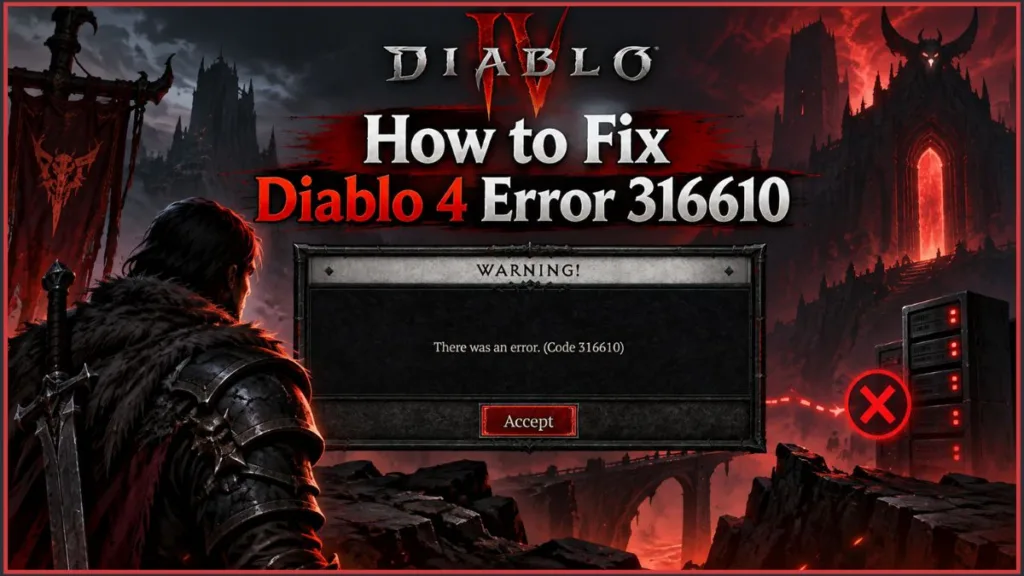
Here is a complete, updated breakdown of what Error 316610 means, why it happens, and the current workarounds to help you get past the character selection screen.
What is Diablo 4 Error Code 316610?
In technical terms, Diablo 4 error code 316610 is a server-side character authentication failure. It occurs almost exclusively when you click “Start Game” on the character selection screen.
Instead of loading your character into a game world instance, the client times out while attempting to verify your character’s save state and inventory with Blizzard’s central database. Because the game cannot establish a secure session token, it drops your connection and displays the message: “There was an issue logging in. (Code 316610).”
Key Takeaway: Error 316610 does not mean your character has been deleted, banned, or permanently corrupted. It is a temporary communication breakdown between your client and Blizzard’s authentication cluster.
Who is Affected?
Recent tracking threads on the Blizzard Technical Support Forums confirm that this issue is widespread and platform-agnostic. It heavily spikes during the launch of new seasons and major expansions, such as the Vessel of Hatred DLC.
- All Platforms: Reports heavily affect Steam, the Battle.net Desktop App, Xbox Series X|S / Xbox One, and PlayStation 5 / PlayStation 4.
- All Realm Types: The bug blocks both Seasonal Realm and Eternal Realm characters, including Hardcore and Solo Self-Found (SSF) profiles.
- Expansion & Base Game: The error impacts standard edition accounts as well as players loading into DLC areas.
Why Does Error 316610 Occur?
Yes, Error 316610 is primarily a server-side issue. Unlike local network problems like Wi-Fi dropouts or strict NAT types, this error is caused by instability on Blizzard’s infrastructure.
The primary triggers include:
- Login Server Concurrency Limits: During major seasonal rollouts, patch launches, or weekend peak hours, authentication gateways become overloaded. The servers fail to respond before the game client’s built-in timeout limit triggers.
- Background Hotfixes: If Blizzard deploys a server-side hotfix to patch a bug without bringing the game down for maintenance, active game clients can temporarily fall out of sync with backend database versions.
- Regional Routing Failures: Traffic bottlenecks between specific regional Internet Service Providers (ISPs) and Blizzard’s local data nodes can cause packet loss during the critical login handshake.
Warning: Do not uninstall and reinstall Diablo 4. Because Error 316610 is rooted on the server side, redownloading the entire game client will not resolve the issue and will only waste your time and bandwidth.
Step-by-Step Fixes and Workarounds
Because the root cause is server-side, local client repairs are not guaranteed to work. However, players have discovered several reliable workarounds that force the authentication servers to re-evaluate your account status.
Method 1: The “New Character” or “SSF” Handshake Bypass
This is the most successful community-sourced workaround reported by players on Reddit and the official forums. Creating a new profile forces the server to initiate a clean session handshake.
- Launch Diablo 4 and proceed to the Character Selection screen.
- Do not attempt to select your main character. Instead, click Create New Character (some users report making a Solo Self-Found character works best for this).
- Quickly pick any class, accept default settings, and click Start Game.
- Once the intro cinematic starts or your new character loads into the opening area, press Esc (or the Options/Menu button on a controller) and select Leave Game.
- Back on the main screen, highlight your original character and click Start Game.
Method 2: Change World Tier and Toggle Crossplay
Forcing your client to query a different server shard can bypass a congested realm instance.
- Select your desired character on the character select screen.
- Click Change Difficulty (World Tier).
- Temporarily lower the difficulty (for instance, drop from Torment to Normal or Penitent).
- If the game still fails to load, open the Options Menu, navigate to the Social tab, and uncheck Cross-Network Play.
- Save changes, restart the client, and attempt to log in again.
Tip: Disabling Cross-Network Play significantly reduces matchmaking overhead when logging in during peak server hours. Once you are safely loaded into the world, you can re-enable crossplay from town.
Method 3: Restart Battle.net and Clear Launcher Cache (PC)
Stale authentication tokens stored in the Steam or Battle.net launcher can prevent your account from registering server status updates.
- Close Diablo 4 and completely exit the Battle.net or Steam client.
- Press Ctrl + Shift + Esc to launch the Task Manager.
- Locate and terminate any remaining instances of Battle.net.exe, Agent.exe, or Steam.exe.
- (Battle.net Users) Press Windows Key + R, type
%localappdata%, and press Enter. Delete the Battle.net and Blizzard Entertainment folders to clear your local session cache. - Relaunch your client, log back in, and launch the game.
Method 4: Power Cycle Consoles and Restore Licenses (Console)
Cached credentials on PlayStation and Xbox can fail during server instability.
- For PlayStation 5: Go to Settings > Users and Accounts > Other > Restore Licenses. Select Restore, then restart your console.
- For Xbox Series X|S: Hold down the console’s Power Button for 10 seconds until it turns off completely. Unplug the power cable for 60 seconds to clear the system cache, plug it back in, and turn on the console.
How to Check Diablo 4 Server Status
If none of the workarounds grant you access, the login servers are likely undergoing an active, widespread outage. You can track real-time operational status through the following channels:
- Official Support Updates: Check the @BlizzardCS Twitter/X Account for notices on server stability, DDoS attacks, or emergency maintenance windows.
- Crowdsourced Outage Monitoring: Check the Diablo 4 Downdetector Page to see if other players in your geographic region are experiencing identical connection drops.
- Official Technical Forums: Visit the Blizzard Diablo 4 Tech Support Hub to see ongoing developer replies and community-submitted bug threads.
Frequently Asked Questions
Is there an official Blizzard fix for Error 316610?
When this error spikes, Blizzard’s network engineers typically deploy a backend hotfix to balance server capacity and restart authentication services. Once resolved on their end, players can log in without requiring a game client patch.
Does Error 316610 cause character rollbacks?
In most cases, no. Your inventory, progress, and Paragon points remain securely stored on Blizzard’s master character database. In rare instances where a disconnection occurs mid-dungeon, you may lose unsaved progress from the last 1 to 2 minutes before the drop.
Will running “Scan and Repair” fix Error 316610?
Running Scan and Repair via Battle.net or verifying files on Steam checks local file integrity, which rarely addresses backend authentication timeouts. While it causes no harm, it generally will not fix Error 316610 unless the crash occurred directly after a corrupted game update.
Visit Our Post Page: Blog Page
Discover more from Izoate
Subscribe to get the latest posts sent to your email.