
Ready to evolve Bramblin into Brambleghast in Pokémon GO? Don’t let its special Buddy evolution requirement stand between you and your next Pokédex entry.
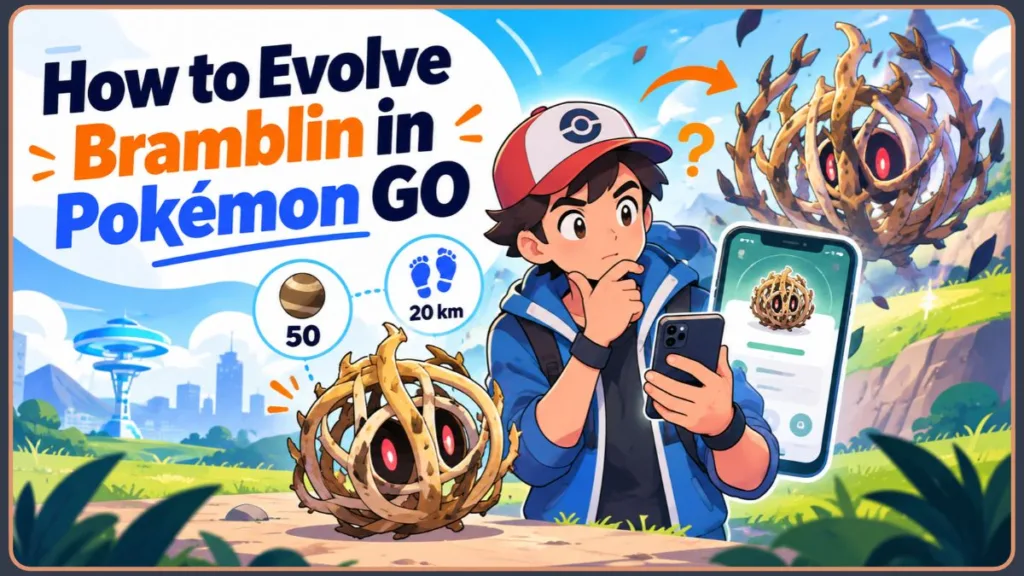
Trying to evolve Bramblin into Brambleghast in Pokémon GO? You’ll need 50 Bramblin Candy and 20 km of walking progress with Bramblin as your Buddy. Collecting enough Candy is only half the job because Bramblin has a special evolution task that you must complete before the Evolve option becomes available.
There’s another issue to watch for. In October 2026, several Pokémon GO players reported that evolution challenges weren’t displaying correctly on Pokémon details screens. Some players found that assigning the Pokémon as their Buddy and reopening the screen made the requirements appear, while others continued to experience the issue. These reports are useful troubleshooting evidence, but they don’t establish that every player will encounter the same problem.
The good news is that Bramblin’s documented evolution requirements are straightforward once you know where to look. This guide explains how to evolve Bramblin into Brambleghast, how to track your Buddy-walking progress, how to collect the required Candy, and what to check if the evolution challenge or Evolve button isn’t showing.
What Do You Need to Evolve Bramblin in Pokémon GO?
Bramblin evolves into Brambleghast after you collect 50 Bramblin Candy and complete a 20 km Buddy-walking task.
Pokémon GO Hub’s Bramblin database lists both requirements in its evolution chart. Niantic’s official Pokémon GO evolution guide explains how additional evolution tasks work and where to find them in the game.
Here’s a breakdown of what you need before you can evolve Bramblin.
| Evolution requirement | What you need to do |
|---|---|
| Pokémon | Bramblin |
| Evolution target | Brambleghast |
| Candy cost | 50 Bramblin Candy |
| Special evolution task | Walk 20 km with Bramblin as your Buddy |
| Where to check progress | Bramblin’s details or summary screen |
| Final action | Tap Evolve when the requirements are satisfied |
You need both the Candy and the completed walking task. Having 50 Bramblin Candy doesn’t automatically unlock the evolution if you haven’t completed the required distance.
Niantic explains that certain Pokémon have additional evolution requirements that appear on their individual details pages. These tasks differ between species, so you shouldn’t assume that a method used for another Pokémon will work for Bramblin.
For this evolution, the most important distinction is between collecting Candy and completing the walking task. Keep track of both rather than relying on the Candy total alone.
What Is Bramblin, and What Does It Evolve Into?
Bramblin is the Grass/Ghost-type Tumbleweed Pokémon from the Paldea region. It is listed as National Pokédex entry #946 and belongs to Generation IX.
Its evolution is Brambleghast, which retains the Grass/Ghost typing. Pokémon GO Hub’s database lists Bramblin’s evolution as a 50-Candy evolution with a special walking requirement.
You don’t need to find a second species or use a separate evolution item for the listed Bramblin evolution method. Instead, you must complete the task associated with the selected Bramblin and have enough Candy.
This distinction matters if your goal is to complete the Pokédex. Catching Bramblin registers the unevolved Pokémon, but you must complete the evolution process to add Brambleghast through evolution.
Is Bramblin’s 5 km Buddy Distance the Same as Its Evolution Requirement?
No. Bramblin’s 5 km Buddy Candy distance and its 20 km evolution requirement describe two different mechanics.
Pokémon GO Hub’s current Bramblin data lists a 5 km Buddy distance and a separate evolution task requiring 20 km of walking with your Buddy.
Here’s the difference:
- 5 km: Bramblin’s listed distance for earning Buddy Candy.
- 20 km: The listed walking distance required for Bramblin’s evolution task.
Don’t mistake the 5 km Candy distance for the complete evolution requirement. The 5 km figure relates to earning Buddy Candy; it does not replace the 20 km evolution task.
Even if Bramblin has earned Buddy Candy, you should check the evolution task displayed on its details screen to confirm whether the required walking distance has been completed.
How to Evolve Bramblin Into Brambleghast Step by Step
Follow these steps in order to prepare Bramblin, complete its walking task, and unlock the evolution.
Step 1: Choose the Bramblin You Want to Evolve
Open Pokémon GO and tap the Poké Ball menu. Select Pokémon to access your Pokémon storage, then choose the Bramblin you want to evolve.
If you have caught several Bramblin, take a moment to compare them before starting the walking task. You can check their CP, appraisal, and other details to decide which one you would prefer to keep.
Appraisal is optional. It does not unlock the evolution or change the Candy and walking requirements.
Choosing your Bramblin before walking also helps you avoid confusion if you have more than one of the same Pokémon in storage.
Keep in mind that the Candy requirement applies to the species, but the walking task must be completed for the Bramblin you intend to evolve. Don’t assume that selecting another Bramblin with a better appraisal will automatically give it the same individual progress.
Step 2: Set Bramblin as Your Buddy
Once you’ve selected the Bramblin you want to evolve, assign it as your Buddy Pokémon.
Open the Buddy interface and confirm that the correct Bramblin is selected. This matters because the special evolution task involves walking with Bramblin as your Buddy.
Don’t assume that walking with a different Pokémon will complete the task for Bramblin. Check the individual Pokémon’s details screen whenever you need to confirm which task you’re working toward.
Setting Bramblin as your Buddy is also a sensible first troubleshooting step if the evolution challenge doesn’t appear.
In fact, a r/pokemongo discussion about Bramblin’s missing evolution challenge included reports that the requirements sometimes appeared after Buddy setup.
This doesn’t mean every missing challenge has the same cause, but it makes checking your Buddy selection a useful first step.
Step 3: Check Whether the Evolution Challenge Appears
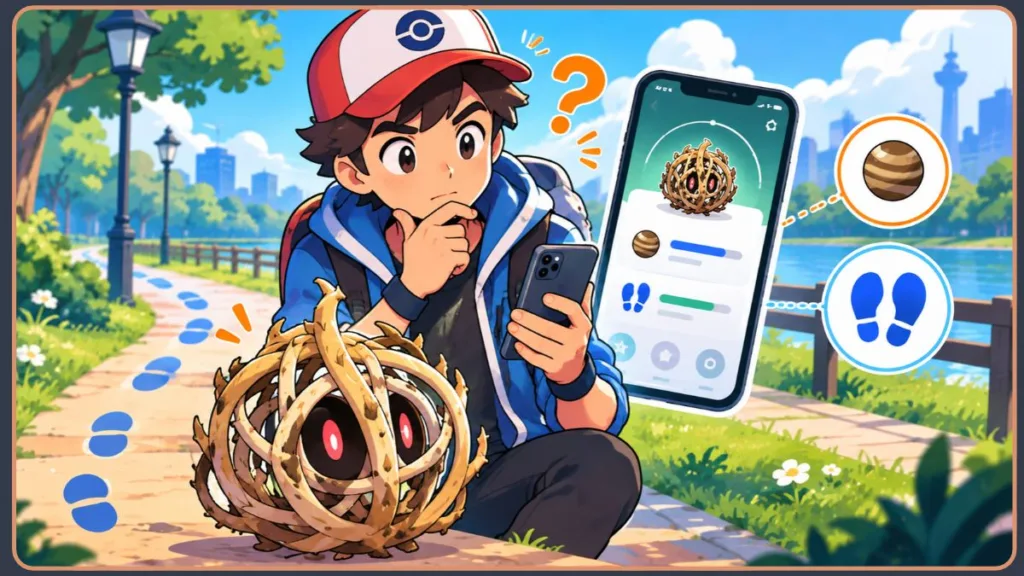
Return to Bramblin’s details screen and look for the evolution information.
Check the requirements associated with that specific Bramblin before starting a long walk. This gives you a clear reference point for the task you need to complete.
If the challenge isn’t displaying correctly, don’t immediately assume that you need to reinstall Pokémon GO. Several community discussions from October 2026 described similar problems with evolution tasks not appearing.
Some players reported that assigning the Pokémon as their Buddy and leaving and reopening the details screen helped. Other reports described the requirements remaining hidden even after Buddy setup.
These are community observations rather than a confirmed explanation from Niantic. The important first step is to establish whether you’re dealing with a missing display or an incomplete evolution requirement.
Step 4: Walk 20 km With Bramblin as Your Buddy
The next step is to complete the 20 km Buddy-walking task.
Walk while Bramblin is your active Buddy, then periodically review its evolution progress on the details screen. Use the distance credited by Pokémon GO rather than relying exclusively on your step count or an estimate of how far you’ve travelled.
You don’t have to complete the task in one walk. Plan around walks you already intend to take and check your progress along the way.
Remember that the 20 km evolution task is separate from the 5 km Buddy Candy distance listed for Bramblin.
If you use Adventure Sync to record eligible distance while the game is closed, check that the feature is enabled and that your device is recording the required activity. Don’t assume every step measured by another app will automatically count toward the evolution task.
Step 5: Make Sure You Have 50 Bramblin Candy
While completing the walking requirement, check how much Bramblin Candy you have.
You need 50 Bramblin Candy to evolve it into Brambleghast. If you don’t have enough, you can continue catching Bramblin when it is available or use other appropriate Candy sources.
Completing the walking task doesn’t automatically provide all the Candy you need. The Candy total and the special evolution task are separate requirements, so confirm both before moving on.
You can check the Candy cost on Bramblin’s summary screen. Niantic’s official evolution guide explains that the Candy requirement is displayed there and that you cannot evolve a Pokémon until you have enough Candy.
Step 6: Check the Requirements Again
Return to the same Bramblin’s details screen and review the evolution information.
Confirm that:
- The 20 km Buddy-walking task has been completed.
- You have at least 50 Bramblin Candy.
- You’re checking the Bramblin you actually intend to evolve.
Niantic explains that Pokémon with special evolution tasks display those requirements on their individual details pages. You can read its official evolution guidance for more information about these task-based evolutions.
If the Evolve option remains unavailable, move to the troubleshooting section below rather than repeating the walking task without checking what the game displays.
Step 7: Tap Evolve to Get Brambleghast
Once you’ve fulfilled both requirements, open Bramblin’s details screen and tap Evolve when the option is available.
Follow the in-game prompt to complete the evolution. Bramblin will evolve into Brambleghast, replacing the selected Bramblin in your collection with its evolved form.
If your goal is to complete the Pokédex, you can check your collection afterward to confirm that Brambleghast has been registered.
Why Is Bramblin’s Evolution Challenge Not Showing?
If you’ve opened Bramblin’s details screen and can’t find the evolution challenge, you’re not the only player who has reported this problem.
In the r/pokemongo discussion, a player reported trying to restart and reinstall the game and assign Bramblin as their Buddy without initially seeing the requirement.
Commenters identified the task as walking 20 km with Bramblin as your Buddy. One commenter also reported that evolution requirements sometimes appeared only after Buddy assignment.
The original poster later said that feeding Bramblin fruit appeared to resolve the display problem. However, the discussion doesn’t establish feeding as a mandatory evolution step or prove that every player experiencing the issue will see the same result.
The problem wasn’t limited to that one discussion. In a separate r/TheSilphRoad thread about Bramblin’s Buddy task not showing, players reported that the requirement could become visible after assigning the Pokémon as their Buddy and reopening its screen.
A later r/TheSilphRoad discussion about evolution requirements not showing described similar reports involving other Pokémon with evolution tasks.
Together, these discussions establish that multiple players reported the problem during October 2026. However, community reports do not establish the underlying cause, and I couldn’t verify an official Niantic notice specifically acknowledging this display issue in its public Known Issues and Release Notes page.
Check Whether Bramblin Is Your Active Buddy
Start by checking whether the Bramblin you intend to evolve is assigned as your Buddy.
Return to its details screen and check the evolution information again.
A commenter in the Reddit discussion reported that the requirements sometimes failed to appear until the Pokémon was assigned as a Buddy. In a separate discussion, a player reported that leaving the page and reopening it after Buddy setup made the task appear.
This makes verifying Buddy setup and reopening the details screen a sensible first step.
If you have multiple Bramblin, make sure you’re inspecting the same Pokémon you selected for the walking task.
Does Bramblin Need to Be Fed Before the Challenge Appears?
Feeding Bramblin is not a documented evolution requirement.
The original Reddit poster reported that feeding Bramblin fruit appeared to make the missing challenge visible. Another commenter questioned whether feeding was necessary, suggesting that the problem might have been related to the game’s display.
The documented requirements remain 50 Bramblin Candy and 20 km of Buddy walking, as listed in the Pokémon GO Hub database and described in Niantic’s general evolution guidance.
If the challenge still doesn’t appear after you’ve confirmed the Buddy setup, you can try feeding Bramblin so that it appears alongside you on the map, then revisit its details screen.
Treat this as an optional troubleshooting attempt based on a player’s report—not a required step in the evolution process.
Reopen Bramblin’s Details Screen
After checking Buddy setup, leave Bramblin’s details screen and open it again.
Confirm that you’re looking at the correct Pokémon and that its displayed requirements reflect the progress you’ve made.
This is a particularly useful check because some players reported that the evolution task appeared after they assigned the Pokémon as their Buddy and reopened the details page.
If the challenge still doesn’t show, don’t assume that the 20 km task is complete or that you can evolve Bramblin without it. Check the in-game requirements again when they become visible.
Should You Restart or Reinstall Pokémon GO?
Restarting or reinstalling the game shouldn’t be your first response when Bramblin’s evolution challenge is missing.
In the original Reddit discussion, the player reported trying both steps without immediately resolving the problem. Other players later described the challenge appearing after Buddy setup and reopening the Pokémon’s details page.
Use this troubleshooting order instead:
- Confirm that the correct Bramblin is assigned as your Buddy.
- Leave the Pokémon’s details screen and reopen it.
- If the challenge is still missing, consider trying the optional feeding step described above.
- If the problem persists, check the game’s current version, review Niantic’s Known Issues page, and contact support through the Pokémon GO app if needed.
Don’t assume that reinstalling will unlock the evolution. Verify the listed requirements before taking more disruptive steps.
If the distance itself isn’t being recorded, use the separate Adventure Sync troubleshooting instructions below. A missing evolution task and a failure to record walking distance aren’t necessarily the same problem.
How to Track Bramblin’s Buddy-Walking Progress
Walking 20 km can take time, so checking your progress helps you understand how much of the task remains.
Check Bramblin’s Evolution Task
Open the same Bramblin you selected for evolution and review its details screen.
Use the displayed task to track your progress rather than estimating the distance you’ve walked. This is especially useful if you’ve walked on several different days or switched between activities.
The key is to check the evolution requirement itself. Bramblin’s separate 5 km Buddy Candy distance does not replace the 20 km walking task.
If the task isn’t displaying correctly, follow the troubleshooting steps above rather than assuming that the game has credited the distance.
Make Sure the Correct Buddy Is Selected
Before each walk, confirm that Bramblin is the Buddy you’re working with.
If you switch to another Pokémon, don’t assume that walking with the new Buddy will complete Bramblin’s evolution task. Return to Bramblin’s details screen to check its own progress when you resume the task.
This small check can prevent confusion if you regularly change Buddies to work toward different goals.
Can Adventure Sync Help Track Your Walking?
Yes. Pokémon GO’s Adventure Sync is an optional feature that can record eligible distance when the game isn’t open. Niantic states that it can be used to track kilometres, earn Buddy Candy, and hatch Eggs without keeping Pokémon GO running continuously.
According to Niantic’s official Adventure Sync guide, Adventure Sync is available to Trainers at Level 5 and above. The feature requires the appropriate location permissions and a connection to a supported fitness-tracking service.
To enable it:
- Open the main menu in Pokémon GO.
- Go to Settings.
- Open General.
- Select Adventure Sync and follow the permission prompts.
The exact permission screens can vary by device and operating-system version.
If Adventure Sync isn’t tracking your walking properly, Niantic recommends checking the following:
- Adventure Sync is enabled: Confirm that the option is switched on in the game’s settings.
- Location permissions are correct: On iOS, Niantic’s troubleshooting guidance recommends allowing location access even when the app is closed. On Android, check the location permissions available for your device and Pokémon GO.
- Your fitness-tracking connection is active: Check that Apple Health or Google Fit is recording activity and connected as required by your device.
- Battery-saving restrictions aren’t interfering: Niantic warns that battery-saving modes can disable sensors or interfere with fitness tracking.
- You allow time for syncing: Niantic says that distance updates can sometimes take several hours to sync.
Niantic also notes that manually entered fitness data in Apple Health or Google Fit won’t count toward Adventure Sync progress.
Read the official Troubleshooting Adventure Sync guide for device-specific checks.
Adventure Sync is optional. If you use it, check your game’s recorded progress instead of assuming every step measured by another app will count toward Bramblin’s evolution.
Plan Around Walks You Already Take
A 20 km walking task can feel like extra work when you’re also earning Candy, collecting Mega Energy, or progressing toward Buddy milestones with another Pokémon.
In the r/TheSilphRoad discussion about Bramblin’s evolution method, some players expressed frustration about using their Buddy slot for an evolution task instead of making progress toward other rewards. Others viewed walking-based evolutions more positively.
The practical takeaway is to plan around walks you already intend to take, choose Bramblin deliberately, and check its progress periodically. You can complete the task at your own pace without turning every walk into a separate chore.
Why Does Bramblin’s 20 km Evolution Requirement Frustrate Some Players?
Bramblin’s evolution illustrates a broader feature of Pokémon GO: some evolutions require more than collecting Candy.
Niantic’s evolution guidance describes species-specific tasks, including requirements involving walking with a Buddy. These tasks provide an additional step in the evolution process, but they can also require players to prioritise one Pokémon over another.
The community discussion about Bramblin offers several examples of how players respond to that choice.
Your Active Buddy Can Work Toward Other Rewards
Some players in the r/TheSilphRoad discussion said they would prefer to use their Buddy slot to earn Candy XL, Mega Energy, or progress toward Buddy milestones with a different Pokémon.
Other commenters were more accepting of the walking requirement or enjoyed spending time with the Pokémon they intended to evolve.
These are individual opinions rather than a representative survey of all Pokémon GO players. They highlight a practical concern: choosing Bramblin as your Buddy means prioritising its evolution task while you work toward Brambleghast.
Walking Requirements Don’t Feel the Same for Everyone
For some players, a 20 km task is manageable because they already walk regularly. For others, limited opportunities to walk, weather conditions, accessibility needs, or competing gameplay goals can make it more difficult.
The Reddit discussion included concerns about accessibility and extreme weather, reminding readers that not everyone has the same opportunity to walk.
You don’t need to complete the task on an arbitrary schedule. Plan around your circumstances, use the progress displayed in the game, and avoid walking in unsafe conditions just to finish an evolution.
How to Make the Task Easier to Manage
You can make the process easier to follow without promising a shortcut that bypasses the task.
- Select the Bramblin you actually want to evolve before starting.
- Check the Buddy-walking task periodically.
- Plan around walks you already take.
- Keep track of your Candy total separately.
- Verify the game’s displayed progress before troubleshooting an apparent problem.
This approach keeps the requirement manageable while avoiding unnecessary effort.
How to Get More Bramblin Candy
If you’ve completed the walking task but still don’t have 50 Bramblin Candy, you’ll need to build your Candy supply before evolving.
Catch Bramblin When It’s Available
Catching Bramblin is one way to earn its species-specific Candy.
However, encounter availability changes with Pokémon GO events and rotations. Bramblin’s debut was announced as part of the Fall Marathon: Buddy Trek event, which ran from October 13 through October 19, 2026, according to Niantic’s official event announcement.
That event has ended as of October 28, 2026. Its event-specific Incense encounters, GO Pass rewards, and Field Research opportunities should not be presented as guaranteed current ways to catch Bramblin.
During the event, Niantic listed Bramblin among the Pokémon that could appear through Incense and event-themed Field Research. Those were time-limited opportunities, not permanent encounter guarantees.
If you’re trying to obtain more Bramblin now, check current in-game event information and available encounters. The evolution requirements can be completed independently of the debut event, but obtaining additional Bramblin depends on what’s currently available.
Transfer Extra Bramblin if You Don’t Need Them
If you have several Bramblin, transferring unwanted duplicates can help build your Candy supply.
Check their appraisal and make sure you don’t want to keep them before transferring. Once a Pokémon has been transferred, you can’t simply retrieve that individual Pokémon from storage.
This option is most useful when you’ve already caught several Bramblin and need additional Candy for the evolution.
Can Rare Candy Help You Evolve Bramblin?
Yes. Rare Candy can supplement your Bramblin Candy supply when used appropriately.
However, Rare Candy does not replace the special walking task. Even if you have more than 50 Bramblin Candy, you must still complete the required 20 km Buddy-walking distance before the evolution becomes available.
Keep the two requirements separate when planning your progress.
Frequently Asked Questions About Bramblin Evolution
How do you evolve Bramblin in Pokémon GO?
Collect 50 Bramblin Candy and walk 20 km with Bramblin as your Buddy. Once both requirements are complete, open Bramblin’s details screen and tap Evolve when the option is available.
How many Candy does Bramblin need to evolve?
Bramblin requires 50 Bramblin Candy to evolve into Brambleghast.
How far do you need to walk with Bramblin?
You need to complete a 20 km Buddy-walking task with Bramblin as your Buddy.
Does Bramblin need to be your Buddy to evolve?
Yes. Bramblin’s special evolution task requires walking 20 km with it as your Buddy. Check the evolution information on the individual Pokémon’s details screen to verify its progress.
Why can’t I evolve Bramblin in Pokémon GO?
Check whether you have 50 Bramblin Candy and whether the 20 km walking task is complete. If the evolution challenge isn’t visible, confirm Buddy setup and reopen Bramblin’s details screen before trying more extensive troubleshooting.
Do you have to feed Bramblin to evolve it?
No. Feeding Bramblin is not listed as an evolution requirement. One player reported that feeding it appeared to make a missing challenge visible, but that is an anecdotal observation rather than a confirmed game mechanic.
Is Bramblin’s 5 km Buddy distance the same as its evolution requirement?
No. Bramblin’s listed 5 km Buddy Candy distance is separate from its 20 km evolution task. You must fulfil the walking task displayed for its evolution.
What does Bramblin evolve into in Pokémon GO?
Bramblin evolves into Brambleghast, a Grass/Ghost-type Pokémon.
Can you evolve Bramblin using Rare Candy alone?
Rare Candy can help you reach the Candy requirement, but it cannot replace the 20 km Buddy-walking task. You need to fulfil both requirements.
What should you do if Bramblin’s evolution challenge doesn’t appear?
First, confirm that Bramblin is assigned as your Buddy and reopen its details screen. If the challenge is still missing, you can try feeding Bramblin so that it appears with you on the map, but this is an optional troubleshooting attempt rather than a required evolution step. If the issue persists, review Niantic’s Known Issues page and consult official support.
Final Checklist: Before You Evolve Bramblin
Before tapping Evolve, make sure you’ve completed each requirement:
- Select the Bramblin you want to keep and evolve.
- Set that Bramblin as your Buddy.
- Complete the 20 km Buddy-walking task.
- Collect at least 50 Bramblin Candy.
- Check the evolution task on Bramblin’s details screen.
- Tap Evolve when the option is available.
The key is to keep Bramblin’s Candy requirement and walking task separate. If the challenge doesn’t appear, check the selected Buddy and the details screen before assuming you need to reinstall Pokémon GO.
If walking distance isn’t registering, check Adventure Sync’s permissions and fitness-tracking connection. If the evolution challenge itself remains hidden, remember that multiple players reported similar display problems during October 2026, but the exact cause of those reports hasn’t been established by the sources reviewed here.
Once both requirements are satisfied, you can evolve Bramblin into Brambleghast and add its evolution to your Pokémon GO collection.
Visit Our Post Page: Blog Page
Discover more from Izoate
Subscribe to get the latest posts sent to your email.