
Can’t find a lost companion in Fallout 4? Discover the VIP Tracker, settlement bell method, Dogmeat recovery tips, and PC console commands to locate missing followers fast.
You’re deep in the Commonwealth, your inventory is bursting with heavy scrap, and you turn around to offload it all onto your favorite buddy — only to realize they’ve completely vanished. If you’ve ever been in that situation, you already know how genuinely frustrating it is.
Look, I’ve clocked hundreds of hours between Fallout 76’s Appalachia and the Commonwealth, and I can tell you right now — losing a companion in Fallout 4 hits differently than anything you’ll run into in 76. Over in Appalachia, you’re squad-deep with real players covering your flanks. But the Sole Survivor has to rely on NPC companions, and Bethesda’s companion system, as rich as it is, comes with some notorious quirks that every seasoned wastelander eventually runs into.
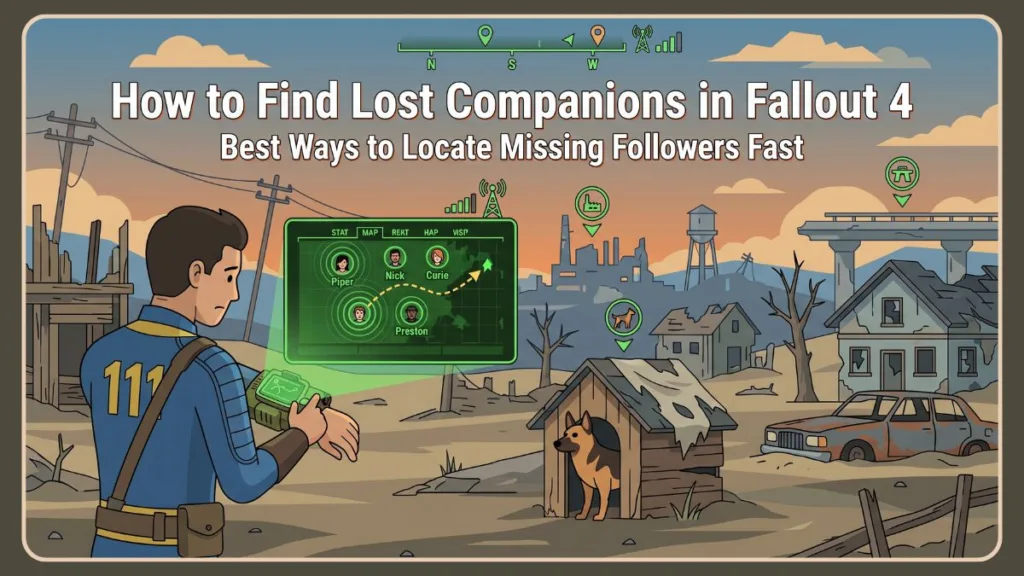
Losing a recruited companion is one of those classic Fallout 4 experiences that just about every player runs into sooner or later. Whether you accidentally sent them to the wrong settlement or the game’s AI pathfinding had other ideas, there’s no need to panic. Your missing friend is almost never gone for good.
In this guide, you’ll learn exactly how to track down any lost companion in Fallout 4 — from in-game settlement tools and DLC trackers to quick console commands for PC players. Whether you’re playing on PC via Steam, or on Xbox or PlayStation, there’s a method here that’ll work for you.
Why Do Companions Go Missing in Fallout 4?
Before you start tearing apart the Wasteland, it helps to understand why your follower wandered off in the first place. Pinpointing the cause can often save you a lot of searching.
Coming from 76, where your squad members are actual players who communicate and move with purpose, Fallout 4’s companion AI can feel surprisingly unreliable. These NPCs are governed by Bethesda’s Radiant AI system, and while it’s impressive for a single-player RPG, it has well-documented limitations — especially around cell loading, fast travel, and settlement pathfinding.
You Dismissed Them and Forgot the Destination
When you recruit a new follower, the game automatically dismisses your current one. A menu pops up asking where to send them. If you’re rushing through dialogue — which, honestly, happens all the time — it’s very easy to accidentally select a random location and completely forget where you sent them.
They Walked Back to a Settlement
If you dismiss a companion but exit the destination menu without choosing a specific place, they’ll automatically start walking back to the last settlement you assigned them to. If you’ve never assigned them anywhere, they’ll head straight back to their original default location.
Fast Travel and AI Pathfinding Hiccups
Sometimes Bethesda’s game engine just can’t keep up. If you fast travel, cross tricky terrain, or take an elevator, your companion’s AI can break down — leaving them stuck behind a wall, trapped in an unloaded cell, or just standing in the middle of nowhere wondering what happened. This is a known issue that goes back to the Creation Engine, the same engine powering both Fallout 4 and Fallout 76, which is why experienced Bethesda players always keep it in the back of their minds.
Dogmeat Is Playing by His Own Rules
If you’re specifically wondering where to find Dogmeat in Fallout 4, he’s a special case. Unlike human companions, Dogmeat gets easily distracted by settlement items — particularly doghouses — and doesn’t always respond to the standard methods for gathering companions.
The Best Way to Find Lost Companions: The VIP Tracker
If you have the Vault-Tec Workshop DLC installed, you have access to the single best companion tracker in the game. This is the go-to method because it gives you a precise, real-time map marker for any missing follower — no guesswork required.
Think of it like a player map marker in Fallout 76 — but for your NPC allies in the Commonwealth. It’s not built into the base game, which is why so many players don’t know it exists.
What Is the Vault-Tec Population Management System?
The Vault-Tec Population Management System is a specialized terminal that comes with the Vault-Tec Workshop DLC. While it was originally designed to help manage settler jobs — similar to how you’d manage resource assignments in a Fallout 76 C.A.M.P. — it includes a built-in tracking feature that works specifically for the unique companions you’ve recruited throughout the Commonwealth.
How to Build the Terminal
You can place this tracker at any of your established settlements.
- Open your Workshop Menu.
- Navigate to the Power section.
- Scroll over to Miscellaneous.
- Select the Vault-Tec Population Management System and place it somewhere with access to a power source.
How to Use the VIP Tracker
Once the terminal is powered up, finding your follower takes about ten seconds.
- Interact with the terminal to boot it up.
- Select Access VIP Tracker from the main menu.
- Choose the specific companion you’re looking for from the list.
- Close the terminal and open your Pip-Boy map — you’ll see their exact location marked as an objective.
Pro Tip: This is the fastest and most reliable method in the game. If you have the Vault-Tec Workshop DLC installed, always use the VIP Tracker first before trying anything else.
How to Track All Companions at Once
If you’ve lost track of several people at the same time, the VIP Tracker also lets you track all recruited companions simultaneously. Just keep in mind that selecting this option will load your map and compass with multiple objective markers, which can get a little cluttered if you’ve built up a large crew.
Tip: If you’re tracking multiple companions at once, open your Pip-Boy map and zoom out fully so you can see all the markers spread across the Commonwealth at a glance.
How to Find Missing Companions Without DLC
If you’re playing vanilla Fallout 4 on Xbox, PlayStation, or PC without any extra DLC installed, you won’t have access to the VIP terminal. The good news is there’s still a reliable built-in method to gather everyone together.
Build a Settlement Bell
Every standard settlement lets you build a gathering bell through the Workshop menu. It’s a simple mechanic, but don’t underestimate it — this bell functions a lot like the emote wheel in Fallout 76 when you’re trying to get the attention of people nearby. It’s your Commonwealth rally signal.
- Open your Workshop Menu.
- Navigate to Resources.
- Select Miscellaneous.
- Choose the Bell and place it in a wide, open, central area of the settlement.
Ring the Bell and Wait
Walk up to the bell and ring it. This sends a signal to every NPC assigned to that specific settlement, telling them to stop what they’re doing and gather nearby.
Be patient — settlers and companions won’t sprint over. They’ll walk slowly toward the sound, so grab a snack in real life or sit your character down in a nearby chair to pass some in-game time while everyone makes their way over.
Important Tip: If your companion doesn’t show up after ringing the bell, don’t assume they’re gone. You’re most likely just at the wrong settlement. Fast travel to each of your other camps and repeat the process.
Check Your Other Settlements
If you ring the bell and your companion never shows up, you’re probably just at the wrong location. Fast travel to your other camps, build a bell at each one, and repeat the process until you find them.
How to Find Dogmeat If He Disappears
Dogmeat is easily one of the most beloved companions in the game — and also one of the most notorious escape artists. He doesn’t always respond to settlement bells, and his pathfinding is a little more independent than human companions. Here’s exactly where to look.
If you’ve played Fallout 76, you know there’s no Dogmeat in Appalachia — and honestly, moments like this remind you exactly why he’s so missed. Dogmeat is irreplaceable, but his companion AI scripting is genuinely unique and doesn’t follow the same rules as the rest of your crew.
Check Red Rocket Truck Stop First
If you never assigned Dogmeat to a specific settlement, or if the game glitched during a dismissal, his default behavior is to head straight back to the Red Rocket Truck Stop just south of Sanctuary Hills. Check the garage area and around the fuel pumps first.
Tip: Red Rocket Truck Stop should always be your first stop when Dogmeat goes missing. Nine times out of ten, that’s exactly where he’ll be waiting.
Look Inside Every Doghouse
Dogmeat has unique programming that makes him seek out and rest inside doghouses. If there’s a doghouse anywhere within the borders of the settlement you sent him to, there’s a very good chance he’s curled up inside it — which makes him genuinely hard to spot from a distance.
Check Sanctuary Hills Carefully
Sanctuary Hills is the most common place to lose Dogmeat for hours, because the neighborhood spawns with multiple doghouses hidden in the overgrown backyards.
Here’s a permanent fix worth doing right now:
- Walk through every backyard in Sanctuary Hills.
- Open your Workshop menu and scrap every doghouse you find.
- Build one single doghouse right next to your main base or fast-travel mat.
Pro Tip: Scrapping all doghouses in Sanctuary Hills and replacing them with a single one near your base is the single best thing you can do to never lose Dogmeat again. Do it early and save yourself hours of searching later.
After that, you’ll always know exactly where he’s resting.
How to Teleport Lost Companions Using Console Commands (PC Only)
If you’re playing on PC through Steam or the Bethesda Launcher, you have a huge advantage over console players. When every other method has failed, you can use Fallout 4’s built-in developer console to teleport your companion directly to your location — instantly.
This is one of the biggest differences between Fallout 4 and Fallout 76 as a platform — in 76, there are no console commands available to players at all. It’s a live-service, always-online game, so Bethesda locked that toolset out entirely. In Fallout 4’s single-player environment, though, the developer console is fully accessible on PC and it’s an absolute lifesaver for stuck NPCs and broken scripts.
Step 1: Open the Console
While in-game, press the Tilde key (~), which sits just below the Escape key on most keyboards. The game will pause and a dark text box will appear at the bottom of your screen.
Tip: If the Tilde key isn’t working, check that your keyboard layout is set to English in your system settings. Some regional keyboard layouts map this key differently.
Step 2: Target Your Companion by Reference ID
Type prid followed by a space, then enter the companion’s unique ID code from the table below.
For example, to target Dogmeat, type: prid 0001d162
Then press Enter.
Step 3: Move Them to Your Location
With your companion now targeted, type: moveto player
Press Enter, then press ~ again to close the console. Your missing companion will appear right next to you.
Important Tip: Always save your game before using console commands. While these commands are safe, it’s good practice to have a backup save in case anything unexpected happens with your companion’s script state.
Fallout 4 Companion ID List
Keep this table handy for quick reference whenever you need it.
| Companion | Unique ID |
|---|---|
| Dogmeat | 0001d162 |
| Piper | 0002f1f |
| Nick Valentine | 00002f25 |
| Preston Garvey | 0001a4d7 |
| Codsworth | 0001ca7d |
| Cait | 00079305 |
| Curie | 00102249 |
| Strong | 0003f2bb |
| Deacon | 00045ac9 |
| Paladin Danse | 0005de4d |
| Hancock | 00022615 |
| MacCready | 0002a8a7 |
| X6-88 | 0002e210a |
| Ada | 0100ff12 |
| Old Longfellow | 02006e5b |
| Porter Gage | 0500a5b1 |
What to Do If Your Companion Still Won’t Appear
If you’ve tried the bell, the VIP tracker, and checked every default location — and you still can’t find them — try these final troubleshooting steps before giving up.
Wait 24 In-Game Hours
Your companion might physically be walking across the entire map to reach their assigned destination, which takes real in-game time. Find a bed or chair, sit down, and use the Wait feature to skip ahead 24 hours. This usually forces the game to snap them to wherever they were heading.
Tip: If waiting 24 hours doesn’t work, try waiting in increments of 24 hours two or three more times. Long-distance companion walks across the full Commonwealth map can take multiple in-game days to complete.
Retrace Your Last Known Steps
Think back to where you were when you last saw them. Did you jump off a highway overpass? Did you take an elevator inside a building like Trinity Tower? Companions regularly get stuck on geometry in complex areas. Head back to that exact spot — they may just be standing there waiting for your character to come close enough to trigger their AI again.
This is classic Bethesda Creation Engine behavior that Fallout 76 players will also recognize from indoor instances and dungeon transitions. The NPC respawn and pathfinding logic struggles with vertical geometry and cell transitions, and Fallout 4 is no exception.
Tour Your Less-Used Settlements
It’s entirely possible you sent them to a settlement you rarely visit. Do a quick fast-travel run through your quieter outposts and ring the bell at each one to be completely sure.
Check If a Mod Is Causing the Problem
If you’re running mods through Nexus Mods or the Bethesda Mod Menu, keep in mind that heavily modded games can sometimes break companion scripts entirely. If you recently installed something that touches settlement behavior, companion limits, or AI systems, try disabling it temporarily and see if your missing friend reappears.
Important Tip: If you suspect a mod is the cause, disable your mods one at a time rather than all at once. This helps you identify exactly which mod is responsible so you don’t have to give up your entire load order.
Frequently Asked Questions
Where do dismissed companions go in Fallout 4? They head to whichever settlement you selected from the dismissal pop-up. If you backed out of that menu without choosing a location, they’ll return to the settlement they were last assigned to — or their original home if you never assigned them anywhere. For example, Piper returns to Publick Occurrences in Diamond City, and Nick Valentine heads back to the Memory Den area of Diamond City.
How do I find Dogmeat after dismissing him? If you didn’t send him to a specific camp, check the Red Rocket Truck Stop south of Sanctuary Hills. If you did send him to Sanctuary, he’s almost certainly hiding inside one of the doghouses in the backyards — scrap all of them and build just one near your main base to prevent this from happening again.
Can companions permanently disappear in Fallout 4? Unless you’re running mods that alter essential NPC flags, no. Every standard companion is marked as essential and can’t be permanently removed from the game. They’re always somewhere — just waiting to be found.
Do I need the Vault-Tec Workshop DLC to track companions? You only need it if you want the precise map-marker tracking that the VIP terminal provides. Without the DLC, the settlement bell method still works — it just takes a bit more legwork.
Can I find lost companions on Xbox and PlayStation? Absolutely. Console players can’t use the developer commands, but the settlement bell works on all platforms. And if you have the Vault-Tec Workshop DLC installed on your Xbox or PlayStation, the VIP tracker works there too.
Conclusion
Losing your favorite follower mid-playthrough is one of those Fallout 4 rites of passage — but thankfully, the Commonwealth isn’t so big that they’re gone forever.
As someone who splits their time between Fallout 4 and Fallout 76, I’ll say this: the companion system in Fallout 4 is one of the things 76 genuinely can’t replicate. The affinity system, the companion perks, the romance options, the personal questlines — all of it makes these NPCs feel like real characters worth tracking down. The Vault-Tec Workshop DLC’s VIP Tracker is hard to beat for finding them quickly. It saves you from endlessly fast-traveling between settlements and ringing bells hoping for the best. If you’re playing on PC, the developer console gives you an instant fix with just two quick commands.
Have you ever had a companion turn up in a completely ridiculous location? Did Dogmeat somehow manage to hide from you for hours inside a Sanctuary backyard? Drop a comment below and share your funniest missing companion stories — or ask a question if you’re still having trouble tracking someone down!
Visit Our Post Page: Blog Page
Discover more from Izoate
Subscribe to get the latest posts sent to your email.