
Amazon promo code rejected at checkout? Find eligible coupons, check seller, product and account limits, and confirm your discount before placing the order.
You find an Amazon promo code, add the eligible product to your cart, and reach checkout—then Amazon rejects the code. You check the spelling, enter it again, and try once more, but the discount still doesn’t appear.
The code may be genuine and still not fit your order. Amazon promotions can depend on the product, seller, account, marketplace, or offer dates. To get a working Amazon promo code, you need to match those conditions to your cart and confirm that the saving appears in your final total before you place the order.
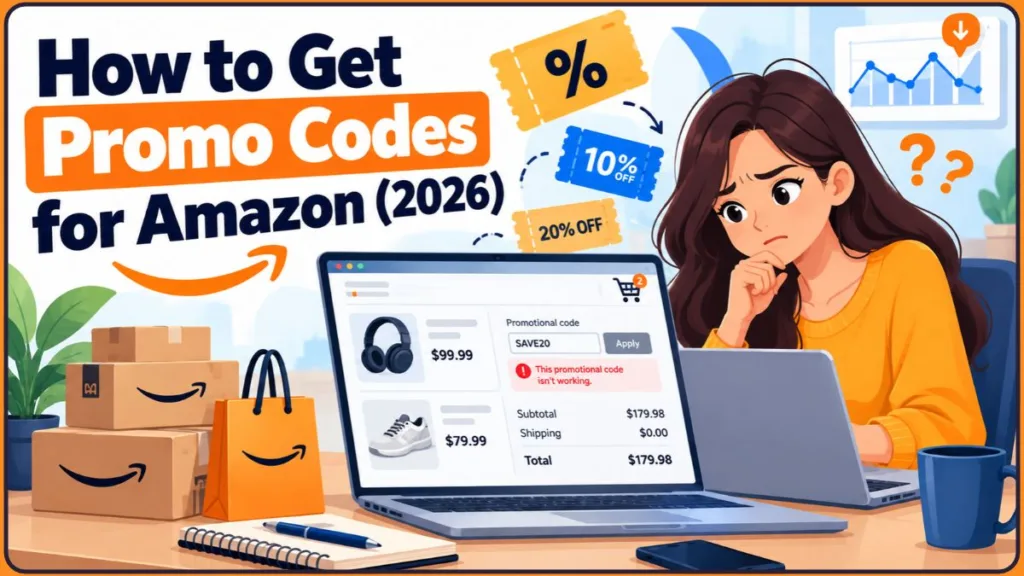
This article explains where to find Amazon coupon codes for 2026, how to apply them on desktop and in the app, and what to check when a code fails. It also covers third-party coupon sites, misleading discount claims, seller promotions, and ways to compare a code with other Amazon savings.
Key Insight: Check Amazon’s own coupons and deals first. Read the offer restrictions, compare the price, and make sure the discount appears in your order summary before paying.
Why Amazon Shoppers Look for Promo Codes
The kind of purchase you’re planning can help narrow down which Amazon promo codes are worth checking. A coupon for a large appliance, a first-order promotion, and a discount on household essentials may each have different conditions.
- A big purchase: Even a modest percentage discount can make a difference on electronics, appliances, or an Amazon Fire Stick.
- A first order: You may have heard that new customers can receive special offers and want to check whether you qualify.
- Sale season: With Black Friday and Cyber Monday approaching, you may want to combine eligible savings to lower the amount you pay.
- A tight budget: Groceries, household essentials, and gifts can cost more when you don’t compare prices and available offers.
- Curiosity: A friend, influencer, or Reddit thread may mention a code that you want to try.
Whatever prompted the search, the aim is to pay less without wasting time on expired or ineligible offers. A code only helps when its conditions match your purchase and the discount is applied before you complete the order.
Does Amazon Offer Promo Codes—and How Do They Work?
Yes, Amazon offers promo codes, but there is no single master code that works for every shopper. Savings may come as clippable coupons, limited-time deals, seller-created codes, or targeted offers available to selected accounts.
A search for “Amazon promo codes” can therefore lead to several different types of offers. Identify the type before you try to redeem it: a digital coupon, a seller’s claim code, and a reduced sale price do not necessarily use the same process.
It also helps to distinguish where an offer is advertised from how it is redeemed. A code shared in a deal forum may have originated as a seller promotion for one product. Amazon’s seller documentation says sellers can create claim codes for percentage-off or buy-one-get-one-free promotions, using either single-use or group codes. Group codes can be shared while still carrying a per-customer limit, so a code posted publicly is not automatically available to every shopper. See Amazon’s official explanation of seller promo codes for details about these formats.
Official Amazon Statement: “Promotional codes can only be redeemed at the time you place an order.”
Apply the code before completing checkout. You can’t add a promotional code after you’ve paid, so check that the discount has been accepted before you place the order.
Izoate 2026 Update: Black Friday falls on November 27, 2026, and Cyber Monday is November 30. Extra promotions often appear around these dates, so check Amazon’s deals pages regularly.
Amazon Coupons vs. Promo Codes: How Each Discount Is Applied
Shoppers often use coupon and promo code as if they mean the same thing, but the redemption steps are usually different:
- Coupons are clipped. On an eligible product page, select the button or checkbox to activate the discount. You must clip the coupon before completing the purchase.
- Promo codes are entered manually. Type the code into the “Gift cards & promotional codes” field during checkout.
Check what the offer actually asks you to do. A coupon commonly has a Clip coupon control on the product page; a claim code usually gives you a string of letters or numbers and instructions for entering it. Some listings show a clipped coupon alongside a seller promotion, but the offer terms determine whether the two discounts can be combined. Activating one does not automatically activate every promotion shown on the listing.
Amazon’s wording can vary between offers, so follow the instructions attached to the specific offer rather than relying on its label. Then check the order summary before paying.
Amazon’s current seller guide to promotions, deals, coupons, and discounts makes another useful distinction: seller promotions can use percentage-off or buy-one-get-one-free offers, while deals are time-limited reductions that apply automatically. The guide says Lightning Deals run for 4 to 12 hours, while Best Deals run for a set period chosen for the offer. That matters when a product is already marked as a deal: the discount may be built into the displayed price rather than waiting for a separate code. Treat these as general descriptions of Amazon’s seller tools; the individual product page and your checkout summary show what applies to your order.
Which Amazon Promo Codes Require Prime?
Most Amazon promo codes and coupons don’t require Prime. Shoppers can use eligible coupons, while Prime members may also see additional deals. Some promotions are Prime-only or targeted at particular accounts; the terms should identify those restrictions.
To find Amazon promo codes without Prime, begin with public deals and clipped coupons. These generally don’t require a membership.
Before joining Prime for the sake of one discount, compare the saving with the membership cost and consider whether you would use Prime’s other benefits. A small reduction on one order may not cover the fee by itself. Check whether the offer really is Prime-exclusive, whether you qualify for a trial or discounted plan, and whether the code covers the exact product in your cart. Amazon’s Prime for Young Adults help page, for example, describes age or student-status verification for that plan. Confirm the eligibility and trial details with Amazon before relying on them.
Why Amazon Promo Codes Fail: Expiration, Eligibility, and Account Limits
A code can be genuine and still be rejected when its conditions don’t match your order. Amazon’s standard promotional terms describe common restrictions: Amazon can modify or cancel an offer at any time, and a promotion may be limited to one use per customer and account.
Many codes are also time-limited, product-specific, or targeted at selected accounts. A code list that helped last month may already be out of date.
The seller’s code setup matters, too. Amazon says sellers can issue single-use claim codes, each unique to one customer, or group claim codes that can be shared by multiple customers. A group code may still allow only one redemption per customer; a single-use code stops working after it has been redeemed. A code can therefore fail even when the product appears to match: someone may already have used the unique code, the campaign may have ended, or the promotion may have reached its redemption limit. Amazon explains these mechanics in its seller promo-code documentation.
SHOP10 Case Study: Why a Shared Code Can Stop Working
A discussion on r/GetADiscount about the shared code SHOP10 shows why one report doesn’t guarantee another shopper will get the same result. One commenter said the code failed in July 2025. Later comments reported success in January 2026, followed by more failure reports in April and July 2026.
These are individual user reports, not controlled tests. The useful lesson is the pattern: a code that worked for one shopper on one date may fail for someone else later. Testing the offer at checkout is more dependable than trusting a list just because it has recent comments.
Can Amazon Promo Codes Really Take 10% or 20% Off Anything?
You may see claims about Amazon promo codes for 20% off anything, 10% off anything, or a code that supposedly works “for everything.” Treat those promises with caution.
Sitewide codes are rare. DealNews advises shoppers not to expect general discounts that apply to everything on Amazon. When broad offers do appear, they’re usually limited to particular categories, sellers, new customers, or a short promotional window.
That doesn’t mean a genuine 10% or 20% discount is impossible. It means you should treat each code as an offer to test, not as a promise that it will work across your entire cart.
Check which amount the percentage applies to and which products qualify. A code advertised as 20% off selected items won’t necessarily reduce the whole cart by 20%. A minimum-spend offer may count only eligible products, not every amount included in the order total. Compare the current price, the discount shown at checkout, and the price of the same model from another seller. A large percentage in a headline alone doesn’t prove you’ve found the best deal.
Key Takeaways for Checking Amazon Promo Codes
- Promo codes expire, run out, or stop working without much notice.
- Some codes are linked to your account or a specific product.
- A code intended for one Amazon country site usually won’t work on another.
- Old code lists are a common reason shoppers run into checkout errors.
The Most Reliable Places to Find Amazon Promo Codes
Start with Amazon’s own offers when you need an Amazon promo code. Its coupons, product pages, and deal listings are the most direct places to check before trying third-party code lists.
Start with Amazon’s Coupons Page
Amazon has a dedicated coupons page, often called the Amazon coupon hub. On Amazon.com, visit amazon.com/Coupons to browse offers by category and clip the coupons you want. You can also access offers through the Today’s Deals page. Amazon Canada has its own coupons page, where each coupon’s details show the dates and instructions for claiming it.
Availability and page layout can vary by country.
After clipping a coupon, confirm that it applies to the exact product listing you plan to buy. Amazon may show different sellers, sizes, colours, pack counts, or model generations that look almost identical. The coupon’s eligibility details matter more than the broad product title. If you switch the selected variation or seller, check the offer details again to make sure the coupon still applies.
Check Product Pages and Your Cart for Clipped Coupons
Coupons often appear directly on a product page, usually near the price. You may also see them in search results or beside products already in your cart.
Look for a coupon badge or checkbox showing a percentage or dollar amount off. Clip it before checkout; otherwise, the discount may not apply.
Amazon’s current seller guidance says coupons are available for a limited period and sellers can set limits on how many times a customer may use them. A coupon badge therefore isn’t a promise that the same saving will remain available indefinitely, or that every variation under a similar product title qualifies. Check the visible offer details immediately before you buy.
Check Amazon Deals Before Looking for a Code
Not every Amazon discount requires a code. The Today’s Deals and Lightning Deals pages show offers whose discounts are applied automatically. Before hunting for another code, check whether the product’s price is already reduced.
If the item is on sale, you may not need an extra code.
Treat the advertised saving as a starting point, not the final answer. Confirm that the deal applies to the exact item and seller you intend to buy, then review your order summary to see the price after the offer is applied. A reduced product price, a clipped coupon, and a checkout code are separate mechanisms; one may apply even when another doesn’t. The figure that matters is the final amount shown for your order, including applicable delivery costs and taxes displayed at checkout.
Find App-Based Coupons and Promo Offers
The Amazon app lets you browse deals and clip coupons on product pages. Some promotions are app-specific. For example, Amazon UAE lists an extra 10% off a first app order, although offers vary by country.
Izoate 2026 Update: Amazon’s help pages don’t describe the app’s checkout menus in detail, and the layout may change. DealSeek notes that the promo-code field can appear near the end of checkout, just above the Place Your Order button. If you can’t find it, use the app’s search bar and type “coupons.”
Offers for New Customers and Existing Amazon Shoppers
In some countries, Amazon provides promotions for first-time customers or for completing a specific action, such as placing a first app order. Existing customers may receive targeted offers by email or in their Amazon accounts.
These promotions come and go, so check your email and app regularly, and read the terms before relying on an offer.
Treat a promotion sent directly to your account as account-specific unless its conditions say otherwise. If a promotional email has a button or link, check that it leads to Amazon or the seller’s recognised website before signing in. Don’t enter account details on a third-party page just because it uses Amazon’s name or displays a countdown. A legitimate offer should have conditions you can review before placing an order.
Find Discounts Directly from Amazon Sellers
Some useful discounts come from third-party sellers on Amazon. Amazon and its sellers can both offer promo codes, and sellers may promote them through email, social media, and creators.
You might find a code on a seller’s website, in a social post, or in a product listing’s promotional message. These codes usually apply only to that seller’s products.
Amazon’s seller guidance explains that claim codes can be attached to percentage-off and buy-one-get-one-free (BOGO) promotions. Terms may specify a quantity, minimum spend, eligible products, start and end dates, or redemption limit. For example, a seller may offer a discount only when you buy a qualifying quantity rather than a single item. Read the complete conditions instead of treating the code as a string to copy. Amazon’s seller guide describes these promotion types and code formats.
Free, Legitimate Ways to Find Amazon Promo Codes
To get a free promo code for Amazon, begin with official channels and seller offers that you can verify. You shouldn’t need to pay a website just to reveal a code.
Check Amazon Emails and App Notifications for Targeted Offers
Amazon sends targeted offers to some accounts through email and notifications. If you’ve turned these alerts off, you could miss discounts directed to your account. Review your notification settings and check your email’s spam folder, too.
Check Gift Card Promotions and Card-Linked Rewards
Amazon sometimes runs promotions on gift card purchases, and some Amazon-linked credit cards offer welcome bonuses or rewards. These offers aren’t always available, so review the current terms before counting on a benefit.
A card-linked reward is not necessarily a code you enter manually. It may depend on the payment card, an eligible purchase category, a minimum spend, or an activation step. The card issuer’s terms set the conditions. Don’t confuse a gift card claim code with a promo code, and don’t enter either one on an unfamiliar website to “unlock” a balance. Gift-card redemption and checkout promotions are different processes.
You may also see searches for active Amazon gift card codes. Be careful: a gift card claim code is different from a promo code. Promo codes are used at checkout and aren’t entered on the gift card balance page. Websites promising “free active gift card codes” pose a common scam risk.
The Federal Trade Commission is explicit that no real business or government agency will tell you to buy a gift card to pay them. Applied to a coupon offer, that means you should stop if a website or message asks you to purchase an Amazon gift card and send the claim code to unlock a discount. Don’t provide the code; verify any offer through a website or contact method you already know is legitimate.
Check Community Deal Threads for Recent Code Reports
Shoppers search for how to get promo codes for Amazon Reddit because deal communities share offers and report whether codes worked. Communities such as r/GetADiscount and r/couponing can help you find codes and read other shoppers’ experiences.
Check the post date, read the replies, and test the code at checkout. A discount that worked for another shopper may not apply to your account or order.
When reading a thread, look for a recent report involving the same Amazon marketplace and product. Check replies for details about the seller, size or model, order value, and restrictions. A comment that says only “worked for me” may not provide enough information to reproduce the offer. Treat community reports as leads to test, not proof that Amazon has approved a code for every customer.
Check Influencer Codes Against the Product and Seller
Creators on Instagram, YouTube, newsletters, and deal channels sometimes share codes from brands they work with. Look in video descriptions, link-in-bio pages, and story links for those offers.
Before using a code, confirm that the seller and product match the offer and that the promotion hasn’t expired.
What “Secret” Amazon Promo Codes Usually Mean
Claims about secret Amazon promo codes can make ordinary offers sound exclusive. There is no hidden master code that unlocks discounts for every shopper. In practice, “secret” usually means one of the following:
- A targeted offer sent to selected accounts.
- A seller-shared code that isn’t widely advertised.
- A short-lived promotion that disappears quickly.
To find these offers, check your email, follow sellers you buy from, and monitor community deal threads.
How Coupon Scams Exploit the Search for Amazon Discounts
The appeal of a discount is what fake coupon websites try to exploit.
Scam pages may rely on pressure tactics, including countdown timers or claims that only a few offers remain. The goal is to make you act before checking whether the offer is real. Under that pressure, shoppers may share login credentials or payment details for a discount that doesn’t exist.
The Federal Trade Commission’s guidance on gift-card scams explains how scammers use urgency to discourage careful checks. The FTC’s advice about unexpected prize texts also warns about messages promising free items or gift cards in exchange for personal information or payment details. These advisories don’t mean every coupon website is fraudulent. They support a practical rule: don’t share account credentials or financial information just to reveal a supposed discount, and verify offers through a known official website.
Key Insight: A genuine Amazon discount doesn’t require you to rush, pay for a code, or share your password. If a page pressures you to act immediately, pause and verify the offer on Amazon itself.
Amazon Coupon Websites: Useful Sources and Safety Checks
Amazon and its sellers aren’t the only places to discover discounts. Third-party coupon sites are independent businesses. Amazon’s promotional terms note that if a code reaches you through a third party, that party may also change or cancel the offer. These sites can help you discover potential savings, but they work best as a supplement to Amazon’s own deals.
Compare Amazon Promo-Code Directories and Deal Communities
An Amazon promo code finder can help you discover offers, but different tools serve different purposes:
| Tool type | Examples | What it’s good for |
|---|---|---|
| Code and deal directories | DealSeek, RetailMeNot, Koupon.ai | Discovering current offers |
| Community forums | Slickdeals, Reddit | Real-shopper feedback about whether codes worked |
| Price trackers | CamelCamelCamel | Checking price history and setting alerts |
DealSeek describes itself as a source for Amazon promo codes and verified price drops, which is why you may see searches for DealSeek Amazon codes. However, when a website calls a code verified, it is describing its own checking process. Confirm that the discount appears at checkout.
CamelCamelCamel serves a different purpose. It displays price-history charts and can alert you when a price drops, making it a price-tracking tool rather than a coupon-code directory.
Use price trackers for comparison, not as a promise that the price will fall again. CamelCamelCamel describes its price-history charts and alerts, including through the Camelizer browser add-on, on its price-tracking features page. Compare the same product and variation on the tracker and Amazon. Bundles, pack sizes, model generations, and different sellers can make similar-looking listings poor comparisons.
How to Spot Risky Amazon Coupon Websites
Some third-party coupon sites are legitimate; others may be unsafe. Look for these warning signs before trusting a source:
- You’re asked to pay for “exclusive” codes.
- A website requests your Amazon login and password.
- You’re encouraged to install a browser extension from an unknown developer.
- A site promises a free code generator. The FTC has reached settlements with operators of fake “free gift card” websites.
Even familiar coupon extensions deserve scrutiny. PayPal’s Honey extension has faced scrutiny over how it handles affiliate links. Review an extension’s permissions and reviews before installing it.
A publisher’s “verified” label is not an Amazon guarantee. For example, PC Gamer’s coupon page discloses that it may earn commission through links and describes its own code-sourcing and checking process. That disclosure explains part of the publisher’s business model, but it doesn’t guarantee that a listed code will work for your account. Check the offer terms and confirm the discount on your order. Prefer sites that display dates, exclusions, and redemption instructions over pages that show only a large discount claim.
Check These Details Before Trusting a Code
| Check | What to look for |
|---|---|
| Freshness | A recent posting or verification date |
| Specificity | The exact product or category covered by the code |
| Restrictions | Expiration dates, minimum spend, and Prime-only terms |
| Redemption | Clear instructions for applying the offer |
| Confirmation | The discount appears in your final order summary |
Understand How Coupon Websites Earn Commissions
Many coupon websites receive a commission when you buy through their links. PC Gamer’s coupon page, for example, says the brand pays it a percentage of the order total. That doesn’t automatically make the site or offer unreliable, but it gives you another reason to compare offers yourself.
Amazon Discounts by Service: Prime, Fresh, Fire Stick, and More
Amazon’s services don’t all use the same discount process. For each purchase, check whether the offer is a promo code, a clipped coupon, a membership benefit, or a reduced price tied to a particular service or product.
Prime Membership Trials and Discounts Instead of Promo Codes
Savings on Amazon Prime usually come through trials and discounted memberships, not codes entered at checkout. Amazon’s help page says promotional codes generally can’t be applied to Prime membership fees. DealNews also reports that Amazon doesn’t offer promo codes specifically to lower the Prime fee.
The next section covers the discounted membership plans you may be able to use instead.
Find Amazon Fresh Coupons and Check Delivery Eligibility
For Amazon Fresh, check the Fresh section for coupons, deals, and first-order offers shown at checkout. Availability depends on where you live.
Some grocery offers require a setup step before you can use them. Amazon Grocery says some promotions apply automatically, while others must first be added to your account, for example through an email link, an advertisement, or a QR code. Past Fresh offers have often been limited to Prime members and to items sold by Amazon Fresh.
Grocery promotions may also depend on your delivery area, basket contents, and the specific Fresh offer. A coupon you see while browsing may stop applying if you change the delivery address, choose a different item, or switch sellers. Read the eligibility message in the grocery section and check the order summary before placing the order, especially when you must add the offer to your account first.
Amazon Free Shipping: Prime vs. Minimum-Order Offers
Free shipping on Amazon usually comes through Prime or by meeting a minimum order amount, rather than entering a promo code. Unless an offer says otherwise, promotional codes can’t be applied to additional shipping costs.
The non-Prime minimum has varied by location. Amazon has tested a $35 minimum in some areas, so check the amount displayed in your cart. Adding a low-cost item may help you reach the required threshold.
Amazon Gift Card Promotions and Redemption Limits
With Amazon gift cards, you may occasionally see promotions such as bonus credit when you buy a card. Read the terms carefully because these offers are often limited. Amazon’s standard terms say promo codes can’t be redeemed for gift cards, unless the gift card is explicitly stated as the benefit of the promotion.
Check Fire Stick Product Pages for Device Offers
Amazon devices such as the Fire Stick are often discounted during major sales events. Check Today’s Deals and the device’s own product page for current offers.
Amazon has also shown device promo codes in product-page banners in past promotions. One banner said the code couldn’t be combined with other offers, and the shopper noted a “qualifying customers only” label. Other Fire Stick codes were reported as available to selected accounts. Check the product page for a banner before buying.
For a device purchase, compare the exact model, generation, storage, bundle contents, and seller before applying a code. A discount on one Fire TV Stick listing shouldn’t be assumed to cover another model or bundle, even if the names look similar. If a banner says “qualifying customers only” or states that the code can’t be combined with another offer, treat that wording as a condition to verify. Confirm the final price before placing the order.
Look for Prime Video Trials and Membership Offers
Prime Video savings generally come as a free trial or part of a Prime membership, rather than as a promo code. DealNews reports that the 30-day trial is available to new members and to returning members who haven’t had Prime in the last 12 months. Check the Prime Video sign-up page for the offer currently available.
Find Promo Codes Made for Amazon.ca
For promotion codes for Amazon Canada, remember that offers vary by country. A code from the US site usually won’t work on Amazon.ca, so check the Canadian coupons and deals pages for offers intended for that marketplace.
Discounted Amazon Prime Plans for Eligible Shoppers
You don’t need a promo code to reduce the cost of Prime. If you want to keep membership costs down, the programs below may help. The listed prices are US prices at the time of writing, so confirm the current price and terms on Amazon before signing up.
Eligibility is separate from the advertised price. Amazon’s Prime for Young Adults help page describes age or student-status verification for that plan. The discounted price may not appear automatically for every account; you may need to complete the stated verification process. Check the sign-up page for accepted proof, trial details, and renewal terms before relying on a price quoted elsewhere.
- Prime for Young Adults: Higher-education students and adults aged 18 to 24 can join for $7.49 a month or $69 a year. The plan begins with a 6-month free trial.
- Prime Access: Prime Access starts at $6.99 a month. Eligibility is verified through programs such as SNAP EBT, Medicaid, WIC, or SSI.
- Standard Prime: New members receive a 30-day trial, and the regular price is $14.99 a month or $139 a year.
Amazon’s Prime Access explainer, updated August 6, 2026 adds that eligible new members can receive a 30-day trial before the $6.99 monthly charge begins, and members must reverify eligibility every 12 months. The current list includes SNAP EBT, Medicaid, WIC, SSI, Direct Express Debit Card, Temporary Assistance for Needy Families (TANF), the National School Lunch Program, LIHEAP, a Tribal Assistance Eligibility Letter, the Nutrition Assistance Program (NAP), Veterans and Survivors Pension Benefit, Social Security Disability Insurance (SSDI), and Federal Public Housing Assistance. Amazon also allows customers to verify eligibility by income. Check the linked page for the documentation and requirements that apply to your situation.
Izoate 2026 Update: Prime for Young Adults incorporated the older Prime Student program, so you no longer need to be enrolled in school if you’re 18 to 24.
Apply Amazon Promo Codes and Clip Coupons at Checkout
Once you have an offer, use the redemption method specified in its terms. The following steps cover how to enter an Amazon promo code and how to apply a code during checkout.
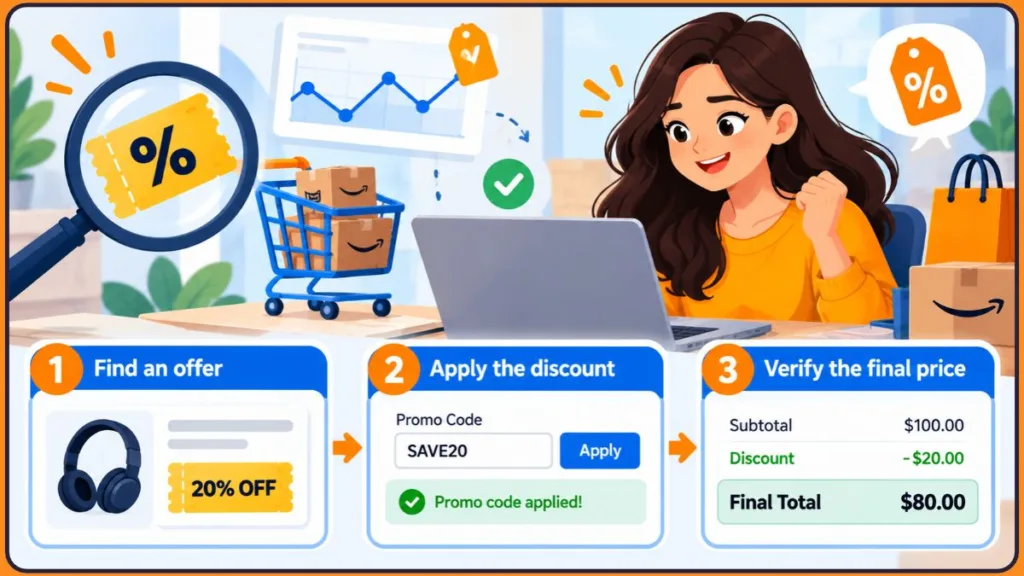
Enter an Amazon Promo Code on Desktop Checkout
- Sign in to your Amazon account.
- Add the eligible items to your cart.
- Select Proceed to Checkout. Don’t use Buy Now, because it can’t be used when redeeming a promo code.
- On the payment step or the Place Your Order page, find the “Gift Cards & Promotional Codes” box.
- Enter your promo code exactly as supplied, with no spaces before, inside, or after it, then select Apply.
- Confirm that the discount appears on the final checkout page before placing the order.
If you apply a code but don’t place the order immediately, Amazon says the promotion stays on your account until you use it or it expires.
The order summary may show that a code applies to only some items. If your cart contains several products, compare the eligible line items and the total before and after entering the code; don’t assume every product receives the same percentage discount. For a minimum-spend offer, confirm which items count towards the threshold. If you may need to contact Amazon because an official offer failed, keep a copy of the offer terms or take a screenshot for your records.
If you have a gift card claim code instead, redeem it through the gift card section of your account.
Apply a Promo Code in the Amazon App
- Open the Amazon app and add your items to the cart.
- Tap Proceed to checkout.
- Find the promotional-code field on the payment step or final order-review screen.
- Enter your code and tap Apply.
- Check that your total has changed.
Some shoppers find the field easier to locate on desktop. If you can’t find it in the app, switch to a desktop browser and continue through regular checkout.
Clip an Amazon Coupon Before Completing Checkout
- Find a product showing a coupon badge.
- Select the checkbox or button to clip the coupon.
- Add the item to your cart and check out as usual.
Some product pages won’t show the discount in your cart. You may see the saving only after reaching the final checkout page.
If the discount still doesn’t appear, return to the product page and confirm that the coupon is available and selected for the item you intend to buy. Then review checkout again. Don’t place the order assuming the coupon will be credited later; the amount shown before you order is the practical confirmation that the discount has been applied to that purchase.
When Amazon Allows Coupons and Promo Codes to Combine
Whether offers can be combined depends on their terms. Amazon’s standard promotional terms say an offer may not be combined with other offers unless its terms state otherwise. Other sources give different guidance: DealNews says Amazon doesn’t limit how many codes you can enter and reports that codes and clipped coupons can stack.
The safest test is to apply one offer at a time and watch the total.
Amazon’s May 2026 seller guide also warns sellers to avoid unintended discount stacking when a coupon is added to a product that already has an active discount. That seller-side guidance does not establish a universal rule for every shopper combination, but it is another reason not to assume two offers will combine. The final order summary is the practical confirmation for your cart.
For a clear comparison, note the order total before applying a promotion, apply one eligible offer, and inspect the revised summary before trying another. If the total falls after the second offer, you can see what changed. If the first discount disappears, the offers may not work together on that order. This is more dependable than assuming a combination mentioned in a forum will work with your particular cart, seller, or account.
Are Official Amazon Coupons Printable?
Amazon coupons are digital. You clip them online, and they’re added to your account, so you usually won’t find official printable Amazon coupons. Be cautious with pages promising printable coupons, as they can be misleading.
Four Checkout Checks Before You Pay
- Clip coupons before checkout.
- Enter promo codes in the “Gift cards & promotional codes” box exactly as provided.
- Don’t use Buy Now when redeeming a promo code.
- Check the final total before paying.
Why Your Amazon Promo Code Won’t Apply at Checkout
When an Amazon promo code isn’t working, check the offer terms and the way you entered it before abandoning the code. A mismatch between the promotion and your order may explain the error; it doesn’t necessarily mean Amazon checkout is broken.
Common Reasons an Amazon Promo Code Is Rejected
- The code has expired. Check the end date and look for a newer offer.
- Your items are excluded. Unless the offer says otherwise, promo codes can’t be applied to gift cards, sales tax, Prime membership fees, gift wrap, or additional shipping costs. Digital game and software downloads are also excluded under the standard terms.
- You haven’t met the minimum spend. Add an eligible item to reach the required amount. Taxes, shipping, and gift wrap don’t count towards the minimum.
- The seller isn’t covered. Amazon’s standard terms limit some offers to products sold by Amazon.com, rather than third-party sellers—even if those products are “Fulfilled by Amazon” or Prime eligible. Check the particular offer to see which seller it covers.
- You’ve already used the code. Standard terms limit an offer to one use per customer and account.
- The code is targeted. It may work only for selected accounts.
- The code is for another country. A US code may not work on another Amazon marketplace.
- You used Buy Now. Return to regular checkout instead.
- You made a typo or added a space. Codes may be case-sensitive, so copy and paste them carefully.
- Another discount blocks it. Stacking may not be allowed by the offer terms.
When the code fails in a cart with several items, compare its conditions with the exact product, selected variation, seller, marketplace, and qualifying subtotal. For example, a code advertised for one model or pack size may not apply after you choose a different variation, and an order minimum may count only eligible items. Amazon’s seller promotion guide explains that promotions can be restricted to selected products and have specific redemption conditions. Use those conditions to isolate the mismatch rather than assuming every item in the cart qualifies.
Troubleshoot a Failed Amazon Promo Code in Order
- Enter the code again by copying and pasting it, with no extra spaces.
- Use regular checkout instead of Buy Now.
- Remove other coupons or discounts, then add them back one at a time.
- Check that every item in your cart is eligible.
- Try checking out on desktop if the app isn’t working.
- Contact Amazon customer support if an official offer still fails.
Key Insight: If none of these checks explains the error, the code may have expired or been targeted at another account. Move on to another eligible offer rather than repeatedly trying the same code.
Five Ways to Save on Amazon Without a Promo Code
A lower price or a different purchase option may save you more than a code. If you want to save money on Amazon without a promo code, compare these five methods.
1. Compare the Current Amazon Price with Its Price History
A large advertised discount doesn’t automatically mean the product is at a good price. If a seller raises the price before a sale, the reduction may be smaller than it appears.
Tools such as CamelCamelCamel let you review a product’s price history and set price alerts. Its Camelizer browser extension displays price history directly on Amazon product pages.
When reading the chart, compare the current price with several points in the product’s history instead of focusing only on a crossed-out price or advertised percentage. CamelCamelCamel provides historical charts and alerts, but an alert only tells you that a tracked price changed; it doesn’t prove that today’s price is the lowest the product will ever reach. Match the tracked product and variation to the Amazon listing, then decide whether the current price fits your budget and timing.
2. Compare Repeat-Order Savings with Subscribe & Save
Subscribe & Save can lower the cost of items you purchase regularly. Some products receive an immediate 5% discount, and the saving can reach 15% with five or more subscriptions arriving on the same day at the same address.
The recurring delivery schedule matters as much as the percentage. Amazon’s Subscribe & Save program information describes scheduled deliveries for products customers use repeatedly. The program is therefore most useful for essentials you expect to need again—not a one-off purchase made just to get a discount. Review the next delivery and its price before each shipment, and skip or cancel subscriptions you no longer need. Amazon’s Subscribe & Save terms explain that details such as price, discounts, availability, shipping charges, and seller can change over time. That terms page applies to Amazon Business, so also check the conditions shown for your own consumer account.
Amazon’s seller-side Subscribe & Save explanation clarifies why 15% is a possible maximum, not an automatic discount on every subscription. Sellers can choose a funded discount of 0%, 5%, or 10%, and Amazon funds an additional 5% discount for qualifying orders with five or more subscription items. The final percentage depends on the seller’s chosen discount and whether the order meets Amazon’s conditions. Check the saving shown for the exact product and upcoming delivery instead of assuming the maximum applies to every shipment.
3. Compare Used and Open-Box Deals on Amazon Resale
Amazon Resale sells used and open-box products at lower prices. Amazon renamed its Warehouse division to Amazon Resale, so use that name when looking for these listings.
Before choosing an open-box or used product, compare the saving with its condition description and the items included in the package. Check for details about wear, missing accessories, packaging, and return eligibility. Amazon’s return policy explains that return eligibility can depend on the item and its listing, so review the individual product page instead of assuming every discounted item has the same return conditions.
Amazon’s Amazon Resale explainer says items are inspected and assigned one of four condition grades. The descriptions help explain what a lower price may mean:
- Like New: Fully working, with essential accessories included; the packaging may be damaged.
- Very Good: Fully functional, with limited use or minor cosmetic flaws; some non-essential accessories may be missing.
- Good: Fully functional but may show moderate use or minor cosmetic damage, and may lack some valuable accessories.
- Acceptable: Works for its main purpose but can show visible wear and may be missing valuable accessories, components, or spare parts.
Amazon says its inspection for electronic items includes powering them on, testing them, and factory-resetting them. The page also notes that Resale inventory changes frequently and the price varies with condition. Read the individual item description for missing accessories or parts before treating the price difference as a saving.
4. Check Cashback Offers and Card Rewards
Cashback tools and credit card rewards may add savings, depending on their terms. Read the conditions first, and verify that the offer applies at checkout.
5. Compare Prices Around Major Amazon Sales
Purchase timing can affect the price you pay. If you don’t need an item immediately, waiting for Black Friday on November 27 or Cyber Monday on November 30, 2026 may save you more than a promo code.
How Amazon Sellers Use Coupons and Promo Codes to Promote Products
Amazon sellers can use promo codes and coupons to increase product visibility and encourage sales. Seller coupons appear as a green “Clip Coupon” badge on listings.
To create coupons, sellers need a Professional selling plan and a seller rating of at least 3.5 stars. Shoppers can see the offers on seller listings, and sellers can share promo codes through email, social media, and creators.
Amazon’s seller promotion guide, published May 27, 2026 confirms the Professional selling plan and 3.5-star overall rating requirements for sellers who create coupons. It also says coupons run for a limited period, expire after 90 days, and can have customer-use limits. These are seller-side campaign rules, not a promise that any individual coupon will remain available for 90 days; use the dates and conditions displayed on the offer you’re considering.
Amazon’s seller guide to promo codes says sellers can create percentage-off or buy-one-get-one-free promotions and choose between single-use and shared claim codes. The promotion setup determines how shoppers can redeem it. A code shared publicly doesn’t necessarily have unlimited uses or apply to every product in the seller’s catalogue. Check the eligible products and redemption limits before using it.
For shoppers, the main point is that each seller sets its own offer terms. Read those details before relying on a discount.
Amazon Promo-Code Restrictions That Can Affect Your Order
- You can’t force a targeted code to work on your account.
- Many public codes expire or run out.
- Third-party code lists can become outdated, and “verified” is the publisher’s own claim.
- Amazon can change or cancel promotions at any time.
A Practical Plan for Finding and Verifying Amazon Promo Codes
Use the offer’s terms and the final order price to decide whether a code is worth using:
- Start with Amazon. Check product pages, the coupons page, and Today’s Deals first.
- Use third-party sites carefully. They can help you discover offers, but verify every code.
- Test before paying. The discount should appear in your order summary.
- Check the price history. A coupon is a good deal only if the base price is fair.
- Stay safe. Never share your Amazon login with a coupon website.
Final Tip: Before spending time hunting for a code, take thirty seconds to check the product page. Look for a clipped coupon, review the price history, and confirm the seller. You may find the saving you need without entering a code at all.
Have you found a method that works, or tried a code that failed? Share your experience in the comments and ask any questions you have. We read every one.
Amazon Promo Code FAQs
Q1: Does Amazon offer promotional codes?
Yes. Amazon and its sellers offer promo codes, clipped coupons, and targeted deals. There is no universal code that works for everyone.
For seller-created offers, Amazon’s seller documentation says claim codes can be created for percentage-off and buy-one-get-one-free promotions. Offers may have redemption limits or product restrictions, so the specific terms still matter.
Q2: Which Amazon sources are most reliable for working promo codes?
Start with Amazon’s coupons page, product pages, and Today’s Deals. Then check trusted deal sources, and always test the code at checkout.
Q3: Where can I find free Amazon promo codes?
Use official channels first: Amazon emails, app notifications, clipped coupons, and seller promotions. Avoid websites that ask you to pay for codes.
Q4: Where is Amazon’s official coupons page?
Yes. On Amazon.com, it’s at amazon.com/Coupons, and its location can vary by country.
Q5: Where do I enter an Amazon promo code at checkout?
At checkout, enter your code in the “Gift cards & promotional codes” box exactly as provided and without spaces, then select Apply. Don’t use Buy Now, and confirm the discount on the final checkout page.
If the field isn’t visible, continue through regular checkout and inspect the payment step or final order-review screen; the layout can differ by device and marketplace. If the code is rejected, check its restrictions before retrying repeatedly. Don’t submit the order until the order summary shows the discount you expected.
Q6: What causes an Amazon promo code to fail?
Common causes include expiration, excluded items, a minimum-spend requirement, seller restrictions, a code you’ve already used, targeted offers, and country differences. Try re-entering the code and checking its terms.
Q7: Do Amazon promo codes require Prime?
Not usually. Many offers are available to all shoppers, although some are Prime-only.
Q8: Can Amazon coupons and promo codes be combined?
It depends on the offer. Amazon’s standard terms generally say offers can’t be combined unless the terms allow it, although some sources report that codes and coupons can stack. Your checkout total shows which discounts apply.
Seller-created claim codes can also have redemption limits. Amazon explains that a single-use code is unique to a customer and can be used only once, while a group code can be shared but may still be limited to one use per customer. Those limits are separate from whether two different offers can be combined on the same order.
Q9: How do Amazon coupons differ from promo codes?
Generally, coupons are clipped on the product page, while promo codes are typed at checkout. Amazon’s wording varies, so follow each offer’s instructions.
Q10: Which Amazon discounts work without a promo code?
Check Today’s Deals, Lightning Deals, Subscribe & Save, Amazon Resale, and price history. You can also time your purchase around major sales.
Before signing up for recurring deliveries or choosing an open-box item, compare the final price and conditions with the standard listing. Subscribe & Save is designed for repeat purchases, while Amazon Resale listings can have different conditions and return eligibility. Check the details rather than choosing solely by the discount percentage.
Q11: How can I judge whether an Amazon coupon website is safe?
Many are, but use caution. Avoid sites that ask for your login, charge for codes, or promote unknown browser extensions. Verify the discount at checkout.
Also review how the website sources and verifies its offers. A publisher may disclose affiliate commissions and describe its own code-checking process, but neither makes every listed code guaranteed to work for your account. Never enter Amazon credentials on a coupon site, and confirm any discovered discount directly at Amazon checkout.
Visit Our Post Page: Blog Page
Discover more from Izoate
Subscribe to get the latest posts sent to your email.