
Getting the “API Error 400” error in Claude Code? Don’t panic. Here is the complete step-by-step guide to fix invalid_request_error issues, tool use errors, and get back to coding quickly.
If you are currently trying to use Anthropic’s Claude Code CLI or its dedicated IDE extensions to streamline your development workflow and suddenly encounter a roadblock, you are certainly not alone. As we move deeper into 2026, developers are relying heavily on agentic terminal tools to manage massive codebases. But with that advanced capability comes occasional friction.
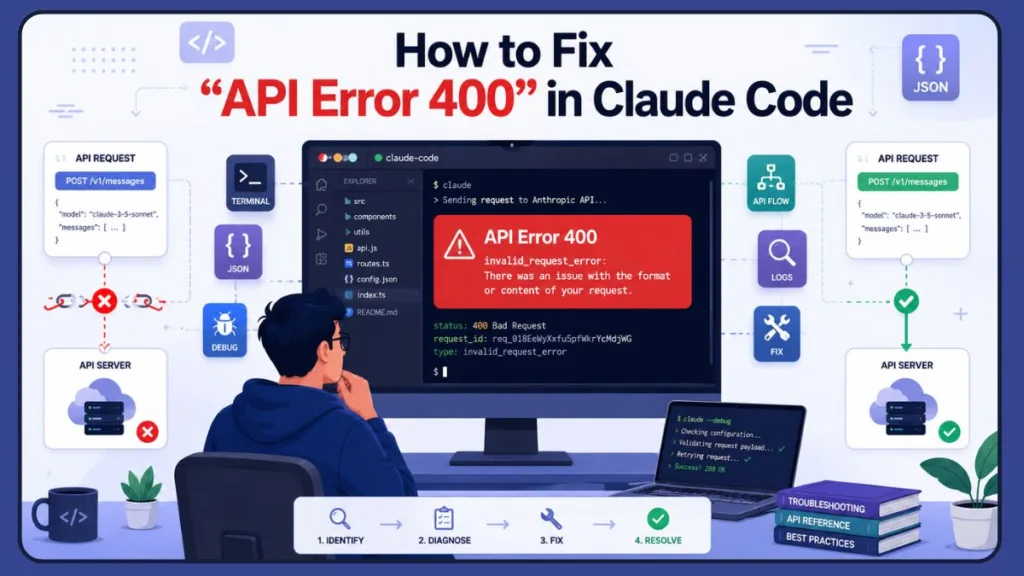
Many developers report seeing the specific, frustrating message below:
API Error 400 — invalid_request_error: There was an issue with the format or content of your request.
This specific Claude AI error often strikes without warning. It can appear right in the middle of an active terminal session or halt your workspace tool executions entirely, even when your internet connection is perfectly stable. You might even see a variation like “API Error: 400 due to tool use concurrency issues” flash across your screen during an intensive file-reading task.
While it disrupts your coding momentum, the good news is that this issue is usually fixable in just a few minutes.
Important Note: Furthermore, it rarely means your account is banned, so you haven’t permanently broken your development environment. Most often, the tool’s backend logic simply tripped over a strict data rule.
In this comprehensive guide, we will walk you through exactly what this error means, why Claude Code or your connected API models (like Claude Sonnet 4.6 or Opus 4.8) fail to process commands, and the specific steps you must take to fix it quickly.
What Does “API Error 400” Mean in Claude Code?
To better understand the problem, we must first define what the error actually signals to a developer.
This message means the Anthropic API backend was unable to process your specific terminal request because the data payload sent by Claude Code violated the expected API schema. It does not automatically indicate an account block, a billing failure, or that the entire Anthropic network has crashed.
Think of it like trying to plug a square cable into a round port; the power grid is working perfectly, but the connection shape is rejected. The Anthropic Messages API actually enforces incredibly strict requirements for message structures to ensure AI safety and precision. In most cases, the error points to one of these specific triggers:
- An Unrecognized Request Header: The local tool sends a code-handling field that the live server doesn’t accept yet (like an early-access beta flag).
- An Incomplete Tool Sequence: The interface requests a tool action but fails to pass the immediate result block back to the server. The API demands that every
tool_useblock must have a correspondingtool_resultblock, and their IDs must match exactly. - A Poisoned Context Cache: A bad data block (like an empty image caption or corrupted copy-pasted character) gets baked into the chat history, causing all subsequent prompts to fail.
- Role Order Violation: Sending messages from the same role consecutively, which is strictly prohibited by the schema.
Users commonly experience this Claude Code error in different ways.
Diagnostic Tip: You might see it crash the terminal immediately upon startup, fail only when reading specific directories, or trigger repeatedly after you paste certain code snippets. Although this inconsistency can be confusing, it effectively helps us narrow down the cause.
Why This Error Happens
Based on real usage patterns, recent version updates, and technical analysis, this error usually stems from one or more of the specific reasons below.
1. Experimental Beta Version Conflicts
When you update to Claude Code version 2.1.25 or any version through 2.1.30, the tool automatically enables experimental features by default. It begins sending extra internal fields—specifically system.2.cache_control.ephemeral.scope—in the request headers. Because the live API backend does not support these experimental beta fields yet, it completely rejects the payload. This is also heavily impacting users who route their requests through Amazon Bedrock or Google Vertex AI, as these platforms actively drop unrecognized anthropic-beta headers.
2. Tool Use Concurrency Bugs (IDE Extensions)
If you are using Claude Code within IDE extensions like VS Code or Cursor (specifically versions 2.1.18 and 2.1.19), a race condition bug frequently triggers a 400 error. The extension sends a tool_use request to read a file or folder but fails to attach the required, matching tool_result block, breaking the strict protocol rules. According to recent 2026 bug tracker logs (like GitHub Issues #20592 and #20694), this occurs most often during sequential file operations, even when parallel tools are seemingly disabled.
3. Empty Text Block Caching (Image Uploads)
When pasting screenshots directly into Claude Code without typing an accompanying textual description, the system attempts to apply a prompt cache_control marker to the image.
Important Tip: The API strictly forbids caching empty text strings, resulting in an immediate 400 error that permanently breaks that specific chat session.
4. Third-Party Gateway Protocol Mismatches
If you route your Claude Code traffic through an unofficial proxy gateway (such as OpenAI Hub, DeepSeek, or custom internal bridges) or even enterprise gateways like TrueFoundry and LiteLLM to manage costs, recent Anthropic updates introducing the mid_conversation_system role will trigger a 400 error. The proxy gateway encounters an unknown role variant and rejects the command.
5. Corrupted Payload JSON Data
Sometimes, copying and pasting large code snippets that contain hidden, unsupported unicode characters or invalid high surrogate bytes will corrupt the JSON object being transmitted, causing the Anthropic API endpoint to throw a bad request error. This is also highly likely when utilizing Claude’s new Max or Ultra Code effort levels on massive repositories, where the expanded token generation overwhelms the working memory limits and creates corrupted blocks mid-stream.
Quick Checks Before You Try Fixes
Before you dive deep into modifying your global configuration files, you should quickly run through this diagnostic checklist to save time:
- Does the 400 error happen on simple chat prompts like “Hello”, or only when running code execution tools?
- Are you running Claude Code directly inside a standalone terminal, or through an integrated VS Code/Cursor extension?
- Did the issue start happening immediately after running an
npm install -gupdate script? - Are you connecting directly to the official Anthropic API console, or are you utilizing a third-party model proxy (like LiteLLM) or a cloud provider (like AWS Bedrock)?
- Is your session currently running on advanced 2026 models like Claude Opus 4.8 or Sonnet 4.6, which have stricter prefill restrictions?
Pro Tip: If you can isolate whether the issue is tied to a specific project session or a global update, you can jump straight to the exact fix below.
How to Fix Claude Code API Error 400: Step-by-Step Guide
Important Recommendation: To resolve this efficiently, follow these steps in order. We have categorized the fixes based on the root causes discussed above. We strongly recommend that you do not skip ahead, as the simpler fixes often work best.
Step 1: Disable Experimental Betas in Settings
If you updated the CLI and it broke instantly, you do not need to downgrade your software. You just need to tell Claude Code to stop sending unsupported experimental headers. This is the mandatory fix if you are using AWS Bedrock, Vertex AI, or TrueFoundry.
- Locate your global settings file:
- Linux/macOS:
~/.claude/settings.json - Windows:
%USERPROFILE%\.claude\settings.json
- Linux/macOS:
- Open the file and add or merge the follow configuration line into your environment block:
JSON
{
  "env": {
    "CLAUDE_CODE_DISABLE_EXPERIMENTAL_BETAS": "1"
  }
}
- Save the file and restart your terminal session.
Step 2: Downgrade the VS Code/Cursor Extension
If your error specifically mentions “tool use concurrency issues” while coding inside your IDE, the extension interface is dropping tool blocks.
- Go to your extensions marketplace, click the settings cog next to Claude Code, select “Install Specific Version…”, and roll back to the stable
2.1.17release. Uncheck the “Auto Update” box. - Alternatively, open your extension configuration settings and toggle on the “Use Terminal” option to force the plugin to bypass the UI layer entirely.
- You can also try lowering concurrency strain by adding
CLAUDE_CODE_MAX_TOOL_USE_CONCURRENCY=1to your environment variables to force Claude to handle files one at a time.
Step 3: Step Back and Compact Stale Context
If your session has become corrupted by bad JSON data or a failed tool loop, you can clean the memory without closing your workspace. This is especially helpful if your current session has extended past 50+ turns.
- In the active chat, press the
ESCkey twice to break the stuck generation sequence. - Type the
/rewindcommand to step backward past the broken turn, dropping the invalid payload sequence. - Type the
/compactcommand to compress the conversation log and clear out formatting blockages.
Step 4: Always Caption Image Uploads
If your 400 error was caused by an image caching mistake, remember this golden rule:
Golden Rule: Never leave the prompt line blank when uploading a screenshot. Always type at least one character or a short caption alongside the image block to prevent the empty text caching error from poisoning your session history.
Keep in mind that resizing images to under 8000 pixels on the longest edge can also prevent payload rejection.
Step 5: Roll Back for Third-Party Gateways
If you are intentionally routing Claude Code through a custom proxy that cannot parse Anthropic’s new message roles, you must downgrade the CLI to a version using the older message schema. Ensure your ANTHROPIC_BASE_URL is configured correctly for your gateway, and then run the following command in your terminal:
Bash
npm install -g @anthropic-ai/claude-code@2.1.153
Step 6: Verify Workspace Spend Limits and Session Keys
Sometimes a 400 error masks underlying organization limit conflicts on the developer console.
- Navigate to
console.anthropic.com-> Settings -> Workspaces, select your active workspace, and verify that your spend thresholds aren’t capping your tool calls. - Back in your terminal, type
/verifyto explicitly re-trigger your web browser authentication loop and refresh an expired or corrupted session token. You can also run/statusto confirm exactly which credential source Claude Code is attempting to use.
Why the Anthropic Status Page May Still Look Normal
When your development terminal is throwing continuous 400 errors, you might check the official Anthropic Status dashboard only to see a row of green “All Systems Operational” checkmarks.
This happens because status pages track high-level availability, not localized software client mismatches. The dashboard won’t reflect:
- Version-specific syntax changes introduced in recent npm packages.
- Extension-level race conditions inside specific IDEs like VS Code.
- Edge-case validation rejections, such as attempting to use assistant prefilling on models that do not support it (e.g., Claude Opus 4.8 and Sonnet 4.6 will reject prefilled assistant messages with a 400 error instantly).
- Errors generated exclusively by enterprise gateways (like AWS Bedrock or LiteLLM) modifying your outgoing headers before they ever reach Anthropic.
How to Prevent This Error in the Future
While you cannot control when the API schema evolves, you can drastically reduce your development downtime by practicing good terminal hygiene:
- Control Auto-Updates: Avoid globally updating Claude Code (
npm i -g) right before a critical deployment or coding sprint. - Isolate Test Chats: Use clean, short sessions for different coding tasks rather than maintaining a singular, massive conversation history that increases the risk of JSON corruption. If your session exceeds 50 messages, type
/clearto start a fresh slate. - Manage Effort Levels Strategically: Be mindful when using Claude Code’s effort settings (Low, Medium, High, Max, Ultra Code). Pushing straightforward refactors through “Max” or “Ultra Code” consumes massive token budgets and increases the chance of concurrency and caching timeouts.
- Gracefully Exit Hangs: If a tool execution hangs or freezes, use
/exitto close the session cleanly rather than force-killing the terminal window, which can corrupt local log files.
Best Practice: These steps help maintain a clean, stable session and prevent the “something went wrong” errors from interrupting your work.
FAQs
Why does Claude Code keep saying “invalid_request_error”?
Because the local command line tool sent a data payload configuration that the live Anthropic API server cannot validate or accept. This frequently occurs when a required tool_result block is missing, or the ID tags for tools are mismatched.
Why am I getting a “tool use concurrency issues” error on simple file reads?
This is a known race condition affecting the Claude Code VS Code and Cursor extensions where the extension sends incomplete tool sequences. To bypass this, roll back your IDE extension to version 2.1.17, enable “Use Terminal” in your extension settings, or run Claude Code directly from your standalone terminal.
How do I fix the “thinking blocks cannot be modified” 400 error when using Opus 4.8?
The API requires that thinking blocks from advanced models like Opus 4.8 be passed back unmodified in the next turn, but Claude Code’s context handling sometimes rewrites the history between tool calls. You can fix this by typing /exit and resuming your session, switching temporarily to Sonnet, or turning down the thinking budget for that session to prevent the blocks from being generated.
What should I do if Claude Code is stuck in a loop of 400 errors during a long action chain?
When the system queues a new tool_use before the previous result arrives, it corrupts the session payload. Press the ESC key twice to stop the generation, and then use the /rewind command to step backward past the corrupted turn. If the error persists, you can temporarily tell Claude: “Do NOT call any tools yet. First explain the steps you will take. Wait for my confirmation.”
Can a 400 error occur even if I have plenty of credits on the Max plan?
Yes. A 400 error can sometimes occur if your workspace spend limits are misconfigured. Go to your Anthropic console under Settings -> Workspaces -> Limits and manually increase your budget, then run /verify in your terminal to force token re-authentication.
Do I need to downgrade my node package to fix this?
Only if you are routing traffic through an unpatched third-party gateway proxy. For official users, editing the settings.json file to turn off experimental betas fixes the issue instantly.
Can a 400 error mean my API key is deleted?
No. Authentication failures throw an explicit 401 authentication_error or a 403 permission_error. A 400 error means your key is valid, but your request structure is wrong.
Why am I seeing this specifically on AWS Bedrock or Vertex AI?
Cloud provider endpoints enforce strict payload formatting. When newer versions of Claude Code inject anthropic-beta headers into the request, platforms like Bedrock reject them as invalid. Setting the CLAUDE_CODE_DISABLE_EXPERIMENTAL_BETAS=1 environment variable immediately resolves this conflict.
What to Do If Nothing Works
If you have systematically stepped through the setting file overrides, verified your workspace limits, and rolled back your IDE extensions but still face persistent failures, the best option is to start a completely fresh project session.
Type /exit to close the broken environment, clear your temporary terminal state, and run a clean claude command to initialize a brand-new conversation matrix. In the vast majority of cases, dropping the old history allows you to bypass the schema blockage and get back to writing clean code seamlessly.
Final Resort: If the error continues on a fresh session, your best recourse is to run the tool in debug mode (
claude --debug) to capture the underlying classifier response, copy therequest_id(e.g.,req_018EeWyXxfu5pfWkrYcMdjWG), and submit a detailed bug report on the officialanthropics/claude-codeGitHub repository.
Visit Our Post Page: Blog Page
Discover more from Izoate
Subscribe to get the latest posts sent to your email.