
Seeing a DC error on your Samsung washing machine? Don’t panic. Learn what this error means, why it happens, and how to fix it with simple step-by-step troubleshooting tips.
You finally gathered up the motivation to tackle laundry day, only to have your machine suddenly pause, beep, and flash a frustrating code on the display. Dealing with a Samsung washing machine DC error when you have a drum full of soaking wet clothes is incredibly annoying.
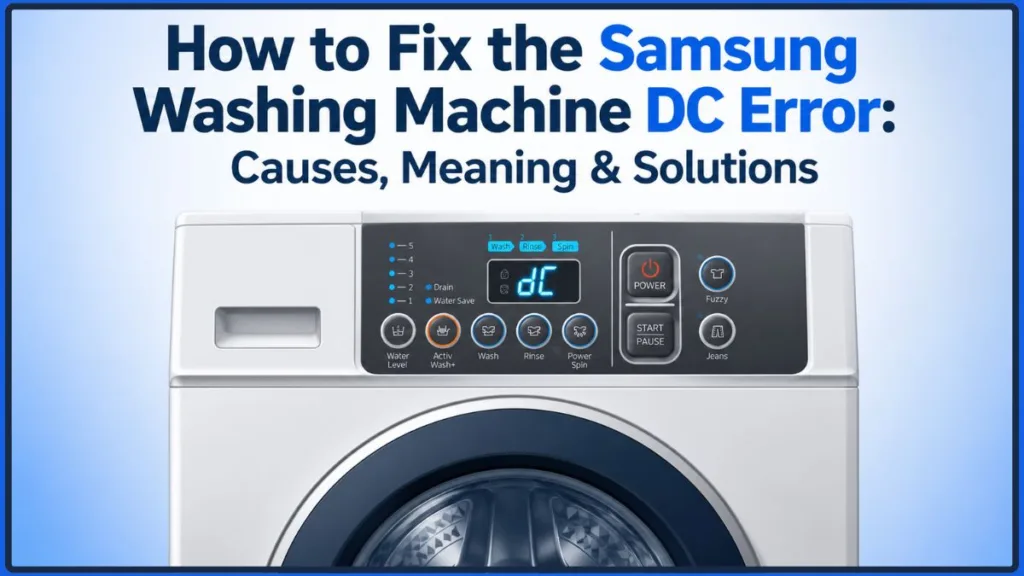
If your washing machine is not completing its cycle and is flashing this code, it means a built-in safety feature has activated to stop the machine. The good news? You usually don’t need a professional to get things moving again.
This troubleshooting guide will walk you through exactly how to clear the error, starting with fixes that take just a few seconds.
Quick Answer: On Samsung washing machines, the DC error usually indicates either an unbalanced load or a door/lid detection problem, depending on your washer model. In many cases, redistributing the laundry, checking the door, or leveling the machine resolves the issue.
Depending on your Samsung washer model, you may see the code displayed as DC, dC, dC1, dC2, dE, or UE, each with model-specific meanings. If your washer displays a different variation of the code or behaves differently, consult your model-specific Samsung user manual or Samsung’s official support documentation before replacing any parts.
What Does the DC Error Mean on a Samsung Washer?
If you have been searching online for a quick fix, you might have noticed some conflicting advice. Some people say the DC code means the door is broken, while others swear it’s a balance issue. Interestingly, both answers can be correct depending on your specific machine.
Here is why you might be seeing different answers online: Samsung uses slightly different error code definitions depending on the washer model and regional firmware. The examples below reflect common interpretations found across different Samsung support resources.
| Example Samsung models | Common interpretation |
| Some top-load and regional models | Unbalanced load (DC/UE) |
| Some front-load models | Door or lid detection issue (DC/dE) |
Good to Know: The Samsung washer dC error halts the cycle as a safety measure. Samsung’s safety system primarily stops the cycle to reduce excessive washer vibration, prevent drum instability, or avoid operating when the door or lid isn’t securely detected.
Because Samsung user manuals differ by model, official Samsung support pages provide the most reliable interpretation for your specific appliance. If you’re unsure which interpretation applies to your washer, check your model-specific user manual or Samsung’s official website for the exact definition.
Why Your Samsung Washer Shows the DC Error Code
Before diving into repairs, it helps to understand what triggers this issue in the first place. This error typically pops up due to one of the following common causes:
- Overloaded washer: Packing the drum too tightly prevents clothes from tumbling and balancing properly.
- Bulky blankets or towels: Heavy items that absorb a lot of water easily clump on one side of the drum.
- Uneven laundry distribution: Washing a single heavy item alongside lightweight clothes.
- Washer not level: A machine resting on an uneven floor will easily trigger balance sensors.
- Faulty door latch or lid switch: A broken sensor or mechanical lock fails to tell the machine the door is closed.
- Damaged wiring: Internal wires connecting the door sensor to the computer have vibrated loose or broken.
- Temporary electronic glitches: A simple software freeze that just needs a quick reboot.
To help you narrow down the culprit right away, check this quick troubleshooting comparison:
| When the error appears | Most likely cause |
| Before the wash starts | Door/latch issue |
| During the spin cycle | Unbalanced load |
| Only with blankets | Load imbalance |
| Every cycle regardless of load | Door switch, wiring, or another hardware issue |
How to Fix the Samsung Washer DC Error (Step-by-Step)
Official Samsung recommendations focus on easy, non-technical solutions first. Always start with these practical troubleshooting steps—most Samsung washing machine troubleshooting can be resolved in under a minute!
Step 1: Fix an Unbalanced Load Causing the DC Error
A spin cycle imbalance is the most common reason a Samsung washer won’t spin. Heavy items like denim jeans, thick bath towels, or a single large comforter often clump on one side of the drum.
- Pause the machine and carefully open the door or lid. (If the door remains locked and water is still inside the drum, you may need to perform a manual drain using the small emergency drain tube located behind the front bottom filter panel before the door will release).
- Untangle heavy items that have clumped together on one side.
- Distribute the weight evenly around the agitator or drum. If you are washing one heavy blanket, add a few smaller towels to balance the weight.
- Close the door firmly and restart the spin cycle.
Step 2: Level Your Washer to Prevent Spin Cycle Imbalance
If your washing machine is sitting on an uneven floor, it will rock violently as the drum accelerates. The machine’s sensors will detect this vibration and throw a Samsung washer unbalanced load code.
A traditional spirit level (bubble level) provides the most accurate way to level a washing machine. A smartphone level app can be used as a quick preliminary check, but it should not replace a proper physical level for your final adjustments. Place the level on top of the washer. If the bubble isn’t perfectly centered, adjust the threaded leveling legs at the bottom of the machine until it sits perfectly flush.
Step 3: Inspect the Door Lock, Latch, and Gasket for Problems
If your load is perfectly balanced but your Samsung washer won’t start at all, the appliance likely thinks the door is open. Give the door area a thorough visual inspection:
- Check the rubber seal: Look for trapped socks, lint, or debris inside the rubber door boot that might be preventing the latch from fully engaging. Removing trapped clothing is a primary official recommendation.
- Watch your load size: Ensure the drum isn’t overfilled to the point where bulky clothes are physically pushing back against the glass door.
- Listen for the lock: Give the door a firm push. You should hear a definitive, mechanical “click.” If the door just bounces back, the door lock assembly may be physically blocked.
Step 4: Perform a Quick Power Reset
Sometimes, the computer inside your appliance just needs a fresh start. If you are dealing with a temporary digital glitch, a Samsung washer reset might be all you need to clear the screen.
- Turn off the washer using the power button.
- Unplug the machine directly from the wall outlet.
- Wait approximately five minutes to allow the electrical charge to fully dissipate.
- Plug it back in and restart the cycle.
Quick Tip: Keep in mind that a reset only clears temporary electronic issues; if you have a genuinely unbalanced load or broken hardware, the error will return.
Important: Stop troubleshooting if you notice a burning smell, damaged wiring, visible water reaching electrical components, repeated circuit breaker trips, or signs of electrical damage. Disconnect the washer from power immediately and contact Samsung or a qualified appliance technician before continuing.
Advanced Troubleshooting for Samsung Washer DC Errors
If you have followed all official Samsung guidance—redistributing the load, leveling the machine, checking the door, and resetting the power—but the error persists, you might be dealing with a hardware failure.
At this stage, we move into community troubleshooting insights. These are tests that appliance repair enthusiasts and Reddit communities frequently use to diagnose stubborn machines.
Warning: Always unplug your washing machine from the wall outlet before removing any panels or inspecting electrical components to avoid the risk of electrical shock.
How to Test the Samsung Washer Door Switch or Lid Switch
If the door clicks shut physically but the cycle refuses to start, the electronic lid switch (or door sensor) might have failed.
Community troubleshooting experts recommend using a digital multimeter to test this component. Once you safely access the door latch assembly, test the switch terminals for electrical continuity. If the switch fails to register a connection, it is dead. Purchasing and installing a replacement sensor is an inexpensive and straightforward fix.
Safety Tip: If you’re not comfortable working around electrical components or using a multimeter, it’s safer to stop here and arrange professional service.
Can a Faulty Control Board Cause a Samsung Washer DC Error?
Sometimes, DIY diagnosis leads to a frustrating dead end. A scenario frequently shared in community repair forums is discovering that the lid switch tests perfectly fine with a multimeter, but the DC error stubbornly remains.
If the door switch, wiring, and latch all test correctly, a faulty control board becomes one possible cause, although it is much less common than a door or balance issue. A damaged main circuit board can simply fail to process the “door closed” signal coming from a perfectly healthy switch.
Replacing a control board is a more expensive and complex job. If your washer is relatively new or protected under a Samsung Care+ extended warranty, reaching out to an authorized service technician is the smartest move so you don’t accidentally void your coverage.
How to Prevent Samsung Washer DC Error
Once you get your machine running again, a few simple habits and installation checks will keep that error code from coming back:
- Remove shipping bolts: If you recently installed a new front-load washer, double-check that all metal shipping bolts have been completely removed from the back of the machine.
- Place on a firm surface: Ensure your washer is installed on a solid, stable, and level floor that can easily handle heavy vibrations without flexing.
- Avoid overloading: Fill the drum loosely, leaving enough room for clothes to tumble freely.
- Wash bulky bedding separately: Never wash a single heavy pillow or blanket alone; throw in a few smaller towels to act as a counterweight.
- Distribute heavy laundry evenly: When loading jeans or thick hoodies, spread them evenly around the drum.
- Clean the door gasket regularly: Wipe down the rubber seal with a damp cloth to prevent lint and debris from blocking the door lock.
- Keep the washer level: Periodically check your machine’s feet, especially if you notice increased vibration during the spin cycle.
- Visually inspect the suspension: If excessive vibration continues even after balancing loads and leveling the washer, visually inspect the suspension rods or shock absorbers (if accessible) for obvious signs of wear or damage. This is just a basic visual check—if they look damaged, call a professional rather than trying to disassemble the suspension yourself.
Samsung Washer DC Error: Frequently Asked Questions
What does the DC error mean on a Samsung washing machine?
Depending on your specific model and region, among Samsung washing machine error codes, DC means the machine either detects an unbalanced laundry load or a door/lid that is not securely closed. You may also see variations like the Samsung washer dC1 or Samsung washer dC2 codes. These specific codes have meanings that vary by model, but they commonly relate to door detection, door lock communication, or door switch issues. Always consult your model-specific Samsung documentation for the exact definition.
When it comes to UE vs dC, are they the same thing?
Often, yes. On many top-loading and Asian-market models, both the UE (Unbalanced Error) and DC codes indicate that the laundry is out of balance. However, on other models, DC specifically flags a door lock problem while UE flags the balance issue.
Why does my Samsung washer show DC only during spinning?
If the error only appears when the machine attempts to spin, it is almost certainly a balance issue. The washer detects violent shaking from a clumped load of wet clothes and stops the cycle to prevent physical damage.
Can overloading cause a DC error?
Yes. Cramming too many clothes into the drum prevents them from tumbling and distributing evenly. This creates a massive, heavy clump that throws the machine off balance.
Can a faulty door lock cause the DC error?
Absolutely. If the mechanical latch is broken, or if the electronic sensor inside the door lock assembly fails to send a signal to the computer, the washer will refuse to start.
Can I ignore the Samsung DC error?
It is generally not recommended to ignore the error. If the issue is caused by an unbalanced load, repeated spin attempts can place unnecessary stress on the suspension system and cause premature wear. If the issue is related to the door or lid detection system, the washer may not operate safely until the problem is corrected. It is always best to identify and fix the underlying cause before continuing regular use.
Is it safe to continue using the washer?
If you clear the error by balancing the load and the machine finishes the cycle normally, it is perfectly safe to keep using it. However, if the machine is violently shaking or the door refuses to latch securely, you should stop using it until you fix the issue.
When should I call Samsung support?
You should contact official support if your machine is still under warranty, if you suspect a faulty main control board, or if you are uncomfortable testing electrical components with a multimeter.
Final Tips for Fixing the Samsung Washer DC Error
Seeing your washing machine flash an error code mid-cycle can ruin your day, but the Samsung DC error is usually not a sign of catastrophic failure. Correctly identifying whether the issue is caused by a simple load imbalance or a door detection glitch can save you from paying for unnecessary repairs.
Always start with the easiest fixes first: pause the machine, redistribute your wet laundry so the weight is even, and check that the washer is perfectly level on the floor. Confirm that the door closes securely and nothing is trapped in the rubber gasket, and perform a quick electronic reset if the machine just seems stuck.
Starting with the simplest troubleshooting steps often resolves the problem quickly. Only move on to inspecting the door lock assembly, wiring, or control board after you have ruled out these basic causes. By taking it one step at a time, you can quickly solve the problem and get back to your regular laundry routine with confidence!
Visit Our Post Page: Blog Page
Discover more from Izoate
Subscribe to get the latest posts sent to your email.