
Getting a “Something went wrong” error in Minecraft Dungeons 2? Learn how to fix Error Code 0020 on Steam with these simple troubleshooting steps.
Minecraft Dungeons II launched on September 29, 2026 for PC, Xbox Series X|S, PlayStation 5, Nintendo Switch and Switch 2, and plenty of players jumped straight in. Some of them ran into a wall of login screens and four-digit error codes before they ever saw a dungeon. Minecraft Dungeons 2 error code 0020 is one of the more confusing ones because it tends to appear in situations where the game seems like it should work fine. You can confirm the game’s current release information and PC requirements on the official Minecraft Dungeons II page.
Maybe you switched Steam to Offline Mode so you could play on a train, only to be told the game can’t start. Maybe you were in the middle of a solo run when you were suddenly thrown back to the menu. In this guide, we’ll explain what error 0020 appears to mean, when it can show up, the fixes worth trying, and how to reduce the chances of running into it again.
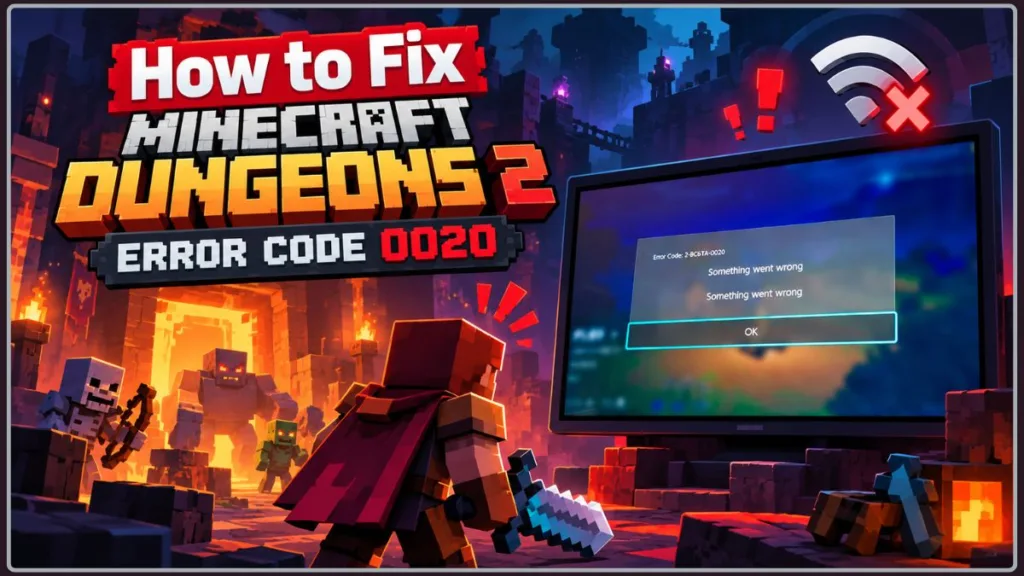
Every report we found about this code comes from Steam on PC, so this guide focuses on that version. It was last checked on October 8, 2026, and because the game is new, details may change quickly.
Quick answer: In the reports so far, error 0020 appears when Steam is in Offline Mode at launch, or when Steam’s services drop while you’re playing. The first thing to try is Steam > Go Online, then launch the game again from your Library.
What Error 0020 Appears to Mean
Error 0020 is a connection-related error. In the reports available so far, it shows up when Minecraft Dungeons II can’t reach the online services it relies on, even when you’re playing alone with an offline hero.
There is an important caveat. As of early October 2026, we couldn’t find an official explanation from Mojang for this specific code, so what we know comes from player discussions on the Steam Community forums. That means the details below describe what players are seeing, not a confirmed technical definition. It is also why it helps to understand the different situations in which the error appears instead of assuming there is a single cause.
If you’re seeing a different code, such as 0064 or 0029, those are separate login and account-linking errors. We cover one of them in our guide to Minecraft Dungeons 2 error 0029 and Microsoft account linking.
When Error 0020 Usually Shows Up
Players report the error in two main situations:
- Launching in Steam Offline Mode: One player said the game ran fine while Steam was online, but switching Steam to Offline Mode produced error 0020, even when using an offline hero. Other players in the Steam discussion replied that the game has an offline mode, but you need to be online when you start it.
- Getting kicked out mid-session: Another player was thrown out of their game with error 0020 just as Steam’s community services went down for a minute or two. They said the same code kept appearing whenever they tried to start the game afterwards, and several other players replied in the discussion that it had happened to them too. This player had been playing in online mode so a friend could join, which may or may not be relevant.
The common thread is a dependence on Steam being connected and reachable. That’s a pattern in the reports, not proof of the cause, but it points you toward the right troubleshooting steps.
Why Error 0020 Can Happen
Steam Is Already in Offline Mode
This is the most frequently reported trigger. Even though Minecraft Dungeons II lets you create an offline hero, players say the game still wants a connection when it starts. That fits Steam’s official Offline Mode guidance, which explains that many games need to be started while connected before Offline Mode can be used, while games that require an active connection won’t work offline.
There is one conflicting report. A player in a separate thread said the game launched with an offline hero after they disconnected their Wi-Fi before starting it, though another player asked for proof, and it hasn’t been confirmed. So whether the game can truly run without a connection is still unclear.
What to Do: Switch Steam back online and launch the game from there. If you want to use Offline Mode, follow the setup steps in the fixes below.
Steam or Its Services Briefly Go Down
The mid-game kick reports happened while Steam’s community services were briefly down. The game apparently didn’t tolerate losing that connection, even though the affected player was alone in their session.
What to Do: Check whether Steam is having problems, wait a few minutes, and restart the game once services are back.
Launch-Day Pressure on Online Services
Minecraft Dungeons II had a rough first few days for sign-ins. Players reported errors such as 0064 and 0029, and one player complained about a queue for online mode. Mojang hasn’t confirmed what is behind each of these problems, but heavy demand after a launch is a common reason for temporary connection trouble.
What to Do: If everything on your side looks fine, try again later. Temporary problems often clear without any action from you.
What You Need Before Trying the Fixes
The steps below are written for Steam on a Windows PC. To follow them, you’ll need:
- Minecraft Dungeons II installed through Steam and fully updated, on Windows 10 (64-bit, version 1703 or newer) or later
- A working internet connection (needed for most of the steps below)
- Your Steam login details, in case Steam asks you to sign in again
The official Minecraft Dungeons II system requirements list Windows 10 64-bit (1703 or newer) as the minimum supported OS, along with the game’s CPU, GPU, DirectX, and memory requirements.
Steam is the PC game client used to install, update, and launch Minecraft Dungeons II. You should not need to install another troubleshooting utility for the steps in this guide. Task Manager is already built into Windows, and you do not need to download a separate program for it. If Steam itself is missing or its installation needs to be repaired, use the official Steam download page rather than a third-party download site.
You don’t need to run anything as administrator or change any Windows settings for these fixes.
Note: Steam Deck and Linux players are a separate case. Mojang released a dedicated update on October 1, 2026 to make the game playable on Steam Deck, and the steps below weren’t written or tested for that setup.
Ways to Fix Error 0020
Now that we’ve covered when the error appears, let’s look at what you can do about it. The fixes are split by the situation you’re in because the reports describe two quite different experiences.
Fixes for Error 0020 When the Game Won’t Launch
Put Steam Back Online Before Launching
The most consistent finding from players is that the game needs Steam connected when it starts.
- Make sure your PC is connected to the internet. Open any website to confirm.
- In the Steam window, open the Steam menu in the top-left corner.
- If Steam is in Offline Mode, choose Go Online. Steam will reconnect and may ask you to sign in or restart. If you don’t see that option, Steam is already online.
- Wait until Steam finishes connecting. You should see your normal Library and Store pages load without an offline notice.
- Launch Minecraft Dungeons II from your Library.
What to Expect: The game should reach its main menu. If you still see 0020, continue to the next fix.
Tip: If Steam won’t connect even though other websites load, restart your router and try again before moving on.
Why It Helps: If the game runs an online check at startup, a connected Steam lets that check finish instead of failing.
Fully Restart Steam and Minecraft Dungeons II
A full restart can clear a stuck connection state, which may be why the error keeps repeating after a short outage.
- Close Minecraft Dungeons II completely. If it seems frozen, open Task Manager and end the game’s process.
- In Steam, open the Steam menu and choose Exit. Clicking the X button in the corner only minimizes Steam to the system tray instead of closing it.
- Wait about 10 seconds, then reopen Steam and sign in.
- Confirm that Steam shows you as online, then launch the game again.
What to Expect: Steam reconnects from scratch. If the error was caused by a stale connection, the game should now start normally.
Why It Helps: It forces both Steam and the game to reconnect instead of reusing a connection that may have failed.
Check Your Internet and Steam Connection
An unstable connection can look just like a service outage, and Steam itself needs to be up to date for connection-related features to work properly. Steam’s own Offline Mode guidance also points users toward keeping the client and games ready for offline use.
- Open a few different websites to confirm your internet works, not just Steam.
- If pages load slowly or fail, restart your router, or switch from weak Wi-Fi to a wired connection if you can.
- If you use a VPN, turn it off temporarily and try launching again.
- In Steam, open the Steam menu and, if you see Check for Steam Client Updates, select it and install anything it finds. Steam normally also updates itself when it restarts.
- In your Library, check that Minecraft Dungeons II shows no pending update, and wait for any download to finish.
What to Expect: After this, Steam and the game should both be fully updated and connected. Launch the game again to test.
Tip: If Steam itself won’t update or keeps failing to connect, download the current Steam client only from the official Steam download page.
Why It Helps: It rules out a poor connection, VPN interference, and out-of-date software as the cause.
Repair the Game Files
This is a general Steam repair step and isn’t specific to error 0020, but it is worth trying if the error persists after you’ve ruled out connection problems. These steps follow Steam Support’s official file-verification instructions.
- Restart your computer and launch Steam.
- In your Library, right-click Minecraft Dungeons II. You can also click the gear icon on the game’s page.
- Choose Properties.
- Select the Installed Files tab and click Verify integrity of game files.
- Wait while Steam checks the files. This can take several minutes.
What to Expect: When it finishes, Steam may re-download a few files. Steam also notes that one or more files may fail to verify and says this is normal for most games because they are local configuration files, so you can safely ignore that message. Launch the game afterwards.
Warning: Don’t run verification while other heavy tasks are going, such as a virus scan or disk defragmentation, and don’t verify several games at once.
Why It Helps: It repairs damaged or missing files, so you can rule them out as the source of the problem.
Prepare Steam Offline Mode Before Going Offline
If your goal is to play without a connection, Offline Mode needs to be prepared in advance. These steps follow Steam Support’s Offline Mode guidance, so you don’t hit the error because a step was skipped.
- Start Steam while online, and make sure the Remember me box was checked when you logged in.
- Make sure Minecraft Dungeons II is fully updated, with no downloads in progress.
- While still online, launch the game once, choose your offline hero, and reach the main menu. Then close the game and return to Steam.
- In Steam, go to Settings and then Security, and check that Don’t save account credentials on this computer is not selected.
- Open the Steam menu and choose Go Offline. When Steam asks, choose to restart in Offline Mode.
- Launch Minecraft Dungeons II from your Library.
What to Expect: If the game supports Steam’s Offline Mode, it should start with your offline hero. If you still see 0020, the game may not be compatible with Steam’s Offline Mode at this time, which matches what players have reported. In that case, go back online using Steam and then Go Online.
Warning: Steam says that if its client demands a login while you’re offline, there is no way to bypass that without going online. Complete the setup above while you still have a connection.
Limitations: While offline, Steam and your games won’t receive updates, and online heroes and multiplayer won’t work. One player reported that disconnecting their Wi-Fi before launching the game, instead of using Steam’s Offline Mode, let an offline hero start. That is unconfirmed, but it may be worth trying if the steps above fail.
Why It Helps: It makes sure Steam has everything it needs stored before it goes offline.
Fixes for Error 0020 That Appears During a Session
Check Steam’s Service Status First
If you were thrown out of the game, the problem may not be on your PC at all.
- Open a Steam status tracker such as steamstat.us.
- Look at the entries for Steam services, including Steam Community.
- If any are shown as down or degraded, an outage is the likely cause.
- Refresh the page after a few minutes to see whether things have recovered.
Important: steamstat.us is an unofficial Steam status tracker and is not affiliated with Valve or Steam. Use it as a quick community monitoring tool, not as an official source. For official information about Minecraft Dungeons II updates, use the game’s official Steam news page and Mojang’s official changelog.
What to Expect: If services are down, there’s nothing to fix on your end, and the game should work again once they recover. If everything shows as normal, the problem is probably local, so try the launching fixes above. Keep in mind that third-party trackers can lag behind real problems.
Why It Helps: It saves you from spending an hour troubleshooting something you can’t change.
Wait for Steam to Recover, Then Launch Again
One player said they couldn’t start the game at all right after being kicked, with the same code repeating. That suggests the error can continue until the connection is fully restored.
- Wait a few minutes after Steam services show as recovered.
- Confirm that the Steam window shows you as online.
- Launch Minecraft Dungeons II again.
What to Expect: The game should start normally once Steam is stable. If it still shows 0020 after Steam has been healthy for a while, work through the restart and verification steps above.
Why It Helps: Relaunching too early can trigger the same error again while services are still unstable.
Make Sure Your Hero Matches the Mode You Want
Players in the Steam discussions say you choose online or offline when you create a hero, that creating a new hero lets you pick again, and that saves are tied to each hero. This won’t fix a service outage, but it is useful if you’re unsure which mode your current hero uses.
- From the main menu, choose to create a new hero.
- When the game asks, select Online or Offline to match how you want to play.
- Finish creating the hero and select it to play.
What to Expect: You can then switch modes by picking the hero you want. Players also report that online and offline heroes are separate and that progress can’t be transferred between them, so a new hero starts fresh. Keep your existing hero rather than deleting it.
Why It Helps: It makes sure the hero you use matches the way you intend to play, particularly if you want to join friends online. An offline hero can’t join online sessions, according to player reports.
Still Seeing 0020? Document the Problem
Because there’s no official explanation for 0020 yet, a detailed report is the most useful thing you can do.
- Write down your setup: Windows version, that you’re using Steam, and whether Steam was in Offline Mode when the error appeared.
- Note what you were doing at the time, such as launching the game or playing online, and which hero type you were using.
- List the steps you’ve already tried from this guide.
- Check the game’s official Steam news page and Mojang’s official Minecraft Dungeons II changelogs in case an update has already addressed the issue.
- If it hasn’t, contact Steam Support and report the problem to Mojang through the Minecraft Help Center, the Minecraft Feedback site, or the official Minecraft bug-reporting site, including the details from steps 1 to 3.
What to Expect: You probably won’t get an instant fix, but specific reports help the developers reproduce the problem, which is the first step toward an official solution.
How to Avoid Seeing Error 0020 Again
Launch the Game While Steam Is Connected
Even if you plan to play offline, launch the game first with Steam connected. Based on what players report, this is the most reliable way to avoid the Offline Mode version of the error.
Why It Helps: It lets the game complete whatever online check it runs at startup before you disconnect.
Set Up Offline Mode Before You Need It
If you’re travelling or know your connection will be unreliable, follow the Offline Mode setup steps at home first and test that the game starts. Steam’s official Offline Mode guide is the best reference for preparing the client before you lose your connection.
Why It Helps: You’ll find out whether your setup works while you can still fix it, instead of discovering the problem somewhere without internet.
Keep Steam and Minecraft Dungeons II Updated
An outdated Steam client or missing game update can cause connection problems, and Steam’s own guidance says offline play can fail when the client or game files need updating.
The game’s official update history is available through the Minecraft Dungeons II changelog. Mojang also posts game updates through the official Minecraft Dungeons II Steam news page.
Why It Helps: Current software means fewer compatibility problems between the game, Steam and your system.
Don’t Reinstall Immediately After a Kick
If you’re suddenly thrown to the menu, wait a minute and check Steam’s status before reinstalling anything. Short outages appear to be one of the triggers, and the issue can disappear by itself.
Why It Helps: It saves you from time-consuming fixes, such as reinstalling the game, that wouldn’t have addressed a temporary outage.
Can Error 0020 Damage Your PC or Save?
Nothing in the reports suggests that error 0020 damages your computer, your account or your game files. It appears to be a startup or connection failure rather than a sign that something is wrong with your system. Saves are tied to each hero, according to players in the Steam discussions, so your characters should still be there once the connection is restored. That said, the reports are limited, so if a hero ever seems to be missing after the error, contact support with the details instead of deleting or reinstalling anything.
Minecraft Dungeons 2 Error 0020: Your Questions Answered
What Does Error 0020 Mean?
Error 0020 is a connection-related error. Mojang hasn’t given an official definition, but player reports link it to launching in Steam Offline Mode and to losing the connection to Steam during a session. Until Mojang says more, it’s best to think of it as a sign that the game couldn’t reach the online services it needs.
Can Minecraft Dungeons 2 Be Played Offline?
The game has an offline mode and lets you create an offline hero, but reports are mixed on how offline it really is. One Steam thread says you need to be online when you start, and Steam’s official Offline Mode guidance explains that many games need an initial online launch before Offline Mode works. One player, though, said an offline hero started after they disconnected Wi-Fi before launching, though that hasn’t been confirmed. The safest approach is to launch while online first and follow the Offline Mode setup steps above.
Why Does an Offline Hero Still Get Error 0020?
According to the reports, choosing an offline hero doesn’t bypass the startup requirement when Steam itself is in Offline Mode. The error appeared even for characters set to offline. The most likely explanation is that the check happens before the game gets to your hero, but this is a community interpretation and not something Mojang has confirmed.
Why Did I Get Kicked Out With Error 0020?
One player was disconnected just as Steam’s community services went down for a short time, and several others said the same thing happened to them. If you were kicked out, check Steam’s status first, wait for services to recover, and then relaunch with Steam online. If it keeps happening with no outage, report it with as many details as you can.
Is Error 0020 the Same as 0064 or 0029?
No, they are reported as separate problems. Errors 0064 and 0029 have been associated with Microsoft account sign-in and linking, particularly on PC. Error 0020, in contrast, is tied in the reports to Offline Mode and lost connections. They all involve online services, which is why they can appear around the same time, but fixing one won’t necessarily fix the others.
Do I Need a Microsoft Account to Play Minecraft Dungeons 2?
According to reporting around the launch, the game doesn’t require you to sign in with a Microsoft account in order to play. Linking one adds features such as cross-platform progression, but it is a separate matter from the Offline Mode problem described here.
Can I Move an Offline Hero to Online Play?
Players report that you can’t. Online and offline heroes are saved separately, and progress doesn’t transfer between them. If you want to play with friends online, create a new online hero.
Is There an Official Fix for Error 0020?
Not yet, based on the official information currently available. Mojang published the Minecraft Dungeons II 1.1.2.0 Hotfix on October 7, 2026, which is newer than the October 1 Steam Deck update. The hotfix lists several client and server crash fixes and an online-game exit crash fix, but it does not mention Error 0020. You can read the official 1.1.2.0 hotfix notes and keep checking the Minecraft Dungeons II changelog for future changes.
The steps in this guide come from what players have reported, combined with Steam’s own support guidance, so treat them as things to try and not guaranteed solutions.
Does Error 0020 Affect Console Players?
All the reports we found come from Steam on PC. Console players who see a connection error can still check their internet connection and their platform’s service status, but there is no evidence yet that the Offline Mode explanation applies to them.
Will Error 0020 Make Me Lose My Progress?
None of the threads we reviewed mention lost progress, and saves are tied to each hero. However, that is based on a small number of reports, so it’s not a guarantee. If you notice a missing hero or save, avoid deleting files or reinstalling, and contact support first.
Will This Guide Be Updated?
Yes, as new information appears. The game is new and patches are likely, so if Mojang publishes an official fix or explanation for error 0020, this guide will be updated to match. The official changelog is the best place to check for changes to the game’s known issues and fixes.
Final Takeaway
The pattern behind Minecraft Dungeons 2 error 0020 is simpler than the number makes it seem. In nearly every report, it comes down to the game’s connection to Steam: either Steam is in Offline Mode when you launch, or it briefly goes down while you’re playing. The most dependable fix is to go online in Steam and launch from there, and, if you’ve been kicked mid-session, to check Steam’s status and relaunch once services recover.
If you want to play offline, prepare Steam’s Offline Mode in advance and test it before you rely on it. Since there is still no official explanation for 0020, the details could change as Mojang releases patches. For the latest information, check the official Minecraft Dungeons II changelogs and Steam news page. If the error sticks around, a clear report to Steam Support or the Minecraft Help Center is the best way to help get it resolved.
Visit Our Post Page: Blog Page
Discover more from Izoate
Subscribe to get the latest posts sent to your email.