
Wondering how to get Link Charges in Pokémon GO? Learn the easiest ways to earn them for free, use them in Mega Raids, manage your Link Holder, and avoid common mistakes in this 2026.
If you have been actively playing during the recent Road of Legends event, you might have noticed a mysterious new energy resource appearing in your item bag. With the massive Mega Raid overhaul and the highly anticipated Pokémon GO Fest 2026 right around the corner, Niantic has introduced a brand-new currency, and players everywhere are suddenly asking: what are Link Charges in Pokémon GO?
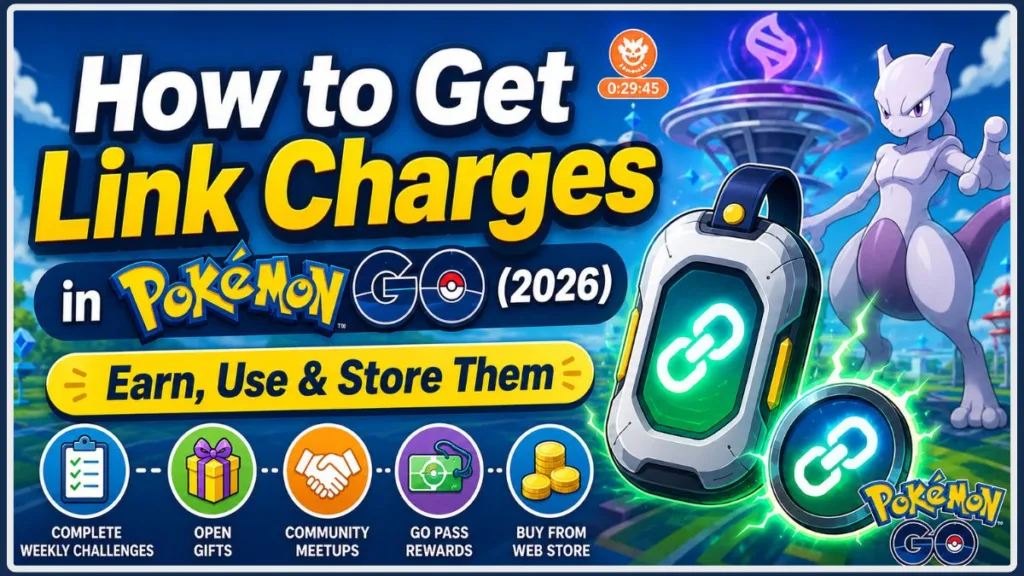
Initially rolling out during the Pokémon GO Tour: Kalos live events in Tainan and Los Angeles, this currency is now available to everyone. However, because the game doesn’t fully explain this new feature, the community has run into quite a bit of confusion—especially when it comes to strict storage limits and hidden raid mechanics.
In this complete guide, you will learn exactly what Link Charges are, how to earn them for free, and how to avoid the frustrating glitches that are causing players to lose their hard-earned rewards.
At a Glance: How to Get Link Charges in Pokémon GO
| Method | Free | Difficulty | Availability |
| Weekly Challenges | ✅ | Easy | Weekly |
| Open Gifts | ✅ | Easy | Daily (Chance) |
| Community Ambassador Meetups | ✅ | Easy | Event-based |
| GO Pass Rewards | ✅ | Easy | Seasonal |
| Pokémon GO Web Store | ❌ | Easy | Anytime |
Tip: Most players can earn Link Charges for free without making purchases by participating in weekly activities and official events.
What Are Link Charges in Pokémon GO?
Pokémon GO Link Charges are a newly discovered energy source used specifically to enter high-tier raids. Niantic introduced them alongside the Pokémon GO Tour: Kalos updates to give free-to-play players an alternative way to battle powerful Mega-Evolved Pokémon without constantly spending real money.
Unlike Premium Battle Passes—which can be used for any raid tier or the GO Battle League—Link Charges are highly specialized. They are designed exclusively for Mega Raids and the brand-new Super Mega Raids. If you aren’t familiar with Super Mega Raids yet, these are special battles tying into the Pokémon Legends: Z-A updates, featuring bosses like Mega Victreebel, Mega Malamar, and Mega Dragonite that can actually generate defensive shields to reduce the damage they take!
If you are looking to understand what are Link Charges in Pokémon GO in the simplest terms: they are your free ticket to farming Mega Energy. With Link Charges explained, you can save your valuable green premium passes for standard Legendary 5-Star raids.
How Do Link Charges Work?
The mechanics of this new currency take a little getting used to. Here is how the system operates:
- The Link Holder: When you receive your first charge, a new Key Item called the Link Holder automatically appears in your Item Bag. You cannot delete this item, and it is where all your charges are permanently stored.
- Charge Storage: By default, your Link Holder has a strict maximum storage limit of 600 charges.
- Daily Raid Pass Priority (The Big Catch): This is a crucial mechanic that is currently frustrating a lot of players on Reddit. If you have your daily free orange Raid Pass in your inventory, the game will always consume it first. You cannot choose to use Link Charges until your daily free pass is entirely gone. That means you either have to burn your free pass on a different raid earlier in the day, or use it on your first Mega Raid before you can start spending your Link Charges.
- Remote vs. Local Raids: If you are raiding in person, Link Charges act as a full substitute for a Premium Pass. If you are raiding remotely, however, you will need to spend both a Remote Raid Pass and your Link Charges to enter a Super Mega Raid lobby.
How to Get Link Charges in Pokémon GO
Whether you want to grind for them over time or grab them quickly for an event, there are both free and paid methods available.
Complete Weekly Challenges
Finishing your Weekly Challenges (found in the social tab) is the most consistent way to earn large drops.
- Weekly Challenge rewards: Completing these tasks typically rewards you with a massive 250 Link Charges.
- How often they’re refreshed: These challenges reset weekly, giving you a steady stream of raid energy.
- Tips to finish quickly: Focus on the specific task requirements early in the week so you aren’t scrambling on Sunday night.
Open Gifts From Friends
Your daily gifting routine just became much more valuable.
- Chance-based rewards: Opening gifts provides a random chance to drop Link Charges.
- Daily gift limit: You can only open a set number of gifts per day, so hit your cap daily to maximize your odds.
- Best practices: Pin your active friends to the top of your list and coordinate opening times if you are stacking XP through lucky eggs.
Check In at Your Local Community Meetups
Niantic heavily rewards players who engage with the local community, as this feature was built specifically to encourage in-person raiding.
- Campfire check-ins: Use the Pokémon GO Campfire app to RSVP and check in at official local meetups to receive guaranteed Link Charges.
- Coordinate with your community: Before you check in on Campfire, check your local Discord servers, WhatsApp groups, or Facebook communities. Players naturally use these platforms to coordinate exactly when and where the meetup is happening.
- Community rewards: Aside from charges, these events often feature exclusive timed research and item drops.
Claim Your GO Pass Event Rewards
Major events provide the best opportunities to fill your Link Holder.
- Seasonal rewards: Special seasons often feature Link Charges in their timed research lines.
- Road of Legends milestones: The current event features massive charge drops as you rank up your pass.
- GO Fest rewards: Global events like GO Fest 2026 occasionally feature promo codes and ticket-holder bonuses that grant instant charges.
Buy Link Charges From the Pokémon GO Web Store
If you are out of charges during raid hour and the Pokémon GO Tour: Kalos – Global event has officially started in your region, you can top up immediately.
- Available bundles: You can buy them in bundles using PokéCoins. The current pricing structure is 100 PokéCoins for 200 Link Charges, or you can grab a larger bundle of 250 PokéCoins for 600 Link Charges.
- When buying makes sense: This is only recommended if you are trying to chain Super Mega Raids and have exhausted all your free methods.
- Value compared to earning them for free: Since 100 coins is the exact price of a Premium Battle Pass, it is much more cost-effective to earn charges for free and save your coins for storage upgrades or standard raid passes.
- Account safety check: Using the Pokémon GO Web Store requires logging in via Google Sign-In, Apple ID, or Facebook. Always double-check that you are logging into your main account to avoid accidentally sending purchased charges to an alternate account!
How to Use Link Charges
Ready to battle? Follow these exact steps at the gym:
- Find an eligible raid: Tap on a gym currently hosting a Mega or Super Mega Raid.
- Join the lobby: Tap the battle button. (Remember, if you have a free orange pass, it will automatically be consumed here).
- Select Link Charges: Once your free pass is gone, tap the green Premium Pass icon hovering over the gym. Look for the small text underneath that says “Use Link Charges” and tap it.
- Confirm entry: The game will deduct the required amount from your Link Holder.
- Start the raid: Wait for the lobby timer to count down and battle the boss!
Which Raids Use Link Charges?
Not all raids are created equal. Use this quick reference table to see where you can spend your charges and exactly what they cost:
| Raid Type | Uses Link Charges? | Entry Cost (In-Person) | Entry Cost (Remote) | Notes |
| Mega Raid | Yes | 150 Link Charges | 150 + Remote Pass | Supported |
| Super Mega Raid | Yes | 200 Link Charges | 200 + Remote Pass | Higher cost |
| Standard Raid | No | N/A | N/A | Uses Raid Passes |
| Remote Raid | Depends | N/A | Requires Both | May require both items |
How Many Link Charges Do You Need?
Because the costs vary, managing your inventory is critical.
- Mega Raid cost: 150 charges.
- Super Mega Raid cost: 200 charges.
- Storage limit: Your Link Holder maxes out at 600 charges.
- Temporary bonus storage during events: During major ticketed events like GO Fest, special pass milestones may temporarily increase your cap, sometimes allowing you to hold up to 2,000 charges for the weekend!
Why Can’t I Use Link Charges?
If you are tapping the screen in frustration because the option is missing, check these common pain points that the community is currently dealing with:
- Daily Raid Pass is used first: The game strictly requires you to consume your free daily orange pass before the Link Charge menu even appears. You cannot bypass this.
- Your raid doesn’t support Link Charges: You are likely trying to join a standard 1-Star, 3-Star, or 5-Star Legendary Raid. Link Charges only work on Mega and Super Mega Raids.
- Mega Raids are currently rare in your area: Many players are complaining that they have maximum Link Charges but can’t find any active Mega Raids spawning nearby to spend them on. If you only see 5-Star raids, you will just have to wait for the raid rotation to shift.
- You don’t have enough Link Charges: Check your Link Holder in your item bag to ensure you have at least 150 for a Mega or 200 for a Super Mega.
- Link Holder is full (The 350 Rule): This is a massive issue currently confirmed by players testing on app version 0.401.0. You are capped at 600 charges. If your Weekly Challenge rewards you with 250 charges, you must have 350 or fewer charges in your bag before completing the challenge. If you claim the reward while holding 460 charges, the extra charges simply disappear and your balance will not go up!
- Feature hasn’t rolled out yet: Ensure your app is updated to the latest version.
- Temporary event restrictions: Certain local in-person events may restrict their use until the global rollout.
Can You Get Unlimited Link Charges?
You cannot stockpile an unlimited amount.
- Daily earning limits: Gift openings are capped daily, naturally limiting your random drops.
- Event bonuses: You can earn large bursts during GO Fest, but you are still bound by your inventory cap.
- Paid vs free methods: Even if you buy them from the shop, you cannot purchase past your storage limit.
- Storage limitations: You must actively spend your charges to make room for more.
Are Link Charges Worth Using?
Absolutely. Here is a quick look at why they are incredibly valuable for your inventory management:
| Link Charges | Premium Battle Pass |
| Free earning methods | Usually purchased |
| Event rewards | Shop item |
| Limited availability (Mega Raids only) | Widely available (All Raid Tiers) |
The Verdict: Link Charges are the better choice for Mega Raids because you can earn them for free just by playing. Save your Premium Battle Passes for standard 5-Star Legendary bosses where Link Charges cannot be used.
Best Ways to Farm Link Charges Faster
To ensure you always have enough energy for the next raid hour, build these habits into your daily gameplay:
- Complete Weekly Challenges consistently, but monitor your 600-item cap before claiming (remember the 350 rule!).
- Open Gifts every day to farm the chance-based drops.
- Join Community Ambassador events via Campfire for guaranteed rewards.
- Finish GO Pass objectives during seasonal events for massive milestone payouts.
- Watch for limited-time promotions and GO Fest promo codes on social media.
Frequently Asked Questions
What are Link Charges in Pokémon GO?
They are a new energy currency used specifically to enter Mega and Super Mega Raids without spending Premium Battle Passes.
How do I get Link Charges for free?
You can get them by completing Weekly Challenges, opening gifts from friends, and checking into official Community Ambassador meetups via Campfire.
Can I buy Link Charges?
Yes, they are available in the in-game shop and the Web Store once the global event begins in your region. They cost 100 PokéCoins for 200 charges, or 250 PokéCoins for 600 charges.
How do I use Link Charges?
After consuming your daily free orange raid pass, tap the green Premium Pass icon hovering in a Mega Raid lobby, and tap the small “Use Link Charges” text underneath it.
Where is the Link Holder?
It is a Key Item located directly in your Item Bag. It appears automatically once you earn your first charge and cannot be deleted.
Why can’t I use my Link Charges?
You either haven’t used your daily free orange pass yet, you don’t have enough charges, or you are trying to enter a standard raid instead of a Mega Raid.
Do Link Charges expire?
No, they do not expire, but you cannot hold more than 600 at a time (unless a special event temporarily raises your storage cap up to 2,000).
Can Link Charges replace Premium Battle Passes?
Only for Mega and Super Mega Raids. You still need Premium Battle Passes for standard 1-Star, 3-Star, and 5-Star raids.
What is the fastest way to earn Link Charges?
Completing your Weekly Challenges is the fastest guaranteed method, rewarding 250 charges upon completion.
How many Link Charges can I store?
The standard limit is 600. Always make sure you have 350 or fewer charges in your Link Holder before claiming your 250-charge Weekly Challenge reward so nothing is wasted!
Final Thoughts
Link Charges are an incredibly useful addition to Pokémon GO, finally giving players a reliable, free way to farm Mega Energy without draining their premium items. By checking into local Campfire meetups, opening your daily gifts, and staying on top of your Weekly Challenges, you can easily keep your Link Holder full.
Prioritize using these free methods before resorting to the Web Store, and always make sure you spend your charges down below 350 before claiming your weekly rewards so nothing goes to waste. Keep an eye out during GO Fest and seasonal events, as Niantic frequently drops promo codes that make farming this new currency a breeze.
Visit Our Post Page: Blog Page
Discover more from Izoate
Subscribe to get the latest posts sent to your email.