
Did your timeline suddenly change? Discover exactly why your Facebook friends are not showing and how to reset Facebook to get all friends back in 2026.
Have you ever opened Facebook and felt like your friends just vanished into thin air? You scroll through your feed expecting familiar posts and updates from people you interact with daily, but instead, you are hit with a wall of random, algorithm-generated content that doesn’t feel relevant at all. If you are sitting there wondering why your Facebook friends are not showing up or frantically searching for how to get Facebook friends back, take a deep breath. You are definitely not the only one dealing with this.
This situation usually triggers immediate panic and confusion. It is entirely natural to assume you have lost your friends or that a hacker compromised your account. In reality, modern social media architecture handles connections in complex ways, and your issue boils down to one of two distinct scenarios: either your friends disappeared due to aggressive algorithm changes and are simply hidden from your feed, or your actual friends list changed because of unfriending, blocking, or account deactivations.
Understanding the mechanics behind this difference is the absolute crucial first step before you try applying any technical fix. The Facebook algorithm fundamentally controls every single piece of content you see in your News Feed. Over time, it continuously learns from your digital footprint—calculating what you like, comment on, watch, or scroll past. If your browsing behavior shifts even slightly, the algorithm might stop showing posts from specific friends entirely. This creates the incredibly common illusion where Facebook friends are not showing, even though they remain perfectly intact on your backend friend list.
Conversely, there are genuine cases where friends are actually missing from your profile. This happens through accidental unfriending in the mobile app, users temporarily deactivating their accounts to take a digital break, or Meta applying temporary account restrictions. In these hard-cut scenarios, resetting your feed preferences will not magically bring them back; you must recover your Facebook friends list using manual, deliberate steps.
In this comprehensive guide, we are going to tackle both sides of this frustrating problem. First, we will decode exactly why you are not seeing friends’ posts on Facebook anymore and how algorithmic visibility works right now. Then, we will walk through a precise method to reset the Facebook algorithm and retrain your feed to prioritize your actual network. Finally, we will cover the exact recovery protocols you need to follow if your Facebook friends are genuinely gone.
Why You Not Seeing Friends Posts on Facebook Anymore? (Hidden Feed Problem Explained)
If your Facebook feed suddenly feels like a sterile environment filled with viral videos rather than the people you actually care about, it does not mean your network abandoned the platform. In the vast majority of cases, your core issue is algorithmic visibility, not digital disappearance. This exact misunderstanding causes thousands of users to search for how to get Facebook friends back when they really just need to figure out how the Meta algorithm is heavily filtering their screen. Let’s break down the technical realities of why your Facebook friends are not showing and what is actually happening behind the scenes on your account.
How the Facebook Algorithm Decides What You See
Your News Feed hasn’t been a chronological timeline for years. Instead, it operates on a highly sophisticated, predictive ranking system designed specifically to serve you content that will keep you on the app longer. This AI-driven system evaluates hundreds of real-time signals, primarily focusing on your past interactions like reactions and shares, the precise amount of time you spend hovering over videos or reading long text posts, and how frequently you engage with a specific user’s profile.
As you navigate the app, this engine builds a behavioral pattern. If you naturally stop interacting with certain friends—perhaps you are just busy and passively scrolling—the algorithm assumes your relationship dynamic has changed and you are no longer interested in their life updates. Consequently, their posts are gradually, silently suppressed from your main feed. This predictive filtering is the primary reason why you might think your Facebook friends disappeared when, technically, the system simply deprioritized their content to make room for higher-engagement media.
Unfollow vs Unfriend — The Silent Visibility Killer
One of the absolute biggest culprits behind missing posts is the platform’s “Unfollow” feature, which acts as a silent visibility killer. It is vital to separate the two functions: unfriending severs the digital connection completely, while unfollowing keeps the person on your friend list but entirely mutes their content from your view.
It is incredibly easy to accidentally unfollow people without realizing the long-term consequences. You might click the “Take a break” option after an argument, hide a few of their posts because they were posting too frequently about a specific topic, or casually tweak your feed preferences late at night. The end result is that you remain digitally connected, but their updates become entirely invisible to you. This accidental muting perfectly creates the illusion that your Facebook friends are not showing, while your actual friend count remains completely unchanged.
Low Engagement = Why Facebook Stops Showing Friends
Facebook’s entire business model revolves around prioritizing high-engagement content. If you develop a habit of quickly scrolling past a friend’s daily updates, failing to leave a reaction or a comment, and generally spending less time lingering on their photos, the algorithm logs this as a strong signal of disinterest.
The suppression happens gradually. First, their posts will appear a little lower in your feed. Then, they will only show up rarely, perhaps only when they post a major life event that garners massive interaction from others. Eventually, they vanish from your daily view altogether. This slow fade is why so many people feel like they have slowly “lost” friends over the years. You haven’t lost them; you have just unintentionally trained the machine learning model to ignore them. Therefore, looking up how to get Facebook friends back is the wrong approach here—you have to actively retrain your engagement signals.
“Suggested Content” Replacing Your Friends in Feed
The landscape of social media has fundamentally shifted toward AI-driven discovery engines. Your daily feed is now aggressively populated with suggested posts, recommended niche pages, and an endless stream of short-form Reels from completely unknown creators. While Meta pushes this content to maximize your overall watch time, it directly cannibalizes the screen space previously reserved for your actual friends.
Even if your close friends are actively publishing posts every single day, their organic content gets brutally pushed down the ranking ladder because algorithmically suggested viral content takes strict priority. This structural platform change makes it heavily seem like your Facebook friends disappeared, when they are simply losing the visibility war against highly optimized recommendation algorithms.
Temporary Facebook Glitches Affecting Friend Visibility
Sometimes, you can do everything right algorithmically, and the problem still persists because of backend technical failures. The Facebook app routinely experiences temporary glitches that cripple friend visibility. You might encounter situations where your feed simply refuses to refresh properly, friends’ recent posts fail to load from the server, or there is a sudden, unexplainable drop in the content populating your screen.
These localized app bugs frequently occur immediately following major software updates or during localized server outages, especially on mobile environments. While they usually resolve themselves within a few hours, these technical hiccups strongly contribute to the jarring feeling that your Facebook friends are not showing up.
Core Insight Tip: If you take away nothing else from this breakdown, remember this core truth: in almost every instance, your friends are not gone—your customized feed has just decided to stop showing them to you. Acknowledging this distinction changes your entire troubleshooting approach. If you are battling an algorithm issue, your required fix is to intentionally reset and retrain your feed signals. If you are dealing with a hard account issue where the connection is severed, your path is to manually recover and reconnect.
How to Reset Facebook Algorithm: Step-by-Step Guide for Better Feed Control
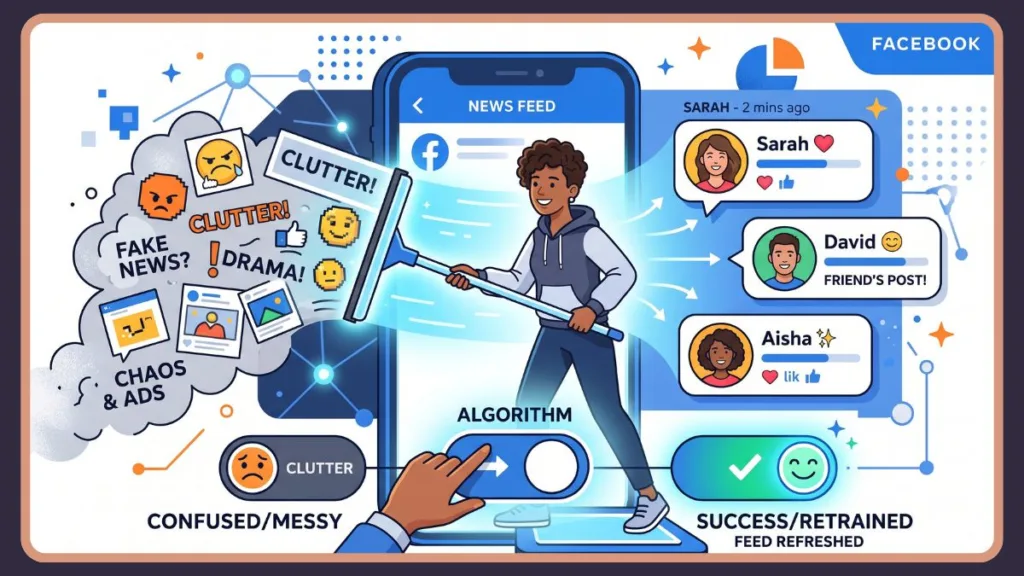
When your feed deteriorates into a chaotic mess of irrelevant videos and you are barely seeing any meaningful updates from your actual network, the fix isn’t looking for a magic “reset Facebook” button buried in the settings. To fix the widespread issue where Facebook friends are not showing, you have to actively retrain the algorithm by drastically altering your behavioral signals. By feeding the system new data, you force it to recalibrate and bring your feed back to a baseline you actually enjoy. Here is exactly how to execute this reset.
Step 1 – Clear Activity & Interaction History to Reset Signals
Facebook maintains a staggering database of your historical behavior, tracking every like, comment, reaction, link click, and even the micro-seconds you pause while scrolling past a video. Over years of use, this massive behavioral profile solidifies and dictates your News Feed layout. If your interests evolved but your past data heavily reflects old habits, the algorithm essentially starts working against you. This outdated data anchoring is a primary reason users feel their Facebook friends disappeared—the system is still feeding an older version of your digital self.
To initiate a hard signal reset, you need to clear out this historical clutter. Open up Facebook and navigate straight to Settings & Privacy, then dive into your Activity Log. From here, you need to methodically go through your past interactions. Look at your Likes and Reactions, your Comments, and especially your Search History. Take the time to manually remove reactions from pages you no longer care about, delete comments on irrelevant viral videos, and clear out past searches that are currently skewing your recommendations. By erasing this outdated footprint, you strip away the heavy weighting of old signals, forcing Facebook to relearn what you care about right now.
Step 2 – Unfollow Irrelevant People & Pages to Clean Your Feed
A heavily cluttered feed is the enemy of friend visibility. When you follow hundreds of meme pages, massive groups, and distant acquaintances that no longer align with your daily interests, you create an overwhelming amount of digital noise. This noise suffocates the organic posts from your real friends, making it mathematically harder for the algorithm to prioritize the people you actually want to see.
To clean this up, you have to be ruthless with the unfollow button. As you scroll through your daily feed, whenever you see a post from a page or group that adds zero value to your day, tap the three dots (⋯) in the corner of that post and immediately select Unfollow. You need to repeat this consistently for hyper-active groups you no longer participate in and people whose updates just don’t matter to you anymore. Alternatively, you can navigate to Feed Preferences, select Unfollow, and bulk-manage your connections. Remember, unfollowing someone does not unfriend them—it simply revokes their permission to clutter your feed, creating the necessary vacuum for your real friends to reappear.
Step 3 – Hide Posts You Don’t Like to Train the Algorithm
While unfollowing handles the sources you follow, hiding posts is the most aggressive way to retrain your algorithmic recommendations in real-time. Instead of passively swiping past a barrage of suggested content you hate, you must actively weaponize the “hide” feature to tell Facebook exactly what you reject. Every single time you manually hide a post, you send a highly weighted negative signal to the ranking system, forcing immediate adjustments.
When an unwanted suggested post appears, tap those three dots (⋯) and decisively hit Hide Post or Not Interested. If the platform prompts you, follow up by selecting options like “See fewer posts like this” or use the “Snooze for 30 days” feature to temporarily silence annoying creators. You must apply this tactic consistently against viral bait, irrelevant suggested reels, and repetitive topics. If your Facebook friends are not showing, it is because this junk content has violently taken over your feed hierarchy. Hiding these posts actively pushes the garbage out so your friends can flow back in.
Step 4 – Engage With Content You Want to See More Often
Negative signals clear the clutter, but positive engagement is the fuel that brings your network back. Engagement remains the absolute most powerful ranking factor in Meta’s ecosystem. If you are serious about getting your Facebook friends back into your daily rotation, you cannot be a passive observer; you must aggressively interact with their content to rebuild your digital relationship scores. The algorithm prioritizes visibility based on the depth of your interactions, not just the fact that you accepted a friend request five years ago.
To boost these positive signals, stop waiting for the algorithm to serve you their content. Actively search for your friends and visit their profiles directly. Like their recent uploads, bypass the lazy emoji reactions to leave thoughtful, multi-word comments, and actively reply to their daily Stories. Furthermore, when they post videos, let them play all the way through rather than swiping away after three seconds. A single comment won’t rewrite your feed, but consistent, repeated engagement over a week builds an undeniable signal. By artificially inflating your interaction metrics with specific people, you force the algorithm to push them back to the top of your feed.
Step 5 – Use “Favorites” / “See First” to Prioritize Friends
If you don’t have the patience to wait for machine learning models to slowly adapt to your new behavior, Facebook offers direct, manual override tools to instantly command your feed hierarchy. Utilizing the Favorites system is arguably the fastest technical fix for visibility issues, instantly bypassing the standard ranking algorithms.
You can set this up in two distinct ways. The easiest method is to go into Settings & Privacy, tap into your Feed Preferences, open the Favorites menu, and manually add up to 30 of your closest friends and essential pages. Alternatively, you can visit a specific friend’s profile, tap the Following button, and toggle them to Favorites or See First. Once this hardcoded preference is enabled, their new posts will automatically be pinned to the very top of your feed every time you open the app. This is the ultimate failsafe if your Facebook friends are not showing up regardless of how much you try to organically engage with them.
Step 6 – Adjust Ad Preferences to Influence Feed Content
It might sound counterintuitive, but your personalized ad settings are deeply intertwined with your organic feed recommendations. Meta utilizes a shared pool of behavioral data to serve both targeted advertisements and organic suggested content. If your ad profile is heavily skewed by a random product you researched six months ago, your organic feed will likely be flooded with related, low-quality suggested posts, further burying your friends.
To fix this underlying data issue, navigate to Settings, open the Ads menu, and click on Ad Preferences. Carefully review the data under “Your Interests” and “Advertisers You’ve Interacted With.” Ruthlessly delete irrelevant topics, outdated hobbies, and categories you no longer care about. By refining your core ad profile, you simultaneously improve the overall accuracy of Facebook’s personalization engine.
How Long Does It Take to Reset Facebook Algorithm Fully?
Retraining a massive machine learning model is a gradual rollout, not an instant flip of a switch. You will not see a completely perfect feed the minute after you clear your Activity Log, but the platform adapts surprisingly fast if you maintain strict discipline with your new engagement habits.
Typically, you will start noticing subtle improvements and less junk content within the first 2 to 3 days of actively hiding posts. The real shift happens between 7 to 14 days, where you will experience a highly noticeable surge in organic friend visibility and a steep drop in irrelevant recommendations.
Speed-Up Tip: To accelerate this timeline, you must be relentless: engage heavily with your friends every day, completely stop doomscrolling through random suggested Reels, and never stop hiding posts that don’t belong in your feed. Consistency is the only metric the algorithm truly respects.
What Resetting Facebook Algorithm Actually Does (And What It Doesn’t)
Before you spend a week retraining your feed, you must have realistic expectations about the technical limits of this process. Resetting your algorithmic signals successfully improves the relevance of your News Feed, drags hidden posts from friends back into the light, drastically cuts down the volume of spammy suggested pages, and creates a much more tailored browsing experience.
However, adjusting your feed preferences will absolutely not restore deleted friends, it cannot recover accounts that have been blocked, it won’t miraculously rebuild a wiped friend list, and it cannot reverse hard account-level restrictions. If you search your friend list and the people are genuinely missing from the database, no amount of algorithmic tweaking will save you.
Pro Insight: The underlying architecture of the Facebook algorithm is heavily dynamic; it doesn’t hold grudges, it simply reacts to real-time data inputs. Every single micro-action you take is logged as an explicit instruction set. By executing these steps, you are systematically reshaping your digital identity on Meta’s servers. You are teaching Facebook exactly who you are today, overriding the outdated profile it built of you years ago.
How To Recover My Facebook Friends List: Fix Missing or Lost Friends
If you spent days actively retraining your algorithm and your friends are still completely absent, you have graduated from a visibility problem to a hard data problem. The connections are no longer hidden; they are genuinely missing from your account. When users desperately search for how to get Facebook friends back, this is the exact moment they realize their network has suffered actual structural changes due to blocks, accidental deletions, or platform-level deactivations.
Unlike fixing a messy News Feed with likes and comments, recovering a fractured Facebook friends list requires you to play digital detective. You have to isolate exactly why those specific connections were severed before you can attempt to restore them. Here is the technical breakdown of how to manually recover those lost friends.
Check Your Blocked List to Restore Hidden Connections
Accidental blocking is shockingly common, especially on touchscreens, and it is the most aggressive way a friend can vanish from your profile. The moment a block is initiated, both accounts are instantly wiped from each other’s friend lists, and you become completely invisible to one another in platform searches.
To audit your account for accidental blocks, dive into your Settings & Privacy, click over to Settings, and locate the Blocking menu. Carefully comb through this restricted list. If you spot a friend sitting in digital purgatory, hit Unblock and confirm the security prompt. However, be aware that lifting a block does not reinstate your previous digital relationship. The original connection was permanently destroyed when the block occurred, so you must swallow your pride, search their name, and manually fire off a brand-new friend request to get them back.
Search and Re-add Friends You Lost or Removed
If your friend is nowhere to be found on your list but they aren’t languishing in your blocked settings, the most logical explanation is a straightforward unfriending event. This could have been done in a moment of frustration, or entirely by accident while managing your profile on a lagging mobile app. Because unfriending completely severs the database link between your profiles, there is no magic “undo” button in Facebook’s settings.
Your only path forward is entirely manual. Use the main Facebook search bar to hunt down their exact profile name, verify it is their actual account, and hit the Add Friend button. If you pull up their profile and that “Add Friend” button is mysteriously missing, you are dealing with a privacy restriction. They have either locked down their account to reject incoming requests from non-mutuals, or they have preemptively blocked you on their end.
Check for Deactivated or Deleted Accounts
Before you assume someone maliciously removed you from their life, consider that they might have simply removed themselves from the platform. When a user decides they need a digital detox, their account state changes, directly impacting your friend list.
If they opted for a temporary “Deactivated” account, their profile goes completely dark, temporarily dropping your total friend count and hiding all their past interactions. If they chose to permanently “Delete” their account, they are scrubbed from Meta’s servers forever. To diagnose this, search for their specific name; if it yields zero results, account deactivation is highly probable. If the account is simply deactivated, your connection is technically just paused. The moment they log back in and reactivate, they will seamlessly reappear on your friend list.
Review Activity Log for Accidental Unfriending
It sounds ridiculous, but pocket-unfriending is a very real phenomenon caused by highly sensitive mobile app interfaces. If you are entirely convinced you never intentionally removed someone, your account’s backend data might hold the truth.
Navigate deep into Settings & Privacy and open your Activity Log. You are looking for the sections that detail your friend-related actions and removed connections. While Meta’s interface does not always provide a perfectly clean, chronological “unfriend history” ledger, you can often find massive clues buried in your recent account activity that confirm a connection was recently severed from your specific device.
Ask Mutual Friends to Confirm What Happened
When technical troubleshooting leaves you with more questions than answers, the best diagnostic tool is often human verification. If you cannot figure out why a profile is completely inaccessible to you, utilize your mutual network to figure out your exact status.
Shoot a quick message to a trusted mutual friend and ask them two simple questions: Can you still pull up this person’s profile, and does the account look active? If your mutual friend can easily see their recent posts and profile picture, but you are met with a “Content Not Found” error, you have your definitive answer: you have been intentionally blocked.
What You Cannot Recover in Your Facebook Friends List
It is crucial to understand the hard limitations of platform recovery. While you can fix algorithms and reverse accidental clicks, some digital actions are irreversible finalities. You absolutely cannot recover connections with accounts that have been permanently deleted from Meta’s databases. You cannot force a connection with a user who has explicitly blocked you, nor can you bypass a user who continually ignores or rejects your new friend requests.
Additional Scenarios That Affect Your Friend List
If the standard explanations don’t fit, you might be dealing with edge-case scenarios that heavily impact friend visibility:
- Third-party “mass unfriend” extensions used by your friend might have caught you in their automated crossfire.
- Platform-level restrictions or shadowbans on either account may temporarily make connections disappear from public view.
- Extreme privacy setting lockdowns or unexpected legal name changes can make it incredibly difficult to verify if a friend is still on your list.
Prevention Tip: Once you have done the grueling work of recovering your network, implement preventative measures. Be incredibly deliberate when navigating through profile menus on mobile. Absolutely refuse to grant account access to unverified, third-party apps that promise to “manage your friend list,” and ensure you have secondary contact methods for your most crucial friends.
Reset Facebook Algorithm vs Recover Facebook Friends: Key Differences Explained
Mixing up algorithmic visibility with actual data loss is the single biggest roadblock users face when troubleshooting social media. When panic sets in, people immediately Google how to get Facebook friends back and blindly follow account recovery steps, completely failing to realize their friends are still there, just buried under mountains of AI-recommended trash.
You have to view Facebook as a multi-layered architecture. Your backend friend list represents the hardcoded database of your digital connections. Your frontend News Feed is merely a localized, highly filtered projection of that database, controlled entirely by ranking signals.
| Situation | Problem Type | Solution |
| Friends not showing in feed | Algorithm issue | Reset and retrain your feed |
| Friend profile missing entirely | Account/connection issue | Search and re-add / investigate |
| No engagement on posts | Algorithm issue | Increase meaningful interactions |
| Sudden drop in friend count | Account issue | Check blocks, deactivations, or unfriending |
How to Identify Which Problem You Have
To stop guessing and start fixing, you need to run a rapid diagnostic check on your account. Open your profile, navigate to your dedicated friends section, and explicitly search for a person you suspect is missing.
- If their name populates: Your issue is 100% algorithmic visibility. The system just isn’t pushing their updates to your screen.
- If their name yields zero results: You have confirmed a hard connection change caused by unfriending, blocking, or account deletion.
Next, use the global search bar to look up their exact profile. If you can locate their page and the “Add Friend” button is active, it proves the connection was definitively severed.
When to Reset the Facebook Algorithm
You must deploy the algorithm reset protocols exclusively when your diagnostic proves your connections are intact but invisible. If your Facebook friends are not showing in your daily scroll but safely exist in your friend list, do not waste time sending random friend requests. Your feed is broken because the machine learning model is operating on outdated or heavily skewed behavioral signals.
To fix this, you must ruthlessly execute the retraining steps: purge your Activity Log, unfollow noisy groups, weaponize the ‘hide post’ feature, and artificially inflate your engagement.
When to Recover Facebook Friends List
You completely abandon algorithmic tweaking and shift into hard recovery mode the second you confirm a physical drop in your friend count. If specific profiles are vanishing from your backend connection database, resetting your feed preferences is a massive waste of time. The algorithm cannot rank connections that no longer exist.
In this scenario, you must manually rebuild the database links. Audit your blocked list, track down their profile, and initiate a brand-new friend request.
Key Diagnostic Tip: To master your social media environment, you must permanently cement the difference between these two core concepts: if your Facebook friends are not showing up in your scrolling feed, you are fighting a visibility issue managed by the algorithm. Conversely, if your Facebook friends are physically missing from your profile’s connection database, you are fighting an account-level connection issue.
Additional Fix If Facebook Friends Still Not Showing After Reset
If you have spent a week aggressively retraining your feed, verified your friend list is completely intact, and your Facebook friends are still not showing up organically, the problem is no longer behavioral. You are now dealing with deep-seated software conflicts, corrupted local data, or misconfigured app settings.
Clear App Cache (Mobile Users)
To load videos and images at lightning speed, your mobile device hoards massive amounts of temporary data known as cache. Over months of heavy scrolling, this cached data frequently becomes bloated or corrupted, directly causing your feed to freeze or fail to display recent updates.
For Android users, navigate to your device’s settings, open the app management section, select Facebook, tap into storage, and clear the cache. iOS users must navigate to iPhone storage settings and select “Offload App” to dump the corrupted data before reinstalling. Flushing this dead data forces the app to pull a fresh feed directly from Meta’s servers.
Update the Facebook App
Running a severely outdated version of the Facebook app is a guaranteed way to experience bizarre feed glitches. As Meta constantly tweaks its backend APIs, older app versions struggle with compatibility.
Open the Google Play Store or the Apple App Store, search for Facebook, and install any pending updates. Once installed, force-close the application entirely, reboot it, and see if your organic feed correctly populates.
Log Out and Log Back In
Sometimes the most sophisticated machine learning algorithms are crippled by a simple, broken session token. If your login session has been active for months without interruption, the connection between your device and Meta’s servers can experience silent desyncs.
Open your Facebook menu, explicitly tap “Log Out” to kill the active session token, swipe the app closed from memory, and then perform a fresh login. This forces Facebook’s servers to re-authenticate your account and push uncorrupted profile data back to your device.
Check News Feed Preferences
If the software is healthy but the feed is broken, verify you didn’t accidentally sabotage your own account settings. The Feed Preferences menu contains powerful override toggles. Dive into these settings to ensure you haven’t unintentionally mass-unfollowed your entire friend list.
Common Mistakes to Avoid While Resetting Facebook Algorithm or Recovering Friends
Even armed with a deep understanding of Meta’s backend systems, users routinely sabotage their own recovery efforts by committing a series of easily avoidable errors. These mistakes either completely derail the algorithm retraining process or permanently compromise their ability to recover a fractured Facebook friends list.
- Relying on Shady Third-Party Apps: The absolute most dangerous mistake is blindly trusting third-party browser extensions or mobile apps that boldly promise to instantly restore your friend list or reveal exactly who unfriended you. Meta’s API strictly prohibits data scraping. These tools are notoriously unreliable, incredibly invasive, and are frequently disguised malware. Authorizing them is a fast track to getting your account permanently disabled.
- Sending Too Many Friend Requests Quickly: When panicked users attempt to rapidly rebuild their network, they will aggressively spam out dozens of friend requests in a matter of minutes. Meta’s anti-spam architecture immediately flags this high-velocity behavior as bot activity, resulting in harsh, temporary account restrictions that prevent you from adding anyone at all.
- Behavioral Inconsistency: On the algorithmic front, the biggest point of failure is behavioral inconsistency. Users will diligently clear their activity logs but then immediately revert to doomscrolling through hours of irrelevant Reels. You cannot trick the algorithm with a one-time settings change; if your daily actions continuously send signals that you prefer viral garbage, the system will immediately revert to showing you garbage.
- Confusing Unfollow with Unfriend: Users constantly trip over the distinction between unfollowing and unfriending. They will panic and launch into aggressive recovery mode, when in reality, they simply tapped the unfollow button six months ago and forgot about it. Always audit your feed preferences before assuming a connection has been destroyed.
- Failing to Check the Blocked List First: Failing to check your block list or activity log before diving into complex troubleshooting often results in hours of wasted effort over a simple, reversible touchscreen mistake.
- Impatience with the Algorithm: Finally, you must conquer impatience. Retraining a global AI recommendation engine is not instant. Many users expect their feed to transform the second they hide a single post. In reality, it requires a solid 7 to 14 days of relentless, disciplined interaction for the system to confidently map your new behavioral patterns.
Conclusion
If you have been pulling your hair out wondering how to get Facebook friends back, the technical reality is vastly more nuanced than a simple glitch. In the overwhelming majority of scenarios, your social network hasn’t actually abandoned you; they are simply trapped behind the opaque wall of Facebook’s aggressive, engagement-driven algorithm.
The absolute cornerstone of fixing this is accurately diagnosing the divide between algorithmic visibility suppression and hard data-level friend loss. When your Facebook friends are not showing up in your daily scroll, your immediate reaction must be to aggressively reset and retrain your feed by purging old data, hiding irrelevant spam, and forcefully engaging with the people you value. Conversely, if your friends have been completely wiped from your profile’s connection database, you must pivot to deliberate recovery tactics like auditing block lists and initiating new requests.
This technical breakdown bridges both scenarios, equipping you to attack the problem regardless of the root cause. By pairing disciplined algorithmic retraining with smart account recovery methods, you seize total control over your digital environment.
Crucially, you must accept that managing your social media feed is an ongoing war of attrition, not a one-and-done setup. Meta’s systems will continuously attempt to optimize for their ad revenue over your personal connections. If you want a feed that actually serves your interests, you have to remain vigilant with your clicks, your likes, and your hides. You aren’t just fixing a temporary bug—you are actively dictating to Facebook exactly how it is allowed to serve you content.
FAQ
Can I reset Facebook and get all friends back?
There is no universal factory reset button on Facebook that instantly repopulates a lost friend list. If you are dealing with a scenario where Facebook friends are not showing in your feed, resetting your algorithmic signals will slowly force their posts back onto your screen. However, if those friends are entirely missing from your profile’s backend database, no settings tweak will help; you must manually track down their profiles and send new friend requests.
Why did my Facebook friends disappear?
The disappearance of Facebook connections stems from several distinct triggers. They might have manually unfriended you, initiated a block, temporarily deactivated their profile for a break, or faced platform restrictions. However, the most statistically probable reason is that they haven’t disappeared at all—the Facebook algorithm has simply determined you don’t engage with them enough and has permanently hidden their content from your News Feed.
Does resetting Facebook algorithm delete friends?
Absolutely not. Purging your Activity Log, hiding posts, and tweaking your feed preferences only manipulates the frontend ranking system that dictates what content appears on your screen. None of these algorithmic reset actions have the power to alter your backend database.
How do I find someone I accidentally unfriended on Facebook?
If you suspect a touchscreen error caused a deletion, immediately utilize the main Facebook search bar to locate their exact profile name. Once you find their page, verify it is them, and hit the Add Friend button. If your memory is hazy, dive into your profile’s Activity Log, filter by connections, and look for recent removal actions.
How long does Facebook algorithm reset take?
Overriding Meta’s historical data profiles is not an instant process. While you might notice slight improvements in a few days, a full algorithmic reset typically requires 7 to 14 days of strict behavioral discipline.
Can I see who unfriended me on Facebook?
Meta intentionally refuses to build a native feature that notifies users of unfriending events to prevent interpersonal harassment. While the internet is flooded with shady third-party browser extensions claiming to provide this “unfriend tracking” data, they are universally unreliable, deeply violate Meta’s Terms of Service, and routinely result in accounts being hacked.
What should I do if I can’t find someone on Facebook?
If a specific profile is entirely invisible in global search, you are facing one of three hard limits: the user has intentionally blocked your account, they have deactivated their profile, or they have permanently deleted their digital footprint. To isolate the exact cause, ask a mutual friend to search for the profile.
Will reinstalling Facebook fix missing friends?
Deleting the app from your phone and downloading a fresh copy will absolutely resolve localized corrupted cache issues, freezing glitches, and bizarre loading bugs. However, reinstalling software cannot manipulate Meta’s backend servers, meaning it will never magically restore a friend connection that was severed through unfriending or blocking.
Why am I seeing posts from strangers instead of friends?
Your feed has been hijacked because Meta’s algorithm heavily prioritizes high-engagement, AI-suggested content designed to maximize your watch time. If you do not actively engage with your network, the system assumes you prefer viral bait and floods your screen with unknown creators.
Is there a limit to how many friend requests I can send?
Yes, Meta employs incredibly strict, automated anti-spam velocity limits regarding friend requests. If you attempt to rebuild a lost network by rapidly firing off dozens of requests in a single hour, the security system will instantly flag your account as a bot, resulting in a temporary, unavoidable block on your ability to add any new connections.
Visit Our Post Page: Blog Page
Discover more from Izoate
Subscribe to get the latest posts sent to your email.