
Looking to fix Fiber Error Domain 429 on Instacart? Learn what causes this 429 error, why it happens, and the best ways to restore access quickly.
If you are trying to log in to Instacart, browse stores, or complete an active delivery batch and suddenly encounter Fiber Error Domain 429, don’t panic. You are not the only one facing this issue. Whether you are a customer trying to finalize your weekly grocery order or an Instacart Shopper trying to grab a high-paying batch, dealing with an unexpected Instacart app not working situation is incredibly frustrating.
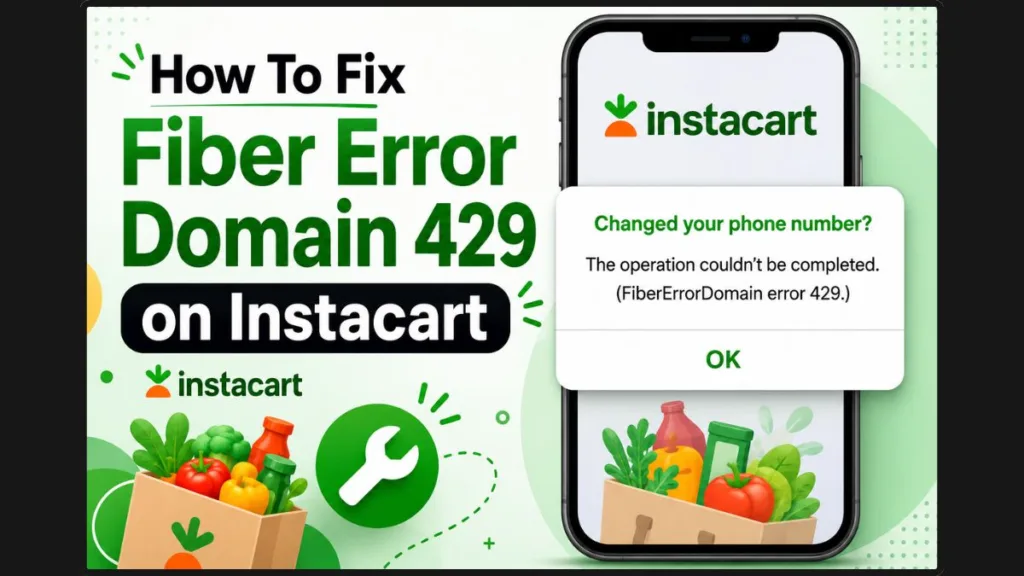
You might be sitting in your car or at your kitchen table thinking, “Instacart won’t let me log in, error 429 is on my screen, and my internet is perfectly fine.” This specific Instacart login error often pops up while signing in, requesting an Instacart verification code, or refreshing the app repeatedly in search of new orders. Although the message looks like a highly technical alert that might mean your account is in trouble, it usually does not mean your account has been suspended, deactivated, or permanently blocked.
The good news is that Fiber Error Domain 429 is typically a temporary hurdle. In this detailed guide, we will walk you through exactly what this error means, the background reasons why it happens, and the most effective, practical ways to recover from the temporary rate limit so you can get back to using your account.
What Does “Fiber Error Domain 429” Actually Mean?
To understand what is happening behind the scenes, imagine arriving at a busy supermarket checkout where every single register is occupied and the lines are backing up into the aisles. The store hasn’t closed, and you certainly aren’t banned from shopping there—the system simply cannot process another customer until a checkout lane becomes available.
While Fiber Error Domain 429 isn’t officially documented as a consumer-facing error message, the “429” portion gives away exactly what is happening under the hood. According to the official HTTP Status code definitions provided in Instacart’s API documentation, HTTP 429 translates to “Too Many Requests.” This occurs when their backend server temporarily rejects your app’s connection because it has received too many pings within a short window of time.
The “Fiber Error Domain” portion appears to come from the app’s internal networking layer or request handling framework, while the 429 status code is the official HTTP response returned by the server. When this occurs, the server uses rate limiting or request throttling to protect itself from being overwhelmed and crashing completely.
Why this happens: It is worth noting that Instacart documents HTTP 429 (Too Many Requests) for its API, but it does not publicly document Fiber Error Domain 429 as a named consumer error. The explanation in this guide is based on the documented HTTP response combined with consistent user reports from the gig worker community.
Here are three key takeaways you need to keep in mind:
- It is a temporary rate limit: You are paused, not penalized. Think of it as a digital timeout.
- It is a server-side protection: The system is actively preventing a broader network overload that could take the whole app offline.
- It is not usually an account ban: Your account standing is safe, your ratings are unaffected, and your earnings remain secure in your wallet.
Why Are You Getting Fiber Error Domain 429?
This frustrating temporary rate-limit error can be triggered by your own activity inside the app, or by broader issues entirely on Instacart’s end. Here is a closer look at the most common causes.
1. Too Many Requests (Most Common Cause)
As the official HTTP 429 definition states, your app is hitting the server with too many requests in a short period. If your phone repeatedly sends requests for location updates, available batches, or account verification faster than the server allows, Instacart may temporarily limit additional requests. This often happens if you are aggressively swiping down to refresh your screen.
2. Multiple Login Attempts
We have all been there: you enter your phone number, wait five seconds, and when the text message doesn’t arrive, you immediately hit resend. If you are locked out and frantically requesting new OTP (One-Time Password) texts because your OTP is not working, you are going to hit a wall. Sending repeated authentication request pings, constantly tapping the “Sign In” button, or aggressively refreshing the login page are the fastest ways to trigger this specific error.
3. Temporary Instacart Server Issues
Sometimes, it is not your fault at all. A backend server experiencing heavy traffic or overload, heavy holiday shopping traffic, or a sudden service disruption can cause the system to throw 429 errors at everyone. If the platform experiences a broader Instacart server error, shoppers and customers alike will see this message simultaneously regardless of what they were doing in the app.
4. App Cache or Session Problems
Over time, your smartphone holds onto temporary data (cache) to make apps load item images and maps much faster. If this data becomes corrupted or outdated, your app might send scrambled or duplicated requests to Instacart, causing repeated or unexpected requests that may interfere with normal communication with the server.
5. VPN or Network Issues
Virtual Private Networks (VPNs) can sometimes affect how network requests are routed, which may complicate troubleshooting or contribute to connectivity issues while operating real-time delivery apps. Instacart relies on precise location data, and masking that data can disrupt the connection.
6. Outdated Instacart App
Running an older version of the Instacart Shopper app or the Instacart customer app can lead to compatibility bugs. When the company updates its backend security, older app versions can miscommunicate with current server protocols, leading to rejected requests.
What Users Are Reporting About Fiber Error Domain 429
Recent reports from Instacart users across forums and social media show that this error often appears during very specific, predictable scenarios:
- While logging in: Especially after being unexpectedly logged out mid-shift.
- After requesting multiple OTP codes: Usually when carrier networks are slow to deliver SMS messages.
- After reinstalling the app: When attempting to log back into a freshly downloaded version.
- During widespread outages: When the entire platform is struggling to stay online.
Although these reports do not represent official documentation, they help identify common real-world patterns. Knowing that other gig workers are encountering the exact same sequence can help you pinpoint whether the issue is isolated to your phone’s network or part of a wider system event.
Fiber Error Domain 429 vs HTTP 429: What’s the Difference?
You might see these two terms used interchangeably when researching the problem, but there is a slight technical distinction in how they operate.
| Fiber Error Domain 429 | HTTP 429 |
| Error shown directly inside the Instacart app interface. | Official HTTP status code used across the web. |
| Uses the app’s internal iOS/Android networking layer. | Returned by the backend Instacart server. |
| Indicates a visual request failure right on your screen. | Means the server received “Too Many Requests.” |
| User-facing error message meant for the app. | Technical server response meant for developers. |
Key Takeaway: Fiber Error Domain 429 is simply the Instacart app’s way of visually showing you an HTTP 429 server response on your mobile device.
How to Check If Instacart Is Down
Before you spend valuable time troubleshooting your device settings, you should verify if the problem is actually affecting other users. Just like when you experience sudden glitches on DoorDash, UberEats, or even social media platforms, it is helpful to check the overall network health first.
- Check DownDetector: Search for Instacart on Downdetector.com to see if there is a massive, real-time spike in reported outages. A tall red graph usually means a system-wide crash.
- Look for Community Reports: Online spaces like the r/InstacartShoppers community on Reddit are usually the first places workers post when the app goes down.
- Check Social Media: Search platforms like X (formerly Twitter) using terms like “Instacart down” or “Instacart 429” to see if others are complaining right now.
- Try the Website: See if you can log into your account through a standard mobile or desktop web browser instead of using the app. If the website works but the app doesn’t, the issue is likely app-specific.
If many users are reporting the exact same issue, waiting is often the best and only solution.
How to Fix Fiber Error Domain 429 on Instacart
You cannot forcefully repair a rate-limited server, but you can certainly improve your chances of reconnecting by following these practical, step-by-step methods to resolve the temporary rate limit.
1. Wait 10–15 Minutes
If you are wondering how long Instacart error 429 lasts, the official API recommendation is simply to back off and wait. Many users report regaining access within several minutes, although the exact duration depends on the underlying cause. Give the server a bit of time to reset your rate limit before trying again.
2. Stop Repeated Login Attempts
Every single time you tap “Retry” or ask for a new SMS code, you may extend the rate limit. Put your phone down, step away from the app, and wait until the temporary rate limit expires entirely before interacting with the screen again.
3. Restart the Instacart App
Force-closing the app clears out any immediate processes that might be stuck in an endless loading loop.
- On iPhone: Swipe up from the bottom of your screen to open the app switcher, and swipe the Instacart app up and away.
- On Android: Swipe up from the bottom, hold, and swipe the app off the screen. Then reopen it.
4. Restart Your Phone
If restarting the app didn’t work, a quick phone reboot flushes your device’s RAM and resets your basic network connections. This clears out background processes that could be interfering with your connection.
- iPhone: Hold the side button and volume down button until the slider appears, slide to power off, then turn it back on.
- Android: Hold the power button and select “Restart.”
5. Switch Between Wi-Fi and Mobile Data
Switching between Wi-Fi and mobile data refreshes your network connection and may help if the issue is related to your current network path. If you are sitting in a store parking lot connected to a weak public Wi-Fi network, turn off Wi-Fi entirely. You can also try toggling Airplane Mode on for 30 seconds and then off again to force your phone to reconnect to the nearest, strongest cell tower.
6. Disable VPN
If you have tried waiting and restarting the app without success, the next thing worth checking is your network configuration. Although VPNs don’t directly trigger HTTP 429 errors, they can sometimes complicate how requests are routed between your device and Instacart’s servers. Go into your device settings and temporarily toggle off any active VPNs or privacy routing services.
7. Update Instacart
An outdated app is a common culprit for backend communication errors. Head to the App Store (iOS) or Google Play Store (Android), search for Instacart, and ensure you are running the absolute latest version of the app.
8. Clear Cache (Android Only)
If you are on an Android device, you can try removing the temporary data associated with the app, which might be causing the request loop.
- Open your device Settings.
- Tap on Apps or App Management.
- Scroll down and select the Instacart app.
- Tap Storage & cache.
- Hit Clear cache (do not hit clear data unless you want to wipe your login details and start from scratch).
9. Reinstall the App
When all else fails, a fresh installation is an option. Some users found success after entirely deleting the app, restarting their phone, and downloading a fresh copy from the app store, which removes cached app data and creates a fresh installation.
10. Contact Instacart Support
If the error continues long after the recommended waiting period and you’ve tried all basic fixes, it is best to contact Instacart Support, as the issue may require account-specific assistance.
Pro-Tip: The Support Chat Hack
If you are locked out, you usually cannot reach the in-app support feature. However, some users reported a clever workaround: tap “Forgot Password” on the login screen. This action often forces the little headset icon to appear in the corner, allowing you to open a chat and explain that you’re encountering Fiber Error Domain 429 or a 429 login error so a representative can look at your account.
Instacart HTTP Error Codes Explained
If you see a different number pop up on your screen in the future, here is a quick, handy reference guide to what Instacart’s servers are trying to tell you.
| Code | Meaning | What You Should Do |
| 400 | Bad Request | Check the request or update your app data. |
| 401 | Unauthorized | Sign in again to verify your credentials. |
| 403 | Forbidden | Verify your account permissions with support. |
| 404 | Not Found | Retry the action or check if the order still exists. |
| 408 | Request Timeout | Check your internet connection and try again. |
| 429 | Too Many Requests | Wait and try again later. |
| 500 | Internal Server Error | Retry later; the issue is entirely on their end. |
| 503 | Service Unavailable | Wait patiently until the service is restored. |
How to Prevent Fiber Error Domain 429
Once you are finally back in and ready to work or shop, you can try practicing these habits to prevent a temporary login issue from popping up again in the future:
- Be patient with SMS codes: Avoid repeatedly requesting login codes if the text message is delayed by your cell carrier. Give it at least two minutes before requesting another.
- Stop the spam: Do not spam the “Retry” or refresh buttons if a screen is loading slowly. Tapping repeatedly sends multiple requests at once.
- Automate your updates: Keep the app updated to the newest version automatically through your phone’s app store settings.
- Check your signal: Use a reliable, strong cellular connection while working. Weak signals can cause packet loss, prompting your phone to resend requests multiple times.
- Skip the VPN: Avoid unnecessary VPN usage while operating the app, as it can confuse the location-based servers.
- Check the news: Wait patiently if you know Instacart is experiencing a temporary server issue during high-traffic holiday rushes, severe weather events, or nationwide network outages.
Frequently Asked Questions
What does Fiber Error Domain 429 mean on Instacart?
It means your app has sent too many requests to Instacart’s servers in a short amount of time, triggering a temporary security block to prevent server overload.
Is Fiber Error Domain 429 an account ban?
No, it is simply a temporary network rate limit. Your account is not suspended, under review, or deactivated.
Does Error 429 mean Instacart is down?
It can. If thousands of users are sending requests to a struggling backend server, it may issue 429 errors to everyone as a defense mechanism to prevent a total platform crash.
How long does Error 429 last?
Many users report regaining access within several minutes, although the exact duration depends on the underlying cause and whether the issue is on your device or Instacart’s servers.
Can reinstalling Instacart fix Error 429?
Yes, deleting the app, restarting your phone, and reinstalling a fresh copy removes cached app data and creates a fresh installation that can often resolve connection loops.
Why does Instacart keep asking me to try again later?
Because the server is actively protecting itself from being overwhelmed. You must wait until the temporary rate limit expires before your next request will be accepted.
Is Fiber Error Domain 429 caused by too many login attempts?
Yes, aggressively hitting “Sign In” or requesting multiple SMS verification codes back-to-back is the most common way individual users trigger this error on their own devices.
Should I contact Instacart Support?
If you have waited a long time, reinstalled the app, and checked that there are no widespread outages reported online, you should reach out to support to ensure your account isn’t stuck in a localized error.
Final Thoughts
Encountering a sudden technical roadblock right when you need to access your account is never a fun experience, but you can rest easy knowing that Fiber Error Domain 429 points to a temporary rate-limiting or server-capacity issue rather than a permanent problem with your account. It is a highly standard server-capacity safeguard designed to keep the entire platform running smoothly for everyone.
In many cases, waiting a few minutes, avoiding the urge to spam the login button, and running through basic device restarts are more than enough to restore your access. Take a quick break, let the servers catch up, and you will be back to browsing your groceries or completing your next delivery batch in no time.
Visit Our Post Page: Blog Page
Discover more from Izoate
Subscribe to get the latest posts sent to your email.