
Looking to start YouTube automation in 2026? Learn how to choose a niche, use Al tools, build a faceless channel, automate video creation, and understand monetization rules.
Ready to build a YouTube channel around smart systems instead of daily filming? This guide explains how to start YouTube automation in 2026, from building a faceless channel and choosing AI tools to using Python, understanding monetization rules, troubleshooting common problems, and creating a beginner-friendly workflow.
You’re scrolling through YouTube and notice a channel with hundreds of videos, no creator on screen, and a steady stream of views. Naturally, you wonder: Is this real, and could I build something similar?
That is the appeal of YouTube automation. The idea is to build a channel that can publish consistently without requiring you to appear on camera every day. You may not need a ring light or camera-ready mornings, but you will still need a plan, quality control, and a reason for viewers to watch.
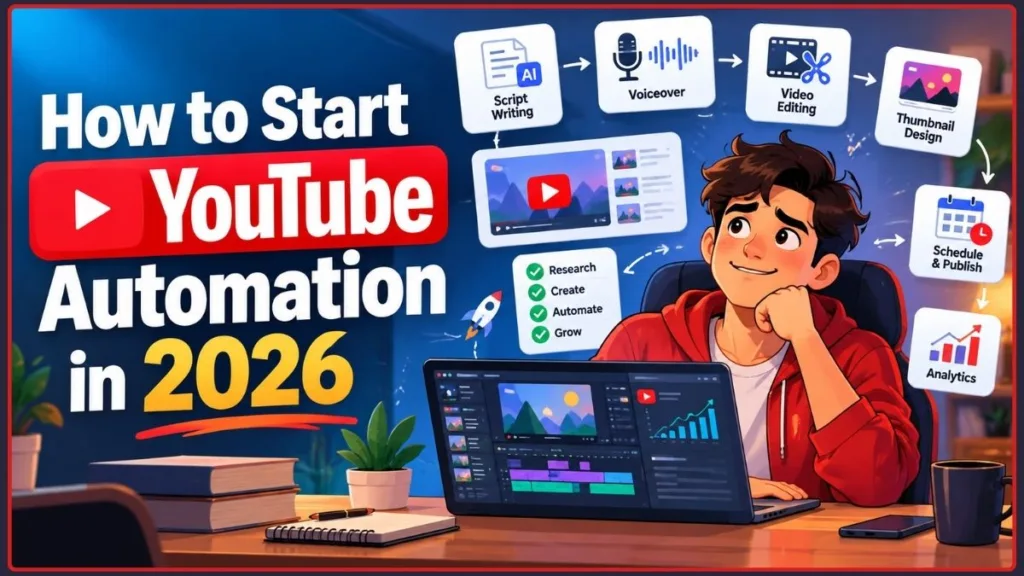
This guide shows you how to start a YouTube automation channel, choose tools that suit your workflow, use AI and Python sensibly, understand what monetization really looks like, and fix common problems that can slow down a new channel.
Quick answer: Start by choosing a niche you can cover consistently, research original video ideas, build a repeatable production process, and publish a small batch of useful videos. Automate repetitive tasks such as scheduling, formatting, and reporting—but keep creative direction, fact-checking, and final quality control in your hands.
A practical way to decide what to automate
Use this responsibility map when you design the workflow. It is an original planning framework, not a claim that one specific division of labor guarantees channel growth.
| Work | Good candidate for automation | Keep a human approval step for |
|---|---|---|
| Research | Collecting candidate search phrases, organizing source links, formatting notes | Deciding whether the idea answers a real viewer problem and whether claims are supported |
| Scripting | Outlines, first drafts, alternate hooks, caption drafts | Accuracy, original explanation, tone, and whether the script adds more than a summary |
| Editing | Silence detection, rough cuts, captions, resizing, file conversion | Story flow, context, pacing, rights, and visual relevance |
| Publishing | Scheduling, metadata templates, recurring checklists | Final title/thumbnail promise, audience settings, disclosures, and privacy status |
| Reporting | Exporting metrics and producing weekly comparisons | Explaining the likely cause and choosing the next experiment |
Automation boundary: Automate predictable operations first. Do not automate a decision simply because a tool can perform it; automate it when the result can be checked against a clear standard.
Why Creators Consider Faceless YouTube Automation
In 2026, creators can build channels around systems rather than personal appearances. Faceless formats, AI-assisted scripts, voiceovers, and outsourced editing make it easier to produce videos without appearing on camera. These tools can reduce production friction, but they do not remove the need for original ideas, editorial judgment, or quality control.
The audience opportunity is real, but it is not a forecast of success. Pew Research Center’s October 19, 2026 fact sheet reported that 84% of U.S. adults use YouTube. Its estimate was based on a survey of 5,511 U.S. adults conducted from January 30 to June 18, 2026, with an overall margin of error of ±1.8 percentage points. YouTube’s CEO also reported in January 2026 that Shorts averaged 200 billion views per day. These figures show broad platform reach and viewing scale; they do not measure demand for a particular faceless niche or predict what a new channel will earn. The U.S. usage estimate comes from Pew Research Center’s 2026 survey, while the Shorts figure was shared by YouTube in its January 2026 creator update.
A second platform-reported signal: In its January 2026 letter, YouTube said that more than one million channels used its AI creation tools daily in December 2025. This indicates substantial use of YouTube’s own AI tools, but it is not a count of all AI-automated channels and does not reveal how many of those channels are profitable. YouTube included the figure in its 2026 update on the platform and its creator tools.
Pew’s same 2026 fact sheet reports that YouTube use differs by age: 95% of U.S. adults aged 18–29, 91% aged 30–49, 85% aged 50–64, and 65% aged 65 and older say they use the platform. These are platform-use figures, not topic-level search demand. Use them as broad audience context, then validate your niche with relevant search results, viewer questions, and your own analytics. Pew explains the survey and age breakdown in its 2026 report on Americans’ social media use.
However, the same tools that make useful videos easier to produce also make low-effort videos easier to mass-produce. YouTube’s monetization policies focus on whether content is original, authentic, and valuable—not simply on whether a creator used AI or automation. Before scaling a production workflow, review YouTube’s rules for monetized channels so your process is designed around the standards that actually apply.
Key insight: YouTube automation works best when you automate repetitive tasks—such as scheduling, formatting, and parts of editing—while keeping ideas, point of view, research, and quality control under your direction.
What Is YouTube Automation?
YouTube automation means building a channel in which repeatable tasks are handled by software, documented processes, or a small team. Those tasks may include research, scripting, voiceovers, editing, uploading, scheduling, and analytics. Your role becomes closer to that of a creative director: you set the direction, define the quality standard, and make sure every video delivers value.
Think of it like a fashion editor. They do not stitch every garment themselves. They set the vision, select what fits the publication, and build a process that delivers the work consistently.
YouTube automation vs. traditional channels
| Channel type | How it works | Main consideration |
|---|---|---|
| Traditional creator-led channel | Built around the creator’s personality, expertise, or on-camera presence | Viewers may come specifically for the creator, which can make production harder to delegate. |
| Automated or system-led channel | Built around a repeatable workflow, tools, contractors, or a small team | The process can be easier to scale, but each video still needs a distinct point of view and original value. |
A faceless YouTube channel delivers value without requiring the creator to appear on camera. It may use voiceovers, animation, screen recordings, stock footage, original footage, kinetic text, or AI-generated visuals. Faceless does not have to mean anonymous, generic, or impersonal: strong research, storytelling, and a recognizable editorial style can make a channel distinctive.
Use a three-layer responsibility map
A repeatable channel needs more than a list of software. It needs a clear owner for each decision.
- Automate: predictable tasks with checkable outputs, such as file naming, caption drafts, scheduling, and pulling analytics exports.
- Template, then review: tasks that benefit from consistency but require judgment, such as scripts, thumbnails, video descriptions, and outsourced edits.
- Keep human-owned: claims, sensitive-topic advice, final editorial decisions, copyright permissions, realistic AI disclosure, and the decision to publish.
This split makes delegation safer because a contractor or tool can complete a task without silently taking responsibility for accuracy, rights, or the channel’s editorial point of view.
Is YouTube Automation Real, and Is It Worth It?
Yes. Creators do run channels using tool-assisted production and outsourced workflows. However, calling the business model “passive income” can be misleading, particularly at the beginning. The early months are usually active: you research, test formats, publish, study analytics, and improve the process.
Quick tip: Treat passive income as a goal you might build toward, not a switch you can flip on day one.
Red flags in YouTube automation courses
Be cautious when a course relies on:
- Guaranteed earnings or claims that you can “quit your job in 30 days.”
- Earnings screenshots without context, dates, expenses, or a way to verify the results.
- Countdown timers and pressure such as “only three spots left.”
- Vague lessons that never show a real production workflow.
- No meaningful discussion of YouTube’s monetization, copyright, or disclosure rules.
Course due-diligence test: Before buying, ask for a syllabus, a recent lesson showing the actual workflow, the date the policy material was last updated, a full breakdown of what is and is not included in the price, and independently verifiable examples. When a seller shows revenue, ask whether it is gross revenue or profit, which dates it covers, what the channel spent to produce the content, and whether the results come from one unusually successful channel or a typical cohort. If those details are unavailable, treat the claim as marketing—not evidence.
Who might benefit from YouTube automation?
The approach may suit you if you:
- Prefer working behind the scenes.
- Enjoy systems, research, planning, and organizing.
- Can stay consistent for months without expecting immediate results.
- Want to treat a channel as a small business rather than a guaranteed shortcut to income.
It may be a poor fit if you want predictable earnings immediately or do not want to review the content being published under your name.
Before You Start: What You Need to Know
A few setup steps can save you hours of confusion later.
| What you need | Why it matters |
|---|---|
| A Google account with 2-Step Verification enabled | You need 2-Step Verification to join the YouTube Partner Program (YPP). |
| Advanced feature access | YPP eligibility requires advanced feature access. Phone verification is a first step; some channels may also need sufficient channel history or identity verification. |
| A phone-verified YouTube channel | Phone verification unlocks features such as custom thumbnails, live streaming, uploads longer than 15 minutes, and copyright-claim appeals. Feature access can depend on your channel’s current eligibility status. YouTube explains the steps and the features they unlock in its account verification instructions. |
| A country or region where YPP is available | The expanded YPP is available only in eligible countries and regions. Check YouTube’s current country and eligibility requirements before planning around a particular monetization feature. |
| An AdSense for YouTube account, when you apply | You need one active AdSense for YouTube account linked to your channel. If you need a new account, create it through YouTube Studio. |
| A realistic time budget | The early stages require hands-on research, testing, editing, and improvement. Automation does not remove the work of building an audience. |
Quick tip: Verify your channel early. Phone verification unlocks custom thumbnails, live streaming, longer uploads, and copyright-claim appeals. Some feature changes may not appear immediately. If a feature is still unavailable after phone verification, check the status and eligibility requirements in YouTube Studio rather than assuming the cause is a monetization restriction.
Platform note: You can set up and manage much of this process on a computer or an Android phone. This guide compares the two later on.
How to Start a YouTube Automation Channel Step by Step
Here is a practical framework for starting YouTube automation with or without a budget.
Step 1: Choose a niche with real audience demand
Look for the overlap between audience interest, potential advertiser demand, and your ability to create useful videos consistently. Search YouTube, compare videos that perform well relative to the size of their channels, and look for gaps where existing videos are thin, unclear, or outdated.
Do not select a niche only because someone claims it has a high RPM. You need enough ideas to produce consistently, plus the ability to make each video worth watching.
What you should have: A shortlist of two or three niches and at least 30 video ideas for your strongest option.
A niche scorecard you can actually use
Score each candidate from 1 (weak) to 5 (strong) on the same factors. This is an editorial decision tool, not an industry benchmark or a predictor of earnings.
| Factor | What a high score looks like | Evidence to collect before committing |
|---|---|---|
| Repeatable audience problems | People have recurring questions, decisions, or troubleshooting needs | Autocomplete phrases, repeated viewer questions, current search results |
| Idea runway | You can list many distinct videos without changing only the wording | A list of 30–50 genuinely different angles, not 30 near-duplicate titles |
| Ability to prove the answer | You can demonstrate a result, show a process, or cite primary sources | Screen recordings, direct tests, official documentation, expert sources |
| Differentiation | Your channel has a useful angle beyond summarizing the top results | A distinct workflow, clear explanation, comparison, original testing, or better organization |
| Freshness burden | You can maintain accuracy at a reasonable cost as the topic changes | A dated source list and an update schedule for time-sensitive videos |
| Production fit | The work is achievable with your time, tools, and skills | A sample-video estimate of research, scripting, recording, editing, and review time |
Illustrative example: A Windows troubleshooting channel might have a strong idea runway because Bluetooth pairing, missing settings, update errors, and driver issues are distinct viewer problems. Its freshness burden is also real: operating-system menus and fixes can change. The niche is only a good fit if you can keep instructions current and demonstrate or source the steps—not merely because troubleshooting searches exist.
Niche-validation checkpoint: Before buying tools or hiring help, compare your shortlisted niches using the same criteria: audience demand, a sustainable supply of video ideas, production effort, and a clear way to offer original value. Choose the niche you can serve consistently, not simply the one with the most visible views.
Step 2: Study successful cash-cow and faceless channels
Study the structure of channels in your niche: hooks, pacing, video length, openings, endings, storytelling, visuals, and how each video delivers its promise. The goal is to understand what viewers respond to—not to copy another creator’s scripts, footage, or format so closely that your videos feel interchangeable.
What you should have: Notes on the formats that appear to work in your niche, plus a clear list of what your channel will do differently.
Make the research repeatable: Review ten recent videos across at least three channels. For each, log the publication date, title/thumbnail promise, first 30 seconds, main evidence or demonstration, pacing changes, source links, and the questions viewers ask in comments. Then write one sentence explaining how your video will be different. Public view counts are only a snapshot: video age, channel size, search demand, and recommendation distribution differ, so a high view count alone does not prove that the format caused success.
Step 3: Set up your channel, branding, and verification
Create a clear channel identity. Write a channel description that tells viewers what they can expect, use relevant keywords naturally, and build a consistent visual style. Canva can help you create banners, logos, and thumbnails. If your design needs a transparent subject cutout, Izoate walks through the process in its Canva background-removal tutorial. After setting up the channel, verify it and check your available features in YouTube Studio.
What you should see: Custom-thumbnail options available in YouTube Studio’s video-upload flow, assuming your channel has the required feature access.
Channel-promise template: “This channel helps [specific audience] solve [specific problem] without [common frustration], using [distinct format or method].” For example: “This channel helps PC gamers troubleshoot launcher and Windows errors without guessing, using step-by-step fixes, clear checkpoints, and official source links.” That promise is more useful than a generic channel description because it tells you which topics fit and which do not.
Step 4: Build a repeatable workflow
A dependable production workflow might look like this:
- Research topics and keywords.
- Outline and write the script.
- Record or generate the voiceover.
- Gather or create visuals and edit the video.
- Design the thumbnail and write the title.
- Upload, schedule, and review analytics.
What you should have: A written checklist that you can follow yourself or hand to a contractor later.
Add a definition of done to every production stage
A checklist becomes useful when “finished” has a measurable meaning. Use acceptance criteria such as these, then adjust them for your format.
| Stage | Definition of done |
|---|---|
| Topic research | The video answers one clear viewer question and has primary sources for factual claims |
| Script | Each major section advances the answer; claims that still need verification are marked |
| Voiceover and visuals | Narration matches the visuals; no filler clip is used just to cover time |
| Edit | Audio is intelligible, captions are reviewed, and the opening delivers the title’s promise |
| Packaging | Title and thumbnail accurately represent the content and do not promise an unsupported result |
| Rights and policy | Music, footage, and images have documented usage rights; required AI or paid-promotion disclosures are checked |
| Upload | Privacy, audience, description, links, captions, thumbnail, and schedule are reviewed before publication |
This definition-of-done approach is an original workflow recommendation, not an official YouTube checklist. Its purpose is to make quality control repeatable when more than one person or tool touches a video.
Step 5: Create scripts, voiceovers, and visuals
Use tools to speed up the work, but add your own point of view, examples, verified facts, and editing judgment. AI can help you get from a blank page to a first draft; it should not be the only source of the video’s substance.
What you should have: One finished video that you would be comfortable publishing under your channel’s name.
Step 6: Publish, review analytics, and repeat
Watch click-through rate, average view duration, and the points where viewers leave. Start with the metrics that help explain what happened: YouTube’s guide to reading video performance defines thumbnail impressions, engaged views, and average view duration, and the audience-retention report shows where viewers stay or leave. Review each video in context and change one element at a time. If you also want to understand who is subscribing, Izoate has a separate guide to viewing your subscriber list and audience insights.
What you should see: Your video listed as Scheduled or Published in YouTube Studio, with early analytics appearing as data becomes available. Do not treat a few early days of performance as a final verdict on the entire channel.
Diagnose the metric before changing the workflow
YouTube’s audience-retention documentation says the report can take one to two days to process. The “intro” metric measures how much of the audience remains after the first 30 seconds. Highlighted key moments generally require a video of at least 60 seconds and at least 100 views. YouTube outlines these conditions in its audience-retention help page.
| Signal | What it might mean | A focused next test |
|---|---|---|
| Viewers leave early | The opening may not match the title/thumbnail promise, or takes too long to reach the answer | Put the main outcome or demonstration earlier; keep the promise unchanged while improving the opening |
| A sharp dip in the middle | The segment may be slow, repetitive, unclear, or less relevant | Review the exact segment; tighten it or add a concrete example |
| A spike or rewatch | Viewers may be interested in the moment—or may be replaying it because it is confusing | Check the content, comments, and surrounding retention before deciding whether to expand or clarify it |
| Few impressions | The topic may have limited reach, the video may be new, or YouTube may not yet have enough evidence | Compare a relevant group of videos and traffic sources before concluding the topic has failed |
| Good clicks but weak viewing | The packaging may be more compelling than the actual delivery | Match the opening and content more closely to the promise in the title and thumbnail |
These are diagnostic hypotheses, not proof of cause. Change one meaningful element at a time and compare similar videos rather than applying a universal CTR or retention benchmark.
Quick tip: Document every stage of your process, even while doing everything yourself. A documented workflow makes it easier to identify bottlenecks, delegate tasks, and automate later.
Best YouTube Automation Niches and Faceless Channel Ideas
Examples of faceless formats to consider include:
- Educational explainers and “how it works” videos.
- Tech tips, app tutorials, and software walkthroughs.
- History, science, and curiosity-driven storytelling.
- Top-10 videos and other listicle formats.
- Relaxation, study music, and ambient content.
- Documentary-style videos or commentary.
- Personal finance and productivity content, with extra care around accuracy, trustworthy sourcing, and AI personas that present themselves as experts.
- Fashion, beauty, and lifestyle trend breakdowns told through voiceover and visuals.
Example: turn a broad niche into a more useful content cluster
A channel described only as “tech tips” may feel unfocused. A more actionable starting cluster could be Windows troubleshooting for everyday PC users, organized into distinct video families: connection problems, update errors, gaming-launcher errors, and settings walkthroughs. Each video should solve a separate problem and show a meaningful variation in the steps or explanation. This is a sample editorial structure—not a claim that the niche has a measured higher RPM or guaranteed demand. Validate each topic with current search results and authoritative source material.
Izoate tip: Coming from the style and beauty world? A faceless trend-report channel built around strong editorial storytelling could be a natural fit.
How to validate a niche before committing
Ask yourself:
- Are active channels in this niche getting strong views?
- Do smaller channels succeed too, or are the visible results concentrated among large creators?
- Can you come up with at least 30 useful video ideas?
- Is there a way to earn beyond advertising revenue?
What are YouTube cash-cow channels?
“YouTube cash cow” is an informal term for a faceless channel built around a repeatable format and intended to generate ongoing revenue. The catch is that a repeatable format must still deliver original value. If every upload feels like a lightly changed copy of the previous one, monetization may be at risk.
YouTube Shorts automation
Shorts can be a quick way to test ideas, turn parts of long-form videos into shorter clips, and guide viewers toward your main content. YouTube Shorts can be up to three minutes long when they meet YouTube’s format and eligibility requirements. See YouTube’s current Shorts guidance. Copyright note: YouTube says Shorts that are longer than one minute and have an active Content ID claim are blocked. Check music and footage rights before using clips in a one-to-three-minute Short.
Shorts can serve as a growth and discovery tool as well as a revenue format. Shorts and long-form videos use different monetization mechanics, so use your own analytics rather than assuming the formats will produce the same revenue per view.
YouTube Automation With AI
AI can speed up topic brainstorming, scripting, voiceovers, visual creation, and editing. The most reliable results usually come from AI-assisted workflows: you guide the tools, check their output, and add original value.
How to use ChatGPT in a YouTube automation workflow
- Ask for 10 angles on a topic, then choose the most interesting and relevant ones.
- Request a structured outline with a clear hook and a logical progression.
- Draft the script in sections rather than accepting one long response without review.
- Edit heavily to add your own opinions, examples, details, and verified facts.
A reusable prompt for evidence-first drafting:
Help me outline a YouTube video for [audience] about [one specific problem]. Use the source URLs I provide and prefer official documentation for factual claims. Separate verified facts from suggestions, mark claims that need more evidence, and never invent a statistic, quote, source, or firsthand test. Include a concise opening, the steps in logical order, likely failure points, and a final quality-control checklist. Avoid generic introductions and repeated points. Leave placeholders where I need to add my own test results or original example.
Treat the output as a draft. Open the cited sources yourself, confirm that each link supports the nearby claim, and replace placeholders only after you have the evidence or have actually performed the test.
Always fact-check AI-generated content. A confident tone does not guarantee accuracy, and an error can damage audience trust.
YouTube’s built-in AI and creator tools
Before paying for external software, review the tools available inside YouTube Studio.
- Inspiration tab and Ask Studio: The Inspiration tab suggested ideas, titles, thumbnails, and outlines with AI assistance. YouTube says it began gradually deprecating the Inspiration tab in August 2026 and directs creators to Ask Studio in YouTube Studio for brainstorming. Availability and features can vary by channel. YouTube also warns that AI-generated ideas may be inaccurate or inappropriate, so review every suggestion before using it.
- Test & Compare: Eligible creators can test up to three title and thumbnail options through YouTube Studio on desktop. YouTube selects the winning title or title-thumbnail combination based on watch time, not simply click-through rate. The feature requires advanced feature access and is not available for Shorts, scheduled livestreams, or certain other video types. Check the current A/B test titles and thumbnails guidance and the options available to your channel.
- Automatic dubbing: YouTube’s automatic dubbing can make a video accessible in additional languages without requiring you to record each version yourself. If the feature is available to your channel, review each dub for meaning, pronunciation, and context before relying on it.
Quick tip: Tool availability changes and features can roll out gradually. Check what appears in your own YouTube Studio account before building your workflow around a particular feature.
Do you have to disclose AI use on YouTube?
Not every use of AI needs a disclosure. YouTube generally does not require a label for routine production assistance such as brainstorming, drafting an outline or script, creating thumbnails, or generating captions. Disclosure is required for qualifying AI-generated or meaningfully altered content that appears realistic—for example, when it makes a real person appear to say or do something they did not, alters footage of a real event or place, or creates a realistic scene that never happened. YouTube also lists AI-generated music that is the main focus of a video as content requiring disclosure.
Clearly unrealistic or animated content and minor production edits generally do not require the same disclosure. YouTube’s examples also distinguish cloning your own voice for voiceovers or dubbing from making another real person appear to say something they did not. YouTube may add a label in some circumstances. Review the official guidance on disclosing AI-generated or altered content before publishing.
Creating faceless videos with AI
Choose a natural-sounding voice that fits your channel’s identity. Combine stock footage, screen recordings, original graphics, animation, or other properly licensed material so every video does not look identical. Use visuals because they support the explanation—not just to fill time.
Automated video editing can generate captions, cut silences, and assemble a rough cut. Always complete a human review for pacing, accuracy, visual relevance, and polish.
Quick tip: Before building a channel around an AI tool, check its current terms for commercial use and ownership of generated material. Features, free tiers, and licenses can change.
Best YouTube Automation Tools: Free and Paid Options
Start with the tools that solve an actual problem in your workflow. You do not need to subscribe to every tool on the market before publishing your first video.
| Tool type | Best for | What to check |
|---|---|---|
| ChatGPT and other AI chat assistants | Topic ideas, outlines, and script drafts | Fact accuracy, originality, and the amount of editing required. |
| Video editors | Captions, cuts, transitions, and templates | Free-tier limits, export quality, watermark restrictions, and ease of use. |
| AI video and voice tools | Faceless visuals and narration | Commercial-use licenses, voice rights, output quality, and originality. |
| Canva | Thumbnails, banners, and channel branding | Free-plan limits and the features included in your plan. |
| YouTube Studio | Uploading, scheduling, analytics, and built-in creator tools | Which features are available to your channel. |
| YouTube Audio Library | Music and sound effects | Whether attribution is required for a particular track. |
Free YouTube automation tools can be enough to get started. A practical low-cost setup could combine a free editor, a free-tier AI assistant, Canva’s free plan, and YouTube Studio’s scheduling tools.
For music and sound effects, Before choosing a track, check YouTube’s Audio Library instructions for the permitted use and any attribution requirement. Some tracks require attribution and others do not, so check the license instructions for each selection. YouTube says Audio Library tracks downloaded from its service are not claimed by rights holders through Content ID, but do not assume the same protection applies to music from unrelated websites. Do not assume the same protection applies to music downloaded from an unrelated channel or website.
How to compare YouTube automation software
Compare tools by:
- Cost and ongoing subscription requirements.
- Learning curve and time saved.
- Output quality and the amount of human editing needed.
- Whether the tool helps you add real value rather than mass-produce interchangeable videos.
- Commercial-use rights and other license restrictions.
Budget best practice: Start with the smallest toolset that takes one video from research to publication. Add paid software only when you can name the bottleneck it solves and judge whether it improves quality or saves meaningful time.
A simple tool-value calculation: Estimate net time saved per video as time spent before the tool − time spent with the tool − extra review/rework time. Multiply that result by the number of videos you realistically produce in a month, then compare it with the subscription cost and any new workflow risks. For example, a tool that saves ten minutes but creates twenty minutes of correction work is not saving time. This is a calculation method, not an industry benchmark; use your own timed trial before committing.
Three Ways to Automate YouTube Uploads and Scheduling
| Method | Best for | What to watch out for |
|---|---|---|
| YouTube Studio scheduling | Beginners who want a no-code workflow | Each video still needs to be uploaded and scheduled through the interface. |
| Third-party schedulers | Creators managing batches or several social platforms | Subscription costs, service limitations, and the permissions requested by the tool. |
| Python and the YouTube Data API | Custom workflows and technical users | API authentication, endpoint-specific quotas, and the need to handle uploads and metadata correctly. |
How to Automate YouTube With Python
Python is useful for behind-the-scenes tasks such as uploading videos, updating titles and descriptions in bulk, collecting analytics, and processing media. It cannot make an uninteresting video engaging, and it should not be used to spam viewers or mass-produce low-value content.
Setting up the YouTube Data API
- Create a project in the Google Cloud Console.
- Enable the YouTube Data API v3.
- Set up OAuth credentials.
- Install Google’s API client library for Python.
- Authenticate with the Google account associated with your channel.
What you should see: A successful authorization that lets your script access the channel data permitted by the credentials and API scopes you selected.
Understand the current YouTube Data API quota rules
Older articles may say that an upload through videos.insert costs 1,600 quota units and that videos from unverified API projects must remain private. Those claims are outdated according to the current official API reference.
The current YouTube Data API quota documentation lists separate default daily limits of 100 calls for videos.insert and 100 calls for search.list. Each of those calls costs one unit in its own quota bucket. Other API methods share a default allocation of 10,000 quota units per day. Daily quotas reset at midnight Pacific Time. Check the quota page in Google Cloud Console for the limits and usage attached to your own project.
The YouTube videos resource reference clarifies that uploads from unverified API projects are not automatically restricted to private viewing mode. An upload may still become private because of the privacy status specified in the request or the account’s settings. Set and verify the intended privacy status instead of assuming the API verification state is the cause.
What does that mean in practice? If your scripted uploads do not publish as expected, inspect the API response, the status.privacyStatus value, processing status, and account defaults. You can also use YouTube Studio’s built-in scheduling if you prefer a no-code workflow. Python remains useful for metadata updates, analytics, and media processing even if you publish videos manually.
If you want to try a small automation first, Google’s YouTube Data API documentation is the place to start. Build something limited—such as a description updater—before attempting to automate the entire upload process.
Technical safety check: Test automation with one low-risk upload before connecting the script to a full publishing schedule. Confirm the intended privacy status, inspect the API response, and keep OAuth credentials out of public code or shared documents.
Quota example for a small channel: A script that uploads one video on each weekday would use roughly five videos.insert calls per week, far below the current default limit of 100 calls per day in that endpoint’s separate quota bucket. That does not mean the script is automatically safe: authentication, request errors, processing, metadata accuracy, privacy status, and retry handling still matter. Quota is often not the first bottleneck for a small channel; publishing the wrong file or wrong privacy setting can be more damaging.
Can You Do YouTube Automation on Android?
Yes. You can manage much of an automated channel from an Android phone, although complex production and coding are usually easier on a desktop.
- YouTube Studio: Uploads, scheduling, and analytics.
- YouTube app: Premiere and scheduling controls can vary with the app version, device, and account. Use the available visibility and scheduling options, or switch to YouTube Studio in a browser if the control is missing.
- Mobile editors: Captions, trimming, and basic editing.
- AI assistant apps: Script drafts, topic ideas, and outlines.
- Canva app: Thumbnails and channel graphics.
A practical phone-based routine is to draft ideas and a script in an AI assistant, generate or record a voiceover, edit the video on mobile, design a thumbnail, then upload and schedule it.
What you should see: The video listed as Scheduled in YouTube Studio with the date and time you chose.
Mobile workflow tip: Use your phone for tasks it handles comfortably—drafting, basic editing, thumbnails, and scheduling—but move complex edits, large exports, and code debugging to a desktop when mobile limitations start slowing the process.
Desktop vs. Android: What changes?
| Task | Desktop | Android |
|---|---|---|
| Upload and schedule | Yes, through YouTube Studio | Yes, through YouTube Studio or the YouTube app, depending on the task and available controls. |
| Complex editing and large exports | Usually the better option | Limited by phone performance, storage, and screen size. |
| Python scripting | Practical with a suitable development setup | Generally not practical for a full development workflow. |
| Channel permissions | Yes, through YouTube Studio | You can manage channel access through YouTube Studio, although some tasks may be easier in a browser. |
If the Schedule option does not appear in your app, try scheduling through YouTube Studio in a desktop or mobile browser.
Can You Do YouTube Automation Without Making Videos Yourself?
Yes. You can outsource parts of production to scriptwriters, voice artists, editors, and thumbnail designers. You remain responsible for the channel’s direction, quality standards, rights, and compliance.
A practical way to start is to:
- Run a paid test project. Evaluate a contractor’s work before committing to a long-term arrangement.
- Write standard operating procedures (SOPs). Document what makes a good script, your editing style, thumbnail rules, and upload checklist.
- Scale gradually. Add one role or format at a time rather than hiring a full team before you know which workflow works.
Give collaborators access safely
Never share your Google password with a freelancer. YouTube channel permissions let other people work in YouTube Studio without giving them access to your Google Account. There are several permission levels, so select the least powerful role that meets the person’s needs.
To invite a collaborator, open YouTube Studio, go to Settings → Permissions → Invite, enter their email address, and select an appropriate role. According to YouTube’s guide to channel permissions explains the available roles and notes that an invitation expires after 30 days if it is not accepted.
| Role | Good for |
|---|---|
| Editor | A video editor who needs to upload and edit content. |
| Editor (limited) | An editor who needs similar access but should not see revenue data. |
| Subtitle Editor | A captions or translation freelancer. |
| Viewer / Viewer (limited) | A partner who only needs to review reports; the limited version excludes revenue data. |
| Manager | Someone you trust with broader channel-management responsibilities. |
Key insight: A smaller number of strong, useful videos is better than flooding your channel with forgettable uploads—for viewers and for monetization.
YouTube SEO and Growth Strategies for Automated Channels
Automation can help you produce consistently, but discoverability still depends on creating videos people want to watch and presenting them clearly.
- Keyword research: Use YouTube autocomplete and review competing videos to understand what people search for and what existing results cover. For broader context, Google Trends can show how interest in a topic changes over time. Treat it as a directional signal, though: general web-search interest is not the same as YouTube-specific search volume.
- Titles: Keep titles clear and curiosity-driven. Place the main phrase naturally near the front where it makes sense, and never mislead viewers.
- Thumbnails and hooks: Use bold, uncluttered visuals and make the video’s promise clear early.
- Retention: Review audience-retention graphs to find where people stop watching.
- Consistency: Publish on a realistic schedule and organize related videos into playlists. If viewers would benefit from watching related videos in sequence, Izoate’s guide to organizing a YouTube channel with playlists walks through the setup.
- Repurposing: Turn useful moments from strong long-form videos into Shorts when the material suits the format.
- Refreshing: Update older videos that continue to attract traffic when the information, examples, or visuals are outdated.
SEO best practice: Make the title and thumbnail promise the same benefit, then deliver that benefit early in the video. Keywords help describe the topic, but viewers should never have to sit through a long introduction to find the answer they clicked for.
Use YouTube’s test rather than guessing when the feature is available: Eligible channels can test up to three title and/or thumbnail options on desktop through YouTube Studio. YouTube chooses a winner based on watch time, not CTR alone; experiments can take up to two weeks and are not available for Shorts. YouTube recommends starting with selected older videos to reduce the impact on a new upload. Read the current A/B testing instructions, and make the options meaningfully different enough to test a real hypothesis.
Can you grow a channel automatically?
You can automate scheduling, reporting, and parts of production, but you cannot automate genuine viewer value. Avoid services that promise automatic subscribers or fake engagement. YouTube prohibits artificial engagement and certain spam practices; its fake engagement rules and spam policy explain what can put a channel at risk.
How YouTube Recommends Videos—and What That Means for Automation
YouTube recommendations are personalized. Its current creator guidance groups content-performance signals into three broad areas: appeal (whether people choose to watch), engagement (whether they keep watching), and satisfaction (whether they feel the video was worth watching). The precise signals can vary by format, and the system also uses information about viewers’ interests and feedback. That is why recommendation growth depends on more than search optimization alone. See YouTube’s current guidance on content performance and recommendations for the platform’s explanation.
What does this mean for an automated channel? There is no shortcut that lets you automate your way around viewers. A channel full of videos that people do not enjoy or finish will not be rescued simply by publishing more of them.
Quick tip: Use your analytics to ask one question after every upload: Did viewers want to keep watching? Identify the likely reason and improve it before you scale the production process.
Match the experiment to YouTube’s three performance questions
YouTube groups content performance into appeal, engagement, and satisfaction. In practical terms: did people choose the video, did they keep watching, and did the experience satisfy them? This is the framework in YouTube’s official recommendation-system guidance.
| Question | Evidence to inspect | Practical response |
|---|---|---|
| Appeal: Did the right viewers choose the video? | Impressions, CTR in context, traffic source, title/thumbnail relevance | Clarify the topic and benefit; use an eligible A/B test where available |
| Engagement: Did the video keep its promise? | First-30-second intro retention, dips, spikes, average view duration | Bring the answer forward, clarify confusing instructions, and remove sections that do not help |
| Satisfaction: Did the video solve the viewer’s problem? | Comments, returning viewers, survey or feedback signals where available, and whether viewers continue to related content | Check whether the answer is complete and whether the next useful step is obvious |
Do not treat one metric as a complete explanation of a video’s performance. The same low CTR can have different causes depending on traffic source, audience, topic, and the promise being made.
YouTube Video, Thumbnail, and Metadata Specifications
Specifications and interface features can change, so check the official help pages before relying on an old guide. The following details give you a practical starting point.
| Item | Recommended guidance |
|---|---|
| Thumbnail size | YouTube’s current guidance recommends a resolution of 3840 × 2160 pixels for standard videos, with a minimum width of 640 pixels. Aim for a 16:9 aspect ratio. Older guides often cite 1280 × 720 pixels, which is also 16:9, but the current recommendation is higher resolution. |
| Thumbnail file size | The upload limit depends on the device—up to 2 MB for video thumbnails uploaded on mobile and up to 50 MB on desktop. YouTube lists the current dimensions and file requirements in its thumbnail instructions. |
| Thumbnail format | YouTube currently recommends image formats such as JPG or PNG. Older guides also list GIF and BMP; check the accepted formats in your current upload interface. |
| Title length | A title can contain up to 100 characters. Around 60–70 characters is often a useful editorial target because titles may be truncated in some surfaces, but display length varies. |
| Description length | Up to 5,000 characters. Use the space to explain the video clearly, add relevant links, and provide context without keyword stuffing. |
| Hashtags | YouTube ignores all hashtags on a video or playlist if it has more than 60. Older articles sometimes repeat a 15-hashtag limit, so check YouTube’s current hashtag rules rather than relying on outdated summaries. |
| Shorts length | Up to three minutes, subject to the current Shorts format rules. |
Quick tip: YouTube may show up to three relevant hashtags near a video title. Choose useful, accurate hashtags rather than filling the description with unrelated terms.
Accessibility matters too. Add captions and review them for errors, even when they are automatically generated. Captions help viewers who are deaf or hard of hearing, people watching without sound, and viewers who speak another language.
YouTube Monetization for Automated Channels
YouTube automation does not automatically qualify a channel for monetization. Your channel must meet the relevant eligibility requirements and pass YouTube’s review of its content and policy compliance.
YouTube Partner Program requirements
YPP has different eligibility levels, and availability depends on your country or region. The expanded YPP provides certain fan-funding and Shopping features to eligible creators who meet the lower entry threshold. Full advertising revenue sharing requires the higher threshold.
| Tier | Requirements | What it can unlock |
|---|---|---|
| Expanded YPP | 500 subscribers, at least three valid public uploads in the last 90 days, plus either 3,000 valid public watch hours in the last 12 months or 3 million valid public Shorts views in the last 90 days. | Features such as eligible fan-funding tools and Shopping, subject to country availability and additional feature requirements. |
| Full YPP advertising revenue sharing | 1,000 subscribers plus either 4,000 valid public watch hours in the last 12 months or 10 million valid public Shorts views in the last 90 days. | Revenue sharing from ads and YouTube Premium, subject to YouTube’s policies and eligibility requirements. |
These are the thresholds in place on October 25, 2026. Because eligibility and feature availability can change by date and country, check YouTube’s expanded YPP overview and main eligibility guide before applying.
Quick tip: Watch hours from views in the Shorts Feed do not count toward the 4,000-hour long-form threshold. Check the Earn section of YouTube Studio for your channel’s current progress and eligibility.
Important YPP changes announced for February 1, 2027
YouTube has announced future eligibility and earnings changes scheduled to begin on February 1, 2027. Do not confuse these announced changes with the thresholds currently in force on October 25, 2026. YouTube also says creators should review and accept updated YPP terms in YouTube Studio by January 31, 2027 to continue fully monetizing content.
- New creators applying for ads and YouTube Premium revenue sharing: The threshold will change to 1,000 subscribers plus either 8,000 qualified watch hours in the previous 365 days or 20 million qualified Shorts views in the previous 90 days. YouTube says this change will not affect creators who are already in YPP.
- Fan funding, YouTube Creator Partnerships, and Shopping: YouTube says the lower eligibility thresholds will remain unchanged: 500 subscribers plus either 3,000 qualified watch hours in the previous year or 3 million qualified Shorts views in 90 days, alongside the applicable upload and feature conditions.
- Monthly Shorts Creator Pool earnings: Starting on the same date, creators will need to maintain 10 million qualified Shorts views over 90 days to earn from the Shorts Creator Pool each month. Falling below this level will not remove a creator from YPP or affect other YPP earnings, including long-form video revenue.
- YPP activity status: Starting February 1, 2027, YouTube says an existing YPP channel will be considered active if it reaches any one of these milestones: 1,000 qualified watch hours in the previous 365 days, 1 million qualified Shorts views in the previous 90 days, or uploads two long-form videos or five Shorts every 90 days. If a channel falls below the activity criteria, YouTube says it will have a 90-day window to restore active status by meeting the watch-hour or Shorts-view criterion. See the official changes to YPP.
The rules above are YouTube’s announced future changes, not a promise that every feature will be available in every country. Recheck the official guidance before applying or planning a monetization target.
How to apply for the YouTube Partner Program
- Meet a relevant eligibility threshold and check your status in the Earn area of YouTube Studio.
- Turn on 2-Step Verification for your Google Account.
- Accept the YPP terms when prompted.
- Link an existing active AdSense for YouTube account or create one through YouTube Studio. Keep to one active account rather than creating duplicates.
- Wait for the channel review. After you accept the terms and link the account, the review step may show In Progress before YouTube makes a decision.
What you should see: An In Progress status in Studio, followed by a decision when the review is complete.
What happens if your YPP application is rejected?
If your first application is unsuccessful, YouTube generally allows you to appeal within 21 days or, if you do not appeal, reapply after 30 days. After a later rejection, the reapplication wait may be 90 days. The right next step depends on your application history. YouTube’s rejection and appeal instructions explain which option is available and when you can use it. Meeting subscriber and viewing thresholds does not guarantee acceptance; YouTube still reviews the channel against its policies.
Quick tip: Treat the waiting period as a rebuild period. Review templated videos, improve originality, and add clear educational, creative, or entertainment value before reapplying.
How Much Money Can You Make per 1,000 YouTube Views?
Two metrics help explain YouTube revenue: CPM and RPM.
- CPM (cost per thousand ad impressions): The amount advertisers pay per 1,000 ad impressions, before YouTube’s revenue share.
- RPM (revenue per thousand views): The creator’s revenue per 1,000 views after YouTube’s revenue share. RPM can include ads, channel memberships, YouTube Premium revenue, Super Chat, and Super Stickers. For Shorts, RPM is calculated per 1,000 engaged views.
YouTube’s ad revenue analytics guide explains these definitions. Use it to understand your own reports, not as evidence that any niche has a guaranteed RPM.
RPM can vary significantly with audience location, subject matter, viewing behavior, season, video format, monetized views, and revenue mix. Advertiser demand may differ across topics, but there is no reliable universal ranking that guarantees one niche will earn more than another channel’s niche. Shorts and long-form videos also use different monetization mechanics. Treat online “average RPM” figures as illustrative examples, not promises, and use your own YouTube Analytics data once it becomes available.
A YouTube earnings calculator can help with planning, not prediction. Try a conservative RPM and a higher illustrative RPM to estimate how many views a goal might require. Once your channel is monetized, use your own figure in YouTube Studio under Analytics → Revenue.
Worked example: translate RPM into a planning number
Suppose—not as a claimed industry average—that your RPM were $3. At 100,000 views, the arithmetic would be 100,000 ÷ 1,000 × $3 = $300 in creator revenue under that assumed RPM. Reaching $10,000 at the same assumed RPM would require about 3.33 million views in the period being measured. Neither calculation predicts actual earnings; actual RPM can be higher or lower, view types differ, and revenue may include sources beyond ads.
Then account for the costs that RPM does not tell you whether you can afford: editing, scriptwriting, licensing, software, storage, payment fees, and taxes. A useful business sheet separates revenue, production costs, and profit before tax instead of treating the revenue screenshot as take-home income.
Can You Earn Money Through YouTube Automation?
Yes. Potential revenue streams include ads, affiliate links, sponsorships, and your own products or services. Income varies enormously by niche, audience location, video length, production costs, and consistency. Anyone guaranteeing a specific result is making a claim you should question.
- Can you make $10,000 per month without making videos yourself? It is possible in principle, but it is not guaranteed and should not be treated as an expected result. Before trusting an earnings claim, look for context about the channel’s views, revenue sources, costs, time period, and whether the figures can be independently checked.
- Can you gain 1,000 subscribers per day? A breakout video or Short can produce rapid growth, but this is not a reliable planning assumption or a guaranteed result. Build your process around the things you can influence: topics, titles, retention, viewer satisfaction, and consistency.
Affiliate links and sponsorships: disclose them
If a video includes paid product placements, endorsements, sponsorships, or other paid promotion, use YouTube’s paid-promotion setting when applicable. That platform setting does not replace legal disclosure duties. For a U.S. audience, the FTC says a material connection—such as payment, free products, or another benefit—should be disclosed clearly and conspicuously so viewers can readily notice and understand it. Do not assume that a platform label or a note hidden only in the description always meets every legal obligation. Review the FTC’s Disclosures 101 for Social Media Influencers and YouTube’s paid-promotion guidance; requirements vary by jurisdiction.
YouTube Automation Policy Rules: Inauthentic Content, Spam, and AI
This is one of the most important sections for anyone planning to automate production.
The inauthentic-content policy
On July 15, 2025, YouTube renamed its “repetitious content” policy to “inauthentic content” to clarify that it covers repetitive or mass-produced material. That content was already ineligible for monetization under the expectation that monetized videos offer original and authentic value. Examples include narrated stories with only superficial differences, repetitive slideshows, templated storylines, and AI-generated videos that rely on generic templates without adding original insight. See the official YouTube channel monetization policies.
The July 2026 clarification: examples that raise monetization concerns
YouTube’s current monetization-policy page gives examples in several categories. TechCrunch reported on July 20, 2026, that YouTube had clarified its guidance in mid-July; that report described the move as clarification of existing rules, not a blanket ban on AI-generated content. The official policy page’s dated changelog still lists July 15, 2025, for the renaming of “repetitious content” to “inauthentic content.” Use the official policy page for the rules and the TechCrunch report on the July 2026 clarification for the timing. The examples fall into three broad problem areas:
- Generic, repetitive, or template-based content: Videos that feel interchangeable, add little new value, or repeatedly use a formula with only superficial changes.
- Off-putting or distressing content: Content that relies on emotionally manipulative or distressing scenarios to chase views rather than offering an original, satisfying narrative.
- AI personas presenting advice on sensitive topics: YouTube says channels using AI personas to present themselves as human experts giving advice on sensitive subjects such as health, legal matters, finance, or politics will not be allowed to monetize this type of content under its policy. This is a specific policy concern—not a blanket ban on all AI personas or AI-assisted videos.
This clarification is not a blanket ban on AI-generated material. YouTube continues to allow AI-assisted storytelling and production when the end result adds original, authentic value and follows all applicable policies. Tutorials can still raise monetization concerns if they merely reproduce material that is already widespread on the platform without adding a new explanation, perspective, or useful demonstration.
Spam and mass production
YouTube’s spam and monetization rules can also create problems for channels that use automation to publish large volumes of near-identical videos with minimal changes. For example, repeatedly using the same background music, similar AI imagery, and generic scripts may leave viewers with little reason to watch one upload instead of another. Violations can lead to monetization restrictions or other enforcement, depending on the behavior and the applicable policy. Using new tools or testing variations is not, by itself, a blanket violation.
What to do in practice
- Use AI as a helper, not a replacement for your own insight.
- Add commentary, analysis, original visuals, or genuine teaching value to every video.
- Vary formats when the topic calls for it so videos do not feel like copies.
- Disclose realistic AI-generated or altered content when YouTube requires it.
- Be especially careful with health, finance, legal, and political topics. Do not use AI personas to present unverified advice as though it came from a qualified human expert.
Pre-publication policy check: Before scheduling, confirm that the video adds distinct value, its music and visuals are licensed, any required altered-content disclosure is set, and its title and thumbnail accurately represent what viewers will see. If one of those checks is unclear, pause and resolve it before publishing.
Ad Suitability: What the Yellow Icon Means
Even a video that follows YouTube’s general policies may not be suitable for all advertisers. A yellow Limited or no ads icon means the video may not meet all advertiser-friendly content guidelines, which can reduce its advertising opportunities. Advertisers may also choose not to run ads on certain content.
Review the video’s content, title, description, thumbnail, and other metadata against YouTube’s current advertiser-friendly content guidelines. If you believe the system made a mistake, you may be able to request a human review. YouTube’s policy page says some monetization decisions during additional checks may take up to 24 hours, but that is not a universal guarantee for every review. Follow the status and instructions shown in Studio rather than assuming every case will be resolved within a fixed period. YouTube may use additional review steps for some videos with a yellow icon, and the process can change.
Fix: Common YouTube Automation Problems
Use this troubleshooting table to identify the likely cause and a sensible next step.
| Problem | Likely cause | What to do |
|---|---|---|
| YPP application not accepted | Eligibility thresholds not met, templated or reused content, policy issues, or incomplete application steps | Check the Earn section, review the channel against monetization rules, complete any missing setup, then appeal or reapply within the applicable window. |
| Python-uploaded videos appear private | The request specifies private, the API response or account settings default to private, or the video is still processing | Check status.privacyStatus, the API response, account defaults, and processing status. Current API documentation says unverified projects are not automatically restricted to private viewing. |
quotaExceeded error | You reached an endpoint-specific limit or used the shared daily quota for other API methods | Check which quota bucket the failing endpoint uses, review usage in Google Cloud Console, batch requests where appropriate, wait for the reset, or request more quota if available. The current defaults include 100 videos.insert calls, 100 search.list calls, and 10,000 daily units for other endpoints. |
| Cannot add a custom thumbnail | Phone verification or the required channel feature access is missing | Check channel verification and feature eligibility in YouTube Studio. Allow time for a recent verification change to take effect. |
| Schedule option missing in the app | App version, interface differences, or account-specific feature availability | Try scheduling through YouTube Studio in a browser. |
| Yellow icon on a video | The video may not meet advertiser-friendly guidelines, or the automated decision may need review | Review the content and metadata against the guidelines, then request a review if available and appropriate. |
| Content ID claim | Music or footage may not be licensed for your use | Replace the material with Audio Library assets or other properly licensed content, or resolve the claim if you have the required rights. |
| Channel flagged for repetitive content | Videos rely on the same template, voice, or visuals without enough substantive variation | Add original commentary, strengthen the narrative, make videos meaningfully distinct, and slow down production if needed to protect quality. |
Why was my channel rejected from monetization?
YouTube reviewers assess channels against monetization policies, so the solution is usually in the content and its value—not a hidden setting. Review the channel’s overall theme, most-viewed videos, recent uploads, videos that account for a large share of watch time, metadata, and About section. Fix the underlying issues before applying again.
Copyright Basics for Automated YouTube Channels
To monetize a video, you need to follow YouTube’s monetization policies and have the necessary rights to use the audio and visual material commercially.
- Giving credit to the owner does not automatically give you permission to use copyrighted content.
- There is no magic phrase that guarantees fair use. Fair use depends on the facts of a specific case, and courts ultimately decide it.
- Use licensed, royalty-free, original, or YouTube Audio Library assets, and keep a record of relevant licenses and permissions. Review YouTube’s copyright guidance and its explanation of fair use; neither permission nor attribution alone guarantees that a use is lawful or free from a Content ID claim.
- Do not assume that a track labeled “free” on another website will be safe from Content ID claims. Check the license and permitted uses.
Rights-management tip: Keep a simple asset log with the source, license terms, attribution requirements, and permission records for each music track, clip, image, or voice asset. That makes it easier to investigate claims or replace assets later.
Stay Safe: Account, Team, and Payment Security
Automation can mean that more tools and more people have access to parts of your channel. Protect the account and limit permissions carefully.
- Turn on 2-Step Verification. It is required for YPP.
- Use YouTube channel permissions rather than sharing passwords when hiring help, and remove access when a project ends.
- Choose the least access that will do the job. Editor (limited) can help a freelancer work without accessing revenue data.
- Keep one active AdSense for YouTube account, set up through YouTube Studio.
- Be skeptical of “done-for-you” offers that guarantee monetization approval or income.
Access-control rule: Give each collaborator only the permissions needed for their role, review access when projects change, and remove it when work ends. Separate access for editing, subtitles, and reporting where possible rather than granting Manager by default.
YouTube Automation Channel Examples, Case Studies, and Success Patterns
Rather than copying specific channels, look at formats that can provide genuine value: explainers that make complicated topics understandable, story-driven history and documentaries, software tutorials, and curated “best of” or trend-roundup channels.
What successful automated channels tend to have in common
- A clearly defined niche.
- A repeatable but flexible format.
- Strong hooks and storytelling.
- Consistent publishing that the team can sustain.
- Real value that viewers cannot get from a generic template.
What the available industry evidence can—and cannot—show
YouTube reported that more than one million channels used its AI creation tools daily in December 2025. That is useful evidence that creator-side AI tools have significant adoption, but YouTube did not present that figure as a count of successful automation businesses or a profitability rate. YouTube shared the figure in its 2026 letter to the creator community; it is a platform-reported usage statistic, not independent proof that automation channels succeed.
There is also relevant expert commentary on what separates productivity from content farming. In a July 2026 report, TechCrunch described YouTube Trust & Safety chief Matt Halprin’s explanation that AI tools can support high-volume creative work, but channels that publish near-identical, generic videos without a narrative or distinctive creative contribution are the problem. The TechCrunch coverage of YouTube’s July 2026 clarification provides reporting context; use YouTube’s own policy page for the actual monetization rules.
Illustrative example: a template video versus an evidence-led tutorial
This is a worked editorial example, not a reported channel case study. For a video about Bluetooth earbuds that will not pair with Windows 11, a generic version might list “restart the PC, update drivers, try again” without showing the actual screens or explaining which step applies to which symptom. A more useful version would separate pairing failure from connected-but-no-sound, show the relevant Windows menus, explain when to remove and re-add the device, and check driver or battery issues where relevant. Microsoft’s Bluetooth troubleshooting steps for Windows can anchor the basic checks, while the creator’s own testing should establish which steps actually solve the problem in the demonstrated setup. The original value is not the topic alone; it is the reproducible diagnosis, clear checkpoints, and source-backed instructions.
Why automated channels fail
Common reasons include chasing trends without adding a point of view, publishing large numbers of low-effort videos, ignoring policy changes, or giving up before enough performance data has accumulated. Many problems can be addressed by improving the process: researching topics more carefully, strengthening scripts, editing for retention, and learning from analytics. Results are never guaranteed, but the workflow can improve.
Turn a failure into a short postmortem rather than a vague lesson: Record (1) what the video was supposed to achieve, (2) which signal was weaker than expected, (3) the most plausible explanation supported by evidence, (4) one change for the next comparable video, and (5) the date you will review it. For example, a retention dip is evidence of where viewers left or skipped; it is not by itself proof that the editor is at fault. Inspect the segment and its context before deciding what to change.
An illustrative weekly workflow
Here is how a faceless tech-tips channel might organize one week. Treat the schedule as an example, not a universal rule.
- Monday: Research topics and choose one based on keyword checks, audience questions, and tools such as Ask Studio.
- Tuesday: Draft and edit the script, adding original examples and checking claims.
- Wednesday: Record or generate the voiceover and produce the visuals, with a human editing pass.
- Thursday: Prepare the thumbnail, title, description, captions, and AI-disclosure check.
- Friday: Schedule the video in YouTube Studio, then cut one Short from the long-form video if the material suits it.
- Weekend: Review analytics and note one thing to improve in the next video.
Weekly review: End each week by selecting one performance signal to investigate—such as an early retention drop, weak thumbnail response, or a topic that attracted the right audience. Change one meaningful element in the next video so you can learn what made a difference.
Keep a one-line experiment log: Video / hypothesis / change made / metric to review / review date / result. Example: “Windows update error guide / viewers may not recognize the error from the title / test a title that includes the exact code / compare watch-time share and the first-30-second retention / review after the test completes.” This avoids relying on memory and helps prevent several simultaneous changes from making the result hard to interpret.
Free YouTube Automation Courses and Learning Resources
If you are looking for a free YouTube automation course or a free course PDF, start with YouTube’s Help Center, official creator-learning resources, free tutorials from established creators, and tool-specific guides. Combine two or three useful sources, take notes, and test what you learn in your own workflow instead of collecting courses indefinitely.
Are paid YouTube automation courses worth it?
They can save time, but only when they demonstrate a real workflow, stay current on platform policies, and offer clear previews or reasonable refund terms. If you cannot independently verify the instructor’s results, be cautious.
Quick tip: Walk away from income guarantees, hidden pricing, constant upsells, or courses that never discuss YouTube’s rules.
Before paying for a course, score it on five evidence points: demonstrated workflow, recent policy updates, transparent total cost, specific deliverables, and verifiable results with a time period and expenses. A course that shows a channel’s gross revenue without traffic sources, production costs, contractor spend, or time frame gives you too little information to judge whether the method is repeatable. This checklist is a buyer-protection framework, not a claim about any particular course.
Common YouTube Automation Mistakes to Avoid
Watch out for these common problems:
- Automating a weak video just to produce more weak videos faster.
- Skipping originality and viewer value.
- Ignoring monetization, spam, and copyright rules.
- Using AI tools without checking commercial-use terms.
- Sharing a Google password instead of using channel permissions.
- Forgetting to disclose paid promotions or realistic AI-generated content when required.
- Quitting before you have gathered enough months of performance data to learn anything useful.
- Chasing guaranteed-income promises rather than building a sustainable process.
A pre-publication quality gate
Before a video is scheduled, check five things: (1) the title and thumbnail accurately represent the result; (2) factual claims have working sources; (3) music, clips, images, and voice assets have documented usage rights; (4) realistic synthetic content and commercial relationships have the required disclosures; and (5) a human has watched the rendered export from beginning to end. This last step catches mistakes that a script or metadata checklist cannot—such as a narration/visual mismatch, accidental duplicate footage, missing audio, or a cut that hides a critical instruction.
YouTube Automation Roadmap for 2026
Use this as a starting plan, not a promise that a channel will reach a particular milestone by a fixed date.
Your first 30 days
- Choose and validate your niche.
- Set up and verify your channel, and turn on 2-Step Verification.
- Build and document your production workflow.
- Publish your first four to eight videos, as your time and quality standards allow.
- Study early analytics and record what you learn.
Set the publishing target from capacity, not pressure: Estimate how many focused hours you actually have each week, then divide by the hours required to research, script, produce, review, and package one video. If you have ten hours available and a careful video currently needs five hours end to end, two videos per week is the mathematical capacity before allowing for unexpected work—not a guarantee that two is the ideal cadence. The original “four to eight videos” range is a planning suggestion only; reduce it when quality checks or research are being rushed.
Months 2 to 6
- Double down on topics that perform well and deliver viewer value.
- Test thumbnails and titles with Test & Compare or other available Studio experiments, if your channel is eligible.
- Add Shorts to widen discovery when the format fits your content.
- Work toward YPP eligibility and prepare your AdSense for YouTube setup.
- Begin delegating one task at a time, using channel permissions instead of shared passwords.
Scaling checkpoint: Expand only when your current workflow is repeatable and quality remains consistent. If deadlines, fact-checking, copyright review, or viewer feedback are deteriorating, fix the process before increasing output.
When the channel begins earning
Reinvest in areas that improve the content, such as stronger editing, a skilled scriptwriter, or better visuals. Once the workflow is stable, you can consider another revenue stream or a related channel—but do not expand faster than you can maintain quality.
Quick tip: Policies and product features change. Recheck YouTube’s official Help Center every few months, especially its monetization, AI disclosure, copyright, and API documentation.
Frequently Asked Questions About YouTube Automation
How do I start YouTube automation as a complete beginner?
Choose a niche, set up and verify your channel, build a simple production workflow, and publish consistently. Start with free tools where possible, review the results, and improve one part of the process at a time.
Is YouTube automation real, and can I earn money from it?
Yes. Revenue can come from ads, affiliate links, sponsorships, and products. Results vary widely, and a channel needs original value and continued policy compliance to remain eligible for monetization.
How much money can I make per 1,000 YouTube views?
It depends on the audience, format, monetization mix, and how YouTube Analytics counts the views. RPM is based on total creator revenue per 1,000 views for long-form videos and per 1,000 engaged views for Shorts. The figures are not directly interchangeable, so use your own YouTube Analytics data when available rather than relying on a guaranteed average.
Can I do YouTube automation for free?
Yes. Free editors, free AI tiers, Canva’s free plan, and YouTube Studio scheduling can be enough to start. Check each tool’s current limits, license, and commercial-use terms before publishing.
Can I automate YouTube with Python or on Android?
Yes. Python can automate tasks such as uploads, metadata updates, and analytics through the YouTube Data API. API methods have specific quota limits, so check the current quota documentation. Android can handle many day-to-day tasks, including script drafting, basic editing, thumbnails, uploads, and scheduling, although full Python development is usually more practical on a computer.
Why do my Python uploads show as private?
The API request may specify a private status, your account may have default privacy settings, or the video may still be processing. Check status.privacyStatus, the API response, and the channel’s settings. Current YouTube Data API documentation says uploads from unverified API projects are not automatically restricted to private viewing.
Is a faceless YouTube channel allowed?
Yes. A channel does not need to show the creator’s face. It must still offer original, valuable content and comply with YouTube’s policies on inauthentic content, spam, copyright, and AI disclosure.
Do I need to disclose AI use?
Not for every use of AI. Routine production assistance such as ideas, outlines, scripts, thumbnails, and captions generally does not require disclosure. You must disclose qualifying realistic altered or synthetic content, and YouTube also lists AI-generated music that is the main focus of a video as requiring disclosure. Review the current official AI-disclosure guidance before publishing.
What happens if my YPP application is rejected?
YouTube says you can appeal a first rejection within 21 days or continue improving your content and reapply after 30 days. After a later rejection or reapplication, the wait may be 90 days. Check the current YPP guidance for the process and time window that apply to your channel.
How do I give an editor access without sharing my password?
Use channel permissions in YouTube Studio. Open Settings → Permissions → Invite, enter the person’s email address, and choose the role they need. An invitation expires after 30 days if it is not accepted.
Do I need to disclose affiliate links or sponsorships?
You need to disclose paid promotions through YouTube’s paid-promotion controls when applicable, and you must follow the legal disclosure rules that apply to your location and audience. Check YouTube’s guidance and relevant local rules before publishing commercial content.
Are there limits on YouTube hashtags?
YouTube says it ignores all hashtags on a video or playlist if there are more than 60. Up to three of the hashtags in a description may appear near the title. Some older guides state 15, but that figure is outdated. Use only hashtags that genuinely describe the video. If you need to confirm the limit, YouTube’s hashtag guidance explains when hashtags may be ignored.
What is the best YouTube automation course for beginners?
There is no single best course for everyone. Look for real demonstrations of a production workflow, current policy coverage, transparent pricing, and verifiable results. You can also begin with free official resources and practical tutorials before deciding whether a paid course is worth the cost.
Conclusion: Build a YouTube Automation Channel That Lasts
Learning how to do YouTube automation is about more than automating tasks. It is about building a system that saves time while keeping your taste, perspective, and care at the center of the work. Whether you start with free tools, Python, or a small outsourced team, the principle is the same: add real value in every video.
Start small, document your workflow, measure what viewers respond to, and check YouTube’s current policies before scaling. A channel that stays useful and eligible for monetization is a stronger long-term asset than one that grows quickly through repetitive content and gets flagged.
Final tip: Automate the process, not the responsibility. Let tools handle repetitive work, but keep originality, accuracy, audience trust, and quality control in human hands.
A concrete first experiment: Publish a small batch of three videos in one tightly defined topic cluster. Give each a different viewer problem, but use the same quality-control checklist. After the retention and traffic data are available, compare what viewers chose, where they stayed, and which questions remain unanswered. Do not declare a winner from one early view spike; use the results to decide whether to refine the topic, change the packaging, or develop a follow-up video.
Visit Our Post Page: Blog Page
Discover more from Izoate
Subscribe to get the latest posts sent to your email.