
Want to find your missing Amazon package in 2026? Learn how to track an amazon order without a tracking number using simple steps. From using your Order ID to carrier dashboards and the Amazon AI assistant. Stop delivery stress today.
We’ve all been there. You’re looking at your empty porch, checking your watch, and then scrolling through a cluttered inbox trying to find that one specific email. You know the package is coming, but the tracking number—that golden ticket of logistics—is nowhere to be found. In the high-tech landscape of 2026, where we expect our Amazon Prime deliveries to show up almost as fast as we click “Buy Now,” missing a piece of data like a tracking code feels like a major modern-day crisis.
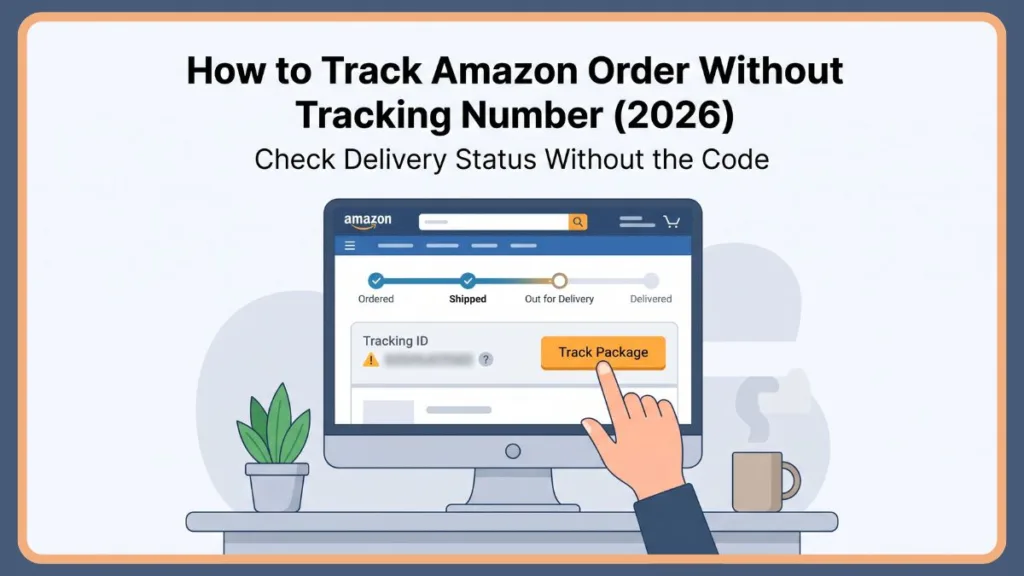
Maybe your inbox is a disaster zone, you accidentally purged your “Updates” folder, or you’re dealing with a third-party merchant who hasn’t been the best at communication. Regardless of the reason, the stress starts to climb when the tracking info disappears. But here’s the reality: Losing your tracking number doesn’t mean you’ve lost your package. Amazon’s logistics machine is built on redundant data. In this guide, I’m going to show you exactly how to navigate the 2026 Amazon ecosystem to find your parcel using everything from AI assistants to address-based dashboards. We’re going to turn that “missing parcel” anxiety into a “delivered” notification.
Can You Track an Amazon Package Without a Tracking Number?
The short answer? Absolutely. While the tracking number (the famous TBA number for Amazon Logistics) is the most direct way to see progress, it isn’t the only way. Amazon’s backend architecture links your shipment to a vast web of identifiers. Think of the tracking number as just one flavor of data. Even without it, the system still knows who you are and where your stuff is based on:
- Your 17-digit Order ID: The permanent DNA of your purchase. Think of the Order ID as the master key. It’s the 17-digit number (e.g., 102-1234567-1234567) found at the top of your confirmation page. In 2026, this ID is actually more useful than a tracking number for customer support. When you call 1-888-280-4331 or use the Amazon Contact Us chat, the system identifies you by your phone number or Order ID. If a tracking number is lost or “glitched” in the system, the Order ID allows the support agent to look at the Manifest—the document that shows exactly which truck or plane your item was loaded onto.
- Account Records: Your registered email and verified phone number.
- Delivery Address: Your physical street address, which is now a searchable key for most major U.S. carriers.
- Reference Numbers: Secondary codes used by partners like UPS or FedEx that are often hidden in the shipping label’s metadata.
Essentially, if you can prove who you are and where you live, Amazon and its logistics partners can find your box. It takes a little more legwork, but it’s a highly effective fallback plan.
How Amazon Package Tracking Works in 2026
To find a missing package, you have to understand the “digital trail.” In 2026, Amazon’s Multi-Channel Fulfillment is a marvel of engineering. Here’s the play-by-play:
- The Order Phase: The moment you checkout, Amazon generates an Order ID. This ID is the master key. Even if your order is split into five different boxes, they all live under this one ID.
- The Fulfillment Phase: Inside the warehouse, your item is “picked” by a robot and “packed” by a human (or a very advanced arm). At this stage, it gets a Shipment ID.
- The Carrier Handoff: This is where the tracking number is born. If an Amazon branded van is bringing it, you get a TBA tracking number. If it’s handed to USPS, UPS, or FedEx, they generate their own proprietary code.
The tracking number is essentially just a “status update trigger.” Every time a worker or a machine scans that barcode, a timestamp is uploaded. But since that barcode is linked to your Order ID, you can usually bypass the barcode entirely if you have access to your Amazon account.
Understanding the tracking status is equally vital. Sometimes you have the status but not the “why.” Here is what those 2026 statuses actually mean:
| Status | The Reality Check |
| Ordered | We have your money; the warehouse robots are waking up. |
| Shipped | The box has been taped and loaded onto a long-haul trailer. |
| Out for Delivery | The package is in a local van. It should be on your porch by 9:00 PM. |
| Arriving Today | It’s at the local “last mile” station being sorted for a route. |
| Delivered | The driver marked it as dropped off. Time to check the “Delivery Photo.” |
| Delayed in Transit | Usually means a weather event or a mechanical issue at a hub (like the Memphis or Louisville sort centers). |
How to Track Amazon Package Without Tracking Number (Step-by-Step)
If you’re staring at an empty tracking field, don’t panic. Follow these steps in order—most users find their answer by Step 2. Even if you have lost account access, you aren’t stuck. If you didn’t use an account, search your email for the original receipt. There is always a “View Order Status” link that doesn’t require a password. You can also call 1-888-280-4331, Amazon’s primary U.S. support line, and use the “Voice ID” system or provide your billing zip code to get a status update.
Check Your Amazon Account Order History
This is the most reliable “backdoor.” You don’t need a code if you have the keys to the house.
- On Desktop: Click on “Returns & Orders” at the top right of the homepage.
- On Mobile: Open the app and tap the “Person” icon at the bottom, then hit “Your Orders.”
- The “Track Package” Button: Once you find your item, click the yellow “Track Package” button. This page uses Amazon’s internal API to show you a visual progress bar.
- The Hidden Data: Scroll to the bottom of this page. Even if the tracking number isn’t there, Amazon will often list the carrier name (e.g., “Shipped with UPS”). Knowing the carrier is 50% of the battle.
Important Tip: Always check the “Shipment Details” at the bottom of the order page; it often reveals the carrier even when the tracking ID is blank.
Search Your Email for Shipping Confirmation
We all get too many emails, and Amazon is famous for sending about five per order. Use the search bar in your email app with these U.S. specific keywords:
- “Your Amazon.com order has shipped”
- “Your package is out for delivery”
- “Amazon shipment update”
Important Tip: If the “Track Package” button in the email is broken, copy the text in the “Shipment Details” section—the tracking number is often listed in plain text there.
Use the Amazon App and Rufus (AI Assistant)
In 2026, we have Rufus, Amazon’s generative AI shopping assistant. This is the fastest way to get an update without digging through menus.
- Ask Rufus: Open the Amazon Shopping App, tap the chat bubble, and literally type: “Where is my stuff?” or “Track my last order.” Rufus will bypass the UI and pull the real-time GPS data from the backend.
- Map Tracking: For Amazon Logistics deliveries, the app will show you a live map once the driver is within 10 stops of your house. You’ll see the little van icon moving toward your street in real-time.
Contact the Seller or Amazon Support
If you bought from a third-party seller on the Amazon Marketplace, they might have shipped the item via a local courier and forgotten to update the portal.
- Message the Seller: Go to your order details and click “Contact Seller.” Ask them specifically for the “Carrier and Tracking ID.” They usually reply within 24 hours with the raw data from their shipping software.
- Amazon Customer Service: If the seller is ghosting you, use the Amazon Help chat. Tell the bot you need to speak to a human. Once connected, give them your Order ID. They can see the internal “TBA” numbers that aren’t always visible to customers.
Track Using Delivery Address and Courier Services
This is the “pro move” for U.S. residents. Amazon’s “Last Mile” is a patchwork of carriers. Major carriers now offer free dashboards that automatically aggregate every package coming to your address.
- USPS Informed Delivery: This is a must-have. It shows you grayscale images of your mail and a list of all USPS packages arriving soon.
- FedEx Delivery Manager: If Amazon handed your box to FedEx, this dashboard will show it. You can even use it to provide delivery instructions like “Leave at back door.”
- UPS My Choice: This tool is incredible. It links any UPS shipment to your verified home address. Even if you don’t have the tracking number, it will pop up here the second the label is created.
- Amazon Logistics: Only searchable on Amazon.com or the App.
- Ship24 / 17Track: If your order is coming from an international marketplace seller (like those based in China or Europe), these third-party aggregators can often find “hidden” tracking updates that Amazon’s basic UI misses.
Important Tip: Register for these free carrier services before you lose a package; they are the most powerful way to track by address and name alone.
What to Do If Amazon Package Is Missing or Late
If the “Arrival” date has come and gone, you need an action plan. Often, your tracking is not updating for specific reasons:
- The “Black Hole” of Transit: Your package is on a truck driving across the country (e.g., from a California warehouse to an East Coast hub). There are no scans while it’s on the highway.
- Weekend Lags: While Amazon delivers on Sundays, some partner carriers (like certain USPS routes) don’t update tracking until Monday morning.
- Scan Skipping: In high-volume seasons, a busy worker might miss a “hub scan.” The package is still moving; it just didn’t “check in” digitally.
- International Customs: If your item is coming from an overseas seller, it might sit in a Customs and Border Protection (CBP) facility for days without a single update.
Here is your 2026 action plan:
- Check the “Delivery Photo”: Amazon drivers now take a photo of almost every delivery. Look at your order details in the app. If the porch in the photo isn’t yours, you’ve got a “wrong house” delivery.
- Verify the Address: It sounds simple, but check for “Autofill” errors. Did it go to your old apartment? Your office?
- The 48-Hour Rule: Amazon officially recommends waiting 48 hours after a “Delivered” status before filing a claim. Sometimes carriers scan items as “delivered” when they are still 5 blocks away to meet their daily quotas.
- Use Your Tech: If you have a Reolink Video Doorbell or a security system, check the footage around the time of the “delivery” scan. This is vital evidence if you need to file a “Package Not Received” claim.
- The A-to-Z Guarantee: If the package is officially lost, Amazon’s A-to-Z Guarantee protects you. You can usually get a full refund or a replacement sent via Next-Day Air by clicking “Problem with Order.”
Important Tip: If your doorbell camera shows no delivery at the time Amazon claims, screenshot that footage immediately—it is your best leverage for a refund.
Tips to Avoid Losing Tracking Details in the Future
Don’t let this happen again. A few digital habits can save you hours of frustration:
- The Screenshot Rule: The second you hit “Place Your Order,” screenshot the confirmation page. It has your Order ID and the estimated delivery date.
- Create a “Shipping” Email Folder: Drag every Amazon email into one folder. This makes searching “shipped” much faster.
- Enable Push Notifications: In the Amazon App settings, turn on “Shipment Notifications.” This forces the tracking number onto your phone’s lock screen as a notification you can’t miss.
- Link to a Tracking App: Use a third-party app like Shop or Route. These apps scan your inbox and automatically pull tracking numbers into one beautiful, map-based interface.
Important Tip: Set up a dedicated “Shipping” folder in your email and use a rule to automatically move Amazon receipts there for instant access.
FAQ
Can I track an Amazon package with just my address?
Yes, but not directly on Amazon. You must use carrier-specific tools like USPS Informed Delivery, UPS My Choice, or FedEx Delivery Manager, which link your street address to incoming shipments.
Can I track an Amazon package with an Order ID?
Yes. While you can’t type an Order ID into a standard tracking bar, you can provide it to Amazon Customer Support or enter it into the Amazon App to see the full shipping status.
Why does Amazon say “Delivered” but the package isn’t here?
This is often a “premature scan” by the driver or a delivery to a neighbor. Check your Delivery Photo in the Amazon App to see exactly where the driver left the box.
How do I track an Amazon package from another person?
If it’s a gift, ask the sender for the tracking link. Amazon allows senders to “Share Tracking” via a text or email link that lets the recipient see the progress without needing access to the buyer’s account.
Conclusion
Losing a tracking number feels like hitting a dead end, but in 2026, there are no dead ends in logistics. Whether you use the Amazon App’s AI, your Order History, or carrier-specific dashboards, the information is out there. The key is to stay proactive—verify your address, check your delivery photos, and don’t be afraid to use the “Order ID” to get a human on the phone.
Losing the tracking slip doesn’t mean losing the parcel. You’ve got the tools; now go find your box!
Important Tip: Always stay logged into the Amazon app on your mobile device; it remains the most direct link to your package GPS data even when emails are lost.
Visit Our Post Page: Blog Page
Discover more from Izoate
Subscribe to get the latest posts sent to your email.