
Stuck on Tarkov Error 108003? Fix the “checksum does not match” launcher bug in 3 minutes. No reinstall required.
You finally have time for a raid, you open the Battlestate Games (BSG) launcher to pull down the latest update, and everything halts. Instead of a progress bar, you are staring at a pop-up reading: “Downloaded file checksum does not match (Error 108003).”
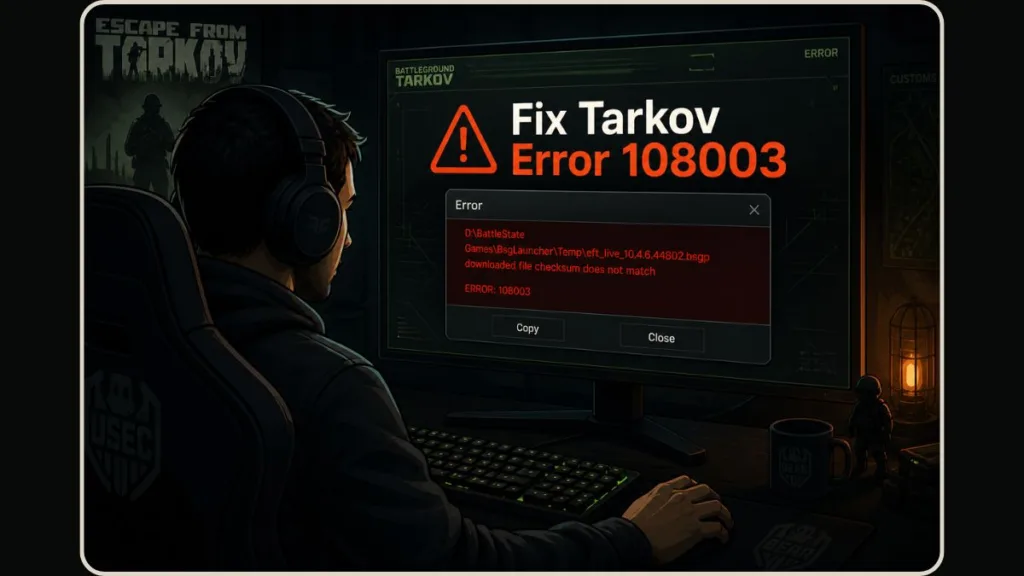
It is incredibly frustrating to be locked out of the game by a launcher bug. The good news is that you do not need to reinstall the game or wipe your hard drive. This is a known routing problem with BSG’s servers, and you can fix it locally in about three minutes.
Here is exactly what is happening and how to get your download moving again.
What Causes Tarkov Error 108003?
To put it simply, one of Battlestate Games’ Content Delivery Network (CDN) servers—specifically cdn-11.eft-store.com—is currently broken and serving incomplete files.
Players often ask, is error 108003 a server-side issue or a local file problem? It originates as a server-side issue. The broken CDN fails to serve the complete update. So, is tarkov error 108003 related to corrupted game files? Yes, because your launcher attempts to download the data, but the broken server delivers corrupted, incomplete packets that your system rightly rejects.
You can actually diagnose this yourself before the error even pops up. Look at your launcher. If your total download size shows around 32 GB, you are connected to the broken server. A healthy download connection should show around 50 GB.
How to Fix EFT Error 108003 (The Hosts File Fix)
So, how do I fix error 108003 in the BSG launcher? We fix it by telling your computer to completely ignore the broken server. By editing your Windows hosts file, we can block cdn-11, which forces the BSG launcher to automatically route your download to a working server instead. You can view the official fix thread on Reddit here for reference.
Here are the two ways to do it. Method A is the easiest for most users.
Method A: The Desktop Drag-and-Drop (Easiest)
- Close the BSG Launcher completely. Make sure it is not hiding in your system tray.
- Open Windows File Explorer and navigate to this exact path:
C:\Windows\System32\drivers\etc - Locate the file named
hosts. - Drag and drop the
hostsfile directly onto your Desktop. (We do this to easily bypass the strict Administrator restrictions in the System32 folder). - Open the file on your Desktop using Notepad.
- Scroll to the very bottom, create a new line, and paste this exact text:
127.0.0.1 cdn-11.eft-store.com(Do not put a#symbol at the beginning of this line). - Save the file and close Notepad.
- Drag the
hostsfile from your Desktop back into theetcfolder. - Reopen the launcher. Your download should now display the correct ~50GB size and proceed without the Tarkov checksum error.
Method B: Notepad as Administrator
If your system won’t let you drag the file, use this method instead.
- Hit the Windows key, type Notepad, right-click the application, and select Run as administrator.
- Click File > Open, and paste
C:\Windows\System32\drivers\etc\hostsinto the file name bar. (Important: Change the dropdown menu in the bottom right from “Text Documents” to “All Files (.)” so the hosts file actually appears). - Add
127.0.0.1 cdn-11.eft-store.comto the bottom of the document. - Save the file, close Notepad, and restart your PC.
⚠️ CRITICAL: Do This After the Game Installs
This step is vital. Once your game has successfully downloaded and installed, you must go back into your hosts file and delete the line you just added.
Why does tarkov error 108003 keep coming back after every update? It happens because players apply this fix, successfully update the game, and then forget to remove the block. Months later, when BSG shuffles their servers for a new wipe, your PC is still blocking valid CDN nodes, causing new conflicts. Delete the line once you are in the game.
Bonus: A welcome side effect of this fix is that bypassing the broken node often drastically speeds up the launcher. Many users report their download speeds jumping from a sluggish 10 MB/s to a steady 60 MB/s after applying the block.
Frequently Asked Questions
What does “Downloaded file checksum does not match” mean in Tarkov? / What does “checksum does not match” mean in Escape from Tarkov? A checksum is a mathematical string assigned to a file to verify its integrity. If the file your BSG launcher downloads doesn’t perfectly match the developer’s original value, the system knows the file is incomplete. It throws this error to prevent you from installing a broken game.
What is a checksum error in a game launcher? It is a universal safety check. Whether it’s Tarkov or another game, a checksum error simply means the data you received over the internet was damaged or interrupted during transit, failing the launcher’s automatic integrity check.
Why does my Tarkov download say 32GB instead of 50GB? / Why does tarkov download fail with a checksum mismatch? You are currently routed to a broken CDN node that is pushing an incomplete 32GB download package. Applying the hosts file fix forces your launcher to connect to a healthy server hosting the correct 50GB file.
Can I get banned for editing my hosts file in Tarkov? No. Editing your local Windows network file to reroute a broken download server has zero interaction with BattleEye anti-cheat and does not modify any core game code.
Do I need to reinstall Escape from Tarkov to fix the checksum error? Absolutely not. Reinstalling the game is a massive waste of time in this scenario. The issue lies with the server providing the new update files, not your existing local game installation.
Does file repair in the tarkov launcher fix error 108003? Usually, no. The file repair tool verifies the game files already on your hard drive. Because this error happens during the download of new files from a broken server, the local repair tool cannot fix the root cause.
How do I delete the BsgLauncher temp folder to fix tarkov errors? While the hosts fix is the definitive solution for 108003, clearing the temp folder can sometimes help clear out generic corrupted downloads. Navigate to C:\Battlestate Games\BsgLauncher\Temp, highlight all the contents, delete them, and restart your launcher.
Does a VPN cause the tarkov checksum error? A VPN doesn’t inherently cause the error, but if your VPN happens to route your connection straight to the broken CDN node, you will encounter the issue. Turning your VPN off (or connecting to a different region) can sometimes act as a temporary workaround by naturally changing your routing path.
Can antivirus software cause tarkov error 108003? Rarely. While an overly aggressive antivirus can completely block launcher downloads, a specific checksum mismatch is almost always a Battlestate Games server-side issue rather than a local firewall problem.
Conclusion
Launcher bugs are the last thing you want to deal with when you just want to get into a raid. Hopefully, this hosts file tweak got your download back on track.
If this fix worked for you, drop a comment below and let me know—and let me know what download speed you managed to hit once you bypassed the broken server. Good luck out there.
Visit Our Post Page: Blog Page
Discover more from Izoate
Subscribe to get the latest posts sent to your email.