
Getting the “Something Went Wrong (1099)” error on Gemini AI? Don’t panic. Here is the complete step-by-step guide to fix Gemini Error 1099 and stop Gemini from getting stuck in Analysis.
Getting stalled out right when you need an AI tool the most is infuriating. Over the last few months, users across forums and communities have repeatedly documented a frustrating roadblock: a prompt is submitted, the system hangs indefinitely, causing Gemini to be loading forever or trapped in a Gemini analysis loop. This disruption isn’t just a minor annoyance; for developers, researchers, and enterprise teams relying on rapid AI processing, it translates to significant productivity bottlenecks.
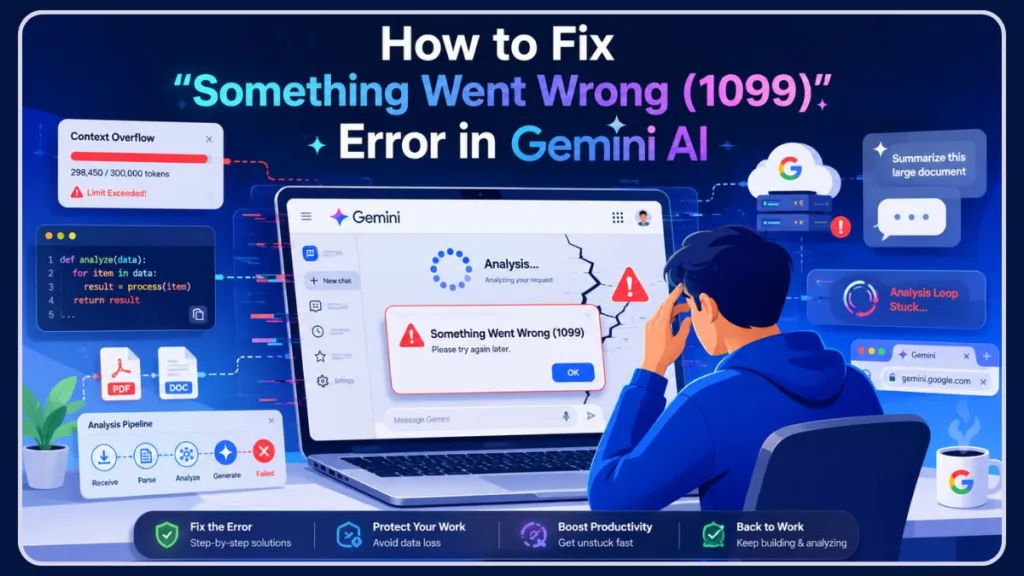
Eventually, the screen spits out a Something went wrong (1099) message. Many users recently reported that this is heavily impacting users on the newer Gemini 3 Flash and Gemini 3.1 Pro models, which handle massive computational loads and intricate multimodal inputs.
Why is Gemini AI not responding when you need it most? Unlike minor connection drops that disappear with a quick page refresh, this specific error code indicates a deeper friction point between your browser and Google’s backend. Whether you are attempting to analyze a massive block of Python code, reviewing long documents, or simply chatting, hitting this wall means the system is completely unable to generate response options, which can severely disrupt your workflow. Understanding the underlying mechanics of these cloud-based AI systems is critical to navigating around their occasional architectural hiccups.
In this comprehensive guide, we are breaking down exactly what causes this issue, uncovering what the community has discovered about how to fix it, and exploring why standard troubleshooting might not be enough.
⚡ Quick Fixes for Gemini Error 1099
If you are currently blocked by this error, try these rapid troubleshooting steps to get back to work:
- Start a new Gemini chat: Ditch the broken thread and start fresh.
- Avoid extremely long conversations: Keep your context windows tight.
- Re-login to your Google account: Force a refresh of your security tokens.
- Disable VPN temporarily: Rule out aggressive anti-bot routing blocks.
- Test Gemini on mobile: See if a different application pipeline processes the prompt.
- Wait for server outages to clear: Sometimes the issue lies entirely in Google’s hands.
What is Gemini Error 1099?
At its core, Gemini Error 1099 is a processing conflict—often referred to by the engineering community as a “context overflow.” When you interact with a generative AI, it has to remember the history of your conversation to keep responses relevant. This continuous retention requires the system to hold preceding text, uploaded files, and generated outputs within an active vector database, recalculating context weights with every single new prompt you send.
However, when the data load becomes too heavy or a specific session token becomes corrupted, the system gets trapped in an infinite loop during its processing phase. This results in the system being completely stuck on analysis (or sometimes leaving Gemini stuck on thinking) and eventually timing out. The AI’s attention mechanisms essentially fail to parse the heavily bloated context, creating a bottleneck in the backend compute clusters.
Instead of smoothly delivering an answer, the infrastructure essentially throws its hands up, terminating the process to prevent a total session crash. This usually happens when users upload large scripts, complex code blocks, or heavily formatted documents for the AI to review or rewrite.
Recently, power users have noted that crossing high token limits (such as 150,000 to 300,000+ tokens) by uploading multiple large PDF files coupled with new prompts is a major trigger for this internal timeout, throwing a Gemini internal error. When the token threshold pushes the server’s immediate memory allocation to its brink, the safety protocols trigger an automatic timeout rather than allowing the server cluster to stall.
⚠️ Important Warning Against Data Loss: Before refreshing the page, trying a hard reload, or restarting your session, make sure to copy your most recent prompt and any uploaded snippets to your clipboard to avoid losing important work.
Does Gemini Error 1099 affect Gemini Pro?
The issue becomes even more noticeable on advanced Gemini models. Yes, absolutely. In fact, Reddit users and community forum members note that Gemini Pro users are highly susceptible to this error precisely because they tend to push the model harder with complex tasks. Because the Pro tier offers vastly expanded context windows, users are naturally inclined to test those boundaries, unknowingly stepping into unstable server territory.
Whether you are on the standard Flash model or paying for the Advanced tier, pushing the limits of the context window with intricate logic or massive file attachments can trigger the 1099 timeout. This has been particularly evident with the recent Gemini 2.5 Pro and Gemini 3.1 Pro rollouts, where even paid subscribers have experienced the system throwing errors during peak demand hours. The immense processing power required to run the “Pro” multimodal architecture means that any slight interruption in data packet transfer can result in an immediate Error 1099.
Why does Gemini say something went wrong 1099?
When your screen flashes the dreaded “something went wrong 1099” message, it means the communication bridge between your specific chat thread and Google’s servers has collapsed. Every time you submit a prompt, a unique JSON payload containing your authentication data and session ID is sent to Google’s API endpoints.
The backend is receiving your prompt just fine.
However, the data pipeline required to synthesize the past conversation history with your new request is completely blocked. This happens because the Gemini conversation corrupted its session state, making it impossible for the AI to move forward. This corruption often occurs when simultaneous data streams (like an uploaded file finishing its scan at the exact millisecond a user hits “enter” on a text prompt) cross wires, scrambling the cryptographic token that authenticates your specific chat history.
Is Gemini Error 1099 a server issue?
While local browser glitches can occasionally mimic this behavior, Error 1099 is fundamentally an AI session failure. Following widespread complaints on Reddit and Google’s support forums, community moderators on Google Support forums have acknowledged ongoing reports regarding these specific context overflow loops. When you see this error, it is a sign that the system is struggling to process the payload of your specific session. They have noted that the engineering team works on ongoing updates to resolve these internal loops, routinely patching their Tensor Processing Units (TPUs) to better handle these memory leaks.
Why does Gemini fail on long conversations?
Large Language Models (LLMs) have a finite “context window.” As your conversation grows longer, the AI has to hold more data in its working memory. To prevent server overload, the AI compresses older parts of the conversation, but this compression is an imperfect science.
Users have reported that right before the 1099 error strikes, the AI often begins acting “dumber”—hallucinating fake lines of code, forgetting instructions provided just a few prompts ago, or losing the thread entirely.
Once the conversation memory limit reaches a breaking point of conflicting data, the infrastructure halts the process entirely, resulting in the error. The AI simply cannot mathematically reconcile the sheer volume of conflicting variables within the active context window, leading to a fatal processing halt.
Is Gemini Error 1099 account related?
This error is tied strictly to specific server sessions and data limits, not an account ban or restriction. However, because the glitch can sometimes attach itself to your specific Google account’s current authentication token, the system might mistakenly lock your account out of processing further requests until that token is cleared or expires.
Additionally, if you are using a Google Workspace account provided by a university or workplace, IT administrative restrictions or data governance policies can sometimes be the root cause. Administrators frequently push dynamic security policies that might interrupt WebSocket connections required for AI text generation.
Troubleshooting Tip: Testing on a personal Google account is a great way to verify if organizational permissions are blocking your access. You can also monitor updates from the official Google Workspace Facebook Page to see if enterprise-wide server maintenance is occurring.
How do I fix Gemini Error 1099?
Because this is an infrastructure-side conflict, traditional local fixes don’t always work. Here is the ultimate troubleshooting guide, leveraging proven workarounds from power users and community forums.
Support Tip: If these community methods fail, you can report the bug directly to Google by clicking the Help (?) icon in the web app, stating the 1099 error code, and including your OS and browser version. Providing a detailed log of exactly what you were doing when the crash occurred greatly assists the engineering teams in pushing a permanent fix.
How do I restart a Gemini chat session? (The “Package” Method)
The most successful community-tested fix involves preserving your data while abandoning the corrupted thread. Simply clicking “New Chat” doesn’t always work if the system is still trying to force your old data through via background syncing.
Here is the recommended workflow to resolve a stuck session:
- Stop Resubmitting: When the error hits, do not keep hitting resubmit. Doing so only compounds the server queue and further entrenches the error loop.
- Gather a Summary: If you are deeply invested in the context of the conversation, ask the AI (if it is still slightly responsive) to summarize the chat so far, or manually copy your most important prompts and code snippets.
- Open a Fresh Window: Open a completely brand-new chat window.
- Deploy the Package: Paste your summary or “package” of code back into the fresh thread. For example, preface your new prompt with: “We are starting a new thread. Here is the code we were working on and the rules you must follow…”
By abandoning the old thread, you leave the corrupted session token behind and establish a clean connection to the processing system, essentially forcing Google’s servers to allocate a completely new memory instance for your work.
How do I fix Gemini AI on Chrome?
If you are working on the Chrome web browser and keep getting soft-locked, you can try the Cross-Device Sync trick. Users have discovered that if you open the Gemini app on your mobile phone and continue the exact same conversation there, the mobile application often forces the prompt through a different processing pipeline. Because the mobile app utilizes different API endpoints than the web client, it can frequently bypass browser-specific WebSocket blockages. Once the mobile app successfully generates a response, you can jump back to your Chrome web browser, refresh the page, and continue your work without losing the thread.
Additionally, you can try logging out of your Google Workspace account and switching to a personal account temporarily. This forces the system to assign you a completely new authentication token, which frequently bypasses the lock.
Account Tip: Completely logging out of your Google account across all services and logging back in is officially recommended by Google Support to force a refresh of your authentication tokens.
Troubleshooting Myths: What Doesn’t Work
When software breaks, we often default to the same basic IT advice, but not all of it applies to AI context overflows. Understanding the difference between client-side and server-side errors will save you hours of useless troubleshooting.
Does clearing cache fix Gemini Error 1099?
According to extensive community testing, clearing your cache and cookies does not permanently fix this specific error. While a hard refresh (Ctrl + F5 or Cmd + Shift + R) might force the page to reload its scripts, if the conversation thread itself is corrupted on Google’s servers, clearing your local cache will not repair the backend session. The 1099 error is not stored in your local browser files; it is a live execution failure on Google’s remote hardware.
Maintenance Tip: However, doing a hard refresh is still a good preliminary step just in case a stale script on your machine is mimicking the 1099 timeout.
Can browser extensions cause Gemini errors?
While rogue browser extensions are famous for breaking web apps by blocking JavaScript payloads, Reddit users and support threads specifically note that disabling ad blockers or switching to Incognito mode generally fails to resolve Error 1099. If the context window is overloaded, no amount of extension management will force the server to process the prompt.
Diagnostic Tip: Despite this, Google’s official support documentation still asks users to test Gemini in a Private/Incognito window first to definitively rule out extension conflicts before escalating the issue to their engineers.
Other Potential Causes for Connection Drops
If you are experiencing constant disruptions beyond just the 1099 code—such as the related 1076 error in Gemini AI—other factors might be at play. The cloud infrastructure supporting these tools is incredibly complex, meaning failures can cascade from completely unrelated server systems.
Why does Gemini keep crashing?
Beyond context overflow, continuous crashing can be attributed to high server traffic during peak global business hours. When millions of users simultaneously query the model for complex data analysis, latency spikes. The underlying compute clusters must dynamically allocate TPU resources to incoming prompts across the globe.
If the server cannot allocate enough compute power to your prompt within a specific timeframe, it drops the connection to maintain overall system stability. Users frequently report these ‘server busy’ errors aligning directly with peak demand times in the US and EU regions, especially immediately following major software release announcements.
Can VPN cause Gemini Error 1099?
While not explicitly proven to be the primary cause of Error 1099, routing your connection through a Virtual Private Network (VPN) can undeniably trigger aggressive anti-bot security protocols.
Google’s systems heavily monitor IP addresses for unusual traffic patterns. Enterprise-grade AI tools rely on strict geographical routing to comply with regional data laws and manage server loads effectively.
If your VPN is bouncing your connection rapidly or sharing an IP with flagged traffic, the backend might delay or terminate your session out of caution.
Network Tip: Turning off your VPN is a solid best practice when troubleshooting any persistent AI web app error, as it removes the risk of Cloudflare or internal DDoS mitigation tools silently blocking your data packets.
Is Gemini down right now?
If you have tried start a new chat, swapped devices, and even tried an alternate Google account but are still completely locked out, the issue might be a global outage rather than an isolated 1099 error.
To check the current status of the AI network, visit the official Google Workspace Status Dashboard. This portal provides real-time, granular updates on the health of all Google services, color-coded for instant clarity. If there is a recognized service disruption, you will see it logged there. You can also follow the official Google Facebook page for major announcements regarding broad network issues.
In these instances, no amount of local troubleshooting will help; you simply have to wait for Google’s engineering team to patch the servers and restore functionality.
If you discover that the servers are indeed down, you do not have to let your productivity stall while waiting for Google to resolve the outage. Instead of constantly refreshing your page, you can quickly switch to one of the best Google Gemini alternatives in 2026 to finish your tasks and keep your workflow moving.
When To Contact Google Support
If Gemini Error 1099 continues even after:
- switching accounts,
- starting new chats,
- testing other devices,
- and waiting for outages,
you should submit feedback directly through the Gemini Help menu and include screenshots, browser details, and timestamps. This sends your specific session logs directly to Google’s engineering team, providing them with the necessary data to diagnose and fix the problem. If you are an advanced user, consider attaching a HAR (HTTP Archive) file exported from your browser’s network console, as this gives their developers the exact network requests that failed.
Final Thoughts
Gemini Error 1099 can feel frustrating, especially when the AI gets stuck in the Analysis phase during important work. As AI tools become increasingly integrated into our daily digital lives, understanding how to navigate these technical roadblocks is essential for maintaining productivity. In most cases, the issue is tied to overloaded conversations, corrupted session states, or temporary server instability rather than a problem with your account or local hardware.
Starting a fresh chat, reducing extremely large prompts, and checking for service outages are usually the fastest ways to restore functionality. If the issue continues even after trying multiple devices and accounts, waiting for a backend fix from Google may be the only solution.
Frequently Asked Questions (FAQ)
What is Gemini Error 1099?
Gemini Error 1099 is a server-side session timeout code that manifests as a context overflow. It indicates that the connection pipeline between your active window and Google’s computing servers has broken, halting the processing of your prompt due to corrupt session tokens or overwhelming data ingestion limits.
Why is Gemini stuck in Analysis?
Gemini usually gets stuck in the Analysis loop when it encounters an overloaded conversation state or highly complex files (like large blocks of code and multi-page PDFs) that exhaust its active context threshold, causing the server pipeline to stall and infinitely loop as it tries to calculate the appropriate response weights.
Is Gemini Error 1099 temporary?
Yes. Because it is usually driven by peak-hour server loads, temporary backend instabilities, or session token corruption, the error typically resolves once you open a clean chat thread or after Google pushes minor server-side updates.
Can long chats cause Gemini Error 1099?
Absolutely. Long chats fill up the model’s active memory limits. Once a conversation history becomes bloated, the AI struggles to handle the context, causing memory management failures that result in a 1099 crash as it loses the ability to distinguish relevant prompt history from background noise.
Does Gemini Error 1099 affect Gemini Advanced?
Yes. Paid subscribers utilizing Gemini Advanced (running Gemini Pro models) frequently run into this issue because they routinely input large, code-heavy, or highly technical prompts that test the limits of the context window. The massive computational demands of the Pro tier make it uniquely vulnerable to these session-breaking timeouts.
Visit Our Post Page: Blog Page
Discover more from Izoate
Subscribe to get the latest posts sent to your email.