
Want to create an Amazon registry from your phone in 2026? Learn how to make a registry on the Amazon app with easy steps. From adding items and managing privacy settings to sharing your registry and enabling group gifting. Get your Amazon registry set up today.
When you’re planning a major life event like a wedding, a new baby, or a housewarming, it can feel completely overwhelming. Between coordinating dates and managing guest lists, the very last thing you want to worry about is receiving duplicate gifts or items that simply don’t fit your needs.
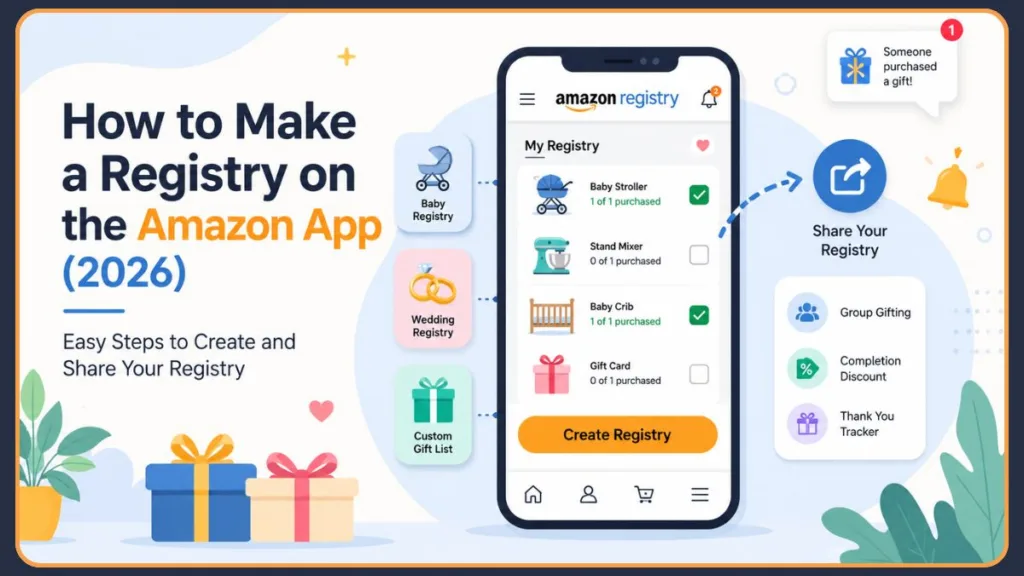
Luckily, you have a powerful tool right in your pocket to streamline the entire gift-giving process. You might be wondering, “Can I create an Amazon registry from my phone?” The answer is an absolute yes. In fact, creating your registry directly from your smartphone is the ultimate way to stay organized while you’re on the go. Whether you want to know how to create an Amazon registry on iPhone or how to create an Amazon registry on Android, this comprehensive Amazon registry setup guide will walk you through exactly how to make a registry on the Amazon app, unlocking features that make life so much easier for both you and your guests.
Why Manage Your Gift Registry on the Amazon App?
While you can certainly set up your lists on a desktop computer, using the Amazon mobile app provides you with a distinctly superior, mobile-first experience. Before diving into our Amazon registry app tutorial, it helps to understand what is the difference between an Amazon registry and a wishlist?
When comparing an Amazon registry vs wishlist, a registry is specifically designed for your events, offering you amazing perks like completion discounts, group gifting, and a handy “Thank You” tracker so you can see exactly who bought what. A wishlist, on the other hand, is generally just a personal shopping list.
If you’re not sure whether you need a registry or a wishlist, check out our guide on how to make a wish list on Amazon to understand which option works best for your needs.
Here is exactly why managing your official registry from your phone is the smartest route for you:
- Ultimate Convenience: Whether you are commuting or just lounging on your couch, you can easily tweak your list and track your gifts anytime, anywhere.
- Real-Time Notifications: You’ll get instant alerts the moment a guest purchases a gift or when your items are running low in stock.
- Scan & Add Functionality: Are you out shopping and see something you love? You can use your phone’s camera to quickly scan barcodes in-store and instantly add those items right to your registry.
Many users on community forums emphasize that keeping the app on your phone prevents the stress of sitting down at a computer to manage hundreds of items. It’s practical, intuitive, and designed to perfectly match the fast pace of your modern life.
Step-by-Step: How to Set Up a Registry on the Amazon Mobile App
Ready to get started? Open your Amazon app—available on both iOS and Android—log into your account, and follow this Amazon gift registry tutorial. If you ever find yourself asking, how do I create a registry on the Amazon app?, this breakdown has you completely covered.
Step 1: Navigating to the ‘Registry & Gift List’ Dashboard
Where is the Registry & Gift List option in Amazon? Finding the registry hub on your mobile device is incredibly intuitive once you know where to look:
- Tap the three horizontal lines (the menu icon) located in the bottom right corner of your screen.
- Scroll through your options and tap on Lists & Registry.
Step 2: Choosing Your Registry Template (Baby, Wedding, or Custom)
What registry type should I choose on Amazon? Amazon provides you with specialized templates that come with unique perks tailored to your specific events.
- Select the type of registry you are building. If you are expecting, you will want an Amazon baby registry guide to help you curate the perfect list. If you are getting married, the Wedding Registry is ideal.
If you’re creating a registry for an upcoming baby, you may also want to read our complete guide on how to set up an Amazon Baby Registry for additional tips and eligibility requirements. New parents can also follow our step-by-step tutorial on how to make a baby registry on Amazon and learn how to qualify for the Welcome Box and completion discount.
- Do I need a baby or wedding registry to use all Amazon registry features? While baby and wedding registries offer specific completion discounts, you can easily choose a general Gift List for birthdays and housewarmings.
- You will then be prompted to enter essential details. Just fill in your name, your partner’s name (if applicable), your guest count, and the date of your big event.
Step 3: Configuring Crucial Shipping and Privacy Settings
This is the most critical step to ensure you have a smooth delivery process and to protect your personal privacy.
Secure Address Configuration How do I add a shipping address to Amazon registry? During your setup, carefully select the address where you want all your gifts delivered. This is a vital part of your Amazon registry address setup.
- Do sellers see my address when they ship registry gifts? No, Amazon keeps your exact shipping address completely private from buyers. They will only see your name, city, and state.
- Important: Make sure you check the box that allows sellers to ship to your address; otherwise, third-party items cannot be delivered directly to you.
Troubleshooting Tip: Third-Party Sellers A very common frustration users report is friends asking, “Why can’t gift senders ship items to my registry address?” Often, this happens because the registry owner didn’t check the box that allows third-party address sharing. Since many items on Amazon are sold by independent sellers, leaving this box unchecked will result in a checkout error for your guests. Always ensure this is enabled in your settings!
Privacy Settings Explained What is the difference between Private, Shared, and Public registry settings? You have complete control over who can see my Amazon registry? and adjusting your Amazon registry privacy settings is very simple.
- Choose Public if you want your registry to be searchable on Amazon by anyone.
- Select Shared if you only want people with your direct link to view it.
- Can I make my Amazon registry private? Yes. If you are still building it out, set it to Private until you are ready for the big reveal.
- Can I hide my shipping address on Amazon registry? Your exact street address is automatically hidden from your guests; they only see your city and state.
How to Easily Add Items to Your Amazon Registry via Mobile
Once your framework is set up, the fun part begins: shopping! Knowing how to add products to Amazon registry on mobile is a bit different than on desktop.
How do I add items to my Amazon registry?
When you’re browsing Amazon’s vast catalog on your phone, you won’t see the standard “Wedding Registry” button found on the desktop site.
- Why can’t I find the “Add to Registry & Gifting” button? Scroll down any product page, usually right below the “Add to Cart” or “Buy Now” buttons, and look for the Add to Registry & Gifting drop-down menu. Tap it, select your specific registry, and the item is instantly saved for you.
Can I add products from other websites to my Amazon registry? While desktop users can utilize a “Universal Registry” browser extension to add items from other websites, this feature is not currently integrated directly into the Amazon mobile app. You will need to stick to Amazon’s inventory while building via your phone.
When adding items, it is always a good idea for you to check different size and color variations, as Amazon treats each variation as a distinct product. If a specific color goes out of stock, your guests won’t be able to automatically substitute it unless you add the other options as well.
Maximizing Features: Group Gifting and Custom Links
Amazon registries are packed with hidden perks that can save you money and give your guests incredible flexibility.
Enable Group Gifting
Does Amazon support group gifting? Yes, it is one of the very best features for high-ticket items like a stroller or a stand mixer.
- Which registry types allow group gifting? It is predominantly available for Baby and Wedding registries.
- Can multiple people contribute toward one gift? Absolutely. Amazon registry group gifting allows your friends and family to contribute any dollar amount toward the item.
- How do I enable group gifting on Amazon? Go to your registry settings and toggle Group Gifting on. By default, Amazon sets this for items over $300, but you can adjust this threshold.
- The payout: You receive these contributions in the form of an Amazon electronic Gift Card, allowing you to easily purchase the item once it is fully funded.
One practical piece of advice: inform your guests that their group gift contributions will arrive as an electronic gift card to your Amazon balance, rather than instantly shipping the item. You will still need to manually checkout and pay for the item using that gift card balance.
Take Advantage of Completion Discounts and Welcome Boxes
Can I get free baby registry benefits on Amazon? Yes! For baby registries, after a certain threshold of purchases from your list (usually around $35), you can qualify for a free Welcome Box containing samples like bottles, swaddles, and wipes to test before baby arrives.
Additionally, does Amazon Baby Registry offer a completion discount? Amazon generously rewards you for using their platform. After your event date passes, qualifying registrants get a completion discount on the remaining items left on their list.
- Prime Members: If guests have purchased $500 or more from your registry, you get a 20% discount (up to a $300 maximum discount) to use on a final order up to $1,500.
- Non-Prime Members: You receive a 10% discount (up to a $100 maximum) on a final order up to $1,000.
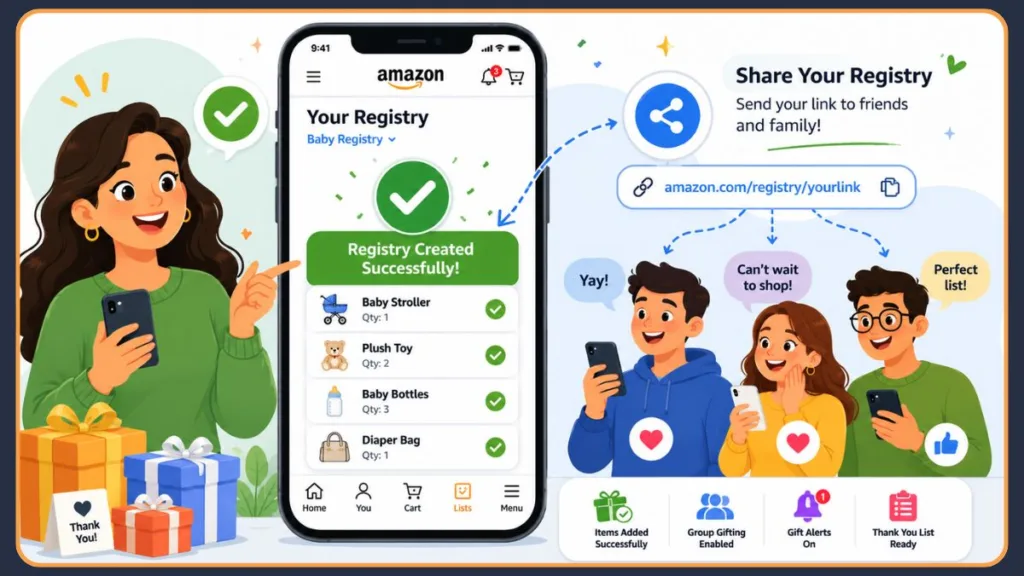
How to Share Your Amazon Registry from Your Phone
What good is a carefully curated registry if your guests can’t find it? Once your list is complete, it’s time to send it out.
How do I share my Amazon registry with friends and family?
Open your registry dashboard in the app and look for the Share icon.
- How do I find my Amazon registry link? Tap the Share button located near the top of your registry screen. From there, you can instantly copy a custom URL to paste into your digital invitations, or how to share Amazon registry link directly via text message, email, or your favorite social media platforms.
If you haven’t created a registry yet, follow our complete guide on how to make an Amazon registry before sharing your custom link.
A helpful tip for you: paste your custom link into the bio of your social media profiles or link it directly on your digital shower invitations so guests can simply click and shop without needing to search for your name.
Need to share products before adding them to a registry? Learn how to share your Amazon cart with friends or family members. You can also read our guide on how to send an Amazon cart to someone when you want feedback on potential registry items.
The sharing process is very similar to a wishlist. If you also maintain a wishlist, see our guide on how to share an Amazon wish list with friends and family.
Frequently Asked Questions (FAQs)
Category A: Registry Management & Troubleshooting
How do I edit my Amazon registry or change my settings? Learning how to manage Amazon registry settings is incredibly easy. Simply navigate to your registry, tap the settings icon (often a gear or “More” menu), and you can adjust your event date, privacy, and address. How do I change my Amazon registry settings? It can all be done right from that very menu.
How do I remove items from my Amazon registry? Find the item on your list, tap it, and select the option to delete or remove it. Can I update registry quantities after creating it? Yes, you can edit the quantity needed for any item at any time.
Why isn’t an item showing as purchased on my registry? If you are dealing with an Amazon registry not showing purchased items, it may be because the guest forgot to check the “This is a gift” box during checkout. Why did someone buy an item but it isn’t marked as purchased? If they bought it from a third party or forgot to use your link, it won’t sync automatically.
Can I manually mark registry items as purchased? Yes. Can I manually mark items as purchased on Amazon registry? If you know someone bought an item elsewhere or gifted it in person, you can edit the item on your registry and change the “Purchased” quantity to prevent duplicates.
Can I create more than one Amazon registry? Absolutely. Can I create multiple Amazon registries? You can manage a baby registry, a wedding registry, and a custom holiday gift list all from the same account. Just repeat the setup process for each new event you plan. Educators can also create separate lists for classroom needs. Here’s how to make a teacher wish list on Amazon and share it with supporters. Once your registry is live, guests can search for it. If they have trouble locating it, share our guide on how to find a registry on Amazon.
Category B: Shipping & Guest Logistics
Can guests buy registry items without an Amazon account? Can people buy gifts directly from my Amazon registry? Yes, but your guests generally need to create a free Amazon account to complete the checkout process and have the purchase seamlessly tracked on your registry. Can guests buy registry items without an Amazon account? Technically, they can purchase items as a guest, but doing so often prevents the registry from updating properly, leading to duplicate gifts. Guests who are familiar with wishlists may also find it helpful to learn how to find someone’s Amazon wishlist when searching for gift ideas.
Why can’t gift senders ship items to my registry address? If your guests get an error at checkout, you likely forgot to enable third-party shipping. How do I change my registry shipping address? Go to your registry settings, update the address, and ensure the box allowing “third-party sellers to access my shipping address” is checked.
Does Amazon registry show who bought a gift? Yes. Does Amazon show who purchased an item from my registry? By navigating to your “Thank You List” within the registry, you can see exactly who bought what. How do I track gifts purchased from my Amazon registry? The Thank You List automatically tracks all purchases made through your links, making writing your thank-you notes incredibly simple.
Category C: Amazon Baby Registry vs. Babylist
Is Amazon Baby Registry better than Babylist? Should I use Amazon Registry or Babylist? It truly depends on your specific needs. Amazon offers you incredibly fast shipping, easy returns, and a massive catalog. Babylist is great if you want to pull items from dozens of different boutique stores easily. Many parents on Reddit note that while Amazon’s free welcome boxes aren’t always as robust as Babylist’s, the convenience of Prime shipping for their guests is totally unmatched. If you’re attending a wedding instead of creating a registry, see our guide on how to find a bridal registry on Amazon to quickly locate a couple’s gift list.
Can I combine Amazon Registry with Babylist? Yes, you can actually link your Amazon registry directly to your Babylist so guests can shop your Amazon items right through the Babylist portal. This is a fantastic workaround if you want the best of both platforms.
Does Amazon Baby Registry offer a completion discount? Yes. Can I get free baby registry benefits on Amazon? Qualifying registrants get a free Welcome Box and a completion discount. Prime members get a 20% discount (up to $300 savings) once they hit specific purchase thresholds, while non-Prime members get a 10% discount to use on remaining items close to your event date.
Visit Our Post Page: Blog Page
Discover more from Izoate
Subscribe to get the latest posts sent to your email.